Are you making key business decisions based on hard data or just a gut feeling? Knowing your top-selling products, your busiest hours, or which staff members are your star performers shouldn’t be a mystery. While you might think of a payment system as just a way to take money, a modern mobile POS system is also a powerful business intelligence tool. It acts as your command center, collecting valuable information with every single sale. It provides clear, simple reports that help you manage inventory, optimize staffing, and understand your customers better, turning your daily transactions into a strategic roadmap for growth.
Key Takeaways
- Go Beyond the Counter to Improve Checkout: A mobile POS gives you the freedom to process payments anywhere, helping you reduce customer wait times and create a smoother, more professional experience on the sales floor or at off-site events.
- Make Smarter Decisions with Integrated Tools: Use your system for more than just transactions; its inventory, customer, and sales reporting features provide the data you need to manage stock efficiently, build customer loyalty, and guide your business strategy.
- Evaluate the Complete Package, Not Just the Price: When choosing a system, look at the total cost, including all transaction and software fees. Prioritize essential security like PCI compliance and select a solution that can scale with your business as it grows.
What Is a Mobile POS System?
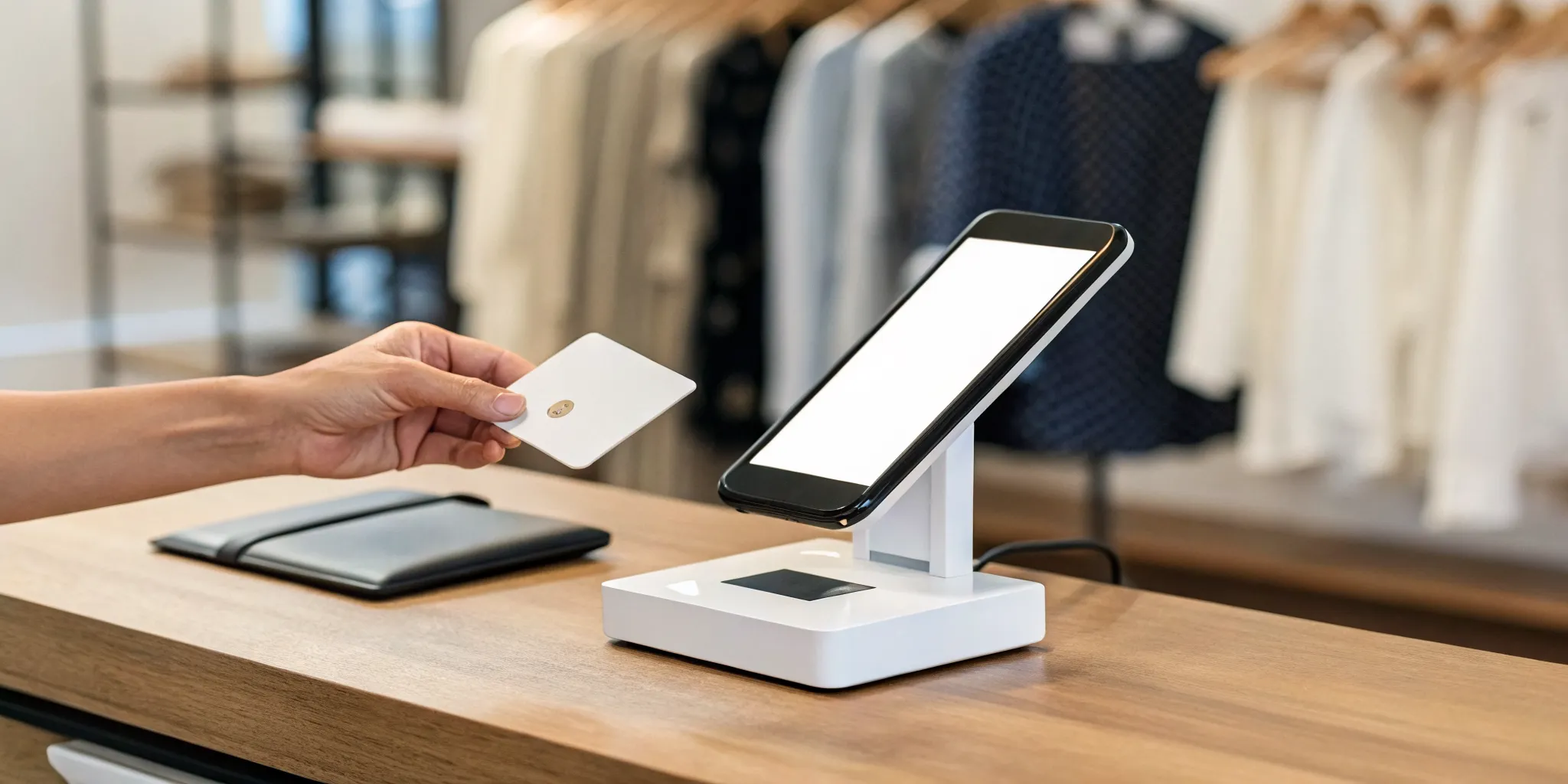
Think of a mobile point-of-sale (POS) system as your cash register, but one that fits in your pocket. It lets you process customer payments from anywhere, whether you’re at a farmer’s market, on a house call, or just moving around your shop floor. Instead of being tied to a clunky countertop terminal, you can use a smartphone or tablet connected to a small card reader. This setup allows you to manage sales, inventory, and customer information on the go, giving you the freedom to run your business from wherever you are. It’s all about making the checkout process seamless for your customers and simplifying operations for you.
The Key Parts of a Mobile POS
A mobile POS system has two main components: hardware and software. The hardware is the physical equipment you use, which is usually just a small card reader that connects to your smartphone or tablet. The software is the app you run on your device, and this is where the magic really happens. A great mobile POS app should have a clean, user-friendly interface that makes ringing up sales quick and intuitive for your team. It should also include tools for tracking your inventory in real time, sending you alerts when stock is low, and providing reports on sales trends so you can make smarter business decisions.
How Mobile Payments Work
Using a mobile POS is straightforward. The system allows you to accept payments using a smartphone or tablet as long as you have a Wi-Fi or cellular connection. When a customer is ready to buy, you simply open the POS app, add their items to the cart, and present the total. The customer can then pay by tapping their contactless card, using a mobile wallet like Apple Pay, or inserting their chip card into the reader. Once the transaction is approved, the system securely processes the payment, sends a digital receipt, and automatically updates your inventory records. It’s a fast, professional, and efficient way to handle sales.
What to Look For in a Mobile POS System
Choosing a mobile POS system feels like a big decision, because it is. This tool will be at the heart of your daily operations, so you want to get it right. Think of it as more than just a way to take money; the right system is your partner in managing inventory, understanding your customers, and making smarter business decisions. While the flashy features can be tempting, it’s the core functions that will truly make a difference for your business. Let’s walk through the four essential areas you need to examine to find a system that not only works, but helps you grow.
Seamless Payment Processing
Your checkout process is the final handshake with your customer, so you want it to be smooth and professional. A clunky or slow payment experience can leave a bad impression, no matter how great your products are. Look for a mobile POS with an intuitive interface that’s easy for you and your team to use right away. It should effortlessly accept all the ways your customers want to pay, including chip cards, contactless taps, and digital wallets. The goal is a seamless checkout that’s so quick and simple, your customers barely notice it happening. This keeps your lines moving and your customers happy.
Tools to Manage Inventory and Customers
A great mobile POS does so much more than process sales. It should act as your command center for inventory. The best systems offer real-time inventory tracking, so you know exactly what you have on hand at all times. Imagine getting automatic alerts when your best-seller is running low, preventing a missed sale. Beyond products, some systems also include basic customer relationship management (CRM) tools. These allow you to build customer profiles and track purchase history, giving you the insights you need to create loyalty programs and personalized marketing that keeps people coming back. Many providers also offer add-on features you can activate as your business grows.
Simple Reporting and Analytics
Are you making your business decisions based on gut feelings or hard data? A solid mobile POS system gives you the data you need, without requiring you to be an analytics expert. Look for a system that provides clear, easy-to-understand reports on your most important metrics. You should be able to quickly see your top-selling items, your busiest times of day, and even sales performance by employee. This information is gold. It helps you optimize your staffing schedules, refine your product orders, and create marketing campaigns that actually work. The right reporting tools transform your sales data from a simple number into a strategic roadmap for growth.
Essential Security and Compliance
In the world of payments, security isn’t just a feature; it’s a foundation. Protecting your customers’ sensitive payment information is your responsibility, and failing to do so can damage your reputation and result in hefty fines. Your mobile POS system must be PCI compliant, which is the industry standard for data security. Also, look for features like end-to-end encryption and tokenization. In simple terms, tokenization swaps sensitive card details for a unique, non-sensitive token. This means the actual card number is never stored on your device or system, drastically reducing the risk of a data breach. Never compromise on security; it’s the bedrock of trust between you and your customers.
Finding the Right Mobile POS for Your Business Type
The perfect mobile POS system isn’t a one-size-fits-all solution. The best choice for a bustling coffee shop will look very different from what a freelance photographer or a boutique clothing store needs. Your industry, sales volume, and even your future goals play a huge role in determining which system will work for you. A food truck needs a rugged, fast device for handling long lines, while an artist selling at a weekend market might prioritize low startup costs and simple inventory tracking.
Before you start comparing features, take a moment to think about your daily operations. Where do you make sales? What types of payments do you accept most often? How do you track your inventory and customer information? Answering these questions will help you create a checklist of must-have features. This way, you can confidently sort through the options and find a mobile POS that feels like it was built just for your business, helping you work smarter, not harder.
How MBNCard’s Mobile POS Can Help
A mobile POS system essentially turns your smartphone or tablet into a powerful cash register, letting you accept payments securely from anywhere. By connecting a small card reader or terminal to your device, you can process transactions on the spot, whether you’re at a client’s home, a trade show, or a pop-up event. Our mobile POS solutions at MBNCard are designed with this flexibility in mind. We help you get set up with the right hardware and software to create a professional checkout experience, no matter where your business takes you. We’re here to make sure your payment system supports your work, giving you the freedom to make a sale anytime, anywhere.
What to Look for if You’re a Small Business or Startup
When you’re just starting out, every dollar and every minute counts. For small businesses and startups, the ideal mobile POS system is affordable, reliable, and incredibly easy to use. You don’t have time for a complicated setup or a system that crashes during a busy rush. Look for transparent pricing without a lot of hidden fees, and read user reviews to see what other business owners are saying. It’s also smart to choose a system that can grow with you. Your sales volume might be small now, but you want a solution that can easily scale as your business takes off.
Must-Have Features for Restaurants and Cafes
For restaurants and cafes, speed and efficiency are everything. A great mobile POS for your establishment will do more than just take payments. Look for systems with durable handheld devices that allow your staff to take orders and process payments right at the table, which helps turn tables faster and keeps customers happy. Another critical feature is real-time inventory tracking. This helps you monitor stock levels on key ingredients, so you never have to tell a customer their favorite dish is sold out. Detailed sales reports are also essential for identifying your most popular items and busiest hours, allowing you to make smarter staffing and menu decisions.
Key Considerations for Retail and E-commerce
If you run a retail store, your mobile POS should connect every part of your business. A key feature to look for is omnichannel integration, which unifies your in-store and online sales into one seamless system. This allows a customer to buy online and pick up in-store or return an online purchase at your physical location without any hassle. As your business grows, you’ll also want a system that is designed with scalability in mind. Your POS should be able to handle an increasing number of products, customers, and transactions without slowing down. This ensures your technology supports your growth instead of holding it back.
Finding a Flexible System for Service Businesses
Service-based businesses, from plumbers and landscapers to event planners and consultants, thrive on flexibility. Since your office is wherever your clients are, you need a mobile POS that can keep up. Look for a system that lets you create estimates, send invoices, and accept payments on the spot. This not only looks more professional but also dramatically improves your cash flow since you don’t have to wait for checks to arrive in the mail. A good mobile POS for service providers also gives you access to customer history and job details from your phone, so you always have the information you need to provide excellent service.
How Much Does a Mobile POS System Cost?
Figuring out the cost of a mobile POS system can feel like a puzzle, but it’s simpler than it looks once you know which pieces to look for. The total price isn’t just one number; it’s a combination of transaction fees, software subscriptions, and hardware costs. It’s easy to get drawn in by a free card reader or a super low monthly fee, but it’s important to remember that the transaction rates might be higher to compensate. On the flip side, a system with a higher upfront hardware cost could end up saving you significant money on each sale over time.
The key is to look at the complete picture to find a solution that fits your budget and your business goals. Before you decide, take a moment to think about your average sales volume, the features you absolutely need to run your day-to-day operations, and how you plan to grow in the next few years. A system that works perfectly for a weekend pop-up shop might not have the power a bustling cafe with a full staff needs. In the sections below, we’ll break down each cost component so you can make a confident and informed decision without any surprises on your first bill.
Breaking Down Transaction Fees
Every time you accept a card payment, there’s a small cost involved. These are called transaction fees, and they’re usually a percentage of the sale plus a small fixed amount. A common structure you’ll see is something like 2.6% + 10¢ for every tap, dip, or swipe. While it might not sound like much, these fees can add up, especially as your sales grow. It’s important to understand this rate clearly, as it directly impacts your profit on every single item you sell. Some payment providers also offer programs like cash discounts that can help you significantly lower or even eliminate these processing costs.
Calculating Software and Hardware Costs
Next up are the costs for the tools themselves. The hardware is typically a one-time purchase. This can be a simple card reader that connects to your phone for around $49, or it could be a more complete setup with a tablet stand and receipt printer that costs several hundred dollars. The software is usually a recurring monthly fee, which can range from $0 for a basic plan to over $300 for a premium package with advanced features. The right plan for you depends on what you need. A free plan might be perfect for getting started, while a paid plan could offer essential tools like advanced inventory management, customer relationship management (CRM), and detailed sales analytics.
How to Spot Hidden Fees
No one likes finding unexpected charges on their monthly statement. Unfortunately, some providers aren’t fully transparent about their pricing. To protect your business, always ask for a complete list of fees before signing a contract. Look beyond the transaction rate and ask about monthly minimums, statement fees, PCI compliance fees, and early termination penalties. A trustworthy partner will provide you with clear, straightforward pricing without any confusing jargon or hidden fees. Choosing a system designed to scale with your business is also smart, as it ensures you won’t face sudden price hikes just because you’re growing.
The Biggest Benefits of Using a Mobile POS
If you’re wondering whether a mobile POS is worth it, the short answer is a resounding yes. These systems do more than just process payments; they can transform how you run your business. From giving you the freedom to sell anywhere to making your customers happier and saving you money, the advantages are hard to ignore. Let’s look at the biggest benefits you can expect when you make the switch.
Sell from Anywhere with Greater Flexibility
One of the best things about a mobile POS is that you’re no longer chained to a checkout counter. You can take your business wherever your customers are, whether that’s at a local market, a pop-up event, or even a client’s home. All you need is a smartphone or tablet and a small card reader to turn any location into your point of sale. This flexibility allows you to manage your business on the go, handling everything from sales and inventory to customer information from the palm of your hand. It’s about meeting customers where they are and never missing a sale.
Speed Up Checkout and Impress Customers
We’ve all been there: stuck in a long line, wondering if we should just leave. A mobile POS system helps you eliminate that friction for your customers. In a busy retail shop, your staff can walk the floor and check people out on the spot, a practice often called “line busting.” In a restaurant, servers can take payments right at the table, so diners don’t have to wait. This not only speeds things up but also creates a smooth and modern customer experience that leaves a great impression. Faster service often translates to happier, more loyal customers.
Lower Your Costs Compared to Traditional Systems
Let’s talk about your bottom line. Traditional POS systems often come with a hefty price tag for bulky hardware and complex software. Mobile POS systems, on the other hand, are much more budget-friendly. The upfront investment is significantly lower because you can often use devices you already own, like a tablet or smartphone. This makes it an accessible option for startups and small businesses looking to save money without sacrificing quality. By choosing a mobile POS, you can access powerful business tools while keeping your initial setup costs low, freeing up cash for other parts of your business.
Potential Downsides to Consider
Mobile POS systems offer incredible benefits, but like any business tool, they come with a few potential challenges. Being aware of these hurdles ahead of time is the best way to prepare for them. A little planning can ensure your transition to a mobile system is smooth and successful, so you can focus on what you do best: running your business. Let’s walk through a few common concerns and how to handle them.
What Happens When Connectivity Fails?
A mobile POS system’s greatest strength, its mobility, is also tied to its biggest dependency: an internet connection. A spotty Wi-Fi signal or a cellular dead zone can bring transactions to a halt, which is the last thing you want during a busy rush. This is one of the most common POS system problems, but it has a simple solution. Many modern POS systems come with an offline mode that lets you continue accepting card payments. These transactions are securely stored and then processed automatically as soon as your connection is restored. When comparing systems, make sure this is a feature you ask about.
Understanding the Security Risks
Accepting payments means you’re handling sensitive customer data, and protecting that information is your responsibility. The good news is that reputable mobile POS providers build their systems with security as a top priority. Your transactions should be protected by end-to-end encryption. Look for systems that also use tokenization, a process that replaces sensitive card details with a unique, non-sensitive token. This means that even in the unlikely event of a data breach, the actual card numbers are never exposed, keeping your customers and your business safe.
Overcoming Staff Training Hurdles
New technology can sometimes be met with hesitation from your team. One of the most common implementation challenges is simply resistance to change, especially if your staff is used to an older system. The best way to get everyone on board is to involve them early and provide clear training. Choose a system with an intuitive interface that’s easy to learn. Then, schedule time for hands-on practice before the system goes live. When you show your team how the new mobile POS will make their jobs easier, like speeding up orders or simplifying end-of-day reports, you can turn skeptics into advocates.
How to Choose the Right Mobile POS for Your Business
Okay, so you’re sold on the idea of a mobile POS. The next big question is: which one? The truth is, there’s no single “best” system for everyone. The right mobile POS for a bustling coffee shop will look very different from the one a freelance photographer uses. The key is to match the features to your specific daily operations and future goals. Think about what your biggest pain points are right now and where you see your business in a few years. Let’s break down what you should be looking for based on your industry.
Key Needs for the Food and Beverage Industry
If you run a restaurant, food truck, or cafe, your world revolves around speed and accuracy. You need a mobile POS that can keep up with the dinner rush. Look for features like customizable floor plans, easy order modifications (“extra pickles, please!”), and the ability to split checks without a headache. Tableside ordering and payment are game-changers, allowing your staff to serve more guests and turn tables faster. This is exactly why restaurant mobile POS systems are becoming so popular; they deliver the quick, smooth service customers expect and help your business run more efficiently from the kitchen to the curb.
Must-Haves for Retail and Service Businesses
For retail shops and service-based businesses, the customer experience is everything. Your mobile POS should make checkout feel effortless. A system with an intuitive interface is non-negotiable, as it helps streamline that final, crucial step of the shopping journey. You’ll also want powerful inventory tools to track stock levels, sizes, and colors automatically. For service providers, look for integrated appointment scheduling and client management features. While many systems offer tons of apps, focus on the core functions you need first, like seamless payments, customer profiles, and simple barcode scanning, to get started on the right foot.
Finding a System that Scales with Your Growth
It’s tempting to pick a system that only solves today’s problems, but it’s smarter to think long-term. As your business grows, your POS should grow with you. Choose a mobile POS solution that is designed with scalability in mind. This means it can easily handle more employees, new locations, or even an e-commerce store without forcing you to start over. A huge part of this is integrated payment processing. Manually keying in card details is slow and prone to errors, creating a bottleneck as your sales volume increases. A scalable system automates this, saving you time and preparing your business for future success.
How to Make Your Mobile POS Setup a Success
Choosing the right mobile POS is just the first step. A successful launch is what truly sets your business up for success, preventing headaches and ensuring you get the most from your investment. A smooth transition depends on three key things: having a backup for connectivity, training your team well, and ensuring your new system works with your other software. Getting these pieces right from the start will make all the difference for your staff and your customers.
Have a Backup Plan for Connectivity Issues
We’ve all experienced a sudden Wi-Fi drop. When you’re processing a payment, a lost connection can mean a lost sale and a frustrated customer. That’s why a backup plan is non-negotiable. Many mobile POS systems can operate on a cellular connection, switching over if your Wi-Fi fails. Some even offer an offline mode that securely stores transaction data to process later. Implementing a backup solution ensures your business keeps running smoothly, no matter what. It’s a simple step that protects your revenue and keeps your checkout line moving.
Get Your Team Excited and Well-Trained
Your team is on the front lines, so their comfort with the new mobile POS is essential. A system that feels confusing will slow down transactions and impact the customer experience. Instead of just handing them a manual, invest in hands-on training. Let them practice ringing up sales and processing returns in a low-pressure setting. When you invest in comprehensive training, you give your staff the confidence to handle any situation. A well-trained team is more efficient and provides the fast service that keeps customers coming back.
Ensure It Works with Your Other Systems
Your mobile POS shouldn’t operate on an island. It holds valuable data that can inform other parts of your business. Before you commit, confirm that it integrates with the tools you already use, like your accounting software or inventory management system. Seamless integration is a game-changer. It automates data entry, reduces the risk of human error, and gives you a complete picture of your business performance without juggling multiple spreadsheets. This compatibility check is a crucial step that saves countless hours down the road.
What’s Next? Getting the Most from Your Mobile POS
Once your mobile POS is up and running, the real fun begins. You’ve mastered taking payments on the go, but your system can do so much more than just process transactions. Think of it as your business’s command center, packed with tools to help you understand your customers, manage your operations, and grow your sales. Getting the most out of your mobile POS means moving beyond the basics and exploring the features that turn data into decisions. It’s about using the information your system collects every day to work smarter, not harder.
Many business owners stop after the initial setup, but the most successful ones learn to use their POS to its full potential. This is where you can gain a real competitive edge. By digging into your sales data, you can spot trends you might have otherwise missed, like which products are flying off the shelves on a Tuesday or which server has the highest average ticket. By connecting with your customers through integrated tools, you can build a loyal following that keeps coming back for more than just your products. And by unifying your sales channels, you can create a seamless experience that meets your customers wherever they are, whether they’re browsing your website from their couch or standing in your store. Let’s look at a few powerful ways you can make your mobile POS work for you.
Dig Deeper with Advanced Reporting
Your mobile POS is constantly gathering valuable data with every sale. Instead of letting it sit there, use your system’s reporting tools to make smarter business decisions. Dive into your sales reports to see what’s selling, when it’s selling, and who’s buying. This information is gold for planning promotions and managing your staff schedule. For example, if you see a spike in coffee sales every morning, you know to have extra staff on hand.
Most systems also offer powerful inventory management tools. You can set up automated alerts for low stock, preventing you from ever running out of a popular item again. By tracking your inventory in real time, you can make informed choices about what to reorder and what to discontinue. Leveraging these advanced reporting features helps you run a tighter, more profitable operation.
Use Your POS to Build Customer Loyalty
A great mobile POS does more than track sales; it helps you build relationships. Many systems include Customer Relationship Management (CRM) features that let you create customer profiles. With their permission, you can save a customer’s name, email, and purchase history. This allows you to personalize their experience in meaningful ways. You can see their favorite items, wish them a happy birthday with a special discount, or send targeted promotions for products you know they’ll love.
This personal touch makes customers feel seen and valued, which is key to building loyalty. When you can greet a regular by name and ask if they want “the usual,” you’re creating a connection that big-box stores can’t replicate. These tools for customer engagement transform a simple transaction into a lasting relationship, encouraging repeat business and positive word-of-mouth.
Scale Your Business with Omnichannel Selling
If you sell both online and in-person, your mobile POS can be the bridge that connects both worlds. This is called omnichannel selling, and it’s all about creating a single, unified experience for your customers. A POS that supports an omnichannel strategy allows your inventory, sales, and customer data to sync across all your channels automatically. This means no more manually updating your website’s stock after an in-store purchase.
This integration makes things easier for you and better for your customers. They can buy a product online and pick it up in your store, or return an online order at your physical location without any hassle. By unifying your sales channels, you provide the flexibility and convenience that modern shoppers expect, which can lead to higher satisfaction and more sales as your business grows.
Related Articles
- 5 Point of Sale Examples From Top Industries
- The Ultimate Guide to Point of Sale Systems
- 7 Best Retail POS Systems for Small Business
- Affordable POS Equipment | MBN Card Services
Frequently Asked Questions
Can I get started with a mobile POS without a big upfront investment? Yes, absolutely. One of the best things about mobile POS systems is how accessible they are. You can often use the smartphone or tablet you already own, so your main initial cost is just a small, affordable card reader. Many providers offer free or low-cost software plans to get you started, with transaction fees being the primary ongoing expense. This lets you get professional payment processing without the hefty price tag of a traditional setup.
What happens if my internet goes out during a sale? This is a super common concern, but a good mobile POS has you covered. Look for a system with an “offline mode” feature. This allows you to continue accepting card payments even if your Wi-Fi or cellular signal drops. The transaction information is stored securely on your device and then processed automatically as soon as you’re connected again. It’s a crucial feature that ensures you never have to turn a customer away.
How can I be sure my customers’ card information is safe with a mobile system? Security is foundational, and reputable mobile POS providers take it very seriously. Your system should use security measures like end-to-end encryption and tokenization. In simple terms, tokenization swaps sensitive card data for a unique code, meaning the actual card number is never stored on your device or in your system. This makes the transaction incredibly secure and protects both you and your customer from potential data breaches.
Is it difficult to switch from a traditional cash register to a mobile POS? The transition is usually much smoother than business owners expect. Most mobile POS apps are designed to be very intuitive, with clean layouts that are easy to learn. The key to a successful switch is setting aside a little time for hands-on training for you and your staff. Once your team sees how much faster it makes checkout and how it simplifies tasks like inventory, they typically get on board very quickly.
Besides taking payments, what’s the most useful thing a mobile POS can do for my business? Honestly, the data it provides is a close second to processing payments. A great mobile POS gives you simple, clear reports that show you what your best-selling products are, what your busiest hours are, and even how your sales are trending over time. This information is incredibly valuable for making smarter decisions about what to order, how to staff your business, and which marketing efforts are actually working. It turns your sales information into a clear roadmap for growth.