The payment needs of a busy restaurant are completely different from those of a freelance photographer or a retail shop expanding into weekend markets. A one-size-fits-all solution rarely works. You need a system that matches your specific workflow, sales volume, and customer environment. Should you get a simple mobile reader that connects to your phone, or a durable, all-in-one terminal with a built-in printer? This guide breaks down the options by business type. We’ll help you compare the features, fees, and software integrations to find the best credit card reader that feels custom-built for the way you work.
Key Takeaways
- Look beyond the hardware’s price tag: The true cost of a card reader is found in its transaction fees and monthly charges, not the initial price. Compare different pricing models, like flat-rate versus interchange-plus, to find a structure that fits your sales volume and saves you money over time.
- Choose a reader that works with your other tools: A reader that connects with your accounting and inventory software saves you from manual data entry and costly mistakes. This integration creates a streamlined system that gives you an accurate, real-time picture of your business’s health.
- Select a device built for your business type: Your daily operations determine the best reader for you; a restaurant needs different features than a mobile contractor or a retail store. Consider portability, durability, and specific POS functions to find a solution that supports your workflow.
What to Look for in a Credit Card Reader
Choosing a credit card reader feels like a simple task, but the device you pick is tied to your entire payment processing system. It’s about more than just the hardware; it’s about the fees, software, security, and support that come with it. Think of it as choosing a business partner. You want one that’s reliable, transparent, and helps you grow. To make the right choice, let’s break down the key factors you should consider.
Understanding Transaction Fees and Pricing
First things first: let’s talk about fees. The price of the reader itself is just one small piece of the puzzle. You need to look at the total cost of accepting a payment. This includes transaction fees, which can be a flat rate (like 2.6% + 10 cents per tap) or a more complex interchange-plus model. While flat-rate pricing is simple, it can be more expensive for businesses with higher sales volumes. Don’t forget to ask about monthly software fees or account fees, too. At MBNCard, we help businesses save significantly with programs like cash discount and dual pricing, which can offset your processing costs entirely. It’s always worth asking a provider how they can help you keep more of your money.
Weighing Hardware Costs and Contract Terms
Many providers offer a “free” basic card reader, but it’s important to read the fine print. Often, that free hardware locks you into a long-term contract with high processing fees or penalties for leaving early. Before you commit, ask about the contract length and any early termination fees. Find out if the hardware is proprietary, meaning it will only work with that specific processor. Investing a little upfront in a quality reader that you own outright can give you the freedom to switch providers if you find a better deal later on. A transparent partner will be upfront about all hardware costs and contract terms, with no surprises.
Prioritizing Portability and Ease of Use
Think about how and where you do business. If you run a brick-and-mortar shop, a countertop terminal might be perfect. But if you’re a plumber who takes payments at a client’s home or a vendor at a farmers market, you’ll need something portable and lightweight with a long battery life. Look for a reader that connects easily to your phone or tablet via Bluetooth. Also, prioritize a device that accepts NFC contactless payments (like tap-to-pay cards and mobile wallets). It’s not only faster for your customers but also more secure, which makes for a smoother checkout experience for everyone involved.
Making Sure It’s Secure (and PCI Compliant)
Security is not an area where you can afford to cut corners. Protecting your customers’ payment information is your responsibility, and a security breach can be devastating for a small business. Your credit card reader must use end-to-end encryption, which scrambles card data the moment it’s captured. Your payment provider should also be fully PCI compliant, which is the industry standard for protecting cardholder data. A reputable provider will handle the heavy lifting on compliance and offer fraud protection tools to help you identify and prevent suspicious transactions, giving you and your customers peace of mind.
Checking for Software and POS Compatibility
Your card reader doesn’t work in a vacuum; it’s part of your larger point-of-sale (POS) system. Some providers, like Square, bundle their hardware and software together into a closed system. Others offer readers that can integrate with a variety of POS platforms. Before choosing a reader, confirm that it works with the tools you already use to run your business, like your accounting software, inventory management system, or e-commerce platform. A seamless integration saves you from manually entering data, reduces errors, and gives you a clear, unified view of your sales and operations. At MBNCard, we specialize in integrations that make your entire system work together smoothly.
Accepting Mobile Payments (like Apple Pay and Google Pay)
In a world of smartphones and smartwatches, customers increasingly expect to pay with a simple tap of their device. Accepting mobile payments like Apple Pay and Google Pay is no longer a bonus feature; it’s a basic expectation for modern businesses. This requires a reader with Near Field Communication (NFC) technology. Not only is it incredibly convenient for your customers, but it’s also one of the most secure ways to pay, as it uses tokenization to protect card details. Offering these payment options shows your customers that you’re current and care about providing a quick, secure, and easy checkout experience.
Knowing What Happens When You Need Help
When your card reader stops working, your business can grind to a halt. That’s why reliable customer support is so important. Before you sign up with a provider, find out what their support looks like. Are they available 24/7, or only during business hours? Can you reach a real person on the phone, or are you limited to email or a chatbot? When you’re in a jam, you want fast, effective help from someone who understands your problem. A provider that offers personalized, around-the-clock support demonstrates that they are a true partner invested in your success, not just another vendor.
A Closer Look at the Best Credit Card Readers
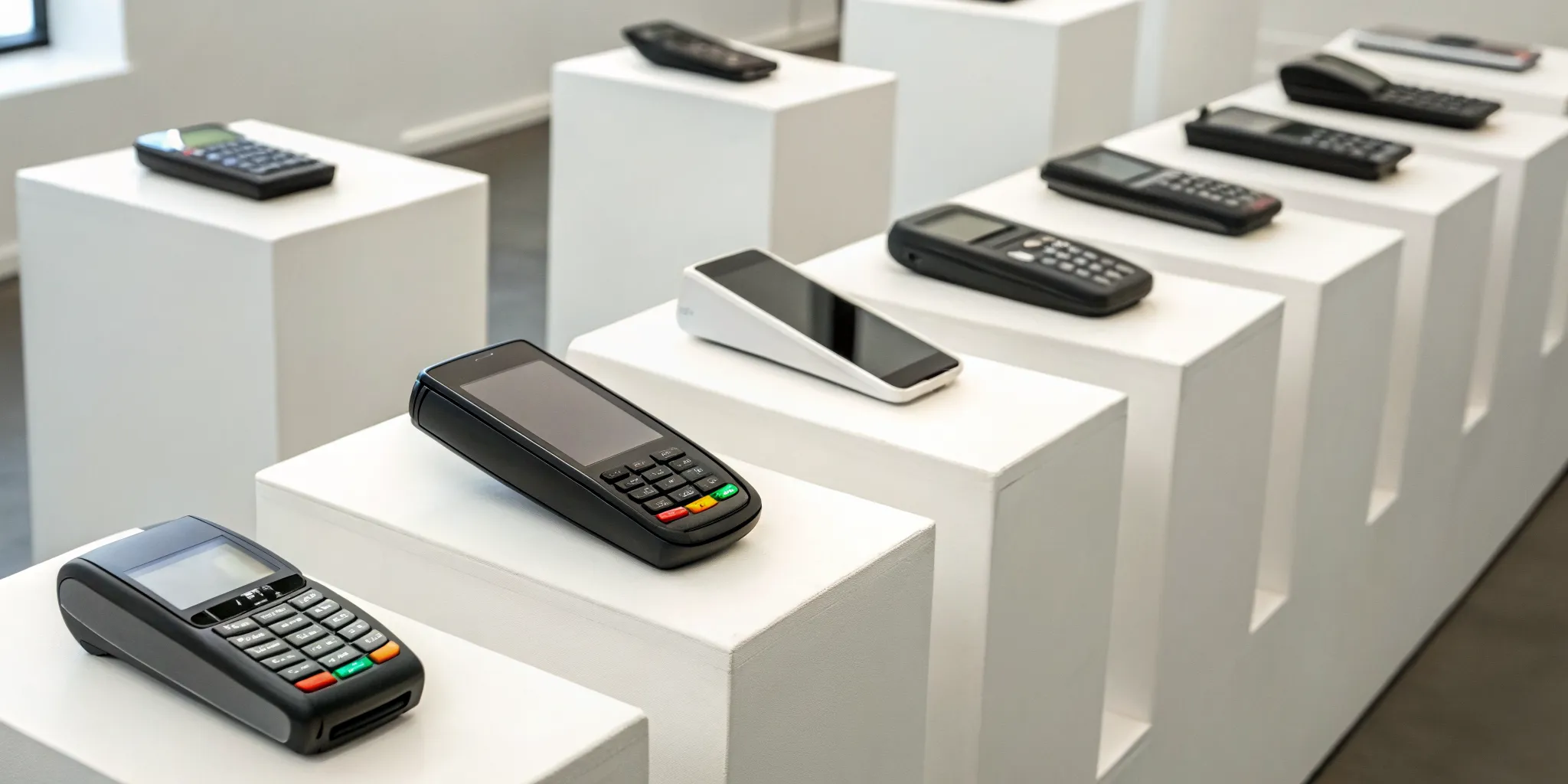
Choosing the right credit card reader can feel like a huge decision, but it doesn’t have to be complicated. The best device for your business really comes down to your specific needs. Are you just starting out and need something simple? Do you run a busy restaurant that needs to process payments at the table? Or maybe you have an online store and want to start selling at local markets? Each scenario calls for a different tool.
To help you find the perfect match, I’ve put together a list of some of the best credit card readers available. We’ll look at what makes each one stand out, who it’s best for, and what you can expect in terms of features and cost. Think of this as your guide to finding a reader that not only accepts payments but also fits right into your workflow and helps your business grow. Let’s find the right one for you.
1. MBNCard — For Transparent, Affordable Payment Processing
If you’re tired of staring at confusing merchant statements and getting hit with unexpected fees, MBNCard is designed for you. We focus on providing clear, straightforward payment processing for small and mid-sized businesses. Our goal is to make your costs predictable so you can budget effectively and keep more of your hard-earned money. We offer programs like dual pricing that can significantly reduce or even eliminate your processing fees. It’s an ideal solution for business owners who value honesty and want a partner dedicated to helping them save. You get reliable processing without the headache of deciphering complex fee structures.
2. Square Reader — For Startups and Solo Sellers
The Square Reader is a favorite among new businesses, artists, and market vendors for a reason. It’s incredibly easy to set up and has no monthly fees, which is a huge plus when you’re just getting started. For a one-time hardware cost, you get a compact reader that connects to your phone or tablet. Square uses a simple flat-rate pricing model, typically around 2.6% + $0.10 for in-person transactions. This predictability is perfect for businesses with fluctuating sales volumes or anyone who wants to accept credit cards without committing to a monthly contract.
3. Shopify Tap & Chip Reader — For E-Commerce Businesses
For businesses already running on Shopify, their Tap & Chip Reader is a game-changer. Priced at $49, this reader is built to work seamlessly with your online store. This is its superpower: it automatically syncs your in-person sales with your online inventory, customer data, and sales reports. If you’re an e-commerce brand expanding into physical retail through pop-ups, events, or a brick-and-mortar location, this integration is invaluable. It eliminates the manual work of reconciling two separate sales channels and gives you a unified view of your entire business through Shopify POS.
4. Helcim Smart Terminal — For High-Volume Businesses
If your business processes a high volume of transactions each month, the Helcim Smart Terminal is worth a look. While the hardware costs more upfront, it operates on an interchange-plus pricing model. This structure can lead to significant savings for high-volume businesses compared to flat-rate pricing. Instead of a fixed percentage, you pay the wholesale interchange rate plus a small, fixed markup. Helcim is known for its transparency and provides tools that help you understand your rates. It’s a smart investment for established businesses looking to optimize their payment processing costs as they scale.
5. Clover Flex — For Versatile Business Types
The Clover Flex is more than just a credit card reader; it’s a powerful, handheld point-of-sale system. This versatility makes it a great fit for a wide range of businesses, from restaurants that need to take orders and payments tableside to service providers who work on-site. The device comes with a built-in receipt printer, scanner, and a comprehensive app market to add functionality. You can manage inventory, run reports, and track employees all from one device. The Clover Flex is perfect for business owners who need robust features and the flexibility to take payments anywhere in their establishment.
6. PayPal Zettle — For Occasional Sellers
For those who sell in person only once in a while, PayPal Zettle is an excellent and low-commitment option. Backed by the trusted PayPal name, the Zettle reader is easy to use and integrates directly with your PayPal Business account. Transaction fees are competitive for occasional use, typically around 2.29% + $0.09 per transaction. This makes it a cost-effective choice for freelancers, hobbyists, or online sellers who participate in a few craft fairs a year. You get a reliable way to accept payments without being locked into a system designed for daily use.
7. SumUp — For Low-Volume and Seasonal Businesses
SumUp is another fantastic choice for businesses that don’t need a heavy-duty payment system. It’s particularly well-suited for seasonal operations, like a summer ice cream stand or a holiday gift shop, because there are no monthly fees or contractual obligations. You simply buy the reader and pay a flat rate per transaction. SumUp is known for its straightforward, no-fuss approach. The hardware is affordable, and the setup is quick, allowing you to start accepting payments almost immediately. It’s a simple, low-cost solution for businesses that need flexibility and affordability above all else.
8. Toast Go — For Food and Beverage Businesses
The food and beverage industry has unique demands, and the Toast Go is built specifically to meet them. This handheld device is designed for the fast-paced restaurant environment. It’s durable enough to withstand spills and drops, and its battery lasts through a long shift. Servers can use it to take orders, send them to the kitchen, and accept payments right at the table, which speeds up service and improves the customer experience. With features tailored for restaurants, like tip adjustments and menu management, the Toast Go 2 is the go-to choice for cafes, bars, and restaurants of all sizes.
How Do Credit Card Reader Fees Actually Work?
Let’s talk about fees, because they’re one of the most confusing parts of accepting credit cards. When you swipe, dip, or tap a card, a small percentage of that sale goes toward processing fees. But how that fee is calculated depends entirely on your pricing model. Understanding the different structures is the first step to making sure you’re not overpaying. There are a few common models you’ll run into, and picking the right one can save you a lot of money and headaches down the road.
What Is Flat-Rate Pricing?
Flat-rate pricing is the simplest model out there. Processors like Square and PayPal use this structure, charging you a single, fixed percentage for every transaction, plus a small per-transaction fee (like 2.6% + $0.10). There are no surprises here; you pay the same rate whether your customer uses a basic debit card or a high-rewards credit card. This predictability is perfect for new businesses, mobile sellers, or anyone with a lower sales volume. You always know exactly what you’ll pay, which makes bookkeeping straightforward when you’re just starting out.
What Is Interchange-Plus Pricing?
If your business has a higher sales volume, interchange-plus pricing is worth a look. This model is more transparent but also a bit more complex. It breaks your fee into two parts: the “interchange” fee, which is a non-negotiable rate set by the credit card networks (like Visa and Mastercard), and the “plus,” which is the processor’s markup. While the rates can vary from card to card, this model often results in lower overall costs for established businesses. You see exactly what the base cost is and what your processor is charging on top, which gives you a clearer picture of your payment processing expenses.
What Is Subscription-Based Pricing?
Another option you might see is subscription-based pricing. With this model, you pay a set monthly fee to access the payment processing service. In exchange for that predictable monthly expense, you often get lower per-transaction rates or access to additional software features. This can be a great fit for businesses that have consistent sales and prefer to budget for a fixed cost each month rather than dealing with fluctuating fees. It’s a trade-off: you pay a recurring fee, but you could save on every single transaction you process, which really adds up over time.
How Cash Discount and Dual Pricing Programs Work
Cash discount and dual pricing programs are smart ways to manage your processing costs. A cash discount program lets you offer a discount to customers who choose to pay with cash, which encourages cash payments and reduces your processing volume. Dual pricing works a little differently by displaying two prices for every item: a card price and a lower cash price. This way, the cost of card acceptance is covered by the customers who choose that payment method. Both programs give you a direct way to control your expenses and can significantly lower your monthly processing bill.
What Hidden Fees Should You Look For?
A “free” credit card reader can sound like a great deal, but it’s rarely the full story. The real cost of payment processing isn’t usually the hardware itself; it’s the fees tied to your merchant account. Some providers are upfront about their costs, while others hide fees in the fine print of long contracts. As a business owner, the last thing you need is a surprise bill that eats into your profits. Knowing what to look for from the start can save you a lot of money and frustration down the road. Let’s pull back the curtain on some of the most common hidden fees so you can ask the right questions and choose a processor that truly has your back.
Monthly and Annual Account Fees
That free magstripe reader a company sends you might feel like a win, but it could be a gateway to recurring account fees. Many processors charge monthly or annual fees for simply having an account with them. These can be labeled as statement fees, gateway fees, or PCI compliance fees. While some basic readers are free, you’ll likely want one that accepts tap-to-pay (NFC) for better security and speed, which can sometimes come with a higher monthly cost or a separate hardware purchase. Always ask for a full schedule of fees and find out if there are charges for account maintenance or for maintaining PCI compliance before you commit.
The Cost of Chargebacks and Refunds
Chargebacks are an unfortunate reality for many businesses. When a customer disputes a charge, your payment processor will pull the funds from your account while they investigate. On top of losing the sale, most processors will also charge you a chargeback fee, which can range from $15 to $25 or more. You are charged this fee even if the dispute is eventually ruled in your favor. While all-in-one processors like Square charge a simple flat rate for transactions, it’s important to understand their specific policies and fees for handling disputes. These costs can add up quickly, so having a clear chargeback management strategy is essential.
Penalties for Ending Your Contract Early
One of the most important questions you can ask a potential processor is, “What happens if I want to leave?” Some providers will try to lock you into a multi-year contract that’s difficult and expensive to get out of. These agreements often contain a clause for an early termination fee (ETF), which could cost you hundreds of dollars if you decide to switch providers before the contract is up. Look for a processor that offers month-to-month agreements or is very transparent about its cancellation policy. You need the flexibility to make the best choices for your business, and you shouldn’t be penalized for it.
Fees for Transaction Limits and Overages
Your processing plan should match your sales volume. Some pricing models are great for businesses with high sales, while others are better for those just starting out. It’s crucial to understand if your plan has a monthly processing limit. If you exceed that limit, you could be bumped into a much higher rate for the overage. Conversely, some providers have monthly minimums, and if you don’t process enough transactions to meet the minimum, you’ll be hit with a fee. Be sure to ask about any volume limits, batch fees (a fee for settling your daily transactions), and minimum processing requirements.
Finding the Right Reader for Your Business
The best credit card reader isn’t a one-size-fits-all solution. The right device for a bustling coffee shop will have different features than what a freelance photographer needs for on-location shoots. Your industry, sales volume, and day-to-day operations all play a huge role in determining the perfect fit. Let’s break down what to look for based on your specific type of business, so you can find a reader that truly works for you.
For Retail Shops
If you run a retail shop, you’re looking for a reader that offers competitive rates without skimping on features. For new businesses, the Square Reader (Contactless & Chip) is a solid starting point at $59, with straightforward transaction fees. If you already have an online store, the Shopify Tap & Chip Reader ($49) is a fantastic choice because it provides seamless integration between your e-commerce and physical sales. For shops with higher sales volume, investing in the Helcim Smart Terminal ($349) can be more cost-effective in the long run, thanks to its interchange-plus pricing model.
For Service Providers
As a service provider, your focus is likely on keeping costs low and transactions simple. When comparing readers, pay close attention to transaction fees, monthly software costs, and the price of the hardware itself. While some companies offer a free basic magstripe reader, it’s worth opting for a device with NFC tap-to-pay capabilities. This allows you to efficiently handle payments and gives your business a more professional, modern feel. The added security and speed of contactless payments are a win for both you and your clients.
For Restaurants and Cafes
Restaurants and cafes need a reader that can keep up with a demanding environment. The Toast Go is an excellent option because it’s specifically designed for the food service industry. It’s durable enough to handle spills, has a long battery life for busy shifts, and can even operate offline, so a spotty internet connection won’t bring your service to a halt. Toast also offers a ‘Pay-as-you-Go’ plan, which lets you get the hardware without a large upfront cost, making it a great choice for new or growing establishments.
For Mobile and On-the-Go Operations
If your business is always on the move—whether you’re a vendor at a farmers market or a contractor visiting client homes—you need a reader that’s portable and reliable. The SumUp reader is a popular choice for its low hardware cost and simple pricing. Another great option is the Square Reader for Magstripe, which is incredibly compact and plugs right into your phone or tablet. A major plus for Square is its ability to process payments even without an internet connection. The transactions are queued and processed automatically once you’re back online within 24 hours.
Why Software Integrations Matter
A credit card reader might seem like a simple piece of hardware, but it’s the command center for your sales. When it works in harmony with the other software you use to run your business, it can save you an incredible amount of time and money. Think of it this way: every time you have to manually transfer information from one system to another, you’re not just losing time, you’re also opening the door for human error. A sale that isn’t logged correctly in your inventory can lead to an accidental oversell, and a transaction that’s missed in your accounting can throw off your entire month’s bookkeeping.
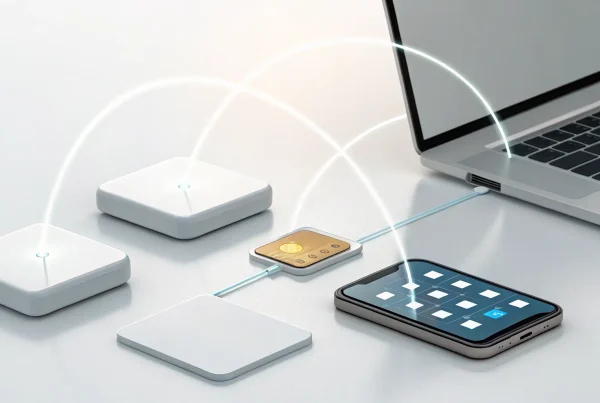
The right software integrations transform your card reader from a simple payment tool into a powerful business hub. Instead of juggling separate systems for sales, inventory, and accounting, you get a single, streamlined workflow. When your reader talks directly to your other tools, data flows automatically and accurately where it needs to go. This connected ecosystem gives you a clear, real-time picture of your business’s health, freeing you up to focus on what you do best: serving your customers and growing your brand. Our e-commerce integrations are designed to create this exact kind of seamless experience for your business.
Syncing with Your Inventory and Accounting Software
If you’ve ever spent hours at the end of the month manually entering sales receipts into your accounting software, you know how tedious it can be. An integrated payment system eliminates this chore completely. When your credit card reader syncs directly with tools like QuickBooks, every sale is automatically recorded, categorized, and reconciled. This not only saves you from mind-numbing data entry but also ensures your financial records are always accurate and up to date. The same goes for inventory. An integrated system automatically adjusts stock levels with each purchase, so you always have a precise count of what’s on your shelves, preventing stockouts and lost sales.
Getting Real-Time Sales Data and Reports
Making smart business decisions depends on having good data, and you can’t afford to wait days or weeks for it. A credit card reader that integrates with your point-of-sale (POS) system gives you instant access to valuable reports and analytics. You can see your sales trends as they happen, identify your most popular products, and pinpoint your busiest hours of the day. This real-time information is gold. It helps you optimize your staffing schedules, run more effective promotions, and understand your customers’ buying habits. A modern POS system turns every transaction into a useful insight that can help you manage your business more effectively.
Connecting to Your E-Commerce Platform
For businesses that sell both online and in person, managing inventory across two separate channels can be a major headache. Nothing disappoints a customer faster than ordering an item online only to find out it was sold at your pop-up shop an hour earlier. When your credit card reader connects to your e-commerce platform, this problem disappears. A sale made in your physical location instantly updates the stock count in your online store, and vice versa. This unified commerce approach ensures your inventory is always accurate across all your sales channels, creating a smooth and professional experience for your customers and saving you from the chaos of overselling.
5 Common Myths About Credit Card Readers
The world of payment processing can feel complicated, and that confusion often leads to a few common misconceptions. When you’re trying to find the right tools for your business, you need clear, straightforward information. Marketing jargon and complex pricing sheets don’t make it any easier, often leaving you with more questions than answers. It’s no wonder so many myths about credit card readers persist. But believing them can cost you, leading to higher fees, inefficient operations, and missed opportunities.
Let’s cut through the noise and tackle five of the biggest myths head-on. Think of this as your guide to becoming a more informed buyer. When you understand the truth behind these common beliefs, you can ask smarter questions and confidently choose a payment solution that truly supports your business goals. After all, the right reader isn’t just a piece of hardware; it’s a critical tool that impacts your bottom line, your customer experience, and your ability to grow. Getting this decision right from the start will save you headaches and money down the road.
Myth #1: “All Readers Are Basically the Same”
It’s easy to assume that one little plastic square is just like any other, but that couldn’t be further from the truth. The reality is that different credit card readers come with a wide range of features, fee structures, and hardware capabilities. Some are designed for ultimate portability, while others are built into robust, all-in-one POS systems. For instance, some providers are known for their simple setup, while others offer lower transaction fees through more advanced pricing models. The best credit card readers are the ones that match your specific sales volume, business type, and software needs. Thinking they are all the same is a fast track to overpaying or getting stuck with a system that doesn’t grow with you.
Myth #2: “You’re Stuck Paying High Fees”
The fear of getting locked into high, unpredictable processing fees is one of the biggest worries for any business owner. But you are not stuck. While some providers do have complicated fee structures, many others offer competitive and transparent rates. It’s entirely possible to find plans with fees lower than the common flat rates you see advertised. For example, many providers offer rates around 2.6% + $0.15 for in-person transactions. At MBNCard, we focus on transparent interchange-plus pricing and offer programs like cash discounting, which can help you reduce your processing costs significantly. Don’t settle for the first offer you see; shopping around for a provider that values transparency can save you a lot of money.
Myth #3: “Mobile Readers Are Only for Small Sales”
Many people picture mobile readers being used for small purchases at a farmers market or craft fair, but their capabilities go far beyond that. These compact devices are powerful tools for all kinds of businesses, from service providers taking payments on-site to retailers who want to bust lines during busy hours. Mobile credit card readers are incredibly versatile and can securely handle transactions of any size, making them perfect for businesses that operate in different locations or have fluctuating sales volumes. Whether you’re a plumber finishing a big job or a consultant closing a deal at a coffee shop, a mobile reader gives you the flexibility to get paid anywhere.
Myth #4: “A ‘Free’ Reader Won’t Cost You Anything”
We’ve all seen the ads for a “free” credit card reader, and it sounds like an unbeatable deal. However, it’s important to look at the whole picture. While the hardware itself might not cost you anything upfront, the provider makes its money through transaction fees. For example, a provider might give you a free credit card reader but charge a flat rate of 2.6% + 15¢ on every single transaction. For a business with low or infrequent sales, this can be a great, low-risk way to start. But if your sales volume is high, those seemingly small fees add up quickly and can become far more expensive over time than paying for a reader and securing a lower processing rate.
Myth #5: “My Online Store Doesn’t Need a Physical Reader”
If you run a successful e-commerce business, you might think a physical card reader is completely unnecessary. But what happens when an opportunity for an in-person sale pops up? Maybe you decide to test your products at a local market, attend a trade show, or host a pop-up shop. Having a physical reader allows you to create a seamless experience for your customers, no matter where they shop. Integrating a physical reader with your online store unifies your sales channels, keeping your inventory and reporting in one place. It gives your business the flexibility to grow and capture sales in person without any friction.
How to Get the Best Value on a Card Reader
Finding the right card reader feels like a big decision, and it’s easy to get fixated on the price of the device itself. But the secret to getting the best value isn’t about finding the cheapest piece of hardware. It’s about understanding the total cost of accepting payments over time. A “free” reader can sometimes cost you more in the long run through higher fees, while a small investment in the right device can save you thousands. To make the smartest choice for your business, you need to look at the complete picture, from transaction fees to hardware alternatives.
Look Beyond the Sticker Price
The initial cost of a card reader is just the tip of the iceberg. The real costs are in the recurring fees you’ll pay every month. Before you commit, look closely at the transaction fees, which are charged every time you make a sale, and any monthly software fees. While many providers offer a basic magnetic stripe reader for free, it’s often worth investing in a device with NFC capability for tap-to-pay. This not only speeds up your checkout line but also provides the secure and modern experience customers expect.
Match the Pricing Model to Your Sales Volume
Payment processors use different models to charge you, and picking the right one is key to saving money. Many all-in-one providers use flat-rate pricing (like 2.6% + 10¢ per tap), which is simple and predictable, making it great for new businesses. However, if your sales are growing, an interchange-plus pricing model could be much cheaper. This model is more transparent, as it separates the wholesale interchange rates from the processor’s markup. A good payment partner can help you figure out which structure will save you the most based on your specific sales volume.
Explore Low-Cost Hardware Alternatives
You might not even need a traditional card reader to start accepting payments. If you’re just starting out or run a mobile business, there are simpler, more affordable options. Many smartphones now support Tap to Pay, which lets you accept contactless cards and digital wallets directly on your phone with no extra hardware. You can also find small, portable card readers that connect to your phone or tablet via Bluetooth. These are much less expensive than a full smart terminal and are perfect for taking payments on the go.
Related Articles
- 5 Best Portable Credit Card Machines for Small Business
- 7 Best Mobile Credit Card Readers for Small Business
- How to Accept Credit Cards for Small Business in 4 Steps
Frequently Asked Questions
I’m just starting my business. What’s the single most important factor when choosing a card reader? The most important thing is to look beyond the price of the reader itself and consider the total cost of accepting a payment. This means looking at the transaction fees, any monthly software costs, and the contract terms. A cheap or free reader can be tempting, but it might lock you into high fees that cost you much more in the long run. Think of it as choosing a partner, not just a piece of plastic.
Are “free” credit card readers a scam? They aren’t a scam, but it’s smart to be skeptical. A free reader is usually a trade-off. In exchange for the free hardware, you’ll likely pay a simple, flat-rate transaction fee that might be higher than other pricing models. This can be a great, low-risk option if you have infrequent or low-volume sales. However, as your business grows, those higher fees can really add up, so it’s important to understand what you’re signing up for.
My sales are growing. Should I switch from a simple flat-rate pricing plan? It’s definitely something to consider. Flat-rate pricing is wonderfully simple when you’re starting out, but it’s not always the most cost-effective plan as your sales volume increases. When you’re processing more transactions, a model like interchange-plus pricing can often save you a significant amount of money. This structure is more transparent, showing you the base wholesale cost and the processor’s markup separately, which usually results in a lower overall rate for established businesses.
Do I really need a reader that accepts tap-to-pay and mobile wallets like Apple Pay? Yes, you absolutely do. This isn’t just a fancy feature anymore; it’s what customers expect. Accepting contactless payments is faster, which keeps your line moving and improves the checkout experience. More importantly, it’s more secure for everyone involved. These payments use advanced encryption and tokenization to protect card data, which reduces your liability and gives your customers peace of mind.
What’s the best way to lower my overall credit card processing costs? The best strategy is to work with a payment provider who acts as a partner in finding savings. This goes beyond just finding the lowest rate. A good partner will analyze your sales to see if a different pricing model, like interchange-plus, would save you money. They will also introduce you to programs like dual pricing or cash discounts, which are designed to directly offset your processing fees and can dramatically reduce your monthly bill.