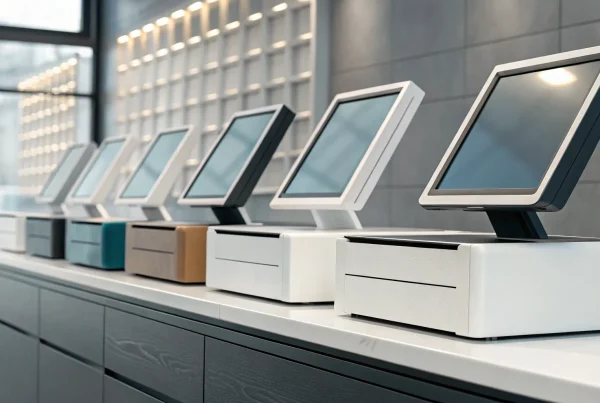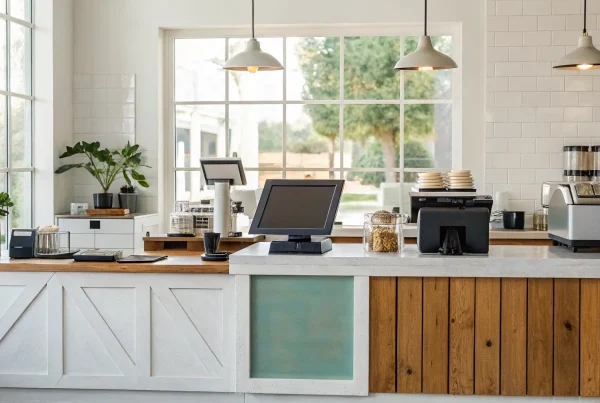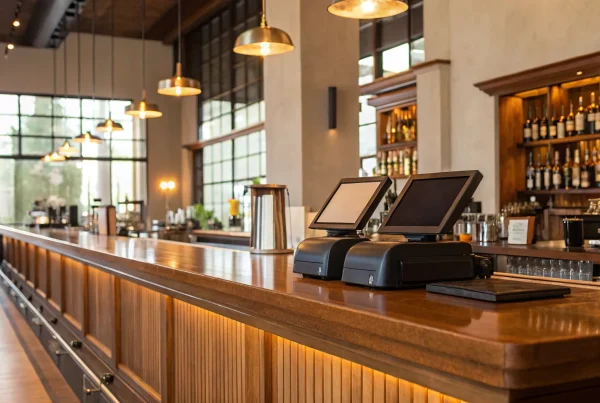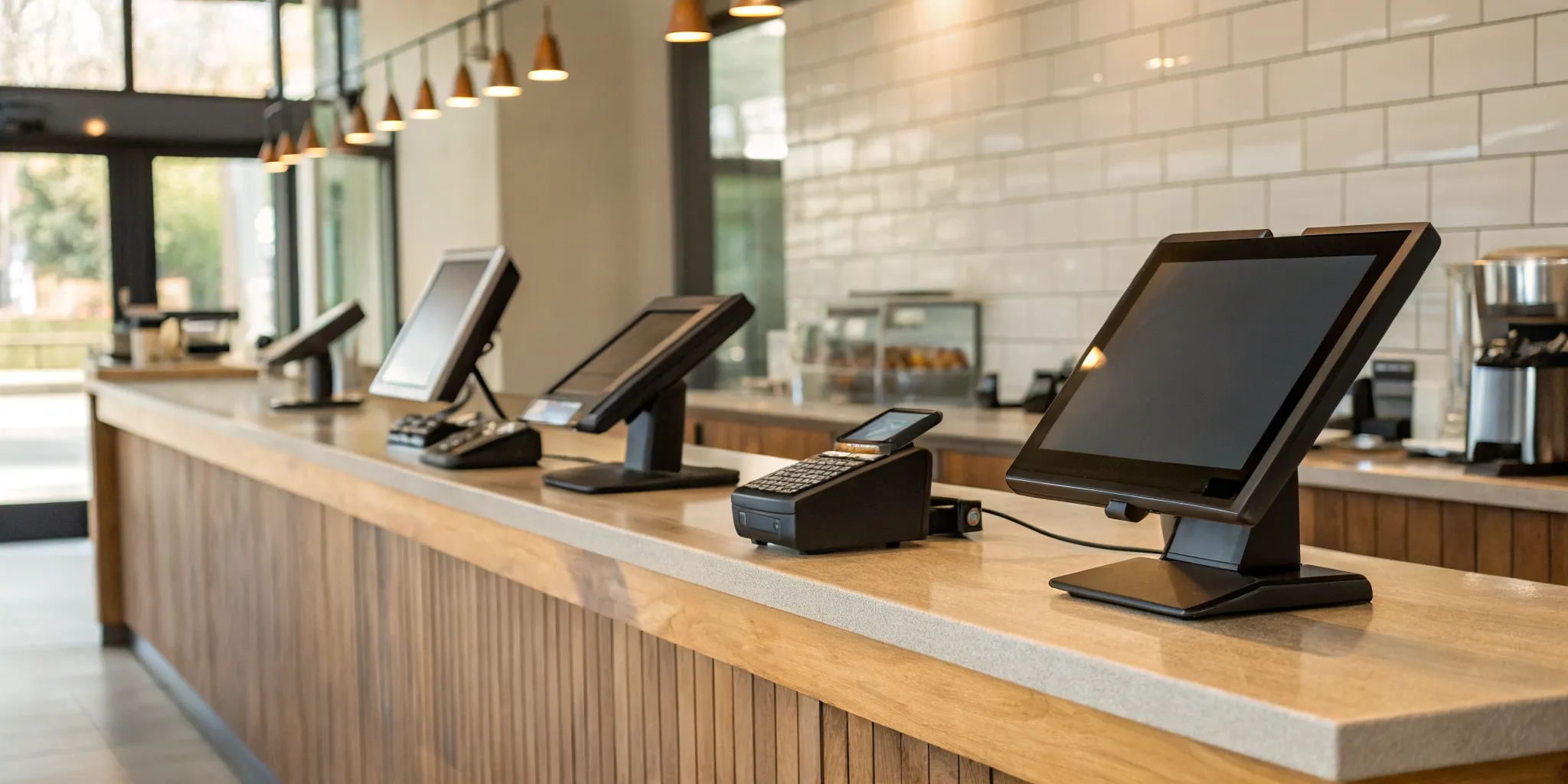
Nothing sinks a dinner rush faster than a POS system that freezes, fails to process a payment, or makes splitting a check a ten-minute ordeal. These technical headaches are more than just frustrating; they cost you money and damage your reputation. If you’ve ever felt held hostage by your technology, you know how crucial it is to have a system you can count on. This guide is for you. We’ll cut through the noise to help you understand what really matters when choosing a POS. The best pos system for small restaurant owners isn’t just about hardware; it’s about finding a reliable tool that prevents problems and lets you focus on creating a great experience for your guests.
Key Takeaways
- Find the right fit for your service style: Your POS should solve your specific challenges, so choose a system built for your restaurant type, whether it’s a quick-service cafe, a full-service dining room, or a food truck.
- Understand the total cost: Look past the advertised monthly price and add up all the expenses, including hardware, software fees, and transaction rates, to see what you will actually pay.
- Remember it’s a partnership: A great POS provider offers more than just software; they provide reliable 24/7 support and transparent payment processing that can save you money and prevent major headaches.
Finding the Best POS System for Your Small Restaurant
Choosing the right Point of Sale (POS) system for your restaurant can feel like a huge decision, because it is. This system is more than just a cash register; it’s the command center for your entire operation. It handles orders, payments, inventory, and customer data. The right POS can make your day-to-day run smoother, while the wrong one can create constant headaches for you and your staff. So, where do you even begin?
Before you start comparing brands, it helps to get clear on what you actually need. Start by thinking about your budget. Some systems are designed to minimize initial investments with free software and affordable hardware, which is perfect for new cafes or pop-ups. Next, consider the features that will truly help your team. The right restaurant-specific tools, like tableside ordering or a kitchen display system (KDS), can streamline operations and improve the customer experience. Make a list of your must-haves versus your nice-to-haves.
Think about how your team will use the system during a busy service. Do you need a stationary terminal at the counter, or would handheld devices allow your servers to take orders and payments right at the table? Flexible hardware options let you adapt your service style as your business grows. And what happens when something goes wrong during a dinner rush? Reliable, 24/7 customer support is non-negotiable. You need a partner you can call to resolve issues quickly and avoid costly downtime. Ultimately, the best POS system is the one that matches your restaurant’s specific needs. As you explore your options, keep your unique workflow, budget, and goals at the forefront of your decision.
What to Look for in a Restaurant POS System
Choosing a point-of-sale system is one of the most important decisions you’ll make for your restaurant. It’s the heart of your operation, touching everything from orders and payments to inventory and customer relationships. To find the right fit, focus on the features that will solve your biggest challenges and help you grow.
Manage Tables and Orders
A busy dinner service can feel like organized chaos, and your POS system should be the calm at the center of the storm. Look for a system with a clear, visual table management layout that lets your host see which tables are open, occupied, or waiting to be cleared. For servers, the ability to easily open tabs, transfer tickets, and split checks for large groups is non-negotiable. The best systems also help streamline communication between the front of house and the kitchen, allowing servers to fire courses with precise timing and send special requests directly to the line. This keeps orders accurate, food coming out on time, and customers happy.
Customize Menus and Track Inventory
Your menu is always evolving, with seasonal specials, happy hour deals, and daily features. Your POS system needs to keep up. A great system lets you update menu items, prices, and descriptions in just a few clicks. You should be able to quickly 86 an item that’s sold out to prevent disappointed customers. Even better, find a POS with built-in inventory tracking. By linking your menu items to your ingredient stock, the system can automatically deduct inventory as orders are placed. This gives you a real-time view of what you have on hand, helps you reduce food waste, and provides the data you need for smarter ordering and better cost control.
Offer Flexible Payment Options
In a world of tap-to-pay and digital wallets, making payments easy for your customers is essential. Your POS system must be able to accept all major payment types, including traditional credit card swipes, EMV chip cards, and contactless payments like Apple Pay and Google Pay. This not only meets modern customer expectations but also speeds up your checkout process. A crucial feature to look for is an offline payment mode, which allows you to continue accepting card payments even if your internet goes down. This can be a lifesaver during a busy service, ensuring you never miss a sale. It’s also vital that your system helps you maintain PCI compliance to protect your customers’ data and your business.
Integrate with Online Ordering and Other Apps
Your POS system shouldn’t operate in a silo. Modern restaurants rely on a whole suite of tools, from online ordering and delivery platforms to reservation software and accounting programs. A powerful POS acts as the central hub, connecting all these different applications. Look for a system that offers seamless integrations with the services you already use or plan to use, like DoorDash, Resy, or QuickBooks. When your POS can sync data automatically across platforms, you eliminate the need for manual data entry, reduce the chance of errors, and get a unified view of your entire operation. This frees up valuable time so you can focus on your food and your guests.
Get Clear Reports and Analytics
Your POS system collects a massive amount of data with every single transaction. The right system turns that raw data into clear, actionable insights that help you run a smarter, more profitable business. You should have easy access to key reports, including live sales figures, end-of-day summaries, and breakdowns of your best-selling (and worst-selling) menu items. These analytics can help you make informed decisions about everything from staffing levels during peak hours to which dishes you should feature in your next promotion. Look for a POS that presents this information in an easy-to-digest dashboard, so you can understand your business performance at a glance.
Take Orders and Payments Tableside
Bringing the POS directly to the customer with handheld, mobile devices can completely transform your service flow. When servers can take orders tableside, they send them to the kitchen instantly, which reduces the time from order to table and minimizes the risk of human error. This technology also allows you to take payments directly at the table, which many customers prefer for security reasons. It also speeds up the payment process, helping you turn tables faster and serve more guests during a busy shift. This efficiency boost not only improves your revenue potential but also creates a smoother, more modern dining experience for your customers.
Our Top Restaurant POS Picks
Choosing a point-of-sale system is a big decision, but it doesn’t have to be overwhelming. We’ve looked at the top contenders to see how they stack up for small restaurants. Each system has its own strengths, whether you’re running a busy cafe, a full-service dining room, or a food truck on the go. Think about your biggest needs as you review these options, from managing orders and payments to tracking inventory and staff. Here’s a closer look at our top picks to help you find the perfect fit for your business.
1. MBNCard
As a payment solutions provider, we designed our POS systems with one main goal: to help you run your restaurant more efficiently while saving you money. Our systems are built to integrate seamlessly with cost-saving programs like cash discounting and dual pricing, which can significantly reduce or even eliminate your credit card processing fees. We focus on providing transparent pricing and personalized support, so you’re never left guessing about hidden fees or waiting on hold for help. If your priority is finding a reliable POS that directly impacts your bottom line and comes with a dedicated support team, our solution is built for you.
2. Square for Restaurants
Square is a popular choice, especially for new restaurants, cafes, and pop-ups, because you can start with its free software plan. This makes it incredibly accessible if you’re working with a tight budget. It’s known for its user-friendly interface and quick setup, allowing you to get up and running without a steep learning curve. Square offers an all-in-one system that combines its software with a range of hardware options, making it a flexible solution for everything from quick-service counters to full-service dining rooms. It’s a solid starting point for any small food business.
3. Toast
Toast is built from the ground up specifically for restaurants, and it shows. This system is packed with industry-specific features that can handle the complexities of a busy kitchen and dining room. It excels at tableside ordering, kitchen display systems (KDS) for streamlining communication, and robust inventory management. While its powerful tools are a major advantage for established restaurants looking to optimize their operations, keep in mind that it only runs on Android devices. Toast is ideal for owners who want deep functionality and are ready to invest in a comprehensive restaurant management platform.
4. Clover
If you’re looking for a system with sleek, modern hardware, Clover is a strong contender. It offers a range of stylish devices, from compact handheld units for taking orders on the floor to larger stationary terminals for your main counter. This flexibility makes it a great fit for restaurants that need a mix of mobile and fixed POS stations. Clover’s hardware is known for being high-quality and durable, which is a must in a fast-paced restaurant environment. While the initial investment can be higher, many owners find the reliable and durable hardware to be worth it for its professional look and feel.
5. TouchBistro
TouchBistro is another POS system designed exclusively for the restaurant industry. One of its standout features is its ability to operate even when your internet connection goes down, which can be a lifesaver during a busy service. It’s particularly well-regarded for its tools for managing tables, allowing you to easily handle floor plans, move parties, and split bills. Built for the iPad, it offers a mobile-first approach that’s perfect for tableside ordering and creating a more interactive experience for your guests. If you need a reliable, restaurant-focused system with strong table management, TouchBistro is worth a look.
6. SpotOn
SpotOn is a great option for restaurant owners who want to keep their transaction fees low and need strong tools for managing their team. It’s recognized for its competitive processing rates, which can make a real difference in your monthly expenses. The system also includes features for staff management, scheduling, and payroll, helping you handle administrative tasks all in one place. While some users find its main interface less intuitive than other systems, SpotOn makes up for it by offering a suite of special extra features that can be tailored to your restaurant’s specific needs, making it a versatile and cost-effective choice.
The Pros and Cons of Each System
Choosing a POS system is a big decision, so let’s get into the details. Each system has its own strengths and weaknesses, and the best one for you depends on your restaurant’s specific needs. Are you a small cafe that needs something simple and affordable, or a full-service spot that requires advanced table management? Here’s a straightforward look at what each of our top picks does best and where they might fall short.
1. MBNCard
While the other names on this list are primarily POS software companies, we at MBNCard focus on the payment processing that powers them. We integrate seamlessly with many of the industry’s leading POS systems, allowing you to choose the hardware and software you love while we handle the transactions. Our main advantage is transparent, affordable processing. We help you save money through programs like cash discounting and dual pricing, eliminating confusing statements and hidden fees. Think of us as the expert partner working behind the scenes to ensure your payments are secure, your funding is fast, and your costs are as low as possible.
2. Square for Restaurants
Square is a fantastic starting point, especially for new restaurants, cafes, and pop-ups. Its biggest pro is the low barrier to entry. You can get started with its free software plan, which is a huge help when you’re managing a tight budget. The setup is quick and the interface is very user-friendly. The main drawback is that it may not scale with a growing, complex business. As some restaurant experts point out, it lacks some of the advanced features you might need later, like detailed table mapping or complex modifier management, which are crucial for larger, full-service establishments.
3. Toast
Toast is a powerhouse built from the ground up just for restaurants. Its features are incredibly robust and tailored to the food service industry. You get excellent tools for tableside ordering, kitchen display systems (KDS) that streamline communication between the front and back of house, and strong inventory management. However, this specialized power comes at a price. The hardware and premium software tiers can be expensive, making it a significant investment. Some users in POS system reviews have also mentioned that getting a hold of customer service can sometimes be a slow process, which is a concern for any busy restaurant.
4. Clover
Clover is known for its sleek, modern, and versatile hardware. It offers beautiful all-in-one systems that look great on a counter, as well as mobile options for taking payments on the go. The system is generally easy to use, but its flexibility can also be a downside. Many essential restaurant features, such as advanced table management, aren’t included out of the box. Instead, you have to add them through Clover’s app market. While this allows for customization, the costs of these additional apps can quickly add up, and managing multiple apps can make the system feel a bit disjointed.
5. TouchBistro
TouchBistro is another system designed specifically with restaurants in mind. It excels at the core functions of a full-service restaurant, like managing tables, taking complex orders, and easily splitting bills for large parties. One of its standout features is its ability to function without a constant internet connection, which is a lifesaver if your Wi-Fi is ever spotty. On the other hand, its inventory management features aren’t as strong as what you’d find with a system like Toast. A few users have also noted that the customer support, while available, may not be as responsive as some of its top competitors.
6. SpotOn
SpotOn is an attractive option because it offers a free software plan that you can build on. This allows you to add on features as you need them, such as loyalty programs, reservation tools, or employee scheduling. Another major benefit is the 24/7 phone support, which provides peace of mind knowing help is always available. The main cons are the initial costs. According to some small business software guides, there is a setup fee to get started. Additionally, if you want to operate the system offline, you’ll have to pay for an extra router, adding another potential cost to your budget.
Breaking Down Restaurant POS Costs
Understanding the full cost of a POS system can feel overwhelming, but it really comes down to four main areas. Let’s walk through what you can expect to pay, so you can budget accurately and avoid any surprises down the road. By looking at hardware, software, transaction fees, and potential hidden costs, you can find a solution that fits your restaurant and your wallet.
Upfront Hardware Costs
Your first major expense will likely be the hardware itself. This is the physical equipment you and your team will use every day. Depending on your restaurant’s setup, you might need a full countertop register, a portable device for taking orders at the table, or even a self-service kiosk. For example, some systems offer various devices like a main register, a handheld terminal for servers, a kitchen display system (KDS) to keep orders organized, and stands that turn an iPad into a POS station. The more complex your needs, the higher your initial hardware investment will be.
Monthly Software Fees
After the initial hardware purchase, you’ll likely have a recurring monthly fee for the software that runs your system. This is where pricing models can really differ. Some providers, like Square, offer a basic plan with no monthly fee. Others, like Toast, have tiered plans that start at $0 per month for a pay-as-you-go option but can go up to $165 or more for advanced features. It’s important to look at what’s included in each tier to make sure you’re only paying for the tools you’ll actually use. Comparing the best POS systems side-by-side can help clarify these software costs.
Transaction and Processing Fees
This is a big one. Every time a customer pays with a card, a small portion of that sale goes toward processing fees. These fees are usually a percentage of the transaction plus a flat rate. For instance, Square’s standard in-person fee is 2.6% + $0.10. Toast’s fees can vary, from 2.49% + $0.15 if you buy their hardware upfront to 3.09% + $0.15 on their starter plan. These small percentages add up quickly, so finding a provider with transparent and competitive rates is key to protecting your profit margins. This is an area where a dedicated payment solutions provider can often offer more savings.
Watch Out for These Hidden Fees
Finally, be on the lookout for costs that aren’t always advertised upfront. Some POS companies lure you in with super-low fees, but you might find yourself paying for it later with poor customer support or missing features. It’s always a good idea to read reviews and see what other restaurant owners recommend. Be wary of systems that lock you into long-term contracts with hefty cancellation fees or charge extra for integrations with your accounting or online ordering software. Always ask for a full breakdown of every potential fee before you sign anything.
See How the Top Systems Compare
Choosing a POS system can feel overwhelming with so many options on the table. To help you cut through the noise, let’s break down how the leading systems compare head-to-head. Think of this as your cheat sheet for understanding the core strengths of each platform, who they’re built for, and what you can expect from their pricing models. When you’re comparing systems, it’s easy to get lost in feature lists. Instead, focus on what matters most for your specific restaurant. Are you a brand-new cafe that needs something simple and affordable to get started? Or are you a bustling full-service spot that needs powerful tools to manage tables, staff, and inventory?
Each system is designed with a different type of user in mind. For instance, some systems excel with a low barrier to entry, offering free software plans that are perfect for startups. Others are built as comprehensive, all-in-one solutions for established restaurants that need deep functionality to manage every aspect of their operation. You’ll also find that hardware varies significantly, from sleek, modern terminals to rugged, mobile devices for tableside service. By looking at the top contenders side-by-side, you can quickly identify which platform’s philosophy aligns with your business goals and budget. Let’s see how Square, Toast, and Clover stack up.
Square: Best for Flexibility and Startups
If you’re just starting out or run a smaller operation like a café or food truck, Square is tough to beat. Its biggest draw is the free basic software plan, which means you have no monthly fees hanging over your head. The setup is incredibly straightforward, allowing you to get up and running quickly. While the software is free, you’ll pay a flat-rate processing fee for every transaction. Square offers a fantastic balance of ease of use and affordability, with enough tools to help your business grow without locking you into a long-term contract right away.
Toast: Best for Full-Service Restaurants
Toast is built from the ground up specifically for restaurants, and it shows. This system is a powerhouse for full-service dining rooms that need robust features to manage everything from tableside ordering to complex inventory. Its kitchen display systems (KDS) and detailed reporting are designed to streamline communication and operations in a busy environment. Because it’s so feature-rich, Toast is an ideal choice for established restaurants that are ready to scale. It typically comes with a monthly subscription fee, but for many growing businesses, the investment is worth it for the specialized restaurant-specific features it provides.
Clover: Best for All-in-One Hardware
Clover stands out for its sleek, modern, and highly flexible hardware. Whether you need a stationary terminal at the counter or a mobile device for taking orders on the floor, Clover has an all-in-one solution that looks great and works seamlessly. This flexibility makes it a strong contender for small restaurants that need to adapt to different service styles. Its app market also allows you to add new functionality as your business grows. While it often requires a monthly subscription, many owners find the versatile hardware options to be a major advantage for creating a smooth customer experience from start to finish.
Find the Right POS for Your Restaurant Type
The “best” POS system isn’t one-size-fits-all. The right choice depends entirely on your restaurant’s service style. A system built for a fine dining spot won’t work for a bustling coffee shop, and vice versa. Whether you’re taking orders at a counter, managing a full-service dining room, or operating a food truck, there’s a POS designed to make your life easier. Let’s look at top contenders for each restaurant type to help you find the perfect fit.
For Quick-Service and Counter Restaurants
For cafes and other quick-service spots, speed and simplicity are everything. You need a system that lets your team fly through orders without a steep learning curve. Square is a fantastic choice because of its user-friendly design and cost-effective setup. You can get started with its free software plan, a huge win for new businesses. It enhances the customer experience by speeding up ordering and sending text alerts when food is ready. Automatic menu updates help you avoid selling out of popular items, and you can even add a self-service kiosk.
For Full-Service and Tableside Dining
A full-service restaurant needs a POS that acts as the central hub for the entire operation. Toast is a powerhouse built for this environment, offering robust restaurant-specific features like tableside ordering, kitchen display systems (KDS), and detailed inventory management. Just note that it runs only on Android hardware. Another excellent option is TouchBistro. It makes it easy to manage tables, split bills, and take orders. One of its best features is its ability to function without an internet connection, ensuring a busy dinner service never comes to a halt.
For Food Trucks and Pop-Ups
When your restaurant is on wheels, you need a POS that’s as mobile and flexible as you are. Low startup costs and ease of use are critical. For food trucks and pop-ups, Square is a top recommendation due to its budget-friendly nature. The free basic plan is perfect for minimizing initial expenses, and its simple interface means you can start taking orders quickly. Another great option for new mobile businesses is SumUp. It offers a low-cost entry point and is well-suited for ventures with sporadic sales, like a weekend market stall. Both systems give you the power to process payments efficiently.
What Good Customer Support Looks Like
A POS system is the central nervous system of your restaurant. When it goes down, everything grinds to a halt. That’s why the quality of customer support is just as important as the features of the software itself. You’re not just buying a product; you’re investing in a partnership. A great support team acts as an extension of your own, ready to solve problems so you can stay focused on your guests. Here’s what truly helpful support looks like.
24/7 Availability
Restaurant life doesn’t follow a 9-to-5 schedule, and your POS problems won’t either. An issue with your payment processor during the Saturday night dinner rush can be disastrous for your revenue and reputation. That’s why 24/7 availability is non-negotiable. You need the peace of mind that comes from knowing you can reach a real person who can help you troubleshoot at any hour, on any day. Waiting until Monday morning to fix a critical weekend issue simply isn’t an option. The best providers understand that restaurant downtime directly impacts your bottom line and offer around-the-clock support to prevent it.
Support by Phone, Chat, and Email
When you need help, you should be able to get it in the way that works best for you. Sometimes, a complex problem requires walking through the solution over the phone with a support agent. For a quick question, a live chat message might be faster and less disruptive during a busy shift. For non-urgent issues or for creating a paper trail, email is ideal. A top-tier POS provider offers multiple support channels because they recognize that one size doesn’t fit all. This flexibility ensures you can get the right kind of help for any situation, allowing your team to resolve issues efficiently and get back to serving customers.
On-Site and Local Support Options
While remote support is great for many issues, some problems require a hands-on approach. Having access to on-site or local support can be a game-changer, especially when you’re dealing with hardware malfunctions or need help with the initial installation. A local technician who can come to your restaurant, understand your specific setup, and fix a faulty card reader or printer in person provides a level of service that a phone call can’t match. Some providers, like Clover and TouchBistro, often work with local dealers for this reason. It’s worth asking a potential POS company if they have a local presence or a network of technicians in your area.
Smooth Onboarding and Training
Excellent customer support begins on day one. A powerful POS system is useless if your staff doesn’t know how to use it. A good provider will offer comprehensive onboarding and training to get your team up to speed quickly and confidently. This might include guided setup, video tutorials, or even live training sessions. The goal is to make the transition as seamless as possible and minimize disruptions to your service. Before committing, it’s a great idea to ask about the training process and what resources are available. A system that your staff finds intuitive and easy to learn will lead to fewer errors and a better experience for everyone.
Is Your POS System Costing You More Than It Should?
Your point-of-sale system is the heart of your restaurant, but it shouldn’t be a source of financial stress. It’s easy to sign up for a system that seems affordable at first, only to find your monthly bills are much higher than you anticipated. If you’ve ever looked at your processing statement and felt confused by all the different charges, it’s probably time to review whether your POS is really working for your budget. The true cost goes far beyond the advertised monthly software fee.
The first thing to examine is how you’re charged for sales. Some POS plans have no monthly subscription but make up for it with higher transaction fees on every swipe, dip, or tap. While a fraction of a percent might seem small, those costs add up quickly across hundreds or thousands of orders each month. It’s a classic case of paying for convenience, but you need to make sure the price is right for your sales volume. A system with a modest monthly fee but lower processing rates could save you a lot more in the long run.
Hidden costs are another area where your bill can inflate unexpectedly. Before you sign any agreement, you should always check for long-term contracts and early termination penalties. Getting locked into a multi-year deal with a system that isn’t a good fit can be a costly mistake. Take a moment to pull out your latest statement. Do you understand every line item? If you see confusing charges for things like batching, compliance, or other miscellaneous items, it’s a red flag. Your payment processing partner should offer transparent pricing, not a puzzle you have to solve every month.
Related Articles
- Restaurant Point of Sale POS System: A Buyer’s Guide
- The Ultimate List: 9 POS Systems for Restaurants
Frequently Asked Questions
What’s the difference between software fees and payment processing fees? Think of it this way: the monthly software fee is what you pay to use the POS program itself, much like a subscription. This fee gives you access to features like menu management, reporting, and staff scheduling. Payment processing fees, on the other hand, are the costs for securely handling every credit or debit card transaction. These are usually a small percentage of each sale. While a low monthly software fee is appealing, high processing fees can have a much bigger impact on your profits over time.
So, is MBNCard a POS system or a payment processor? That’s a great question. We are a payment solutions provider. Our expertise is in the secure, efficient, and affordable processing of transactions that happens behind the scenes. We integrate with many of the industry’s leading POS systems, so you can choose the software and hardware that you love for your restaurant. Our role is to ensure you get transparent pricing and cost-saving programs, like cash discounting, without the confusing statements and hidden fees.
I’m opening a new restaurant. Should I choose my POS based on the lowest price? While budget is incredibly important, choosing solely on the lowest upfront price can be a mistake. A free or very cheap system might lack the specific features you need to run your restaurant efficiently, like good table management or inventory tracking. It could also come with higher transaction fees that cost you more in the long run. I always recommend making a list of your absolute must-have features first, and then finding the most cost-effective system that checks all those boxes.
Do I have to buy specific hardware, or can I use my own iPad? This completely depends on the POS provider. Some systems, like Toast, require you to use their proprietary hardware which runs on Android. Other systems, such as TouchBistro, are designed specifically to run on iPads, which gives you a bit more flexibility if you already own the device. When you’re comparing options, always check the hardware requirements to make sure they align with your budget and preferences.
I’m unhappy with my current POS system. How difficult is it to switch? Switching systems can feel like a huge task, but it’s often less painful than sticking with a system that creates daily headaches. A good new provider will guide you through the process, which typically involves exporting your customer and menu data, setting up the new hardware, and training your staff. The key is planning the transition during a slower period to minimize disruption. The long-term benefits of a system that actually supports your workflow are almost always worth the short-term effort of making a change.