Your point-of-sale system has a bigger impact on your bottom line than you might think. It’s not just an operational tool; it’s a financial one that directly influences your credit card processing costs. Some systems lock you into expensive, non-negotiable rates, while others give you the flexibility to find a better deal. By understanding how your POS interacts with payment processing, you can make a strategic choice that saves you money on every transaction. This guide explains how your POS can support cost-saving programs like dual pricing, breaks down different rate structures, and compares pos system examples to show you how to find a solution that works for you, not against you.
Key Takeaways
- A POS is more than a cash register: It’s a central hub that combines hardware and software to manage sales, track inventory, and provide the data you need to make smarter business decisions.
- Match the POS to your business type: The best system is one designed for your specific industry, whether it’s retail, a restaurant, or a service business, because it comes with features that solve your unique daily challenges.
- Look beyond the sticker price: A system’s true cost includes software subscriptions, hardware, and payment processing fees, so find a partner who offers transparent pricing and cost-saving programs.
What is a POS System? (And Why It Matters for Your Business)
Let’s start with the basics. Think of a Point-of-Sale (POS) system as your cash register’s smarter, more capable successor. It’s the central hub where a customer makes a payment for a product or service. But it’s so much more than just a way to take money. A modern POS is a combination of hardware and software that works together to streamline your entire sales process, from checkout to bookkeeping.
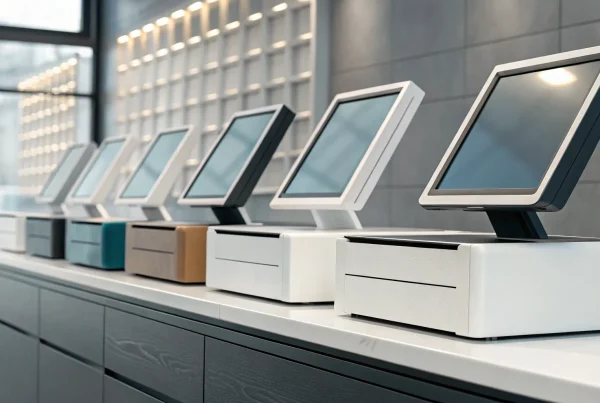
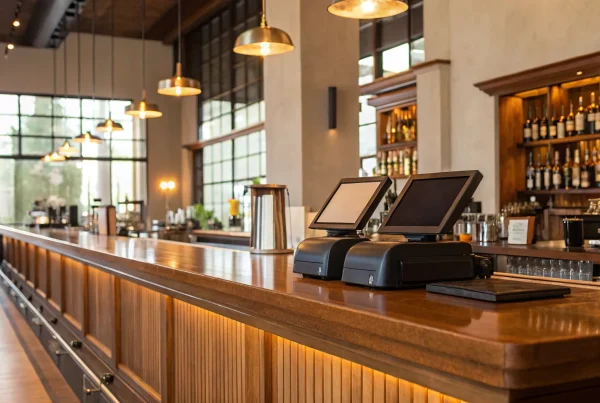
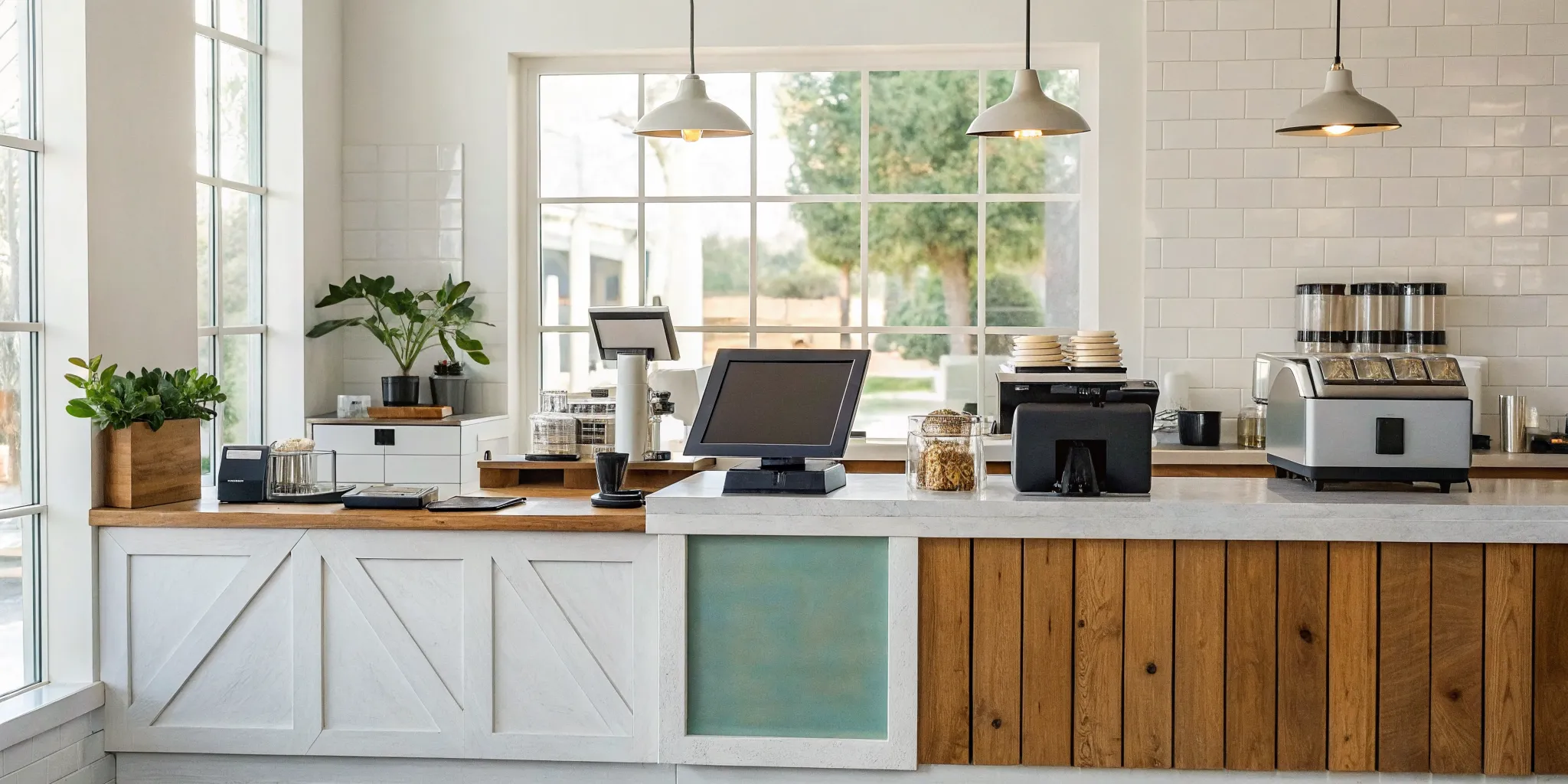
On the hardware side, you have the physical tools you use to make a sale. This usually includes a screen (often a tablet), a credit card reader, a barcode scanner for ringing up items, a cash drawer, and a receipt printer. These components work together to make checkout quick and easy for your customers, which is a win for everyone.
The real magic, though, happens in the software. This is the brain of your operation. A good POS system does more than just process transactions. It tracks every sale, manages your inventory so you know when to reorder, and can even keep tabs on customer information to help you build loyalty. It gives you the data you need to make smarter decisions about your business, from identifying your best-selling products to figuring out your busiest hours.
Gone are the days of being chained to a clunky, stationary register. Many of today’s POS systems are digital and can run on a tablet or even a smartphone. This gives you incredible flexibility, whether you run a brick-and-mortar shop, a food truck, or a booth at the local market. Ultimately, a POS system isn’t just a tool for completing sales; it’s a comprehensive solution that helps you manage and grow your business more efficiently.
What to Look For in a POS System
Choosing a point-of-sale (POS) system can feel like a huge decision, and honestly, it is. Think of it as the central nervous system for your business. It’s so much more than a modern cash register; it’s where sales, inventory, customer data, and payments all come together. A great POS system streamlines your daily tasks, gives you the data you need to grow, and makes the checkout process smooth for both your customers and your team. The right system can free you up to focus on what you love, while the wrong one can create daily headaches.
So, what separates a basic cash drawer from a powerful business tool? It comes down to a few key features. You need a system that not only processes payments reliably but also helps you manage your inventory, understand your sales trends, and build relationships with your customers. It should also fit your budget without any surprise fees. As you start comparing options, focus on these core areas to find a solution that truly supports your business goals and makes your life easier. We’ll walk through exactly what to look for in each category.
1. Payment Processing & Hardware
At its heart, a POS system is the combination of hardware and software that lets you accept money. Your top priority is ensuring it can handle all the ways your customers want to pay. This includes traditional credit and debit cards (with chip and tap-to-pay), mobile wallets like Apple Pay and Google Pay, and of course, cash. The hardware, like your card reader, receipt printer, and cash drawer, should be durable, user-friendly, and fast. Nothing slows down a line or frustrates a customer more than a clunky or unreliable payment terminal. Make sure the setup feels right for your counter space and workflow.
2. Inventory & Sales Reporting
A good POS system does more than just process sales; it tracks them. Look for a system with strong inventory management features that can monitor your stock levels in real time. It should alert you when a popular item is running low so you never miss a sale. Equally important is sales reporting. Your POS should give you easy-to-read reports on what’s selling, when your busiest hours are, and who your top-performing employees are. This data is gold. It helps you make smarter decisions about ordering, staffing, and promotions, turning guesswork into a clear strategy for growth.
3. Customer Tools & Integrations
The best POS systems help you turn one-time buyers into loyal regulars. Look for built-in Customer Relationship Management (CRM) tools that allow you to create customer profiles, track their purchase history, and build a loyalty program. Imagine being able to send a special birthday discount or a targeted promotion based on a customer’s past purchases. Beyond customers, consider what other software you use. A great POS will integrate with your accounting software (like QuickBooks), email marketing platforms, and even employee management tools for scheduling and payroll, creating a seamless hub for your entire operation.
4. Mobile & Cloud Access
In today’s world, you need the flexibility to run your business from anywhere. Most modern POS systems are cloud-based, which means all your sales and business data is stored securely online. This allows you to log in from a laptop at home or your phone on vacation to check sales reports, update inventory, or manage employee schedules. If your business is on the move, like a food truck, a pop-up shop, or a service business that visits clients, a mobile POS (mPOS) that runs on a tablet or smartphone is essential. This gives you the power of a full POS system right in your pocket.
5. Transparent Pricing & Fees
Finally, let’s talk about cost. POS pricing can be confusing, so you need to find a provider who is upfront and transparent. You’ll typically see a combination of monthly software subscription fees, one-time hardware costs, and payment processing fees. Ask for a clear breakdown of all costs and watch out for hidden fees like statement fees, PCI compliance charges, or early termination penalties. Your POS provider and your payment processor should be partners in your success, not a source of financial surprises. Always read the contract carefully and choose a partner who values clarity and fairness.
Find the Right POS for Your Industry
The perfect point-of-sale system isn’t one-size-fits-all. The features a coffee shop needs are completely different from what a clothing boutique or an auto repair shop requires. Choosing a POS designed for your specific industry means you get tools that solve your unique challenges right out of the box, from managing complex inventories to tracking appointments or bar tabs. This saves you from paying for features you don’t need or trying to make a generic system work for your specialized workflow. Let’s look at some of the top POS systems tailored for different types of businesses so you can find the right fit for yours.
Retail POS
For retailers, managing inventory is everything. You need a system that can handle stock across multiple locations, track variants like size and color, and ideally, connect your physical store with your online one. Shopify POS is a fantastic choice for businesses that want to bridge their e-commerce and in-store sales, creating a smooth experience for customers no matter where they shop. If your business has a large, complex inventory or operates in several locations, Lightspeed Retail is another powerful option. It’s known for its robust inventory management capabilities that can help you keep track of every single item with precision.
Restaurant & Bar POS
The fast-paced environment of a restaurant or bar demands a POS that can keep up. You need features like tableside ordering, menu management, and kitchen display systems (KDS) that send orders directly to the kitchen staff. Toast POS is built specifically for restaurants and offers all these features to help improve efficiency and the overall dining experience. For larger restaurants or bars that need even more control, Revel Systems provides a comprehensive suite of tools. It’s a powerful system that can handle everything from ingredient-level inventory tracking to detailed sales analytics, giving you a complete picture of your business.
E-Commerce POS
If you run an e-commerce business, you need a POS that lives online, just like your store. The best systems for online sellers are cloud-based, which means all your sales and customer data is stored securely on the internet. This allows you to manage your business from anywhere with an internet connection. Many modern POS systems are cloud-based, but Shopify POS is a standout here, especially for businesses that sell both online and in-person. It provides a seamless integration between your website and any physical pop-ups or storefronts, ensuring your inventory and sales data are always in sync.
Hospitality POS
The hospitality industry, from breweries to hotels, has its own unique set of needs. A great hospitality POS makes it easy to manage tabs, reservations, and customer experiences across a large venue. For breweries or entertainment venues, a system like Goab POSOS is designed to effectively track tabs as customers move throughout the space. For larger operations like hotels, Oracle MICROS is a long-standing industry leader. It offers advanced features like a built-in reservation system, sophisticated table management, and detailed reporting to help you manage every aspect of your guest experience from check-in to check-out.
Service Business POS
Service-based businesses, like salons, repair shops, or fitness studios, need a POS that can handle appointments, manage client information, and process payments efficiently. Versatility is key. Square POS is an excellent starting point for many small service businesses because its core software is free and it can be adapted for many different applications. Another popular choice is Clover POS, which offers stylish hardware and a flexible system that works well for both service providers and small retail shops. With its wide range of hardware options, you can build a setup that perfectly matches your workflow and your brand’s aesthetic.
Understanding Different POS Technologies
The term “POS system” covers a wide range of technologies, each designed to fit different business needs. Getting familiar with the main types will help you narrow down what you’re looking for. Think of it like choosing a vehicle; you wouldn’t buy a sports car to haul lumber. The same logic applies here. Your business model, sales environment, and even your comfort level with technology will point you toward the right solution. Let’s walk through the most common options so you can find the perfect fit for your daily operations.
Cloud-Based POS
Most modern POS systems are cloud-based, which simply means they store your business data securely on the internet. The biggest advantage here is flexibility. As long as you have an internet connection, you can log in and see your sales data, manage inventory, or update your menu from anywhere, whether you’re at home or on vacation. This remote access is a lifesaver for busy owners who need to keep a pulse on their business without being physically tied to the store. It also makes it much easier to manage multiple locations from a single account, ensuring all your data stays consistent and up-to-date across the board.
Mobile POS (mPOS)
A mobile POS (or mPOS) turns your smartphone or tablet into a fully functional cash register. By pairing your device with a small card reader, you can process payments from anywhere. This technology is perfect for businesses on the go, like food trucks, craft fair vendors, or service providers who work at clients’ homes. It’s also incredibly useful inside a retail store for “line-busting,” where associates can check customers out on the sales floor to prevent long waits. An mPOS gives you the freedom to make a sale wherever your customers are, creating a smooth and convenient experience that they’ll appreciate.
Self-Service Kiosks
You’ve probably used a self-service kiosk at a movie theater or fast-food restaurant. These systems empower customers to browse, place their own orders, and pay without needing to interact with a staff member. For businesses with high foot traffic and simple ordering processes, kiosks are a fantastic tool for improving efficiency and reducing wait times. They allow you to serve more people faster while freeing up your team to focus on more complex tasks, like preparing orders or assisting customers with specific questions. This creates a smoother workflow for your staff and gives customers more control over their experience.
Tablet POS
Tablet POS systems use familiar devices like iPads as the central hub for your operations. Because most people already know how to use a tablet, training new employees is often quick and intuitive. These systems have a sleek, modern look that takes up less counter space than a traditional, bulky register. Many tablet systems are also cloud-based, giving you the best of both worlds: a user-friendly interface and the power to access your business data from anywhere. They strike a great balance between the portability of an mPOS and the stability of a stationary countertop setup.
Traditional On-Premise POS
A traditional, or on-premise, POS system is the classic setup where all your business data is stored locally on a single computer or a closed internal network at your location. Unlike cloud systems, these don’t need an active internet connection to process sales, which makes them a reliable choice for businesses in areas with unstable internet service. While you lose the benefit of remote access, you gain peace of mind knowing your system can run offline without interruption. This technology is a tried-and-true workhorse that has powered businesses for decades and remains a solid option for owners who prioritize stability above all else.
Comparing the Most Popular POS Systems
Choosing a point-of-sale system can feel like a huge commitment, and it is. Your POS is the central hub of your business operations, handling everything from customer payments to inventory tracking. The market is filled with options, each with its own strengths and ideal user. What works for the coffee shop down the street might not be the right fit for your retail boutique or service business. The key is to look past the flashy marketing and focus on what your specific business needs to run smoothly and grow.
Think about your daily workflow. Do you need to manage complex inventory across multiple locations? Are you a restaurant that needs tableside ordering and kitchen communication? Or are you primarily an e-commerce seller who needs a simple way to handle in-person pop-ups? Understanding your core requirements is the first step. This comparison will walk you through some of the most popular POS systems, breaking down who they’re best for and what they do well. This way, you can get a clearer picture of the landscape and find a solution that truly supports your business goals.
MBNCard POS Solutions
Instead of offering a single, one-size-fits-all box, we focus on providing flexible POS solutions that integrate with transparent payment processing. We believe you shouldn’t have to switch your entire workflow just to get fair pricing. Our approach is to pair top-tier POS hardware and software with our cost-saving programs, like Dual Pricing. This means you can get a system that has all the features you need, whether it’s for retail, a restaurant, or a service business, without getting locked into restrictive contracts or inflated processing fees. We help you find the right technology and then make sure the payment side of things is working for you, not against you.
Square POS
You’ve probably seen Square’s iconic white card readers at farmers’ markets and local shops. Square POS is known for its simplicity and user-friendly design, making it a fantastic starting point for new and small businesses. The system combines straightforward software with simple hardware to manage payments, track sales, and handle basic inventory. It’s an all-in-one package that’s easy to set up and use right out of the box. For many entrepreneurs, Square is the first step toward moving from a simple cash box to a professional, organized sales system that provides valuable data about their business.
Shopify POS
If you sell products online, Shopify POS is a natural choice. It’s designed for businesses that want to create a seamless experience between their e-commerce site and physical store. The biggest advantage is its unified system; your inventory, customer data, and sales reports are all managed in one place. This means if you sell a product in-store, your online inventory updates automatically, preventing you from accidentally selling an out-of-stock item. For any modern retailer with a brick-and-mortar and an online presence, this integrated platform is incredibly powerful for managing operations efficiently.
Toast POS
Toast is built from the ground up specifically for the food and beverage industry. It’s the go-to system for restaurants, bars, cafes, and bakeries because its features directly address their unique challenges. Think tableside ordering and payment, kitchen display systems that streamline communication between the front and back of the house, and built-in online ordering and delivery management. Toast understands the fast-paced restaurant environment and provides the tools needed to improve speed, accuracy, and the overall customer experience. If you run a food service business, this specialized system is definitely one to look at.
Clover POS
Clover stands out for its high degree of customization. It offers a sleek line of hardware and a massive app market that lets you add specific features to your system. Do you need advanced appointment scheduling, loyalty programs, or specialized reporting? There’s likely an app for that. This makes Clover a versatile choice that can adapt to many different types of businesses, from retail stores to personal care services. It allows you to start with a basic setup and then add new capabilities as your business grows and your needs change, making it a flexible, long-term solution.
Lightspeed Retail
For retailers with a lot of products, Lightspeed Retail is a powerhouse. Its greatest strength lies in its sophisticated inventory management tools. The system gives you the ability to track stock across multiple stores, handle purchase orders, and analyze detailed sales data to identify your best-sellers and slow-moving items. It’s designed for serious retailers who need granular control over their inventory and want deep insights into their business performance. If you’re managing a growing retail operation, Lightspeed provides the robust features you need to stay organized and make data-driven decisions.
Revel Systems
Revel Systems is a feature-rich POS designed for established, high-volume businesses that need more control than what a basic system can offer. It’s an iPad-based platform that is highly scalable and packed with advanced tools for inventory, customer relationship management, and employee scheduling. Because it’s so comprehensive, it’s a popular choice for multi-location franchises and larger businesses that have complex operational needs. Revel Systems offers the power and detailed reporting of a traditional legacy system but with the modern interface and flexibility of a cloud-based solution, making it a strong contender for businesses ready to scale.
Oracle MICROS
When you see a POS system at a major hotel chain or a large stadium, there’s a good chance it’s Oracle MICROS. This is an enterprise-level solution built for the complex demands of the large-scale hospitality and food service industries. It excels at managing operations across multiple properties with features like advanced table and reservation management, deep integration with property management systems (PMS), and incredibly detailed reporting. Oracle MICROS is a legacy powerhouse designed for big businesses that require a stable, secure, and highly specialized system to manage their extensive operations.
Breaking Down POS Pricing
Figuring out the true cost of a point-of-sale system can feel like trying to solve a puzzle with missing pieces. The price you see advertised is rarely the full story, and it’s easy to get locked into a contract that hurts your bottom line. Most POS pricing is a combination of three main components: software fees, hardware costs, and payment processing rates. Understanding how each part works is the key to finding a solution that fits your budget without any surprise charges down the road.
When you’re comparing options, don’t just look at the monthly subscription. You need to consider the upfront cost of the equipment and, most importantly, the fees you’ll pay on every single transaction. A system that seems cheap at first could end up costing you more in the long run if the processing fees are too high. Let’s break down each cost so you can go into the conversation with a new provider feeling confident and prepared to ask the right questions. This will help you protect your profits and choose a partner who genuinely supports your business growth.
Subscription vs. Transaction-Based Fees
Your POS software fees will typically follow one of two models: a recurring subscription or a per-transaction fee. A subscription model involves paying a flat monthly or annual fee to use the software. This is great for budgeting because you know exactly what to expect on your bill.
On the other hand, some providers offer plans where you only pay a percentage when you process a payment. This is a popular point-of-sale system model for new businesses, pop-up shops, or anyone with fluctuating sales, as your costs scale directly with your revenue. You might also find hybrid plans that combine a small subscription fee with lower transaction rates. Think about your sales volume and consistency to decide which structure makes the most financial sense for you.
Hardware Costs: One-Time vs. Bundled
The physical equipment you need, like a terminal, cash drawer, and receipt printer, is another major cost. You can either buy it all at once or pay for it through a bundled plan. Buying your hardware outright means a larger upfront investment, sometimes thousands of dollars for traditional systems. However, you own the equipment from day one.
Many modern POS providers, including Clover, offer a more accessible path. You can often get started with a hardware bundle for a much lower initial price, with the cost spread out over time or included in your monthly software plan. This approach makes a powerful retail POS system accessible without draining your cash reserves, which is a huge advantage for a growing business.
Common Hidden Fees to Avoid
The most frustrating costs are the ones you don’t see coming. While transaction fees are standard, they can add up quickly, and some providers are less transparent about them than others. A common rate is around 2.6% plus 10 cents per transaction, but it’s important to understand how these fees apply to different types of POS systems.
Beyond that, be sure to ask about other potential charges. Look for early termination fees if you want to switch providers, monthly minimum fees if your sales dip, and PCI compliance fees. Always ask for a complete fee schedule in writing before signing a contract. A trustworthy partner will be upfront about all costs involved in their service.
How Your POS Impacts Your Processing Costs
Your point of sale system does more than just ring up sales and track inventory; it plays a huge role in one of your biggest operational expenses: credit card processing fees. The hardware and software you choose can directly influence how much you pay for every single card transaction. Think of your POS as the command center for your payments. The right system gives you the tools and flexibility to lower your costs, while the wrong one can lock you into expensive, non-negotiable rates.
Many business owners don’t realize that their POS choice is also a financial one. Some systems come with built-in payment processing that might seem convenient but can hide higher fees. Others allow you to work with a merchant services provider like MBNCard, giving you more control and transparency over your rates. By understanding how your POS interacts with payment processing, you can make strategic choices that put more money back into your business. Let’s look at two key ways your POS system can help you manage and reduce these costs.
Saving Money with Dual Pricing & Cash Discounts
One of the most direct ways your POS can lower your expenses is by supporting programs like dual pricing and cash discounts. These strategies are designed to offset the cost of credit card processing fees, which can eat up 1.5% to 3.5% of every sale. With dual pricing, you offer customers two prices: a standard price for card payments and a slightly lower price for cash. Your POS system handles this automatically, clearly displaying the two options at checkout. This way, the cost of processing is covered by the customers who choose the convenience of paying with a card. A cash discount program works similarly by offering a small discount to incentivize cash payments, which helps you reduce your overall transaction volume and the associated fees.
How Different Systems Affect Your Rates
The POS system you select often determines the type of processing rate structure you’ll have. Some providers, like Square, offer a simple flat-rate fee for all transactions. This is predictable but can be expensive for businesses with a high average ticket size. Other systems work with an interchange-plus model, which is more transparent but can be complex. Your POS provider might also require you to use their integrated payment processing, limiting your ability to shop around for better rates. A flexible POS that allows you to choose your own merchant services provider gives you the freedom to find the most competitive pricing. As your business grows, you may even be able to negotiate your rates, and having an independent POS makes that conversation much easier.
Which POS System is Right for You?
Choosing a POS system feels like a huge decision, because it is. This system will be the command center for your daily operations, so it’s important to find one that fits your business perfectly. Instead of getting overwhelmed by all the options, think of it as a series of key choices. Answering a few questions about how you run your business will quickly narrow down the field and point you toward the right technology for your specific needs. Let’s walk through the most common decisions you’ll need to make.
Cloud vs. Traditional
This first choice is all about where your business data lives. A cloud-based POS system stores your information on the internet, which is a fancy way of saying it’s on secure, remote servers. The biggest advantage here is flexibility. You can check sales reports, update inventory, and manage your business from anywhere with an internet connection. On the other hand, a traditional, or on-premise, system stores all data locally on a single computer or an in-store network. This means you don’t need the internet to run transactions, making it a reliable option for businesses with spotty Wi-Fi. The trade-off is that you can only access your data from the store.
Mobile vs. Countertop
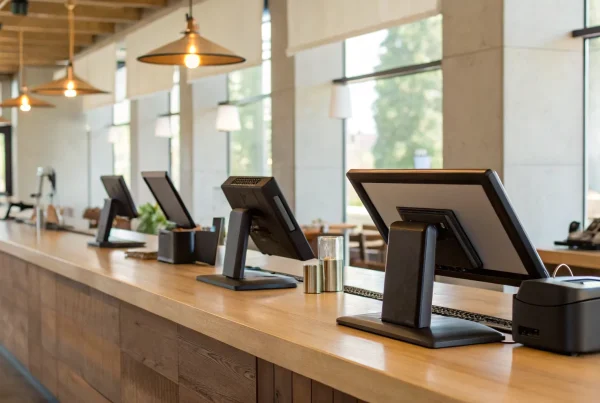
Next, think about where you interact with your customers. Do you need to be able to move around, or are all your sales handled at a checkout counter? A mobile POS (mPOS) runs on a tablet or smartphone, giving you the freedom to process payments anywhere. This is perfect for restaurants that want to take orders tableside, retailers who want to help customers on the sales floor, or any business that sells at markets and events. In contrast, a countertop POS is the traditional setup you see in most stores, with a stationary monitor, cash drawer, and scanner. These systems are workhorses built for high-volume environments where speed and reliability at a fixed point are key.
Single vs. Multi-Location
How you manage one store is very different from how you manage five. If you have a single location, a powerful cloud-based POS on a tablet or computer can likely handle everything you need, from inventory tracking to sales reporting. But once you expand to multiple locations or add an online store, you need a system that can keep everything in sync. A multichannel POS system is designed to consolidate sales information from all your physical stores, your website, and even mobile apps into one central hub. This ensures your inventory levels are accurate everywhere and gives you a complete picture of your entire business performance without having to pull reports from different systems.
Related Articles
- The Ultimate Guide to Point of Sale Systems
- 6 Best Retail Point of Sale Systems
- What is a Retail POS System? The Ultimate Guide
Frequently Asked Questions
What’s the most important factor when choosing a POS system? While there are many things to consider, the best place to start is your specific industry. The features a restaurant needs, like table management and kitchen printers, are completely different from what a retail boutique requires, such as inventory tracking for size and color variants. Choosing a system designed for your unique workflow means it will solve your daily challenges from day one, making your life easier and your business more efficient.
Can I get a powerful POS system without a large upfront investment? Yes, absolutely. The days of needing to spend thousands of dollars just to get started are largely behind us. Many modern POS providers offer hardware bundles or leasing options that make powerful technology much more accessible. This allows you to get a sleek, professional setup without draining your cash reserves, spreading the cost over time so you can invest your money back into growing your business.
Is it better to use the built-in payment processing from a POS provider or work with a separate company? This is a critical question. While using a POS provider’s all-in-one processing solution can seem simple, it often locks you into their rates with no room for negotiation. Working with an independent merchant services provider gives you the freedom to shop for the most competitive and transparent rates. This approach separates your technology from your transaction costs, giving you more control and ensuring you’re not overpaying on fees as your business grows.
My internet connection isn’t always reliable. Do I have to stick with an old-fashioned cash register? Not at all. This is a common concern, but you have options. You could choose a traditional on-premise system that stores all your data locally and doesn’t rely on the internet to run. Alternatively, many modern cloud-based systems have an offline mode. This feature allows you to continue accepting card payments even when your internet is down, and the system will securely process all the transactions once you’re back online.
How can a POS system actually help me save money? A smart POS system saves you money in a couple of key ways. First, it provides valuable data on sales and inventory, helping you make smarter purchasing decisions and reduce waste. More directly, choosing a POS that supports cost-saving programs like dual pricing or cash discounts can significantly lower your expenses. These programs are designed to offset your credit card processing fees, which can put up to 3.5% of your revenue from every card sale right back into your pocket.