Let’s talk about the true cost of a POS system. It’s not just the price of the hardware. The real expenses are often hidden in confusing monthly software fees and complicated payment processing rates that eat into your profits. Many providers aren’t upfront about what you’ll actually pay. This guide pulls back the curtain on pricing. We’ll break down every component, from upfront equipment costs to the ongoing transaction fees that can make or break your budget. We’ll show you how to find an affordable and transparent pos system for small restaurant business so you can keep more of your hard-earned money.
Key Takeaways
- Focus on your workflow, not just features: Before you get distracted by flashy extras, map out your daily operations. Create a list of non-negotiable tools, like tableside ordering or detailed inventory tracking, to find a system that solves your specific problems and makes service smoother.
- Look beyond the sticker price: A POS system‘s true cost includes hardware, monthly software fees, and payment processing. Demand a full breakdown of all expenses and prioritize partners who offer transparent processing rates, as this is where hidden fees often live and where you have the biggest opportunity to save money.
- Pick a partner, not just a product: Your POS provider should be a long-term partner. Ensure they offer reliable 24/7 support and a system that can scale with your future plans, whether that means adding a second location or launching a food truck. A great system should support your growth, not hold you back.
What Is a Restaurant POS System?
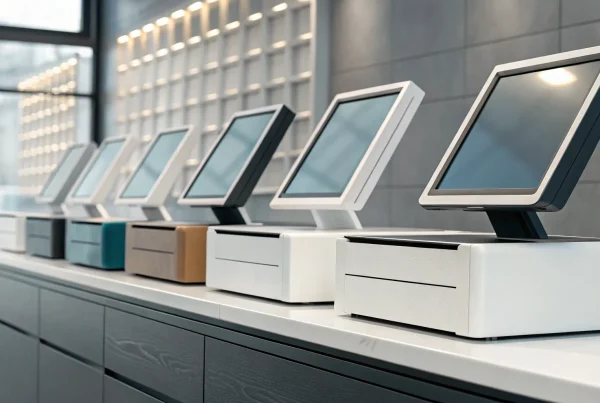
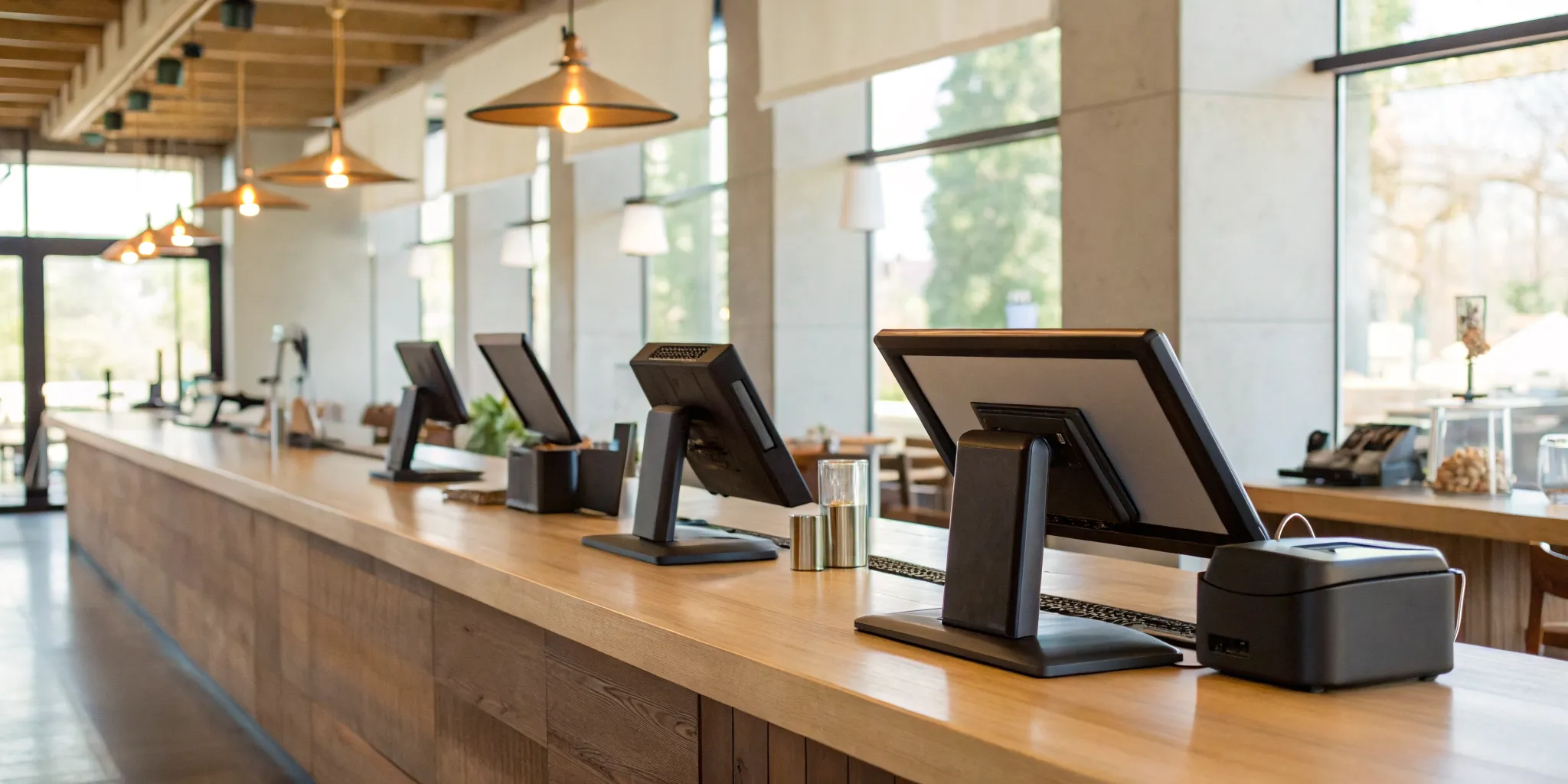
Think of a restaurant point of sale (POS) system as the command center for your entire business. It’s far more than a modern cash register; it’s a powerful combination of hardware and software designed to make your daily operations run smoothly. The hardware includes the physical components you see, like a touchscreen terminal, credit card reader, and receipt printer. The software is the intelligent part that processes orders, manages payments, and tracks critical business data. Together, they create a system that handles everything from the moment a customer places an order to when they pay the bill.
A great POS system does more than just handle transactions. It becomes an essential tool for managing your restaurant efficiently. The best POS systems for restaurants come equipped with features that help you track inventory in real time, manage employee schedules and permissions, and build customer relationships through loyalty programs. It gathers valuable sales data, giving you insights into your most popular dishes, busiest hours, and overall performance. This information is crucial for making smart decisions that help your restaurant grow.
Choosing the right system isn’t about finding a one-size-fits-all solution. The perfect POS for a bustling cafe will have different features than one for a fine-dining establishment or a quick-service pizza place. The key is to find a system that fits your specific workflow, budget, and future goals. The cost of a restaurant POS system can range from a few hundred to several thousand dollars, so it’s important to find a provider that offers transparent pricing and the specific tools you need to succeed without paying for extras you won’t use.
Key Features to Look For in a Restaurant POS
A modern restaurant POS does so much more than just take orders and process payments. It’s the central hub of your entire operation, connecting your front of house, back of house, and back office. But with so many options on the market, it’s easy to get overwhelmed by a long list of features. The key is to focus on the tools that will actually make a difference in your day-to-day workflow, save you time, and help you grow your business. Let’s break down the essential features you should look for to find a system that truly works for you.
Intuitive Interface and Quick Staff Training
Your POS system should make life easier, not harder. A clunky, confusing interface can slow down service during a busy rush and lead to costly mistakes. Look for a system with a clean, modern design that feels natural to use. This is especially important in the restaurant industry, where staff turnover can be high. An intuitive system means you can train new employees quickly, getting them comfortable and confident on the floor in hours, not days. Your team will thank you for a tool that helps them do their job better, leading to smoother operations and happier customers.
Tableside and Online Ordering
The way customers order has changed, and your POS needs to keep up. Tableside ordering devices allow your servers to send orders to the kitchen directly from the table, which speeds up service and improves accuracy. At the same time, a built-in online ordering system is no longer a nice-to-have; it’s a must. The right POS will let you easily manage orders for pickup and delivery without the chaos of juggling multiple tablets. It should consolidate everything into one organized flow, helping your kitchen time dishes perfectly and giving your customers a seamless experience whether they’re dining in or ordering from home.
Inventory Management
Food cost is one of your biggest expenses, and a good POS can be your best tool for keeping it in check. Look for a system with robust inventory management features. This allows you to track ingredients down to the gram every time an item is sold. The system can automatically deduct from your stock and even send you alerts when you’re running low on key items. This data helps you reduce waste, prevent 86’ing popular dishes, and make smarter purchasing decisions. It takes the guesswork out of managing your stock, saving you significant money over time.
Sales Reporting and Analytics
Are you making decisions based on gut feelings or hard data? A great POS system gives you access to powerful sales reports and analytics that show you exactly what’s happening in your business. You can instantly see your top-selling items, busiest times of day, and even individual server performance. These insights are invaluable. They can help you refine your menu, create more effective staff schedules, and design promotions that actually work. Instead of guessing what your customers love, you’ll have clear data to guide your strategy and grow your profits.
Seamless Payment Processing
This is where the rubber meets the road. Your POS must provide a smooth and secure payment experience for your customers. It should accept all major payment types, including swipe, chip, and tap-to-pay options like Apple Pay. An offline mode is also a critical feature, ensuring you can still take payments even if your internet goes down. Most importantly, the payment processing should be fully integrated. This avoids manual entry errors and simplifies your end-of-day reconciliation. At MBNCard, we specialize in providing transparent and affordable payment processing that works perfectly with your POS, so you can keep more of your hard-earned money.
Staff Management and Scheduling
Your POS can also be a powerful tool for managing your team. Many systems include features that let employees clock in and out directly on the terminal, which simplifies time tracking for payroll. Some even offer full-blown scheduling tools, allowing you to build schedules, manage time-off requests, and communicate with your staff all in one place. These features help you get a clear picture of your labor costs in real-time and compare them against sales data. It streamlines your administrative tasks, freeing you up to focus on leading your team and serving your guests.
Built-in Loyalty and Customer Tools
Turning a first-time visitor into a regular is the key to long-term success. A POS with built-in customer relationship management (CRM) and loyalty tools makes this so much easier. You can create a simple points-based loyalty program, sell digital and physical gift cards, and collect customer contact information to build an email or text marketing list. These tools help you build a loyal following without having to patch together multiple different software programs. By keeping your marketing and sales data in one system, you can easily reward your best customers and keep them coming back.
Connections to Delivery Apps and Other Software
Your restaurant likely relies on more than just your POS to run. That’s why integrations are so important. A good POS system should connect seamlessly with the other tools you use every day. This is especially true for third-party delivery services like DoorDash and Uber Eats. A direct integration pulls orders from these apps right into your POS, eliminating the need for extra tablets and manual order entry. Also, look for connections to accounting software like QuickBooks. These integrations automate data transfer, saving you hours of administrative work and ensuring your books are always accurate.
Breaking Down the Cost of a Restaurant POS
Figuring out the price of a new point-of-sale (POS) system can feel like trying to solve a puzzle. The final number isn’t just one single price tag; it’s a combination of hardware, software, and ongoing fees. Understanding these different cost components is the first step to creating a realistic budget and finding a system that truly works for your restaurant without any costly surprises down the road.
Think of it as three main buckets of expenses: the initial setup cost for your physical equipment, the recurring monthly fee for the software, and the transaction fees for processing payments. Let’s walk through each one so you know exactly what to expect and what questions to ask when you’re shopping for a new system. This way, you can confidently choose a solution that fits your budget today and supports your growth tomorrow.
Upfront Hardware Costs
Your first major expense will be the physical hardware. This is the equipment your team will use every day to take orders, process payments, and keep the kitchen running smoothly. The total upfront cost can range from a few hundred dollars to over $2,500, depending entirely on the size and needs of your restaurant. A small coffee shop might only need a tablet and a card reader, while a full-service restaurant will require more.
Common hardware pieces include a main POS terminal, handheld devices for tableside ordering, kitchen display systems (KDS), receipt printers, and cash drawers. When you’re starting out, focus on the essentials. You can always add more restaurant POS hardware as your business expands. The key is to invest in reliable equipment that can handle the hustle of a busy service without breaking your initial budget.
Monthly Software Fees
Once you have the hardware, you’ll need the software to run it. Most modern POS systems operate on a subscription model, which means you’ll pay a monthly fee. This fee typically falls between $50 and $300 and gives you access to the POS software, regular updates, and customer support. The price often depends on the complexity of the features you need and the number of terminals you’re running.
Be sure to ask if the monthly fee covers everything. Some providers charge extra for additional software licenses, which can cost between $100 and $500 per year for each location or user. It’s smart to get a clear list of what’s included in the base subscription and what counts as an add-on. This helps you compare different systems accurately and prevents your monthly bill from creeping up unexpectedly.
Payment Processing Fees
Every time a customer pays with a card, a small percentage of that sale goes toward payment processing fees. These fees can be structured in a few different ways, and it’s important to understand the model your provider uses. Some use flat-rate pricing, where you pay a simple, fixed percentage on every transaction. Others use tiered or interchange-plus pricing, which can be more complex but often more transparent.
With interchange-plus pricing, you pay the non-negotiable wholesale rate set by the card networks (like Visa or Mastercard) plus a small, fixed markup from your processor. This is often the most transparent and cost-effective model for businesses. Also, watch for small per-transaction fees, which can add up quickly. Finding a partner who is upfront about their processing rates is crucial for managing your long-term costs.
Hidden Costs to Watch For
The sticker price isn’t always the final price. Several other costs can pop up if you don’t know what to look for. For example, some companies charge extra for setup and installation, while others have fees for integrating your POS with other software like accounting or marketing tools. You might also see charges for ongoing maintenance, premium customer support, or ensuring your system meets PCI compliance standards to protect cardholder data.
Before you sign any contract, ask for a complete and detailed quote that lists every potential fee. Ask about costs for support, integrations, and any future upgrades you might need as you grow. A trustworthy POS provider will be happy to walk you through all the potential expenses, ensuring you have a clear picture of your total investment from day one.
Comparing the Top POS Systems for Small Restaurants
Choosing a point-of-sale system is one of the biggest tech decisions you’ll make for your restaurant. It’s the central hub for your orders, payments, and daily operations, so it’s a choice you want to get right. With so many options on the market, it’s easy to feel overwhelmed by feature lists and pricing tables. To help you sort through the noise, we’ve broken down some of the top contenders for small restaurants.
Each system has its own strengths, and the “best” one really depends on your restaurant’s specific needs. Are you a quick-service cafe that needs speed and simplicity? Or a full-service bistro that requires detailed table management and inventory tracking? Your service style, budget, and long-term goals will all play a role in your decision. We’ll look at how these popular POS systems stack up, focusing on what matters most to independent restaurant owners: ease of use, transparent costs, and features that actually help you run your business more smoothly.
1. MBNCard
At MBNCard, our main goal is to ensure you get transparent and affordable payment processing, no matter which POS system you use. We believe the right POS should be a tool that simplifies your life, not a source of hidden fees and frustration. We help merchants find systems tailored to the unique demands of a small restaurant, focusing on operational efficiency and a better customer experience. Our expertise lies in integrating secure payment solutions that save you money, like cash discount programs, into the best POS system for your small restaurant. We partner with you to find a hardware and software combination that fits your workflow and your budget.
2. Square
Square is a household name for a reason. It’s known for its straightforward, all-in-one system that works well for everyone from food trucks to full-service restaurants. The biggest draw for many small businesses is its affordability. The basic Square for Restaurants plan has no monthly software fees, which is a huge plus when you’re starting out. Its interface is clean and simple, making it easy to train new staff quickly. Square is designed to streamline your entire operation, from taking orders to managing your floor plan, helping you reduce errors and keep customers happy. It’s an excellent starting point for new restaurants.
3. Toast
Toast is built from the ground up specifically for the restaurant industry, and it shows. This system is packed with specialized features that other, more general POS systems often lack. For example, its integrated Kitchen Display System (KDS) helps your front-of-house and back-of-house teams stay perfectly in sync. Users consistently praise Toast for its user-friendly interface and detailed reporting tools, which give you deep insights into your sales, menu performance, and labor costs. If you’re looking for a robust platform designed to handle the fast-paced restaurant environment, Toast is a very strong contender.
4. Clover
Clover is well-known for its sleek, modern hardware and a flexible, app-based approach to POS software. You can customize your system by choosing from a wide range of apps in the Clover App Market, adding features for everything from online ordering to employee scheduling. This versatility makes it a great fit for restaurants that want to tailor their POS experience. However, it’s important to know that Clover can be one of the pricier options, and you’re often locked into a long-term contract with your payment processor. For restaurants willing to invest in durable hardware and a highly customizable system, Clover offers a powerful solution.
5. SkyTab
SkyTab is a modern, cloud-based system that offers fantastic value for small restaurants. Its pricing model is very competitive, often including both hardware and software for a low monthly fee. This makes it one of the best POS systems for small businesses looking for predictable costs. SkyTab is designed to improve the dining experience with features that streamline table service, like pay-at-the-table devices. It also includes strong reporting features and reliable customer support. If you want a feature-rich system without a hefty upfront investment, SkyTab is definitely worth a look.
A Quick Look: The Pros and Cons of Each System
You’ve seen the top contenders. Now, let’s get straight to the point. Every POS system has its strengths and weaknesses, and the “best” one really depends on what your restaurant needs most. Is it budget-friendliness? Advanced features? Or transparent processing? Here’s a quick breakdown of the pros and cons for each system to help you compare them side-by-side.
1. MBNCard
Pros: The biggest advantage here is cost savings and transparency. With MBNCard, you can use programs like dual pricing to nearly eliminate your credit card processing fees. You get a dedicated partner who helps you understand your statements, not a faceless support center. This approach integrates with top-tier hardware like Clover or SkyTab, so you get great technology without being locked into expensive, proprietary processing. It’s the best of both worlds: powerful tools and fair pricing.
Cons: Since MBNCard focuses on providing the best payment processing, it isn’t a single, all-in-one hardware and software brand. You’ll be pairing our service with a compatible POS system, which requires a bit of coordination upfront. However, this also gives you more flexibility than a closed system.
2. Square
Pros: Square is incredibly popular for a reason. Its interface is clean, intuitive, and easy for new staff to learn quickly. The basic Square for Restaurants plan has no monthly fee, which is a huge plus for new restaurants or food trucks just starting out. The all-in-one hardware and software setup makes getting started feel simple and streamlined.
Cons: That simplicity comes at a cost. Square’s flat-rate processing fees can become very expensive as your sales volume grows. If you need help, reaching a knowledgeable support person can sometimes be a challenge. You’re also locked into their processing ecosystem, with no option to shop around for better rates.
3. Toast
Pros: Toast is built from the ground up specifically for restaurants. It excels with industry-specific features like advanced kitchen display systems (KDS), tableside ordering, and in-depth reporting that generic systems lack. The hardware is known for being durable enough to withstand the chaos of a busy service. Their customer support is also generally well-regarded in the industry.
Cons: Toast is a premium system with a premium price tag. It often requires long-term contracts and locks you into its payment processing, which can be more expensive. This closed ecosystem makes it impossible to switch payment providers if you find a better deal elsewhere, giving you very little leverage.
4. Clover
Pros: Clover is known for its sleek, modern hardware and incredible flexibility. Its large app marketplace allows you to add specific functionalities as you need them, from advanced inventory to loyalty programs. This makes it a system that can truly grow with your business. Better yet, Clover is an open system, meaning you can get it from different payment providers, including partners like MBNCard who offer transparent pricing.
Cons: The cost of those apps can add up, turning an affordable system into an expensive one. Your experience and pricing also depend entirely on the provider you choose. Some resellers lock you into confusing contracts with hidden fees.
5. SkyTab
Pros: SkyTab offers a modern, cloud-based POS solution that’s often more affordable than Toast. It comes bundled with hardware and software for a straightforward monthly fee, making budgeting predictable. Its tableside ordering and payment features are strong, helping you turn tables faster and improve the customer experience. The system is designed to be a powerful, all-in-one package for table-service restaurants.
Cons: Like Toast, SkyTab is generally a closed system that requires you to use their parent company’s payment processing (Shift4). This limits your ability to shop for competitive rates and can lead to higher costs over time. While powerful, it may not have as many third-party integrations as systems like Clover.
Common Mistakes to Avoid When Switching Your POS
Making the switch to a new POS system is a big step, and while it’s exciting, it’s also full of potential hiccups. A little planning can go a long way in making sure your transition is a success story, not a cautionary tale. Let’s walk through a few common mistakes restaurant owners make so you can sidestep them completely.
Forgetting About Data Migration and Compatibility
It’s easy to get caught up in the shiny new features of a POS, but don’t forget about your existing data. Your customer lists, sales history, and menu configurations are valuable assets. Before you sign a contract, ask how the new provider handles data migration. Will they move it for you, or will you be stuck manually re-entering everything? Also, confirm if your current hardware, like printers and cash drawers, is compatible. These details are crucial for planning your budget and avoiding unexpected expenses and frustrating delays down the road.
Underestimating Staff Training Time
Your team is on the front lines, and a new POS system can feel like a huge curveball during a busy shift. One of the biggest mistakes is not scheduling enough time for proper training. A system might be packed with features, but if it isn’t user-friendly, it can slow down service and frustrate both your staff and your customers. When you’re getting demos, think about your newest employee. Could they pick it up quickly? Set aside dedicated time outside of service hours to train your team so they feel confident and ready from day one.
Overlooking Important Integrations
Your POS system should be the central hub of your restaurant’s operations, not an isolated island. Before you commit, make a list of all the other software and services you rely on. This includes delivery apps like DoorDash and Uber Eats, your accounting software, and any online ordering platforms. A system that doesn’t connect with your essential tools can create data silos and force you to do tedious manual work. Choosing a POS that integrates smoothly with your existing workflow will save you countless hours and help your entire operation run more efficiently.
What to Expect for Support and Training
A great POS system is more than just a machine on your counter; it’s a partnership. When your card reader goes down during the dinner rush or you can’t figure out how to add a new special, you need reliable help, fast. The quality of a provider’s support and training can be just as important as the system’s features. Before you sign a contract, make sure you understand exactly what kind of assistance you’ll get, from the first day of setup to years down the road.
24/7 Customer Support
Your restaurant doesn’t operate on a 9-to-5 schedule, and your support team shouldn’t either. Problems can pop up at the most inconvenient times, so having access to 24/7 technical support is non-negotiable. When you’re evaluating providers, ask specifically what their round-the-clock support looks like. Is it a real person on the phone, or are you stuck with a chatbot? Some companies even offer U.S.-based support, which can make communication clearer during a stressful situation. Don’t be afraid to dig into the details; knowing you have a reliable expert to call at 8 p.m. on a Saturday provides invaluable peace of mind.
Helpful Onboarding and Training Resources
Getting your new system up and running smoothly is the first major hurdle. Most POS providers offer a few different options for installation and training. A technician can come to your restaurant for an on-site installation, which is thorough but can cost anywhere from $500 to $2,000. A more budget-friendly choice is remote installation, where a technician guides you online for a few hundred dollars. The same goes for training your team. You might find that free online videos are enough, or you may prefer to pay for a hands-on session. Consider your team’s comfort level with new technology and choose the training method that sets everyone up for success.
Regular Updates and Technical Assistance
Your POS system requires ongoing attention to keep it running well. Software updates are essential for keeping your system secure and functional. These updates patch security holes, protect sensitive customer data, and often introduce new features that can improve your workflow. Some providers include these updates in your monthly subscription, while others may charge extra, so be sure to ask. This ongoing technical assistance is also crucial for maintaining PCI compliance, which is a set of security standards designed to protect card information. A good partner will not only fix things when they break but also help you proactively keep your system safe and up to date.
How to Choose the Right POS for Your Restaurant
With so many options on the market, picking the right POS system can feel overwhelming. But it doesn’t have to be. The best approach is to focus on what your restaurant truly needs to run smoothly and grow successfully. By breaking down your daily operations, budget, and future goals, you can confidently find a system that feels like a true partner in your business. Let’s walk through the four key steps to making the right choice.
Match Features to Your Daily Workflow
Before you even look at a demo, take a moment to map out your restaurant’s daily grind. Think about your busiest hours, how your staff takes orders, and what information you need at the end of the night to close out. The goal is to create a checklist of must-have features so you don’t get distracted by flashy extras you’ll never use.
Consider what you need to support your specific business type, whether you’re a bustling coffee shop or a fine-dining establishment. Do you need robust table management and reservation tools? Or is your priority speed for a quick-service counter? Make a list of your non-negotiables, from inventory tracking and online ordering to the kinds of sales reports you need to make smart decisions.
Consider Your Budget and Long-Term Costs
It’s easy to focus on the upfront hardware cost, but the total cost of a POS system goes far beyond that. A restaurant POS can range from a few hundred to several thousand dollars, so it’s important to understand all the associated fees. You’ll typically have an initial investment in hardware like terminals and printers, a recurring monthly software fee, and payment processing fees on every transaction.
When comparing options, ask for a full breakdown of the pricing structure. Some systems have low upfront costs but make up for it with higher monthly fees or processing rates. Think about the long-term financial impact. A system that helps you eliminate processing fees through a cash discount or dual pricing program could save you thousands of dollars a year, making it a smarter investment over time.
Demand Transparent Payment Processing
Payment processing is often the most confusing and expensive part of a POS system. Many providers bundle processing with their software, but they hide their fees in complicated statements that are difficult to understand. Don’t settle for this. You have the right to know exactly what you’re paying on every single swipe, dip, or tap.
Look for a provider that offers clear, transparent processing fees and is willing to walk you through your statement. Ask if they can set you up with a program that reduces your processing costs. Working with a dedicated payment specialist ensures you have an expert on your side who is focused on saving you money, not just selling you software. This transparency is the foundation of a healthy business partnership.
Pick a System That Can Grow With You
The POS you choose today should be able to support your vision for tomorrow. Think about your five-year plan. Do you dream of opening a second location, launching a food truck, or adding a catering service? Your POS system should be flexible enough to scale with you, not hold you back.
A scalable system allows you to easily add new terminals, locations, or features like advanced reporting and marketing tools as your needs evolve. You shouldn’t have to switch systems entirely just because you’re successful. Choose a provider that offers a clear growth path and can support your business at every stage, from your grand opening to your multi-location expansion.
Related Articles
- Restaurant Point of Sale POS System: A Buyer’s Guide
- What Features Should I Look For In a Restaurant POS System?
- The Ultimate Guide to Point of Sale Systems
- Restaurant POS System Definition: A Beginner’s Guide
Frequently Asked Questions
Do I have to use the payment processing that comes with my POS system? Not always, and this is one of the most important questions you can ask. Some systems, like Toast or Square, are “closed,” meaning you must use their built-in payment processing. This limits your ability to shop for better rates. Other systems, like Clover, are “open,” which means you can partner with a payment solutions provider like MBNCard. This gives you the freedom to get transparent, affordable rates while still using top-of-the-line hardware.
What’s the most important feature for a brand-new restaurant? While advanced analytics and marketing tools are great, the most critical feature when you’re starting out is an intuitive interface. Your focus should be on smooth, fast, and accurate service. A system that is easy to learn means you can train new staff in hours instead of days, reduce order mistakes during a busy rush, and build a reputation for great service from day one. Everything else can be added as you grow.
I’m worried about hidden fees. How can I get a truly accurate price quote? The best way to avoid surprises is to ask for a complete, line-item quote that details every potential cost. Don’t just look at the hardware price. Specifically ask about fees for software subscriptions, installation, staff training, customer support, and any integrations you need with other software. A trustworthy provider will be upfront about all costs and happy to explain what each charge is for.
Is it difficult to switch from my current POS system? Switching systems requires planning, but it doesn’t have to be a headache. A good provider will guide you through the process. They should have a clear plan for migrating your important data, like your menu, sales history, and customer lists, so you don’t have to re-enter everything by hand. They should also offer structured training to ensure your entire team feels confident with the new system before it goes live.
What’s the difference between a closed system like Toast and an open one like Clover? Think of it like your smartphone. A closed system is like an iPhone where Apple controls the hardware and software tightly. In the POS world, this means the hardware, software, and payment processing are all bundled together, giving you no choice. An open system is more like an Android phone, where you have more flexibility. It allows you to choose your own payment processor, giving you the power to find a partner who offers better rates and more transparent service.