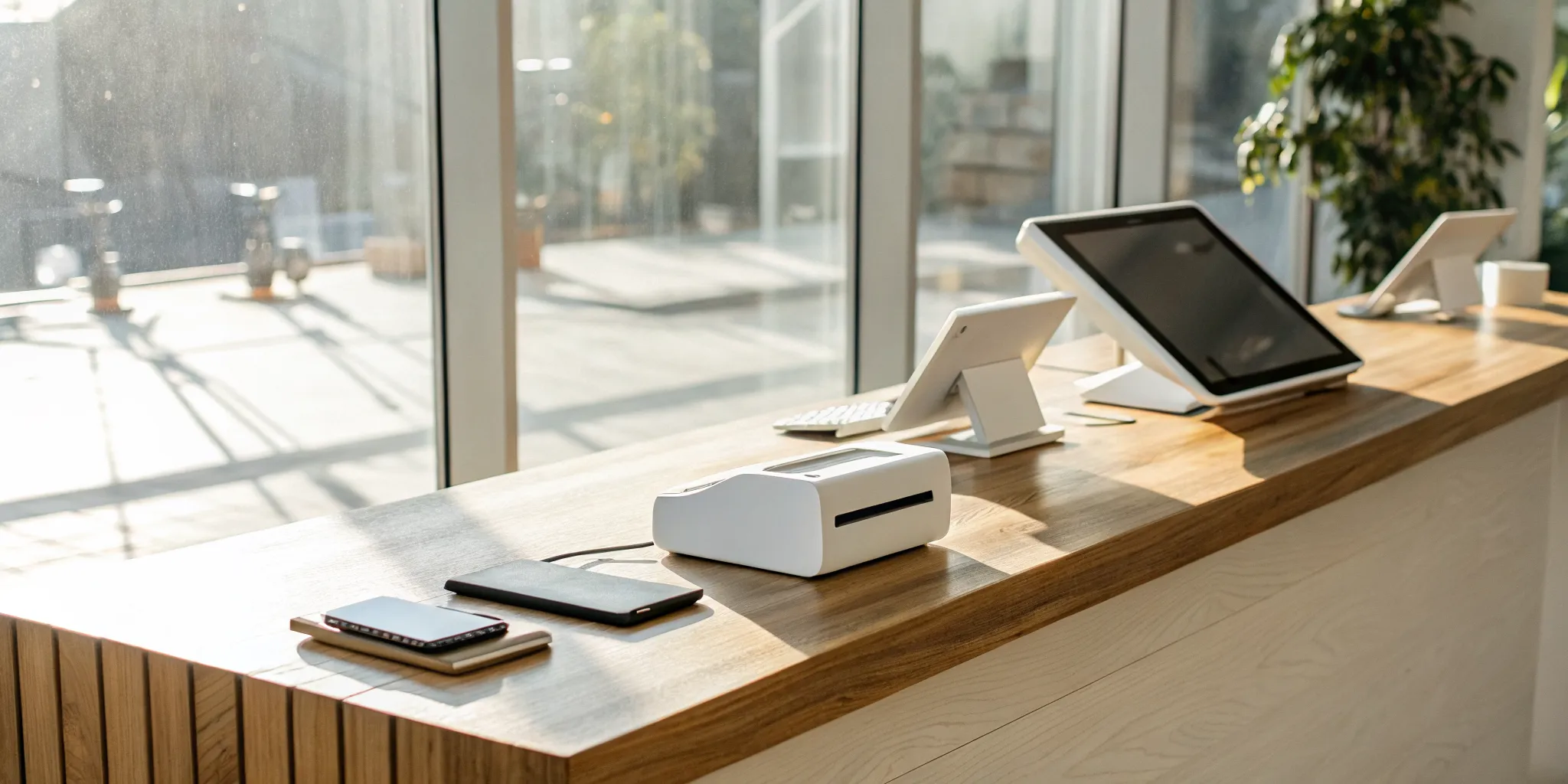
Let’s be direct: the card reader isn’t where payment processors make their money. The device is the hook; the transaction fees are the real story. While getting a free card reader for small business saves you a small upfront cost, your focus should be on the percentage you’ll pay on every single sale. These fees directly impact your profit margin and can vary wildly between providers. Understanding the difference between pricing models and knowing what hidden charges to look for is essential. This article will break down the true cost of payment processing so you can make a financially sound decision for your business.
Key Takeaways
- Look beyond the free hardware: The true cost of any payment solution is found in the transaction rates, monthly account charges, and equipment return policies, not the initial price of the card reader.
- Prioritize the full service package: A great payment processor acts as a business partner, providing essential features like fast funding, strong security, accessible customer support, and integrated management tools.
- Take control of your processing costs: You can actively lower your expenses by choosing a pricing model that fits your sales volume or by implementing a cash discount program to significantly reduce your fees.
Is a “Free” Card Reader Really Free?
You’ve seen the offers for a “free” card reader, and it’s tempting. Getting equipment without an upfront cost sounds like a win, especially when you’re managing a tight budget. But it’s smart to ask what’s really going on behind that offer. The truth is, while the device itself might not cost you anything, that’s not where the real expenses are. Payment processors are in business to make money, and they do that through transaction fees, account fees, and other charges. The “free” reader is just the starting point. Let’s pull back the curtain on the actual costs so you can find a solution that truly works for your business without any surprises.
Uncovering the Hidden Costs
Think of a free card reader as the hook. The real cost comes from the service attached to it. No matter which provider you choose, you’ll have to pay transaction processing fees on every sale you make. This is standard across the industry. The hardware is the tool, but the processing service is what you’re actually paying for. So, while you save a few dollars on the device, the percentage you pay on each swipe, tap, or dip is where your focus should be. These fees can add up quickly, and understanding them is the key to knowing the true cost of your “free” reader.
Fees and Charges to Watch Out For
When you’re comparing providers, look beyond the main transaction rate. Ask about monthly account fees, PCI compliance fees, and any other charges that might show up on your statement. One major thing to check is the equipment policy. If you decide to switch providers, you may need to return the reader in perfect condition. If you don’t, or if it’s damaged, you could be hit with a hefty fee, sometimes hundreds of dollars. Always read the fine print on your agreement to make sure you know exactly what you’re responsible for before you commit.
Flat-Rate vs. Interchange-Plus: What’s the Real Difference?
Processing fees aren’t one-size-fits-all. You’ll likely encounter two main pricing models: flat-rate and interchange-plus. A simple flat fee means you pay the same percentage on every transaction, regardless of the card type. This is easy to understand and predict. Interchange-plus is a bit more complex. The fee changes based on the type of card your customer uses (like a debit card versus a premium rewards credit card). While the statements can be more detailed, this model is often more transparent and can be cheaper if your business processes a high volume of sales.
Understanding Contracts, Cancellations, and Returns
Getting locked into a long-term agreement can be a headache if the service doesn’t meet your needs. Look for providers that offer no long-term contracts and don’t charge early termination fees. This gives you the flexibility to make a change if you find a better fit for your business down the road. Before signing up, ask directly: “Is there a contract length?” and “What is the process and cost if I decide to cancel?” Knowing the answers to these questions upfront will save you from potential frustration and unexpected expenses later on.
What to Look for in a Free Card Reader
Getting a “free” card reader feels like a win, but the device itself is just the beginning. The real value comes from the service behind it. When you’re choosing a provider, you’re not just picking a piece of hardware; you’re choosing a partner for your business. The right partner makes accepting payments simple, secure, and affordable, while the wrong one can leave you tangled in hidden fees and technical headaches.
Before you commit, it’s important to look past the initial offer and examine the complete package. Think about how you’ll actually use the reader day-to-day. Will it accept all the ways your customers want to pay? How quickly will you get your money? And what happens if something goes wrong during a busy Saturday rush? These are the questions that separate an okay solution from a great one. We’ll walk through the key features to consider so you can find a free card reader and payment processor that truly supports your business goals.
Can It Take Every Type of Payment? (Chip, Tap, and Swipe)
Your customers expect to pay how they want, and the last thing you want is to turn away a sale because your reader can’t handle their card. A modern card reader should be versatile, giving you the ability to accept every major payment method. This means it needs to process EMV chip cards for security, traditional magnetic swipes for older cards, and contactless (NFC) payments. Contactless options like Apple Pay and Google Pay are becoming increasingly popular, so having tap-to-pay functionality is essential. Make sure any provider you consider can process all major credit and debit cards, including Visa, Mastercard, American Express, and Discover, so you never miss a sale.
Is It Secure and PCI Compliant?
Protecting your customers’ payment information is non-negotiable. It builds trust and shields your business from the serious financial and reputational damage of a data breach. Your payment processor should provide a reader that uses strong, end-to-end encryption. This process scrambles card data the moment it’s captured, making it unreadable to fraudsters. The information should never be stored on your phone or tablet. Furthermore, your provider must be PCI compliant, which means they adhere to strict security standards set by the payment card industry. A reputable processor handles these complex security requirements for you, giving you and your customers peace of mind with every transaction.
Does It Work With Your Phone or Tablet?
Most free card readers are designed to be mobile, turning your smartphone or tablet into a point-of-sale system. Before you sign up, confirm that the hardware is compatible with your device. Some readers plug into a headphone jack (which is becoming rare), while others use a Lightning connector or connect wirelessly via Bluetooth. Just as important is the software. You’ll need to download a free point-of-sale app to process payments. Check the app store to ensure the provider’s app works smoothly with your device’s operating system, whether it’s iOS or Android. A seamless connection between the hardware and software is key to avoiding frustrating glitches.
How Fast Do You Get Your Money?
For a small business, cash flow is everything. You have bills to pay, inventory to order, and employees to compensate. You can’t afford to wait days for the money from your sales to hit your bank account. When evaluating a payment processor, pay close attention to their funding speed. Many modern providers offer next-business-day or even same-day deposits, which is a huge improvement over the 48- to 72-hour funding times of the past. Faster access to your funds gives you the financial flexibility to run your business smoothly and confidently. Always ask about the daily cutoff time for processing to ensure your sales are included in the next funding batch.
What Business Tools Are Included?
A great payment processor offers more than just a way to take money. Their app should come with built-in business management tools that help you work smarter. Look for features that give you a clear view of your business performance. This can include real-time sales reports that show you what’s selling and when, basic inventory management to track your stock, and customer directories to build relationships. Some providers even offer integrated marketing tools or team management features. These tools can save you from having to buy separate software and provide valuable insights into your business that help you make informed decisions and grow.
Can You Get Help When You Need It?
Imagine it’s your busiest day and your card reader stops working. Who do you call? Waiting on hold or submitting a ticket that won’t be seen until Monday isn’t an option when customers are waiting. Reliable customer support is a critical, yet often overlooked, feature. Look for a provider that offers accessible and responsive help when you need it most. Check for 24/7 support availability through multiple channels, like phone, email, and live chat. A processor that invests in quality support shows they are a true partner dedicated to your success. You want to know that a real person is there to help you solve problems quickly and keep your business running.
A Look at the Top Free Card Readers
Now that you know what to look for, let’s compare some of the most popular free card readers on the market. Each has its own fee structure and features, so think about your specific business needs as you review them. We’ll walk through the key details to help you find the perfect fit for your small business.
1. MBNCard
At MBNCard, we believe in giving small businesses the tools they need to succeed without the hefty price tag. That’s why we provide a free, state-of-the-art card reader to all our new merchants. Our reader is designed for reliability and security, accepting chip (EMV), tap (NFC), and swipe payments, so you never miss a sale. It pairs seamlessly with our mobile app, turning your phone or tablet into a powerful POS system. Best of all, our readers are fully compatible with our cost-saving dual pricing programs, which can help you reduce your processing fees to nearly zero. With fast funding and dedicated support, we make getting paid simple and affordable.
2. Square
Square is a familiar name in the small business world, largely because of its straightforward approach. They offer a simple magstripe reader for free when you sign up, with options that plug directly into your phone’s headphone jack or charging port. For each transaction using the free reader, Square charges a flat fee of 2.6% plus 15 cents. This applies to all major credit cards, making it easy to predict your costs. If you need to accept chip or contactless payments, you’ll have to purchase one of their other readers, but the initial free credit card reader is a great way to start accepting payments immediately with no upfront hardware cost.
3. SumUp
SumUp is another excellent choice, especially for business owners who want to keep their initial investment as low as possible. While they sometimes charge a small amount for their hardware, they frequently run promotions that make their mobile readers free for new accounts. Their pricing is very competitive, with a simple fee of 2.6% plus 10 cents for every in-person transaction. According to Merchant Maverick, SumUp’s readers are known for being free from monthly fees, making them one of the best free credit card readers available. This simple, no-frills approach is perfect for new businesses, pop-up shops, or anyone who needs a reliable way to accept cards without a long-term commitment.
4. PayPal Zettle
You might remember PayPal Here, but that service has been upgraded and replaced by PayPal Zettle. Zettle continues PayPal’s legacy of supporting small businesses with user-friendly payment tools. While their reader isn’t always free, they offer your first Zettle reader for a very low price, and sometimes for free, when you open a new business account. The transaction fee is a competitive 2.29% plus 9 cents for in-person card payments. The reader is sleek, fast, and accepts chip, tap, and swipe payments. It’s a solid choice for businesses that already use the PayPal ecosystem, as it integrates smoothly with your PayPal Business account for easy fund management.
5. GoPayment by Intuit
If you use QuickBooks for your accounting, GoPayment by Intuit is a natural fit. Intuit often provides a free credit card reader to new GoPayment users, allowing you to start accepting payments right away. The biggest advantage here is the seamless integration. Every transaction you process through GoPayment automatically syncs with QuickBooks, which can save you hours of manual data entry and make bookkeeping much easier. GoPayment also prides itself on transparent pricing with no long-term contracts, setup costs, or cancellation fees, making it a low-risk option for any small business owner looking to simplify their payments and accounting in one go.
How Do the Transaction Fees Compare?
The card reader itself might be free, but processing payments isn’t. Every time a customer pays with a card, you pay a transaction fee. This is where payment providers make their money, and it’s the most important cost for you to understand. These fees can seem small, but they add up quickly and directly impact your bottom line. Different providers structure their fees in unique ways, so let’s break down how they compare and what pricing models might work best for your business.
A Side-by-Side Fee Comparison
When you compare providers, you’ll see their standard rates advertised prominently. For in-person payments, the fees are competitive, but the details matter. For example, Square charges 2.6% plus 15 cents for each transaction. SumUp is similar, with a rate of 2.6% plus 10 cents. Other providers have different models, like NRS Pay, which has a lower rate of 2.48% plus 10 cents but comes with a $10 monthly fee. While some companies promise no hidden costs, it’s always smart to read your agreement carefully. The best providers are transparent about every potential charge.
Which Pricing Model Is Best for Your Sales Volume?
The right pricing model for your business depends on your sales volume. If you’re just starting out or have inconsistent sales, a simple, pay-as-you-go flat rate is predictable. You only pay when you make a sale. As your business grows, however, a flat-rate model can become expensive. Some providers offer plans for higher-volume businesses where you pay a small monthly fee for a lower per-transaction rate. This can save you a lot of money once your sales cross a certain threshold. A good payment partner can help you analyze your transaction patterns to find the most cost-effective payment processing pricing model for your situation.
How Can Cash Discount Programs Lower Your Costs?
What if you could nearly eliminate your processing fees? With a cash discount program, you can. This model gives your customers a choice: pay with a card at the listed price or get a small discount for paying with cash. This simple incentive encourages more cash transactions, which means you pay significantly less in fees. It’s a straightforward and fully compliant method to reduce your overhead without raising your prices. At MBNCard, our cash discount programs are designed to help you keep more of your hard-earned money. It’s an effective strategy for taking control of your payment processing costs.
How to Set Up Your Free Card Reader
Getting your new card reader up and running is usually a quick and painless process. Most providers have made it incredibly simple, so you can start accepting payments in just a few minutes. Follow these five steps to get everything connected and ready for your first sale.
Step 1: Choose a Provider and Get Your Reader
First things first, you’ll need to pick a payment provider that fits your business. Once you’ve signed up, they’ll send you your card reader. Many companies offer your first one for free, which is a great perk for getting started without a big upfront investment. These readers are designed to be portable and versatile, so you can usually choose a version that connects directly to your phone or tablet. Make sure to select the right one for your device. Whether you need a reader with a Lightning connector for your iPhone, a USB-C port for a newer Android, or even one that plugs into a classic headphone jack, there’s an option for you. It should arrive in the mail within a few business days.
Step 2: Apply for Your Merchant Account
To accept credit and debit cards, you need a merchant account. Think of it as your business’s dedicated bank account for processing payments. When you sign up with a provider like MBNCard, you’ll fill out an application with your business information, including your EIN and the bank account where you want your funds deposited. This is a standard security step that protects both you and your customers. The approval process is typically fast, and once you’re approved, your account is linked to your card reader so you can start getting paid.
Step 3: Download the App and Pair Your Device
Mobile card readers work hand-in-hand with a point-of-sale (POS) app on your smartphone or tablet. Your next step is to head to the App Store or Google Play Store and download your provider’s free app. Once it’s installed, open the app and follow the on-screen instructions to pair your reader. If your reader plugs in directly, the app should recognize it instantly. For Bluetooth readers, you’ll just need to turn on Bluetooth on your device and select the reader from the list. The whole process usually takes less than a minute.
Step 4: Adjust Your Settings and Run a Test
Before you process your first customer’s payment, take a moment to customize your settings within the app. You can set up sales tax rates, create a product catalog, and decide whether you want to offer digital receipts via email or text. Once you’re happy with your settings, run a small test transaction. Charging a dollar to your own card is a great way to see the entire process from start to finish and ensure your money lands in your bank account. Some apps even have an offline mode that lets you accept payments without an internet connection, which is a lifesaver at markets or events with spotty Wi-Fi.
Step 5: Start Selling (and Avoid These Common Mistakes)
You’re all set and ready to start accepting payments. As you move forward, just be mindful of the fine print. While many providers advertise no hidden fees or long-term contracts, it’s always smart to read your agreement carefully. Pay close attention to the equipment return policy. Some companies require you to send back your “free” reader in good condition if you close your account. If you don’t, you could be hit with a steep fee, sometimes hundreds of dollars. Knowing these details upfront helps you avoid any unwelcome surprises down the road.
Related Articles
Frequently Asked Questions
So, is the card reader actually free, or is there a catch? Yes, the physical card reader device is often genuinely free. The catch isn’t in the hardware; it’s in the service agreement that comes with it. Payment processors make their money from the small fees charged on every transaction you run. Think of it like getting a free coffee maker when you sign up for a coffee subscription. The machine doesn’t cost you anything upfront, but you are committing to buying the coffee. The “free” reader is the starting point, so your focus should be on understanding the transaction rates and any monthly fees associated with the service.
What happens if I want to switch providers? Am I stuck? You shouldn’t be. The best payment partners offer flexibility, so you should look for providers with no long-term contracts or early termination fees. This gives you the freedom to make a change if your business needs evolve. The most important thing to check in your agreement is the equipment policy. Many companies require you to return the “free” reader in perfect condition if you close your account. If you fail to return it or if it’s damaged, you could be charged a surprisingly high fee, so always read that fine print.
Which pricing model is best for a new or small business? For most new businesses, a simple flat-rate pricing model is the best place to start. This means you pay one consistent percentage and a small fixed fee for every transaction, no matter what type of card your customer uses. It makes your costs predictable and easy to manage, which is a huge help when you’re carefully watching your budget. You only pay when you make a sale, so you don’t have to worry about fees during slower months. As your sales grow, you can always explore other models that might offer more savings at a higher volume.
Besides fees, what is the most important thing to look for in a payment processor? Look for a true partner, not just a service. Two things are critical here: how fast you get your money and the quality of their customer support. Fast funding, like next-day deposits, is essential for maintaining healthy cash flow. Just as important is knowing you can get help when you need it. If your reader stops working during a weekend rush, you need to be able to call someone who can solve the problem quickly. A provider that invests in reliable, accessible support shows they are committed to your success.
How does a cash discount program really lower my fees? A cash discount program is a simple and effective way to reduce your processing costs. It works by presenting customers with two prices at the point of sale: a standard price for paying with a card and a slightly lower price for paying with cash. This small incentive encourages more customers to pay with cash. When a customer chooses the convenience of a card, the small difference between the two prices helps cover the processing fee for that transaction. It’s a transparent way to offset your costs and keep more of your revenue.