In business, cash flow is king. The faster you can turn a completed job or a new order into money in your bank account, the healthier your business will be. Relying on checks or bank transfers can create frustrating delays that put a strain on your finances. A virtual terminal is a powerful tool for closing this gap. It provides a professional and convenient way for your customers to pay you instantly with their credit card, even when they aren’t physically with you. Using a virtual terminal online not only improves your cash flow but also enhances the customer experience, showing them you’re a modern, efficient business.
Key Takeaways
- Accept Payments Anywhere, No Hardware Needed: A virtual terminal turns your computer or smart device into a secure payment tool. It’s perfect for service businesses, mobile operations, or anyone taking payments over the phone, as you just key in card details on a secure webpage.
- Get Paid Faster and Simplify Your Bookkeeping: By processing payments instantly, you improve your cash flow and stop waiting for checks. Virtual terminals also centralize your transaction data with built-in reporting, which makes managing your finances much easier.
- Focus on Security and Transparent Pricing: When choosing a provider, prioritize essential security features like encryption and tokenization. Also, look for a partner with clear transaction fees and valuable tools like recurring billing, avoiding those with hidden monthly charges.
What Is a Virtual Terminal?
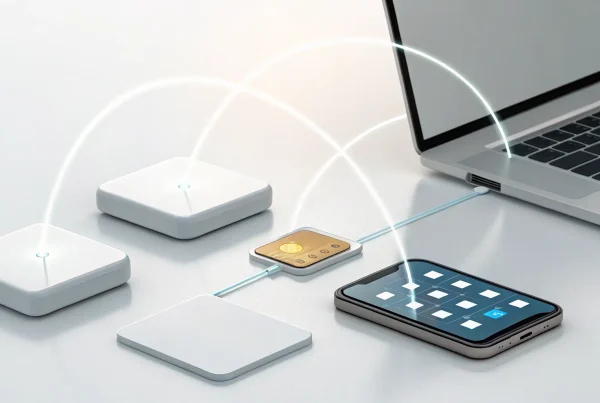
Think of a virtual terminal as a way to turn your computer, tablet, or smartphone into a credit card terminal. It’s a secure webpage where you can manually enter a customer’s credit card information to process a payment. You don’t need any extra hardware or a clunky card-swiping machine, just an internet connection and your merchant account. This makes it an incredibly flexible tool for accepting payments when your customer and their card aren’t physically in front of you.
This type of transaction is often called a “card-not-present” payment, and it’s perfect for businesses that operate outside of a traditional retail storefront. If you’re a contractor who invoices clients, a consultant who takes payments over the phone, or a caterer who requires a deposit before an event, a virtual terminal is your best friend. It allows you to accept payments online quickly and securely without the hassle of waiting for a check to arrive in the mail. It’s all about giving you a simple, professional way to get paid from anywhere.
How Does a Virtual Terminal Work?
Using a virtual terminal is surprisingly straightforward. The process is designed to be quick and intuitive, even if you don’t consider yourself tech-savvy. You simply log into your provider’s secure payment portal through your web browser. From there, you’ll see a simple online form asking for the customer’s payment details.
You’ll type in their credit card number, expiration date, CVV code, and the total amount of the sale. After you’ve entered the information, you just hit “submit.” The terminal securely sends the data for authorization, and within seconds, you’ll know if the payment was approved or declined. It’s the go-to method for businesses that handle mail orders or telephone orders (MOTO), as it streamlines the entire payment process.
Virtual Terminal vs. Payment Gateway: What’s the Difference?
It’s easy to mix up virtual terminals and payment gateways, but they serve two different functions. The main difference comes down to who enters the payment information. With a virtual terminal, you, the merchant, are manually keying in the customer’s card details. It’s a backend tool for your business.
A payment gateway, on the other hand, is a customer-facing tool that automates the checkout process on your website. When a customer buys something from your online store, the payment gateway securely collects their information and processes the transaction without you having to do anything. Many businesses use both; they have a payment gateway for their e-commerce site and a virtual terminal for handling phone orders or invoices.
Is a Virtual Terminal Right for Your Business?
So, is a virtual terminal the right move for your business? While it’s not for everyone, it’s a game-changer for companies that operate in specific ways. If you take payments remotely or don’t have a traditional storefront, this tool could be exactly what you need to simplify operations and get paid faster. It’s designed for businesses that need flexibility without investing in extra hardware. Let’s look at a few common scenarios where a virtual terminal shines, helping you decide if it fits your needs.
Perfect for Service-Based Businesses
If you’re a consultant, contractor, or other service professional, you know the lag between finishing a job and getting paid. A virtual terminal closes that gap. Instead of waiting for a check, you can take a client’s card details over the phone and process the payment instantly on your computer. This simple step helps improve your cash flow and provides a convenient, professional experience for your clients. It’s a modern solution that eliminates the hassle of chasing down payments, letting you focus on your work instead of your accounts receivable.
Ideal for Remote and Mobile Operations
Running your business on the go? A virtual terminal is your portable payment solution. It turns your laptop or tablet into a secure payment device, so you can take credit cards from anywhere with an internet connection. This is perfect for vendors at farmers markets, landscapers at a client’s home, or any business without a fixed brick-and-mortar location. You can accept payments anywhere, giving you the flexibility to make a sale whenever and wherever the opportunity arises, without needing any special hardware.
A Must-Have for Phone and Mail Orders (MOTO)
For businesses built on Mail Order/Telephone Order (MOTO) sales, a virtual terminal is non-negotiable. When your team takes card numbers over the phone, you need a process that is both secure and efficient. Keying the information directly into a virtual terminal is far safer than jotting it down on paper, protecting your business and building customer trust. It streamlines your workflow by allowing you to confirm and process orders in one quick step. This is the standard for modern MOTO transactions, ensuring every sale is handled professionally and securely.
Great for Nonprofits and Fundraising
Nonprofits often rely on the generosity of donors during fundraising events or phone campaigns. A virtual terminal makes it easy to capture that generosity. It allows staff and volunteers to quickly process credit card donations using any computer, removing friction from the giving process. When someone is inspired to contribute, you can accept their donation on the spot without any complicated hardware. Making the donation process this simple and secure can have a real impact on your fundraising success, helping you focus more on your mission and less on payment logistics.
Essential Virtual Terminal Features
When you start looking at different virtual terminals, you’ll notice they aren’t all built the same. To get the most value for your business, you need a solution that does more than just process a credit card. The right features can save you time, simplify your accounting, and create a smoother experience for your customers. Think of it as your digital cash register, business analyst, and bookkeeper all rolled into one. A great virtual terminal should offer robust tools that help you manage and grow your business, not just take payments. Let’s walk through the key features you should consider non-negotiable.
Flexible Payment Options
Your customers expect to pay how they want, and your virtual terminal should make that easy. A top-tier system will let you accept all major credit and debit cards, of course, but it shouldn’t stop there. Look for the ability to process payments from various sources, including keyed-in transactions for phone or mail orders (MOTO), and even eChecks for US customers. Some terminals also allow you to record cash or check payments, keeping all your sales data in one organized place. This payment flexibility is crucial for meeting customer expectations and ensuring you never miss a sale just because you can’t accept their preferred payment method.
Automated Recurring Billing
If your business offers subscriptions, memberships, or payment plans, this feature is a game-changer. Instead of manually chasing down payments each month, you can set up automated recurring billing. This allows you to securely save a customer’s payment information and automatically charge them at predetermined intervals. You can also send automated invoices that your clients can pay with a single click. This not only saves you a ton of administrative work but also helps create a predictable and stable cash flow for your business. It’s a simple way to ensure you get paid on time, every time, without any awkward follow-up calls.
Clear Reporting and Analytics
How did your sales perform last month? Which services are most popular? A good virtual terminal gives you these answers at a glance. Instead of digging through spreadsheets, you should have access to a dashboard with clear, easy-to-understand reports on your sales, transactions, and business performance. This data is invaluable for making informed decisions about your inventory, marketing, and overall strategy. The best systems also let you manage everything in one place, track individual payments, and even control which team members have access to sensitive information, giving you both insight and control.
Easy Software Integrations
Your virtual terminal shouldn’t exist on an island. It needs to work seamlessly with the other software you use to run your business. Look for a provider that offers easy integrations with popular accounting software (like QuickBooks), point-of-sale systems, and other business tools. A solid API (Application Programming Interface) allows different software to talk to each other, automating tasks like syncing sales data with your books. This eliminates the need for manual data entry, reduces the risk of human error, and ensures all your business information stays accurate and up-to-date across every platform you use.
Why Use a Virtual Terminal?
If you’re looking for a flexible and straightforward way to process payments, a virtual terminal is a powerful tool. It essentially turns your computer, tablet, or smartphone into a credit card terminal, giving you the freedom to accept payments without being tied to a specific location or clunky hardware. For many business owners, this means faster payments, simpler operations, and happier customers. Let’s look at the key benefits.
Accept Payments From Anywhere
Think of a virtual terminal as your portable payment solution. As long as you have an internet connection, you can process a credit card transaction. This is a game-changer for businesses that operate outside of a traditional storefront. If you’re a contractor completing a job at a client’s home, a consultant finishing a meeting, or a vendor at a local market, you can take payment on the spot. You just log into your secure portal, enter the customer’s card details, and complete the sale. This freedom allows you to run your mobile business from virtually anywhere, ensuring you never miss a sale because you couldn’t process a card.
No Extra Hardware Needed
One of the best parts about using a virtual terminal is that you don’t need to buy or maintain any special equipment. Your existing computer or smart device is all the hardware you need. This helps you avoid the upfront costs and clutter of traditional point-of-sale systems, which often require dedicated card readers, terminals, and printers. For a new business or a lean operation, this is a huge advantage. You can get a professional payment system up and running without a significant investment, allowing you to put your capital toward other important areas of your business. It’s a simple, clean, and cost-effective approach to payment processing.
Get Paid Faster
Waiting for checks to arrive in the mail or for clients to pay invoices can put a serious strain on your finances. A virtual terminal helps you get paid faster by closing the gap between doing the work and getting the money. When you can process a payment over the phone or in person right after providing a service, you immediately improve your cash flow. This not only makes your revenue more predictable but also enhances the customer experience. Clients appreciate the convenience of paying with their card right away, and you get the peace of mind that comes with a secure, instant transaction. It’s a win-win that keeps your business financially healthy.
Simplify Your Bookkeeping
A virtual terminal does more than just process payments; it also acts as a central hub for your transaction data. Most virtual terminals come with built-in reporting features that give you a clear overview of your sales, refunds, and customer payment history. Instead of manually tracking sales in a spreadsheet, you can generate detailed reports with just a few clicks. Some systems even allow you to create an item catalog to track your products or services. This centralization makes small business accounting much easier, saves you valuable time, and reduces the risk of human error. You can spend less time on administrative tasks and more time focusing on growing your business.
Are Virtual Terminals Secure?
When you’re handling customer payment information, security is everything. It’s completely normal to wonder if typing card details into a web browser is safe. The short answer is yes, virtual terminals are incredibly secure, but only if you choose a provider that makes security a priority. Reputable virtual terminals are designed with multiple layers of protection to keep your business and your customers’ data safe from threats.
Modern virtual terminals don’t just process payments; they protect them. They use the same advanced security technologies as online checkout pages and in-person POS systems. These features work together to encrypt sensitive data, verify transactions, and prevent unauthorized access. This means you can confidently accept payments over the phone or by mail without turning your office into a high-security data center. Let’s look at the key security features that make this possible.
Encryption and Tokenization
The two most important security features of any virtual terminal are encryption and tokenization. When you enter a customer’s card number, encryption instantly scrambles it into an unreadable code. This happens before the data even leaves your computer, making it useless to anyone who might try to intercept it. Then, tokenization takes over by replacing the sensitive card data with a unique, non-sensitive placeholder called a token. This token can be used for things like recurring billing or refunds without ever exposing the actual card number. The real data is stored safely in your provider’s ultra-secure data centers, not on your device.
PCI DSS Compliance
Any business that accepts credit cards must follow the Payment Card Industry Data Security Standard (PCI DSS). These are strict rules designed to protect cardholder data. The great news is that using a PCI-compliant virtual terminal handles most of this for you. Your provider is responsible for maintaining a secure network and protecting the stored data, which significantly reduces your compliance workload. A good provider will also offer tools and support to help you with any remaining PCI requirements, ensuring you’re always following the latest standards.
Secure Logins and Access Controls
Security isn’t just about outside threats; it’s also about managing who has access internally. Virtual terminals allow you to create unique logins for each member of your team and set specific user permissions. This is a critical feature for controlling access to sensitive functions. For example, you can allow a team member to process new payments but restrict them from issuing refunds or viewing sales reports. These access controls give you complete oversight of who is doing what in your payment system, minimizing the risk of both internal fraud and human error.
Fraud Prevention Tools
Top-tier virtual terminals come equipped with built-in fraud prevention tools to stop bad transactions before they happen. These often include Address Verification Service (AVS), which checks if the billing address entered matches the one on file with the card issuer, and CVV verification, which requires the three or four-digit code on the back of the card. Many systems also use sophisticated monitoring to flag suspicious activity in real time, like an unusual number of transactions in a short period. These automated checks act as your first line of defense against fraud and costly chargebacks.
Understanding Virtual Terminal Costs
Let’s talk about money. A virtual terminal is one of the most affordable ways to accept payments, but the costs can look a little different depending on the provider you choose. Understanding the fee structure is the key to making sure you get a great deal without any surprise charges down the road. Think of it less like a price tag and more like a simple menu of services. When you know what to look for, you can confidently pick a partner that fits your budget and helps your business grow. We’ll break down the three main cost areas you’ll encounter: transaction fees, monthly subscriptions, and those sneaky hidden fees you need to watch out for.
Transaction Fees
This is the most common cost associated with a virtual terminal. Every time you process a payment, your provider charges a small fee for securely handling the transaction. This is typically a percentage of the total sale plus a small fixed amount. For example, a common rate for manually entered cards is around 3.5% + 15 cents per transaction. This fee covers the cost of moving money from your customer’s bank to yours while keeping all that sensitive data safe. Rates can vary, so it’s always a good idea to compare the payment processing fees between different providers to see who offers the most value for your specific business needs.
Monthly Subscriptions
Here’s some good news: many modern payment providers, including us at MBNCard, offer virtual terminal access with no monthly subscription fees. This is a huge advantage for small businesses, freelancers, and anyone who wants to keep their overhead low. You only pay when you make a sale. Some traditional banks or older processors, however, might charge a monthly fee just for access to their software, whether you use it or not. When you’re shopping around, look for a provider that offers a pay-as-you-go model. This gives you the flexibility to accept payments without being locked into a contract or paying for a service during your slower months.
What to Watch For: Hidden Fees
This is where you need to put on your detective hat. While many providers advertise “no monthly fees,” sometimes other charges can pop up on your statement if you’re not careful. Some processors might add on things like statement fees, batch fees, or monthly minimums that can cost you $30 or more. Another thing to look out for is extra charges for security. Features like data encryption and tokenization are essential for protecting your business and your customers, and they should be included as standard. Before you sign up, always ask for a complete list of fees and make sure you understand what each one is for. A transparent partner will be happy to walk you through their pricing and help you maintain PCI compliance.
Common Myths About Virtual Terminals
Virtual terminals are powerful tools, but they’re also surrounded by a lot of confusion. Let’s clear the air and tackle some of the most common myths I hear from business owners. Getting the facts straight can help you see how this technology can fit into your operations and help you grow.
“They’re only for large businesses.”
This is one of the biggest misconceptions out there. While large enterprises certainly use virtual terminals, these tools are incredibly valuable for businesses of all sizes. In fact, they are especially well-suited for small to mid-sized service and retail businesses that need to process payments remotely. If you take orders over the phone, through the mail, or via email, a virtual terminal is designed for you. It’s a flexible solution that gives any business, no matter its size, the ability to accept card-not-present payments securely and professionally.
“They’re too expensive for small businesses.”
It’s easy to assume that powerful payment technology comes with a high price tag, but that’s not the case with virtual terminals. Many providers offer affordable plans without locking you into long-term contracts or charging hefty monthly fees. Some virtual terminal services are even included for free with a merchant account, so you only pay standard transaction fees. The key is to find a transparent provider that aligns with your budget. This technology is designed to be accessible, helping you get paid without draining your resources.
“You need to be a tech expert to use one.”
You definitely don’t need a background in coding to use a virtual terminal. The setup and daily use are designed to be straightforward. If you can navigate a website, you can use a virtual terminal. Most platforms are web-based, meaning you just log in to your account through a browser on your computer, tablet, or phone. There’s no complicated software to install or maintain. You simply enter your customer’s payment information into a secure online form and hit submit. It’s that easy.
“They only process credit cards.”
While credit card processing is a core function, most modern virtual terminals are much more versatile. Many platforms allow you to accept both credit card and eCheck payments, giving your customers more ways to pay. This flexibility is a huge advantage, as it lets you cater to different customer preferences without needing multiple systems. Offering more payment options can improve the customer experience and ensure you never miss a sale just because you couldn’t accept a specific payment type.
How to Choose the Right Virtual Terminal Provider
With so many options out there, picking a virtual terminal provider can feel a bit overwhelming. But finding the right partner is crucial for processing payments smoothly and securely. The best choice for your business will come down to a few key factors: how they protect your data, whether they can grow with you, and what kind of support they offer when you need it. Let’s break down what to look for in each of these areas.
Rock-Solid Security
When you’re handling customer payments, security isn’t just a feature; it’s the foundation of trust. Your first priority should be finding a provider that takes data protection seriously. Look for essential security measures like tokenization and point-to-point encryption (P2PE), which protect sensitive card information from the moment it’s entered. Top-tier providers also use extra layers of protection. For example, some payment processors like Cybersource store payment data in highly secure data centers, keeping it far away from potential threats. You also want a partner who has your back if a problem arises, with dedicated fraud monitoring and expert help for managing payment disputes.
Grows With Your Business
Your business isn’t static, and your payment solution shouldn’t be either. Think about where you want to be in a year or five years from now. Will your virtual terminal be able to keep up? Choose a provider that offers flexibility and can scale with you. Some platforms, like Square’s Virtual Terminal, let you start processing payments without long-term commitments or monthly fees, which is perfect when you’re growing. As your business expands, you might want to add new ways to get paid. Look for providers that offer more than just basic processing, such as Elavon, which includes options for online billing and invoicing to support different sales channels.
Real Support and Easy Setup
You’re running a business, not an IT department. The last thing you need is a complicated tool that takes weeks to figure out. A great virtual terminal should be intuitive and easy to set up right out of the box. Some providers let you get started in minutes with just a computer and an internet connection, no special hardware required. The best systems are web-based, allowing you to simply log in to your account without any complex software installations. And don’t underestimate the value of real, human support. Having an expert you can call to walk you through your options or troubleshoot an issue is incredibly valuable and can save you a lot of time and stress.
Ready to Accept Payments Anywhere?
If your business needs the flexibility to accept payments when customers aren’t standing right in front of you, a virtual terminal is the solution you’ve been looking for. It essentially turns your computer into a credit card machine, allowing you to process transactions from anywhere you have an internet connection. You don’t need any extra hardware or complicated software, just a secure web browser. This is perfect for service-based businesses taking deposits over the phone, B2B companies processing invoiced payments, or anyone who handles mail-order transactions.
The process is incredibly simple. When you need to charge a customer, you just log into a secure webpage, enter their payment details, and hit submit. That’s it. A quality virtual terminal lets you securely accept credit card and eCheck payments in moments, which means you get your money faster and your customers get a smooth, professional experience. It removes the friction of waiting for checks to arrive or asking clients to make a special trip to pay you.
By using a virtual terminal, you can streamline your operations and open up new ways to do business. It’s a secure, affordable, and straightforward tool that gives you the power to get paid on your terms, not just when a customer is physically present. If you’re looking to provide more convenience for your customers and improve your cash flow, exploring a virtual terminal is a great next step. It’s one of the easiest ways to ensure you never miss a sale, no matter where your business takes you.
Related Articles
Frequently Asked Questions
Do I need a website to use a virtual terminal? Not at all. A virtual terminal is a standalone tool that you access through a secure webpage on your computer or tablet. You don’t need an e-commerce site or any online presence to use it. As long as you have an internet connection, you can log in and start processing payments from anywhere.
Are the processing fees higher for virtual terminals than for in-person payments? Yes, they typically are, but only slightly. Transactions where the card is manually keyed in are known as “card-not-present” and are considered to have a bit more risk than when a card is physically swiped or dipped. This small difference in risk is reflected in the processing rate. For many businesses, the ability to get paid instantly and improve cash flow makes the slightly higher rate well worth it.
How quickly does the money show up in my bank account? The exact timing depends on your payment provider, but you can generally expect to see the funds deposited into your business bank account within one to two business days. This is a huge improvement over waiting for a check to arrive and clear, which helps keep your business’s cash flow healthy and predictable.
Can my employees use the virtual terminal, or is it just for me? Absolutely, your team can use it. Quality virtual terminals allow you to create unique user logins for your employees. You can also set specific permissions for each person, giving you control over who can process payments, issue refunds, or access sales reports. This is a great way to empower your team while maintaining security and oversight.
Is it safe to set up recurring billing for my clients? Yes, it is very safe, provided your virtual terminal uses a technology called tokenization. When you save a customer’s card for recurring payments, tokenization replaces their actual card number with a unique, non-sensitive placeholder (a token). The real, sensitive data is stored securely in your provider’s protected system, not yours, which makes automated billing both convenient and secure.