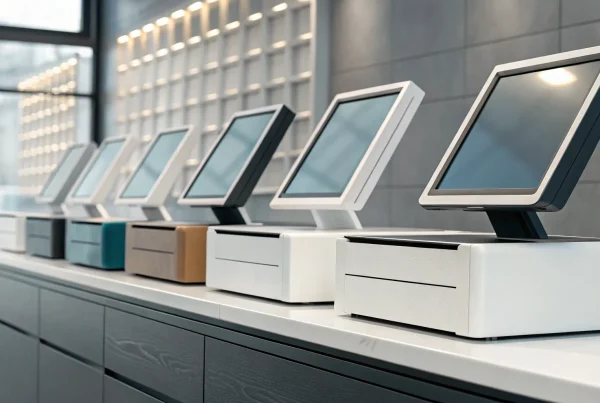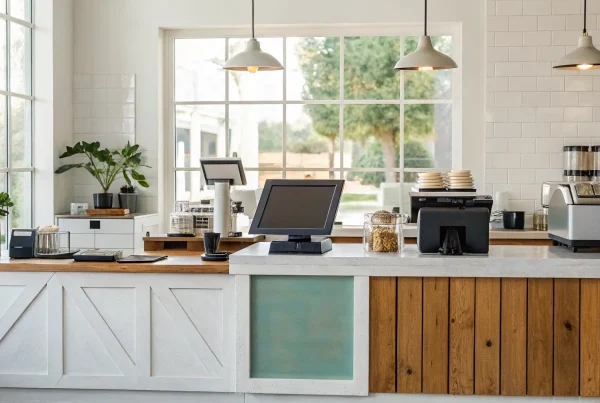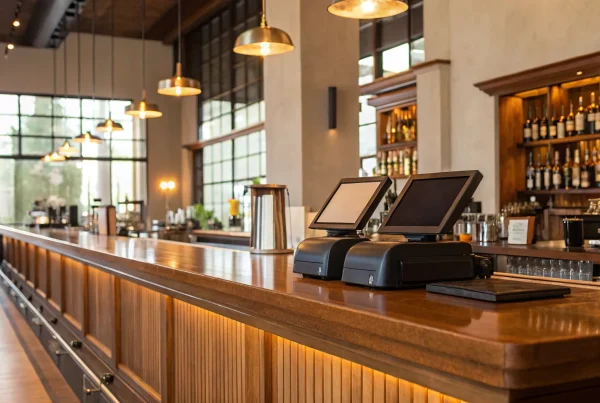
Think of your business as an orchestra. You have sales, inventory, customer data, and employee management all playing their own parts. Without a conductor, it can quickly become chaotic. A point-of-sale system acts as that conductor, bringing every element of your operation into harmony. It’s far more than a modern cash register; it’s the central command center where every transaction, stock update, and customer interaction is tracked and organized. Choosing the right POS software is one of the most critical decisions you’ll make, as it simplifies your daily tasks, provides crucial business insights, and ultimately helps you create a smoother experience for your customers.
Key Takeaways
- Define your must-haves first: Before comparing software, list the essential features your business needs to run smoothly. A system with strong inventory tools, clear sales reports, and seamless payment processing will simplify your daily tasks and provide real value.
- Look beyond the monthly fee: Understand the total cost of a POS system by factoring in hardware, payment processing rates, and potential setup charges. A clear picture of all expenses helps you find a solution that fits your budget without any surprise costs later on.
- Test drive the software for your future: Use free trials and demos to see how a system works in practice. Choose a flexible solution that is easy for your team to learn and scalable enough to support your business as you grow, whether that means adding a new location or an online store.
What is POS Software and Why Does Your Business Need It?
Think of point-of-sale (POS) software as the modern, supercharged version of a cash register. It’s the central hub where everything in your business comes together: sales, inventory, payments, and customer information. For any business owner, trying to manage all these moving parts manually can be a huge challenge. A good POS system simplifies your daily operations by bringing all these functions into one organized platform.
Beyond just letting you accept credit cards and mobile payments, POS software is a powerful tool for understanding your business. It tracks every transaction and turns that data into clear, actionable insights. You can see which products are your best-sellers, what your busiest hours are, and who your most loyal customers are. This information is crucial for making smart decisions that help you grow. From speeding up the checkout process to keeping your inventory perfectly stocked, a reliable POS system is a fundamental tool for running a successful business.
Streamline Your Sales Process
At its most basic level, POS software makes the checkout process fast and simple for everyone. It’s the digital engine that processes transactions, whether a customer is tapping a credit card, using their phone, or paying with cash. Paired with hardware like a barcode scanner and a card reader, the software keeps your line moving and your customers happy. It automatically calculates taxes and applies discounts, which reduces the risk of manual errors. This efficiency creates a smooth, professional experience that builds customer trust and encourages repeat business.
Manage Inventory with Ease
For any business that sells physical products, keeping track of inventory is a constant challenge. POS software automates this critical task, saving you time and preventing costly mistakes. Every time an item is sold, your inventory count is updated in real time across all your sales channels. This means you always have an accurate picture of what’s in stock. You can even set up automatic alerts that notify you when popular items are running low, so you know exactly when to reorder. This prevents stockouts and ensures your customers can always find what they’re looking for.
Get Valuable Business Insights
Your POS system is a goldmine of data that can help you make smarter decisions. It collects information from every sale and organizes it into easy-to-read reports. With just a few clicks, you can identify your sales trends, see which products are most profitable, and pinpoint your peak business hours. These valuable business insights allow you to be strategic with your planning. You can use the data to create targeted marketing promotions, optimize your staffing schedule for busy periods, and make informed choices about your product offerings.
Improve the Customer Experience
Ultimately, all the features of a great POS system work together to create a better experience for your customers. A fast and seamless checkout process is a simple way to leave a positive impression. When you can quickly look up stock levels or process a return without any hassle, you show your customers that you value their time. Many POS systems also include customer relationship management (CRM) features, allowing you to track purchase history and create loyalty programs. This helps you solve common business problems and build stronger, more personal relationships with the people who support your business.
The Top POS Software for Small Businesses
Choosing the right POS software can feel like a huge decision, but it doesn’t have to be complicated. At its core, the best system is simply the one that fits your unique business needs, from your industry to your sales volume. Think of it less as a cash register and more as the central hub of your entire operation. It’s the tool that will process every sale, track every item you sell, and give you the data you need to make smart decisions about your business’s future. A great POS can help you understand your busiest hours, identify your most popular products, and even manage customer relationships. Whether you run a bustling cafe that needs to manage complex orders, a boutique retail shop with constantly changing inventory, or a service-based business that schedules appointments, there’s a solution designed to make your life easier. To help you get started, we’ve broken down some of the most popular and effective POS software options available for small businesses. We’ll look at what makes each one stand out, from industry-specific features to overall flexibility, so you can find the perfect match for your company.
1. MBNCard POS Solutions
At MBNCard, we focus on providing powerful, flexible POS solutions without the confusing contracts and hidden fees you might find elsewhere. Our systems are designed for small and mid-sized business owners who value transparency and personalized support. We integrate our affordable payment processing directly into our POS software, offering programs like dual pricing and cash discounts to help you significantly cut down on transaction costs. Think of us as your payment partner, dedicated to providing the tools and support you need to run your business efficiently and save money in the process.
2. Square POS
You’ve likely seen Square’s sleek white card readers at farmers’ markets and local coffee shops. A Square POS system is a popular all-in-one solution that’s great for many types of businesses, including retail stores, restaurants, and service providers. It’s known for being user-friendly, helping you take payments, track your sales, and manage inventory from a single platform. Its straightforward setup makes it an excellent starting point for new businesses or anyone looking for a simple, reliable system to get up and running quickly.
3. Shopify POS
If you sell products both online and in a physical location, Shopify POS is a fantastic choice. Its biggest strength is its seamless integration with the Shopify ecommerce platform. This means your inventory, sales, and customer data are automatically synced across all your sales channels. If a customer buys your last sweater online, your in-store system will know it’s gone instantly, preventing overselling. This unified approach is perfect for retailers who want to create a smooth omnichannel experience for their customers without the headache of managing separate systems.
4. Toast POS
For anyone in the food and beverage industry, Toast POS is a top contender. It was built specifically for the unique demands of restaurants, cafes, and bars. The software includes specialized features that general POS systems often lack, such as table management, tableside ordering and payment, and tools for handling online orders and deliveries. Toast helps streamline both front-of-house and back-of-house operations, allowing your team to turn tables faster and give customers a better dining experience. It’s a robust solution designed to handle the fast-paced restaurant environment.
5. Lightspeed
Lightspeed is a powerful POS system geared toward established retail stores and restaurants with more complex needs. Its standout feature is its highly detailed inventory management system, which is perfect for businesses with a large or varied stock. You can easily track items, manage purchase orders, and analyze sales data to make smarter buying decisions. Lightspeed also provides deep analytics, giving you valuable insights into your store’s performance. If you’re a growing retailer looking for more control over your inventory and operations, this system is worth a look.
6. Clover
Clover is known for its flexibility and wide range of hardware options, from sleek handheld devices to full-fledged countertop stations. A Clover POS system is highly customizable, allowing you to build a setup that perfectly fits your business needs. Through its app market, you can add specific functionalities for everything from appointment scheduling to loyalty programs. This makes it a versatile choice for various industries, including retail, restaurants, and personal services. If you want a system that can adapt and grow with you, Clover’s customizable approach offers a great deal of freedom.
Key Features to Look for in POS Software
When you start comparing POS systems, the sheer number of features can feel overwhelming. But don’t worry, you don’t need every bell and whistle. The goal is to find a system with the right tools to help you run your business more efficiently and make smarter decisions. Think of your POS as the central hub of your operations. It should simplify your daily tasks, not complicate them. Let’s walk through the essential features that will make the biggest impact on your business, from processing payments to understanding your sales data.
Seamless Payment Processing
At its core, your POS software needs to make accepting payments fast, easy, and secure. This is the most fundamental part of the checkout experience. A great system will handle all types of transactions without a hitch, including credit cards, debit cards, and digital wallets like Apple Pay and Google Pay. It should also make it simple for your staff to ring up items, apply discounts, and process returns. The entire process should feel smooth for both your team and your customers, keeping lines short and shoppers happy.
Inventory Management
For any business selling physical products, this feature is a game-changer. Strong inventory management tools automatically track your stock levels in real time. Every time you sell an item, the system updates your count. This means you can say goodbye to tedious manual stock-takes and guesswork. The software can even alert you when products are running low, so you know exactly when to reorder. This helps you avoid running out of popular items and losing sales, while also preventing you from tying up cash in slow-moving stock.
Sales Reporting and Analytics
Your POS system collects a goldmine of data with every sale. The right software turns that data into clear, actionable insights. Instead of just seeing your total revenue, you can see which products are your bestsellers, what times of day are busiest, and how your sales are trending over weeks or months. These reports help you make informed decisions about everything from staffing and marketing promotions to which new products you should introduce. It’s like having a business analyst on your team, helping you understand what’s working and where you can improve.
Customer Management (CRM)
Building a loyal customer base is key to long-term success, and a Customer Relationship Management (CRM) feature can help you do just that. This tool allows you to create customer profiles, track their purchase history, and see their preferences. With this information, you can offer more personalized service and targeted marketing. You could create a loyalty program to reward repeat shoppers or send special offers to customers who haven’t visited in a while. It’s a powerful way to turn one-time buyers into lifelong fans of your business.
Employee Management Tools
A good POS system can also simplify how you manage your team. Employee management features let you create unique logins for each staff member, which helps with accountability and security. You can set different permission levels, giving managers more access than cashiers. Many systems also include time-tracking functions, making it easy to log employee hours for payroll. For businesses with sales commissions, the software can automatically calculate payouts based on individual performance, saving you time and ensuring accuracy.
Ease of Use
A powerful POS system is only effective if your team can actually use it. The software should have an intuitive, straightforward interface that is easy to learn. A complicated system can lead to longer checkout times, frustrated employees, and unhappy customers. When you’re looking at different options, think about the training process. Will your staff be able to pick it up quickly? The best POS software is designed for simplicity, allowing your team to get up to speed with minimal training so they can focus on serving customers.
Data Security
Protecting your customers’ payment information and your business data is non-negotiable. Your POS software must have robust security measures in place. Look for systems that use end-to-end encryption, which scrambles card data from the moment it’s swiped or tapped until it reaches the payment processor. It’s also essential that the system helps you maintain PCI compliance, which is the industry standard for protecting cardholder data. Strong security not only protects you from fraud but also builds trust with your customers.
Offline Mode
What happens if your internet connection goes down during a busy lunch rush? With an offline mode, you can keep ringing up sales without interruption. This feature allows your POS system to continue accepting payments even when it’s not connected to the internet. Once your connection is restored, the system automatically syncs all the transaction data that was processed offline. It’s a crucial safety net that provides peace of mind and ensures you never have to turn a customer away because of a spotty Wi-Fi signal.
Breaking Down the Cost of POS Software
Figuring out the true cost of a point-of-sale system can feel like trying to solve a puzzle. The price you see advertised is rarely the full picture. The total investment is a mix of software subscriptions, hardware purchases, and transaction fees that can vary widely from one provider to another. Understanding these different components is the first step to finding a solution that fits your budget without any surprise charges down the road.
When you start comparing options, think beyond the monthly software fee. You’ll also need to account for the cost of processing payments, buying the right hardware, and any potential one-time expenses for setup or training. Some providers bundle these costs, while others charge for everything separately. Let’s break down each piece so you can confidently calculate the total cost of ownership and make a smart decision for your business.
Subscription Fees
The most common cost you’ll encounter is the software subscription fee. Most modern POS systems are cloud-based, meaning you pay a recurring monthly or annual fee for access. These fees typically range from $30 to over $100 per month for each terminal or register you use. If you have multiple checkout counters, this cost can add up quickly.
Alternatively, some providers offer on-premise systems where you pay a large, one-time license fee upfront, which can be anywhere from $1,000 to $3,000. While the initial investment is higher, you own the software outright. Be sure to ask if this upfront cost includes future software updates or if those come with an additional charge.
Payment Processing Rates
Every time you accept a credit or debit card, a small percentage of the sale goes to the payment processor. These transaction fees are a crucial part of your total POS cost. Rates are typically structured as a percentage of the transaction plus a flat fee, like 2.6% + 10 cents per tap, dip, or swipe. While these small amounts may not seem like much, they can have a significant impact on your profitability over thousands of transactions.
This is one area where you have some control. Some providers, like us at MBNCard, can help you find more competitive rates or implement programs like cash discounting to offset these fees entirely. Always get a clear breakdown of the payment processing fees before you commit to a system.
Hardware Costs
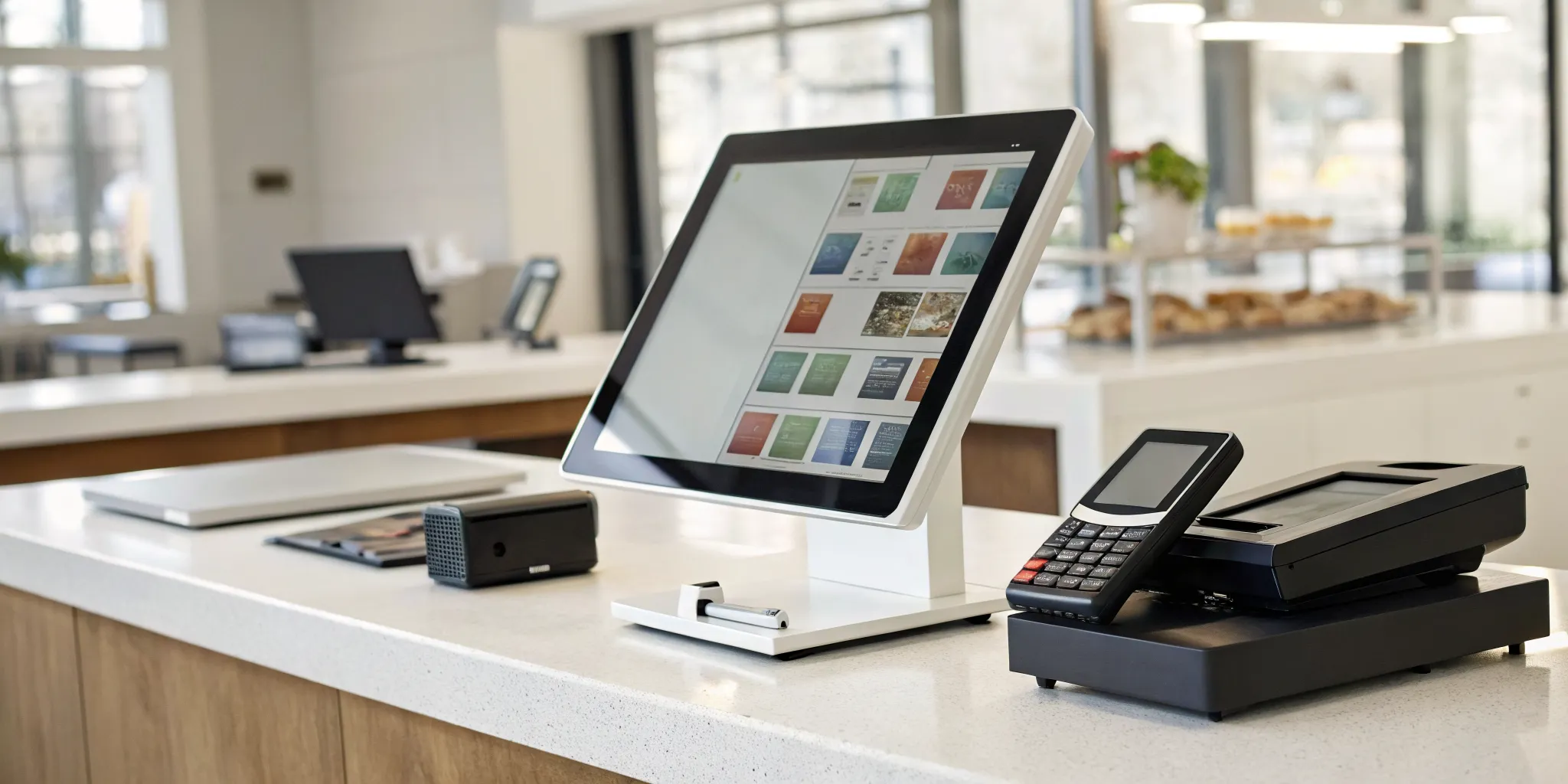
Next, you’ll need the physical equipment to run your software and accept payments. Your hardware needs will depend on your business type. A simple mobile business might only need a tablet and a card reader, which can start around $69. A retail store or restaurant will need a more robust setup, including a touchscreen monitor, cash drawer, receipt printer, and barcode scanner. A complete hardware bundle can cost several hundred to a few thousand dollars. Before you buy, check if the POS software is compatible with any hardware you already own to potentially save on costs.
Hidden Fees to Watch For
Beyond the main expenses, some additional costs can catch you by surprise. For example, some POS providers charge extra for integrations with other business tools, like your accounting or email marketing software. You might also find different tiers of customer support, with 24/7 help locked behind a more expensive plan.
It’s also important to ask about any early termination fees if you decide to switch providers, as well as any monthly charges for PCI compliance to ensure you’re securely handling customer data. Reading the fine print on your contract is essential to avoid these unexpected expenses.
Setup and Training Expenses
Getting your new POS system up and running smoothly is critical to avoid disrupting your business. Many modern systems are designed for easy, do-it-yourself setup. However, for more complex operations with multiple locations or extensive inventory, you might need to pay for professional installation and data migration.
Additionally, consider the cost of training your team. While many providers offer free online guides and videos, some charge for personalized, one-on-one training sessions. Investing in proper training ensures your staff can use the new system efficiently from day one, minimizing errors and preventing downtime during the transition.
Weighing the Pros and Cons of Top POS Systems
Choosing a point-of-sale system is a big decision, and it’s easy to feel overwhelmed by all the options. Each system comes with its own set of strengths and potential drawbacks. The key is to look past the flashy marketing and focus on what truly matters for your daily operations. A system that works perfectly for the coffee shop down the street might be a terrible fit for your retail boutique. Taking the time to carefully evaluate how a POS system’s features align with your specific business needs will save you from headaches down the road, like slow checkouts or inaccurate inventory counts. Let’s break down how to think through this process.
Strengths and Weaknesses at a Glance
Every POS system has its highlights and its limitations. Some excel at detailed inventory tracking but have a clunky user interface. Others might offer fantastic marketing tools but come with a higher price tag. One of the biggest mistakes business owners make is rushing into a decision without doing enough research. This can lead to frustrating POS system challenges like system downtime during a busy lunch rush or payment integration failures. Before you commit, make an honest list of your deal-breakers and your nice-to-haves. This simple step helps you quickly filter out systems that won’t work for you and focus on the ones that have real potential.
Finding the Right Fit for Your Industry
The needs of a restaurant are completely different from those of a salon or a clothing store. That’s why it’s so important to find a POS system designed for your specific industry. A restaurant might need features for table management, splitting checks, and sending orders directly to the kitchen. A retail store, on the other hand, needs strong inventory management with variants for size and color, plus features that support customer loyalty programs. Don’t get swayed by a long list of generic features. Instead, focus on finding a system that solves the unique challenges you face in your industry every single day.
Planning for Future Growth
The POS system you choose today should be able to support your business tomorrow. Think about your goals for the next three to five years. Do you plan to open a second location, start selling online, or add a new service? Your POS system should be scalable enough to grow with you. It should function as the central hub of your business, not just a digital cash register. At the same time, make sure the system isn’t overly complex for your current needs. You want a solution that your team can learn quickly and use efficiently without getting bogged down by features you won’t use for years.
Checking Integration Capabilities
Your POS system doesn’t work in a bubble. It needs to communicate with the other tools you use to run your business. Before making a final decision, confirm that the system can seamlessly connect with your essential software. This includes your accounting platform (like QuickBooks), your e-commerce site, and your email marketing service. Good POS system integrations save you countless hours of manual data entry and reduce the risk of human error. This ensures that your sales data, customer information, and inventory levels are always accurate and up-to-date across all your platforms.
How to Choose the Right POS Software for Your Business
With so many options on the market, picking the right point-of-sale software can feel overwhelming. But finding the perfect fit doesn’t have to be complicated. The key is to approach it methodically, focusing on what your business truly needs to thrive. By breaking the process down into a few key steps, you can confidently select a system that supports your daily operations, helps you grow, and makes life easier for you and your team. Think of it as a long-term partnership, so it’s worth taking the time to get it right from the start.
Define Your Business Needs
Before you even look at a single feature list, take a step back and map out your daily operations. What are your must-haves? A retail boutique will need robust inventory tracking and barcode scanning, while a coffee shop needs a system that can handle custom orders and manage tables. Make a list of your essential functions, like employee time tracking, customer relationship management (CRM), or online ordering integration. This initial step is crucial because it creates a clear checklist to measure every potential point-of-sale software against, ensuring you choose a system built for your specific industry and goals.
Compare Pricing and Overall Cost
The price tag on a POS system is just one piece of the puzzle. To understand the true cost, you need to look at the complete picture. This includes monthly subscription fees, one-time setup costs, hardware expenses, and payment processing rates. Some providers offer what seems like a low monthly fee but make up for it with higher transaction percentages. Ask for a detailed breakdown of all potential charges to avoid surprises. Understanding the total cost of ownership will help you avoid common mistakes and find a solution that fits your budget not just today, but for the long haul.
Use Free Trials and Demos
You wouldn’t buy a car without a test drive, and the same logic applies to your POS software. Most providers offer a free trial or a guided demo, and you should absolutely take advantage of it. This is your chance to get a feel for the user interface and see how intuitive it is for you and your staff. Can you easily add a new product? Is the checkout process quick and simple? A hands-on trial is the best way to determine if the software’s workflow matches your business’s pace and style. It helps you move past the marketing promises and see how the system actually performs in a real-world setting.
Evaluate the Quality of Customer Support
When your payment system goes down during a lunch rush, you need help immediately. That’s why customer support is non-negotiable. Before committing to a provider, find out what their support looks like. Is it available 24/7? Can you reach a real person by phone, or is it limited to email or chat? Read reviews and ask other business owners about their experiences. Reliable and accessible support can be the difference between a minor hiccup and a major sales-stopping disaster. Make sure you’re choosing a partner who will be there when you need them most.
Plan for Future Growth
The POS system you choose today should be able to grow with you tomorrow. Think about your business goals for the next few years. Do you plan to open another location, launch an e-commerce store, or add a loyalty program? A scalable POS system will make these transitions smooth. Look for software that can easily add new features, terminals, and locations without requiring a complete overhaul. Choosing a flexible system from the start saves you the massive headache and expense of migrating to a new platform down the road when your business starts to take off.
How to Get the Best Deal on POS Software
Once you’ve narrowed down your options, your next goal is to get the best possible price. The initial quote you receive isn’t always the final price. With a little strategy, you can often find ways to lower your upfront investment and long-term costs without sacrificing the features you need.
Think of it less as haggling and more as smart shopping. POS providers want your business, and they’re often willing to work with you to find a solution that fits your budget. From testing the software to bundling services and negotiating rates, there are several practical steps you can take to secure a great deal. By being a proactive and informed buyer, you can ensure you’re getting the maximum value from your new POS system. Here are a few proven tactics to help you save money.
Take Advantage of Free Trials
You wouldn’t buy a car without a test drive, so why commit to POS software without trying it first? Most modern POS systems offer free trials, giving you a risk-free opportunity to see if the software is a good fit for your daily operations. Use this time to let your team experiment with the interface, ring up test sales, and explore the back-end reporting features. A free trial is the best way to confirm that the system works for your specific business needs before you sign a contract. This hands-on experience helps you avoid common implementation mistakes and ensures you’re investing in a tool you’ll actually love using.
Ask About Bundled Services
Juggling multiple vendors for your hardware, software, and payment processing can be a headache. It can also be more expensive. When you’re talking to providers, always inquire about bundled services. Many companies offer packages that include everything you need to get started, from the terminal and cash drawer to the software subscription and customer support. These bundles often provide better overall value than purchasing each component separately. Plus, having a single point of contact for all your POS needs simplifies troubleshooting and support, saving you time and frustration down the line.
Negotiate Your Payment Processing Rates
Your payment processing rates are one of the most significant ongoing costs associated with your POS system, but they aren’t always set in stone. Don’t be afraid to discuss these fees with your provider. A good partner will walk you through their rate structure and help you understand exactly what you’re paying for each transaction. It’s always worth asking if there’s any flexibility. Even a small reduction in your processing rates can add up to substantial savings over the course of a year. Programs like dual pricing can also help you eliminate these fees almost entirely, so be sure to explore all your options.
Look for Special Promotions
Timing can be everything when it comes to getting a good deal. Many POS providers run special promotions or offer discounts at certain times of the year, especially for new customers. Before you make a final decision, do a quick search for any active deals or simply ask your sales representative if there are any promotions available. You might find a discount on hardware, a few months of free software, or other perks that can lower your initial investment. It only takes a moment to ask, and it could save you hundreds of dollars right from the start.
Related Articles
- 7 Best Retail POS Systems for Small Business
- The Ultimate POS System List: 12 Top Picks
- 7 Best Point of Sale Systems for Retail Stores
Frequently Asked Questions
Do I really need a full POS system if my business is just starting out? While a simple card reader can get you by initially, a full POS system is an investment in your business’s efficiency and growth. Think of it as your operational command center. Beyond just processing sales, it tracks your inventory in real time, which prevents you from selling out of popular items. It also gives you valuable data on your sales trends, helping you make smarter decisions about staffing, marketing, and what products to stock. Starting with a scalable system early on can save you major headaches later.
How do I choose a system that’s right for my specific industry? The key is to look for features that solve the unique challenges of your business. For example, if you run a restaurant, you’ll want a system with tools for table management and sending orders to the kitchen. A retail shop, however, needs strong inventory management that can handle variants like size and color, along with customer loyalty program features. Instead of getting distracted by a long list of generic functions, focus on finding a solution that is purpose-built to make your daily operations smoother.
What’s the biggest hidden cost I should watch out for with POS software? While hardware and monthly software fees are easy to spot, payment processing rates are the ongoing cost that can have the biggest impact on your bottom line. These small percentages on every card transaction add up significantly over time. Before you commit, get a clear, transparent breakdown of these rates. It’s also wise to ask about any extra fees for things like PCI compliance, customer support, or integrating with other software you use.
How can I be sure my team will be able to learn and use a new system easily? The best way to gauge a system’s ease of use is to try it yourself. Always take advantage of free trials or guided demos offered by providers. During the trial, have your staff ring up a few test sales and add new items to see how intuitive the interface feels. A system with a clean, straightforward design will require minimal training, allowing your team to get comfortable quickly and focus on helping customers instead of fighting with technology.
What happens if my internet goes out? Can I still make sales? This is a great question and a critical feature to look for. Many modern POS systems come with an “offline mode” that acts as a safety net for internet outages. When your connection drops, the system can continue to securely accept and store credit card payments. Once your internet is back online, it automatically syncs all the transactions that were processed. This feature ensures you can keep operating smoothly and never have to turn a customer away because of a spotty connection.