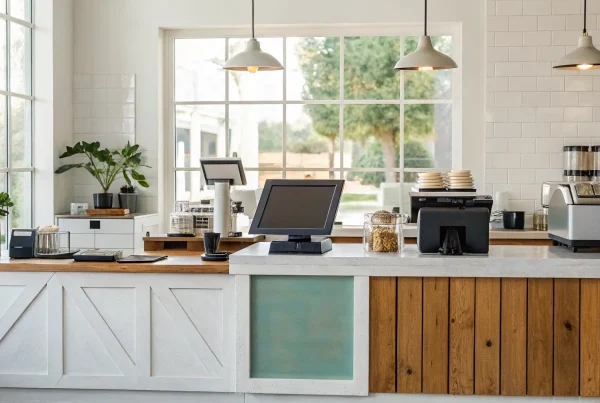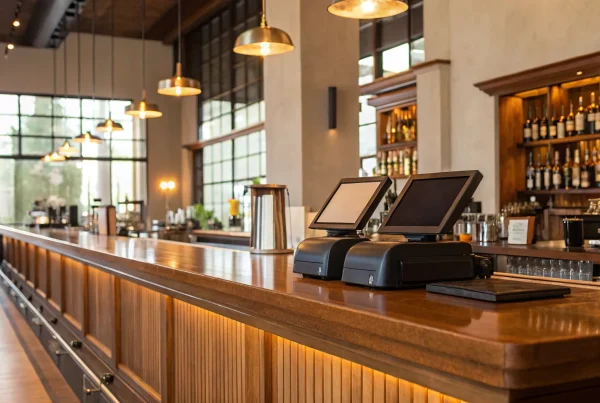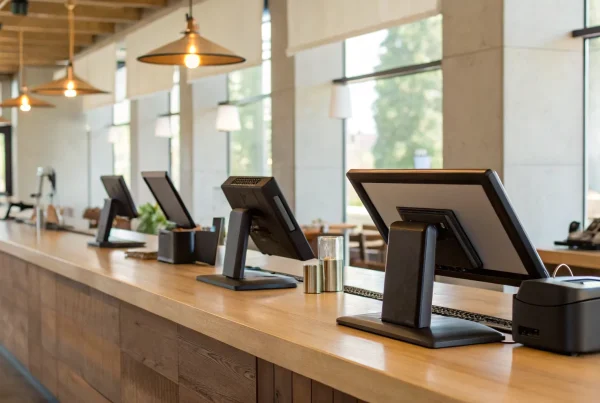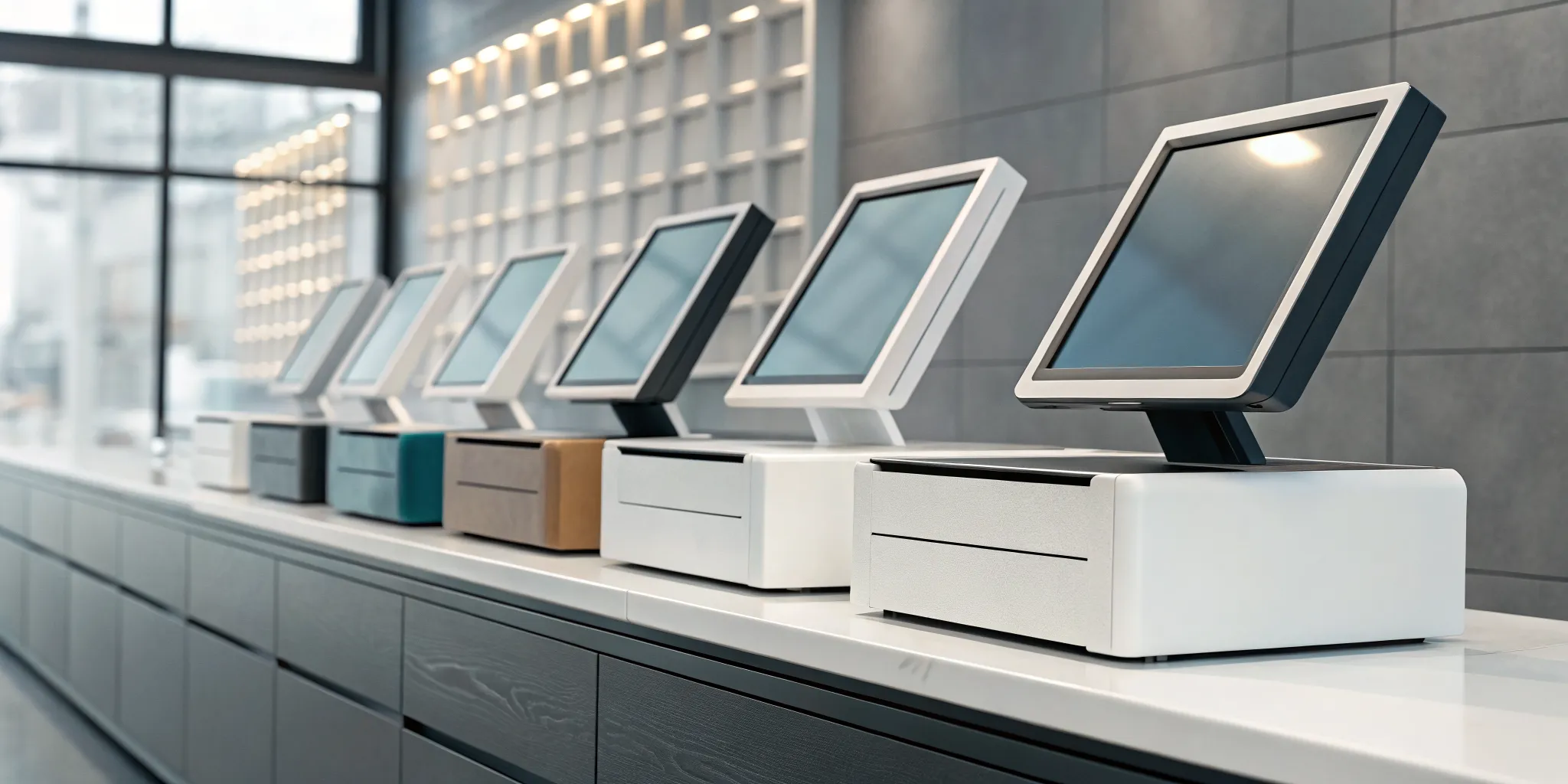
The checkout counter is where the magic happens, but the technology behind it has changed dramatically. A simple cash box has evolved into the point-of-sale (POS) system, a comprehensive tool that acts as the brain of your business. It handles transactions, yes, but it also manages your stock levels, tracks customer purchase history, and provides valuable data to guide your strategy. Since not all businesses are the same, there are many different types of setups. We’ll walk through various pos system examples, from mobile solutions for food trucks to robust systems for multi-location retailers, to help you understand your options.
Key Takeaways
- Use your POS as a command center: A great system does more than take payments; it tracks inventory, reports on sales trends, and manages customer data to help you make smarter business decisions.
- Prioritize your industry’s needs: Before looking at brands, list your essential daily tasks, like managing tables for a restaurant or syncing stock for retail, to find a system built for your specific workflow.
- Separate your POS from your payment processor: You do not have to accept the processing fees that come with your POS software; choosing a separate payment partner can give you access to better rates and cost-saving programs.
What Is a POS System?
If you’re running a business, you’ve probably heard the term “POS system,” but what does it actually mean? Think of a point-of-sale (POS) system as your business’s command center, disguised as a modern cash register. It’s the place where your customer makes a payment for goods or services. But unlike an old-school cash box, a POS system is a powerful combination of hardware (the physical equipment) and software (the programs that make it run) that work together to streamline your entire sales process.
Beyond just ringing up sales and accepting payments, a great POS system helps you manage your business from top to bottom. It can track your inventory in real time, so you know exactly when to reorder your best-selling products. It can also generate detailed sales reports, giving you valuable insights into what’s working and where you can improve. For business owners, this isn’t just about making a sale; it’s about understanding your customers, managing your operations efficiently, and making smarter decisions to grow your company. It’s the central hub that connects your sales, inventory, and customer data in one place, saving you time and helping you see the bigger picture.
The Core Parts of a POS System
Every POS system is built on two main components: hardware and software. The hardware includes all the physical pieces you can see and touch. This typically consists of a monitor or tablet screen, a barcode scanner for quick item lookup, a credit card reader to process payments, a cash drawer for any cash transactions, and a receipt printer. Think of these as the hands and feet of your operation, physically carrying out the transaction and interacting with the customer.
The software is the brain behind it all. It’s the program that runs on your hardware, processing sales, tracking data, and managing your inventory. This is where the real magic happens, turning simple transactions into valuable business intelligence that you can use to make informed decisions.
How Does a POS System Work?
So, what happens when a customer is ready to check out? First, you or your employee will scan the item’s barcode or select it from the screen. The POS software instantly pulls up the price and figures out the total cost, including any applicable taxes. Once the customer pays with cash, a card, or a mobile wallet, the system processes the payment and securely completes the transaction. At the same time, it automatically updates your inventory records to show that the item has been sold. This seamless process not only makes checkout faster for your customers but also keeps your backend operations perfectly in sync without any extra work from you.
POS System vs. Cash Register: What’s the Difference?
It’s easy to confuse a POS system with a traditional cash register, but they are worlds apart in functionality. A cash register is a simple machine that does one thing: it calculates sales, holds cash, and prints a basic receipt. A POS system, on the other hand, is a comprehensive management tool. While a cash register just records a sale, a point-of-sale system tracks that sale and connects it to your inventory, customer data, and sales reports. Modern POS systems are often digital and can run on a tablet or even a smartphone, giving you the flexibility to make sales anywhere in your store, not just at a fixed counter.
Exploring the Different Types of POS Systems
Not all POS systems are created equal, and that’s a good thing. The best system for a busy restaurant is different from the ideal setup for a local boutique or a service provider on the go. Understanding the main types of POS systems is the first step toward finding the perfect match for your business operations. Think of it like choosing a vehicle; you wouldn’t buy a sports car to haul equipment. Let’s walk through the most common options so you can feel confident in your choice. Each type offers a unique set of features and benefits, and one is likely the right fit to help you manage sales, inventory, and customers more effectively.
Cloud-Based POS
Most modern POS systems are cloud-based, which simply means they store your business data securely on the internet. Instead of keeping everything on a single computer in your back office, your sales reports, inventory counts, and customer information are accessible from any device with an internet connection. This gives you the incredible flexibility to manage your business from the shop floor, your home office, or even a beach vacation. Because the software is hosted online, updates are often automatic, so you always have the latest features and security patches without any extra work. This model is popular for a reason; it’s powerful, flexible, and scalable.
Mobile POS
A mobile POS (mPOS) system turns your smartphone or a small tablet into a complete checkout terminal. These systems are perfect for businesses that thrive on flexibility. Think of a food truck at a festival, an artist selling at a market, or a retail associate helping a customer check out right in the aisle to avoid long lines. Using a simple card reader that connects to your device, you can accept payments anywhere you have a wireless connection. This portability not only improves the customer experience by reducing wait times but also opens up new opportunities to sell your products or services outside the four walls of a traditional storefront.
Tablet POS
Tablet POS systems, which often run on familiar devices like iPads, are a sleek and user-friendly option that has become a favorite for retailers and restaurants. They combine the modern look of a tablet with the robust functionality of a traditional POS. Since most people are already comfortable using a tablet, training your staff is usually a breeze. These systems are typically cloud-based, offering all the benefits of remote access and data backup. You can easily pair them with other hardware, like cash drawers, barcode scanners, and receipt printers, to create a full-featured checkout station that is both powerful and compact.
Self-Service Kiosk POS
You’ve probably used a self-service kiosk POS without even thinking about it, maybe at a fast-food restaurant, a movie theater, or an airport. These systems empower customers to browse, place orders, and pay all on their own through an intuitive touchscreen interface. For businesses, the main advantage is efficiency. Kiosks can handle routine transactions, which frees up your staff to focus on more complex customer needs or other important tasks. They can also reduce order errors and increase average ticket sizes by automatically suggesting add-ons. It’s a fantastic way to improve the customer journey in high-traffic environments.
On-Premise (Legacy) POS
On-premise systems, sometimes called legacy or traditional POS systems, are the old-school workhorses of the industry. With this setup, all your data is stored locally on a single computer or a closed internal network right there in your business. Because it doesn’t rely on the internet to function, it can still process sales even if your connection goes down. However, this local storage is also its biggest limitation. You can’t access your data remotely, and all software updates and data backups must be handled manually. While these systems are becoming less common, some businesses may still use them, but many are looking to upgrade to more flexible cloud-based solutions.
Popular POS Systems on the Market
Walking into the world of POS systems can feel like trying to order from a menu with a thousand items. With so many options available, how do you pick just one? The truth is, there’s no single “best” system for everyone. The right choice depends entirely on your business type, your sales volume, and your plans for the future. Some systems are fantastic for a small boutique, while others are built to handle the rush of a busy restaurant.
As you explore these options, remember that a POS system is two parts: the software and hardware you use every day, and the payment processing that handles the money. Many POS providers bundle their own processing, but you often have more flexibility than you think. Partnering with a dedicated payment solutions provider can give you access to better rates and more transparent pricing, no matter which POS system you choose. Let’s look at some of the most popular players on the market to see what might work for you.
MBNCard POS Solutions
While we don’t create our own POS hardware or software, we specialize in making sure your chosen system works for your bottom line. We believe you should be able to use the POS system you love without being locked into expensive, non-negotiable processing fees. Our expertise is in payment integration. We partner with you to connect your preferred POS system to our secure and affordable payment processing network. This approach allows you to get the best of both worlds: top-tier POS functionality and transparent processing with programs like dual pricing that can significantly reduce your costs. We help you make the technology work for you, not the other way around.
Square
If you’re running a small shop, selling at weekend markets, or just getting your business off the ground, you’ve likely seen a Square reader in action. It’s incredibly popular for its simplicity and mobility. The basic plan has no monthly fee, which is a huge plus when you’re starting out. Instead, you pay a flat fee for each card transaction. Square makes it easy to accept contactless payments, track your sales, and manage customer information, all from a phone or tablet. Its straightforward setup and clean reporting are perfect for new business owners who need a reliable system without a steep learning curve.
Shopify POS
For businesses that sell both online and in a physical location, Shopify POS is a true game-changer. Its biggest strength is how it seamlessly syncs your e-commerce store with your in-person sales. When you sell a product in your shop, the inventory is automatically updated on your website, and vice versa. This unified system prevents overselling and gives you a complete picture of your customers, no matter where they buy from. It’s an excellent choice for any retailer looking to create a smooth omnichannel experience for their customers and simplify their own back-office management.
Toast
Toast is built from the ground up specifically for the food and beverage industry. If you run a restaurant, café, or bar, this system is designed to handle your unique workflow. It includes features that general retail systems just don’t have, like table-side ordering, tools to help manage kitchen traffic, and built-in online ordering and delivery integrations. Because it’s so specialized, Toast can help your team operate more efficiently during a busy service. It’s a powerful, industry-specific solution for any business centered around serving food and drinks.
Lightspeed Retail
If your biggest operational headache is managing a large and growing inventory, Lightspeed Retail is designed to solve that problem. It’s an ideal fit for retailers with a high volume of products or those operating multiple storefronts. The system offers incredibly detailed inventory tracking, allowing you to monitor stock levels across all your locations in real time. It also provides powerful analytics on sales trends and customer purchasing habits. While it comes at a higher price point, it’s a worthy investment for complex retail operations that need robust tools to stay organized and profitable.
Clover
Think of Clover as a versatile, all-in-one system that you can tailor to your specific needs. It’s known for its sleek hardware and a large app marketplace that lets you add new functionalities as your business grows. Whether you run a retail store, a quick-service restaurant, or a service-based business, you can customize Clover with apps for everything from employee scheduling to loyalty programs. This flexibility makes it a strong contender for business owners who want a single, integrated system that can adapt to their changing requirements over time.
How Different Industries Use POS Systems
A point-of-sale system is not a one-size-fits-all solution. The best system for a coffee shop will look very different from one for a clothing boutique or an online store. Your industry’s specific demands, from managing perishable ingredients to tracking appointments, will determine which features are essential for your business. Understanding these differences is the first step to finding a POS that feels like it was built just for you.
Retail Shops
For a retail shop, a POS system is the central hub of your operations. It goes far beyond simply processing payments. A modern retail POS helps you manage your inventory in real time, so you know exactly how many units of a specific product you have in stock, preventing overselling or stockouts. It speeds up the checkout process, keeping lines short and customers happy. Plus, it can track customer purchase history, allowing you to build loyalty programs and offer personalized promotions. Think of it as your most reliable employee, one that handles sales, tracks stock, and gives you the data you need to make smarter business decisions.
Restaurants and Food Service
In the fast-paced world of food service, efficiency is everything. A restaurant-specific POS is designed to handle the unique workflow of taking orders, sending them to the kitchen, and managing tables. Features like tableside ordering allow servers to take orders on a tablet that are sent directly to the kitchen, reducing errors and speeding up service. Many systems also include menu customization tools for daily specials and ingredient-level inventory tracking to help you manage food costs. Some even integrate with online ordering and delivery platforms, creating a seamless experience for both your staff and your hungry customers.
E-commerce and Omnichannel Retail
If you sell both online and in a physical store, you’re running an omnichannel business, and you need a POS that can keep up. The right system unifies your operations, preventing major headaches. An omnichannel POS syncs your inventory across all channels, so you don’t accidentally sell the same item twice. It also creates a single customer profile, allowing you to see what a customer bought online and in-store. This integration provides a smooth experience for your customers and gives you a complete picture of your business performance, all from one dashboard.
Service-Based Businesses
POS systems aren’t just for businesses that sell physical products. If you run a service-based business like a salon, auto repair shop, or consulting firm, a POS can streamline your entire operation. Many systems include appointment scheduling and employee management features to track work hours and commissions. For businesses that operate on the go, like plumbers or event vendors, a mobile POS system running on a smartphone or tablet is a game-changer. It allows you to accept payments, send invoices, and manage your schedule from anywhere, making your business more flexible and professional.
Must-Have POS System Features
A modern point-of-sale system is so much more than a digital cash register. It’s the command center for your entire business, connecting your sales, inventory, and customer data in one central hub. When you’re shopping for a POS, it’s easy to get distracted by flashy bells and whistles that sound impressive but don’t add much practical value. The key is to focus on the core features that will actually make a difference in your day-to-day operations and support your long-term growth. These are the tools that save you time, reduce errors, and ultimately help you become more profitable.
Think of it this way: the right features will streamline your workflow, give you valuable insights you can act on, and create a better experience for your customers. From automatically tracking what’s on your shelves to accepting the latest payment methods without a hitch, a great POS system works for you, not the other way around. It should simplify complexity, not add to it. Before you commit to a system, make sure it checks all the essential boxes. Let’s walk through the non-negotiable features every business owner should look for.
User-Friendly Interface
Think of your POS system as a key employee. You want it to be reliable, efficient, and easy to work with. A user-friendly interface is critical because it’s the part of the system your team will interact with all day, every day. A complicated or clunky system leads to slower checkout times, more errors, and frustrated staff.
Look for a clean, intuitive layout that makes sense from the moment you turn it on. Training new employees should be a quick and painless process. The less time you spend teaching someone how to ring up a sale or find a product, the more time they can spend helping customers. A simple interface ensures your team can work confidently and your checkout line keeps moving smoothly.
Inventory Management
One of the most powerful functions of a POS system is its ability to manage your inventory. Gone are the days of manual stock counts and guessing what to reorder. A good POS system tracks your inventory in real-time, automatically updating stock levels with every sale, return, and new shipment. This helps you run a much leaner and more profitable business.
Imagine getting an automatic alert when your best-selling item is running low or seeing a report that shows which products aren’t moving at all. This is the power of integrated inventory management. It helps you avoid disappointing customers with out-of-stock products and prevents you from tying up cash in inventory that isn’t selling. This feature alone can save you countless hours and make your purchasing decisions much smarter.
Sales Reporting and Analytics
Data is one of your most valuable assets as a business owner, but only if you can understand it. A quality POS system translates your daily transactions into clear, actionable reports. It should give you an easy-to-read dashboard that shows you exactly how your business is performing at any given moment.
With solid reporting features, you can quickly identify your busiest hours, most popular products, and even your top-performing employees. This information is gold. You can use it to optimize staff schedules, create targeted promotions for slow-moving items, and refine your overall business strategy. Instead of making decisions based on a gut feeling, you can use hard data to guide your path to growth.
Customer Management and Loyalty Programs
Attracting new customers is important, but getting your existing customers to come back is the secret to long-term success. Many POS systems include customer relationship management (CRM) features that help you build stronger relationships with your shoppers. The system can create customer profiles, track their purchase history, and identify your most valuable patrons.
This allows you to personalize their experience and create effective loyalty programs that reward them for their business. Whether it’s a simple point system or exclusive discounts for VIPs, a POS with customer management tools makes it easy to show your appreciation. This encourages repeat business and turns casual shoppers into loyal fans who feel seen and valued.
Flexible Payment Processing
In today’s world, customers expect to pay in whatever way is most convenient for them. Your POS system needs to be ready to accept a wide variety of payment types. This includes traditional credit and debit cards (with chip and swipe), as well as modern methods like contactless tap-to-pay and mobile wallets such as Apple Pay and Google Pay.
Offering flexible payment options isn’t just about convenience; it’s about creating a frictionless checkout experience that prevents lost sales. Your POS should integrate seamlessly with a reliable payment processor to ensure every transaction is fast, secure, and simple. The smoother the payment process, the happier your customers will be.
Data Security and PCI Compliance
As a business owner, protecting your customers’ payment information is one of your most important responsibilities. A data breach can be devastating for a small business, leading to lost trust and significant financial penalties. That’s why your POS system must have strong security features built in.
A critical piece of this is PCI compliance, a set of security standards designed to protect cardholder data. Any business that accepts credit cards must be PCI compliant. A reputable POS provider will ensure their hardware and software meet these standards, using technologies like encryption and tokenization to keep sensitive information safe. Choosing a secure, compliant system protects your customers, your reputation, and your bottom line.
Understanding POS System Costs
Choosing a POS system is a big decision, and the price tag is often more complex than it first appears. The total cost is a mix of one-time hardware purchases and ongoing software and processing fees. Getting a clear picture of all these expenses from the start helps you budget accurately and avoid surprises down the road. Let’s break down the four main cost areas you’ll need to consider so you can find a solution that truly fits your business and your budget.
Hardware
First up is the physical equipment you’ll need to run your POS. The cost here can vary a lot because not every business needs the same setup. The common pieces of hardware include a register screen or tablet, a credit card reader, a cash drawer, a receipt printer, and a barcode scanner. A small coffee cart might only need an iPad and a card reader, while a larger retail store will likely need the full suite.
Think about your daily operations. Do you need a handheld device for taking orders tableside? Do you have a large inventory that requires a barcode scanner for quick checkouts? You can often start with the essentials and add more hardware as your business grows. Just be sure to confirm which devices are compatible with your chosen software before you buy.
Software and Subscriptions
Most modern POS systems are cloud-based, which means you pay a monthly subscription fee for the software. This model usually has a lower upfront cost compared to buying software outright. It also means you get automatic updates with new features and security patches without having to do a thing. Plus, you can access your sales data and manage your business from anywhere with an internet connection.
These subscription fees are a recurring operational expense, so be sure to factor them into your monthly budget. The price often depends on the tier you choose, with more advanced features like in-depth analytics or loyalty programs coming at a higher cost. Always check what’s included in each plan to make sure you’re only paying for the tools you’ll actually use.
Payment Processing Fees
Every time you accept a credit or debit card, you’ll pay a transaction fee. These fees are a standard part of business, but they can add up quickly, so it’s important to understand how they work. Payment processors often charge a percentage of the sale plus a small flat fee per transaction. For example, a common rate might be 2.6% + 10 cents for every card payment.
These rates can differ significantly between POS providers and payment processors. Some companies offer integrated processing, while others let you choose your own. This is where you can find major savings. Programs like cash discounting can help you offset these costs entirely. When comparing options, ask for a clear explanation of all transaction fees so you know exactly what you’ll be paying.
Watch Out for Hidden Fees
Unfortunately, some costs aren’t always advertised upfront. When you’re shopping for a POS system, it’s smart to be on the lookout for potential hidden fees. These can include charges for initial setup, fees for integrating additional apps, or costs for accessing customer support. Some providers may also have early termination fees if you decide to switch before your contract is up.
Before you commit, ask for a complete and itemized list of every potential charge. Read the fine print in your contract and don’t be afraid to ask questions. A transparent provider will be happy to walk you through all the costs involved. Finding a partner who values clarity and honesty from the beginning will save you headaches and money in the long run.
Connecting Your POS to Payment Processing
Think of your POS system as the command center for your business. It’s where you manage sales, track inventory, and interact with customers. But for it to handle transactions, it needs to connect to a payment processor. This partnership is what allows you to securely accept credit cards, debit cards, and digital wallet payments. The right processor doesn’t just move money; it makes your entire POS system more effective. When your POS and payment processing work together seamlessly, you can run your business more efficiently and keep customers happy.
A great processor offers more than just a way to take payments. It can provide transparent pricing, faster access to your funds, and innovative programs that save you money. Choosing the right payment partner is just as important as choosing the right POS hardware and software, because it directly impacts your bottom line and your ability to grow. Instead of seeing payment processing as just another utility, view it as a strategic decision that can give you a competitive edge.
Saving Money with Dual Pricing and Cash Discounts
Processing fees are an unavoidable cost of accepting credit cards, and they can eat into your profits. Many popular POS systems come with built-in processing, but their standard fees, which can start around 2.3% plus 10 cents per transaction, add up quickly. Instead of just accepting these costs, you can use programs designed to offset them.
This is where dual pricing and cash discount programs come in. These solutions allow you to pass the cost of card processing on to the customer by offering a lower price for those who pay with cash. It’s a straightforward way to protect your margins on every single sale. By implementing a program like this, you can virtually eliminate your processing fees, giving you more capital to reinvest back into your business.
Getting Paid Faster with Transparent Pricing
After you make a sale, how quickly does the money actually hit your bank account? Some processors can leave you waiting for days, which can create cash flow challenges. On top of that, many business owners get frustrated by confusing monthly statements filled with hidden fees and unpredictable charges. You deserve to know exactly what you’re paying and when you’ll get paid.
Look for a payment processor that prioritizes transparency and speed. The best partners offer clear, easy-to-understand pricing structures and next-day or same-day funding options. An all-in-one system is great, but only if the payment side is just as user-friendly as the sales side. When you have predictable costs and fast access to your revenue, you can manage your finances with confidence.
Finding a Processor That Grows with You
Your business isn’t static, and your payment processor shouldn’t be either. As you expand, you might add an online store, start a customer loyalty program, or need more detailed sales analytics. A good POS system should be able to handle these changes with strong inventory management and reporting, but your processor needs to keep up, too.
When choosing a payment partner, think about your long-term goals. Will they be able to support you as you scale? Look for a processor that offers flexible solutions and can integrate with other business tools. You want a partner who can adapt to your needs, whether that means adding e-commerce capabilities or supporting new types of POS systems. Choosing a processor that can grow with you ensures you won’t have to go through the hassle of switching providers down the road.
Common Challenges When Switching POS Systems
Switching your POS system is a big move, and while it promises better efficiency and features, the transition isn’t always a walk in the park. Being aware of the common hurdles can help you plan ahead and make the process much smoother. Let’s break down the main challenges you might face so you can create a solid game plan and avoid any major headaches.
Data Migration and Setup
Think of this as the digital equivalent of moving house. You have to pack up all your valuable information—customer lists, inventory data, sales history—and transfer it to a new system. If not handled carefully, data can get lost or corrupted. It’s important to choose a POS that simplifies this process. Before you commit, ask how the provider handles data migration. You also need to consider the physical setup. Does the system include all the hardware and software you need, or will you be piecing it together yourself? An all-in-one solution can save you a lot of trouble during the initial setup.
Staff Training and Adoption
A shiny new POS system is useless if your team doesn’t know how to use it or, worse, actively dislikes it. Resistance to change is natural, so your goal is to make the transition as easy as possible. Look for a system with an intuitive, user-friendly interface. More importantly, find out what kind of training and support the provider offers. Will they help you train your employees? Is customer support available during your actual business hours? A little hand-holding can go a long way in ensuring your team feels confident and ready from day one.
Integrating with Your Existing Tools
Your POS system shouldn’t operate in a silo. It needs to communicate with the other software that runs your business, like your accounting platform, e-commerce store, or email marketing service. When systems don’t connect, you’re stuck manually transferring data, which is time-consuming and prone to errors. Before you choose a new POS, make a list of your must-have software and confirm the new system offers seamless third-party integrations. This step ensures all parts of your business continue to work together harmoniously, saving you time and preventing costly mistakes.
Managing Unexpected Costs
The monthly subscription fee is just one piece of the puzzle. Many businesses get caught off guard by costs they didn’t anticipate. These can include one-time hardware purchases, setup fees, and charges for additional features. The biggest variable, however, is often the payment processing fees. Some providers bundle processing in ways that hide the true cost per transaction. Always ask for a detailed breakdown of all potential fees and read the fine print. Understanding the total cost of ownership will help you avoid surprises and protect your bottom line.
How to Choose the Right POS System
Picking a point-of-sale system can feel like a huge decision, and it is. This system will be the command center for your daily operations, handling everything from sales to inventory. But don’t let the pressure get to you. The key is to break it down and focus on what truly matters for your specific business. Think of it less as buying a piece of tech and more as choosing a business partner. A great POS system works with you, simplifies your day, and helps you grow. Let’s walk through the four key steps to finding the perfect fit for your business, so you can choose with confidence.
Assess Your Business Needs
Before you even look at a single POS system, you need to get crystal clear on what you need it to do. A coffee shop has very different requirements than a clothing boutique or an auto repair shop. Start by making a list of your daily tasks and pain points. Do you need to manage tables and split checks? You’ll want a restaurant-specific system. Do you sell items by weight, like frozen yogurt or produce? Then you’ll need a system that integrates with a scale. Think about inventory tracking, employee management, and the kind of sales reports that would help you make smarter business decisions. Separate your list into “must-haves” and “nice-to-haves” to clarify your priorities.
Evaluate Your Payment Processing Options
Your POS system is how you get paid, so its payment processing capabilities are critical. A modern system should give your customers the flexibility to pay how they want, whether that’s with a credit or debit card, a mobile wallet like Apple Pay, or even an EBT card. But don’t stop there. You need to understand the fees tied to that processing. Look for a provider that offers transparent pricing and can explain exactly what you’ll pay on each transaction. At MBNCard, we specialize in helping businesses find savings through programs like dual pricing and cash discounts, which can be integrated directly with your POS to lower your costs.
Don’t Forget Customer Support
Imagine it’s your busiest day of the year, and your POS system goes down. Who do you call? This is why customer support is non-negotiable. When you’re evaluating providers, find out what their support looks like. Is it available 24/7, or just during standard business hours? This is especially important for businesses that operate late, like bars or convenience stores. Can you reach a real person by phone, or are you stuck with email or a chatbot? Look up reviews and see what other business owners say about their support experience. Reliable, accessible help can be the difference between a minor hiccup and a full-blown crisis.
Test Drive Before You Buy
You wouldn’t buy a car without taking it for a spin, and the same logic applies to your POS system. Most providers offer a free demo or trial period, and you should absolutely take advantage of it. During the demo, pay close attention to how user-friendly the interface is. Is it intuitive? Could a new employee learn it quickly? Click through the features that are most important to you, like running sales reports or adding new inventory items. This is your chance to see if the system’s workflow matches your business operations before you commit. A good system should feel like it makes your job easier from the very first use.
Related Articles
- What is a Retail POS System? The Ultimate Guide
- Restaurant Point of Sale POS System: A Buyer’s Guide
- The 4 Best POS Systems for a Small Restaurant
Frequently Asked Questions
What’s the real cost of a POS system? The total cost is a combination of a few key parts. You will likely have a one-time cost for hardware, which includes equipment like a tablet, card reader, or cash drawer. Then, most modern systems have a recurring monthly subscription fee for the software. Finally, you will have payment processing fees, which are typically a small percentage of each card transaction. It’s smart to ask any potential provider for a full breakdown of all costs so you can budget accurately without any surprises.
Do I have to use the payment processing that comes with my POS system? Not at all, and this is where you can find significant savings. While many POS companies bundle their own processing, you often have the freedom to choose a separate payment solutions provider. This allows you to shop for better rates and more transparent pricing. By connecting your favorite POS software to a dedicated processor, you can get the system you love and implement cost-saving programs like dual pricing, which can dramatically lower your monthly fees.
I’m a small business just starting out. Do I really need a full POS system? You might not need a large, complex setup, but even the smallest business can benefit from moving beyond a simple cash box. A basic mobile or tablet POS system can be incredibly affordable and powerful. It does more than just take payments; it tracks your sales and inventory automatically, which gives you valuable data from day one. This helps you understand what’s selling and makes managing your business much simpler as you grow.
How do I know which type of POS is right for my specific industry? The best way to decide is to focus on your daily operations and biggest challenges. If you run a restaurant, you will want features like table management and kitchen ticket printing. For a retail store with a lot of products, strong inventory management is essential. Service businesses might prioritize appointment scheduling. Start by listing your “must-have” functions, and then look for a system that is specifically designed to meet those needs.
Is it difficult to switch from my current POS system to a new one? Switching does require some planning, but it doesn’t have to be a major headache. The two biggest steps are moving your data, like customer lists and inventory, and training your staff on the new system. A good provider will help guide you through the data migration process to ensure nothing gets lost. When it comes to training, choosing a system with a simple, user-friendly interface makes a huge difference in getting your team comfortable and confident quickly.