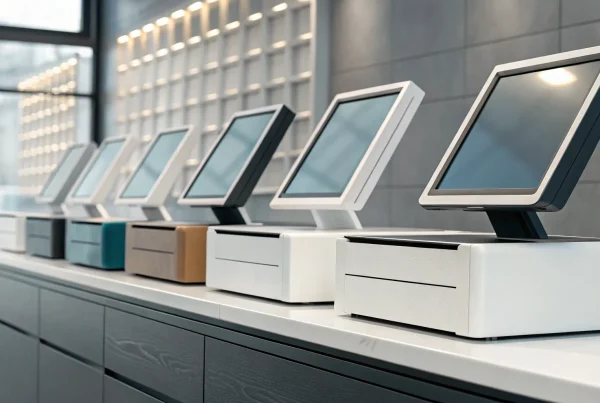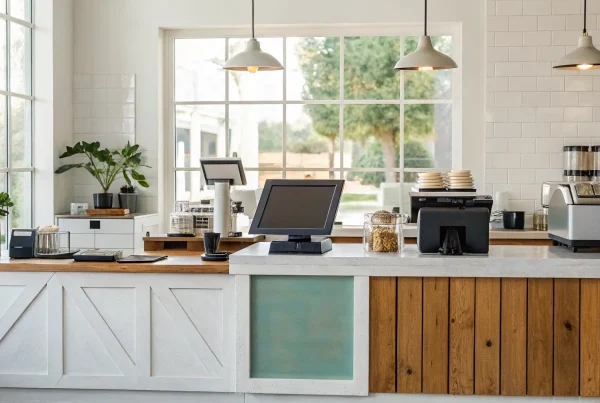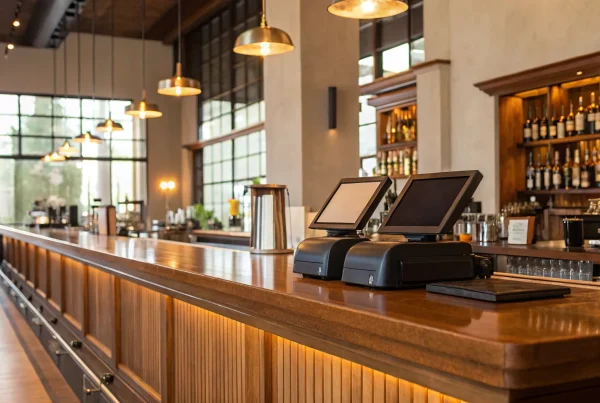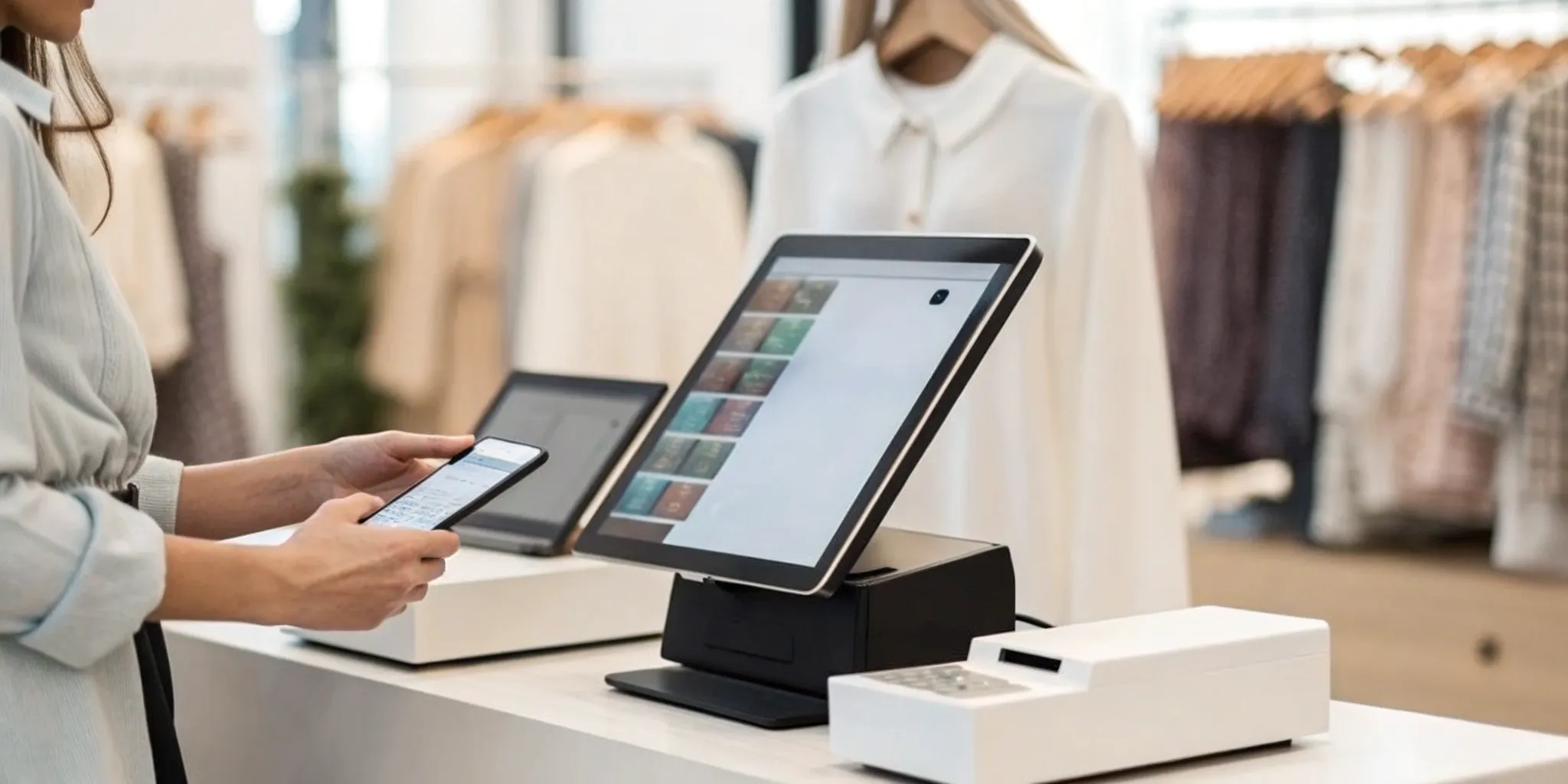
Your business has big plans. Maybe you’re dreaming of a second location, launching an online store, or setting up a pop-up shop at the local market. But will your current point-of-sale system be a partner in that growth, or an obstacle? Old, server-based systems are notoriously difficult to scale, often requiring expensive hardware and complex installations for each new sales channel. A cloud-based POS is built for ambition. Because all your data lives in one central, online hub, expanding is simple. You can add new registers or locations seamlessly, with all your sales and inventory data syncing in real-time. This scalability is one of the core benefits of a cloud based pos system for retail, ensuring your technology can keep up with your vision for the future.
Key Takeaways
- Gain True Flexibility and Control: A cloud POS lets you manage your entire business—from sales and inventory to customer data—from any device, giving you the freedom to run your shop on your terms.
- Use Real-Time Data to Make Better Decisions: Stop guessing about what works. A cloud POS automatically tracks sales trends and customer behavior, turning raw data into actionable insights that help you stock smarter and market more effectively.
- Modernize Your Operations for Effortless Growth: Switch from a system that requires constant maintenance to one that handles security, updates, and backups for you, making it simple to add new locations or sales channels as your business expands.
What is a Cloud-Based POS System?
Think of a cloud-based Point-of-Sale (POS) system as your business’s command center, but online. Instead of storing all your sales data, customer information, and inventory on a clunky computer in the backroom, a cloud POS saves everything securely on the internet. This means you can log in and see exactly what’s happening in your store from anywhere—your home office, a coffee shop, or even while on vacation—as long as you have an internet connection. You can use familiar devices like an iPad, a laptop, or your smartphone to manage sales, check inventory levels, and run reports.
This flexibility is a game-changer for modern business owners. It untethers you from the front counter and gives you the freedom to manage your shop on your terms. With a cloud POS, you’re not just buying a piece of hardware that will become outdated in a few years. You’re typically subscribing to a software service that is constantly being improved and updated for you. This approach shifts the responsibility of data security, server maintenance, and software updates from your shoulders to the provider’s. It gives you peace of mind knowing your critical business data is professionally managed and backed up, allowing you to focus more on your customers and growth.
Cloud vs. Traditional POS: What’s the Difference?
The main difference comes down to where your information lives. A traditional POS system is like a filing cabinet in your office—all your data is stored locally on a physical computer or server right there in your store. If that server crashes, you could lose everything. A cloud POS, on the other hand, stores your data on secure, remote servers. This means you can access it from any device with an internet connection, not just the one at your checkout counter. Plus, traditional systems often require you to manually install updates, which can mean downtime for your business. Cloud systems update themselves automatically in the background, so you always have the latest features without lifting a finger.
The Core Tech Behind a Cloud POS
The magic behind a cloud POS is a concept called cloud computing. Instead of you owning and maintaining all the complex hardware and software, a cloud provider manages it for you. You’re essentially renting access to their powerful, secure infrastructure over the internet. For your business, this makes daily tasks incredibly efficient. Need to update product prices across three different locations? You can do it once, and the change syncs everywhere instantly. Software updates happen automatically without interrupting your sales, ensuring your system is always secure and up-to-date. It’s all about letting technology handle the technical stuff so you can focus on what you do best: running your business and serving your customers.
Why Your Retail Shop Needs a Cloud POS
If you’re still using a traditional cash register or an outdated, server-based point-of-sale system, you know the headaches. They’re clunky, expensive to maintain, and chain you to your storefront. A cloud-based POS system is a game-changer, moving your sales and management software online. Instead of storing data on a local server in your back office, everything lives securely in the cloud. This means you can access your business information from any device with an internet connection.
Switching to a cloud POS isn’t just about getting new hardware; it’s about fundamentally changing how you run your business for the better. It simplifies your daily operations, from ringing up sales to managing inventory and tracking customer data. For a small or mid-sized retail shop, this shift means less time spent on tedious administrative tasks and more time focusing on what you do best—serving your customers and growing your business. It’s a modern solution that offers the flexibility, power, and affordability that today’s retailers need to stay competitive and efficient.
Save Money and Cut Overhead
One of the biggest wins with a cloud POS is the immediate impact on your budget. Traditional POS systems often come with hefty upfront costs for bulky hardware and software licenses, not to mention the expense of hiring an IT professional for installation and maintenance. A cloud-based system flips that model on its head. Most operate on a subscription basis, which means a predictable, low monthly fee. You can often use hardware you already own, like an iPad or tablet, which significantly cuts down on initial investment. Plus, you can save money on IT and maintenance because the software provider handles all the server management and updates for you.
Run Your Business from Anywhere
As a business owner, you’re always on the go. A cloud POS gives you the freedom to manage your shop without being physically tied to the counter. Because all your data is stored securely online, you can check in on sales, update inventory, or pull reports from anywhere with an internet connection. Whether you’re at a trade show, on vacation, or just working from home, you can manage your business using your laptop, phone, or tablet. This level of control and flexibility is invaluable, allowing you to oversee operations and make important decisions on your own terms, whenever and wherever you need to.
Get Instant Business Insights
Making smart decisions requires good data, and a cloud POS is your command center for business intelligence. The system automatically tracks every transaction, giving you a real-time view of your sales performance. You can instantly see which products are bestsellers, what times of day are busiest, and who your most loyal customers are. This information is gold. It helps you understand what your customers are buying, so you can make smarter inventory choices, create targeted marketing campaigns, and tailor your offerings to meet demand. Instead of guessing, you can rely on concrete data to guide your strategy.
Enjoy Hassle-Free, Automatic Updates
With a traditional POS, software updates can be a major disruption. They often require you to manually install patches, which can lead to downtime during business hours or require you to hire a technician. Cloud POS systems eliminate this problem entirely. Because the software is hosted online, all updates happen automatically in the background without interrupting your workflow. This means you always have the latest features, security patches, and performance improvements without lifting a finger. Your system stays current and secure, ensuring your business doesn’t have to stop working just to stay up-to-date.
Transform How You Manage Inventory and Customers
A modern point-of-sale system does so much more than just ring up sales. Think of it as the central command center for your entire retail operation. A cloud-based POS connects your sales floor to your back office, giving you a real-time, accurate picture of your inventory and customer activity. This connection is what allows you to move beyond simply processing transactions and start making smarter, data-driven decisions. You can finally stop guessing about what your best-sellers are or when you need to reorder. Instead, you get clear insights that help you manage your stock efficiently, speed up your checkout process, and build lasting relationships with the people who buy from you.
Track Your Stock Automatically
If you’re still relying on manual counts and spreadsheets to manage your inventory, you know how time-consuming and error-prone it can be. A cloud-based POS system takes that entire burden off your shoulders. Every time you make a sale, process a return, or receive a new shipment, your inventory levels update automatically across the board. This means you always have an accurate count of what’s on your shelves. Cloud POS systems help you track your products more accurately, avoid frustrating stockouts, and get timely alerts when it’s time to reorder popular items. You can spend less time counting boxes in the back and more time helping customers on the floor.
Sync Inventory Across All Your Stores
Managing more than one location—or an online store alongside your brick-and-mortar shop—adds a whole new layer of complexity. A cloud-based POS simplifies everything by creating a single, unified system for your entire business. Because all your store data syncs to the cloud, you can manage inventory across every location from one dashboard. If a customer buys the last sweater at your downtown shop, your website and other locations will reflect that instantly, preventing you from selling an item you no longer have. This centralized view also makes it easy to transfer stock between stores, compare sales performance, and ensure a consistent customer experience everywhere.
Speed Up Your Checkout Line
Long lines are a major turn-off for customers. A cloud-based POS helps you keep things moving and make the checkout process as smooth as possible. Many systems work with mobile devices like tablets and smartphones, allowing your staff to ring up customers from anywhere in the store. During busy periods, you can deploy extra team members to the floor to bust lines before they even form. These mobile POS devices can speed up sales, especially during holiday rushes or weekend sales events. A faster, more convenient checkout experience leaves customers feeling happy and respected, making them much more likely to come back.
Build Stronger Customer Relationships
Your POS system can be one of your most powerful tools for building customer loyalty. Many cloud-based platforms include built-in customer relationship management (CRM) features that let you create profiles for your shoppers. You can securely save their contact information, track their purchase history, and even add notes about their preferences. This information allows you to offer a more personalized experience, from sending targeted promotions to creating a loyalty program that rewards your best customers. By using your POS to understand who your customers are and what they love, you can enhance the customer experience and turn one-time buyers into lifelong fans.
Choosing a Cloud POS: Your Must-Have Feature Checklist
Once you start looking, you’ll find there are a lot of cloud POS systems out there. So, how do you pick the right one? Think of it less like buying software and more like choosing a central command center for your business. The right system will feel like a true partner, making your daily operations smoother and giving you the insights you need to grow.
To help you sort through the options, I’ve put together a checklist of the absolute must-have features. Don’t settle for a system that doesn’t check every one of these boxes. From processing payments flawlessly to keeping your data secure, these are the core functions that will make the biggest difference in your business. Let’s walk through what you should be looking for.
Seamless Payment Processing
At its heart, a POS system is how you get paid. Your cloud POS should make this process effortless for both you and your customers. Look for a system that can handle all the ways people want to pay today—credit and debit cards, contactless payments like Apple Pay, and even gift cards. A great cloud POS offers an efficient and secure way to manage these transactions, which directly improves the customer experience. It should integrate perfectly with a reliable payment processor to ensure funds are deposited into your account quickly and without any surprises.
Top-Notch Security and Compliance
Protecting your customers’ payment information isn’t just good practice; it’s a requirement. A major advantage of a cloud POS is that the provider handles much of the security for you. Reputable cloud providers invest heavily in advanced security features, including automatic updates and encryption, to protect your business from threats. Your POS system must be PCI compliant, which is the industry standard for protecting cardholder data. Choosing a compliant system protects your customers and saves you from the headache of managing complex security protocols on your own.
Offline Mode for Non-Stop Sales
What happens if your internet connection flickers or goes out completely? With the right cloud POS, you keep making sales. An “offline mode” is a non-negotiable feature that allows your system to continue processing transactions even without an internet connection. It securely stores the transaction data and automatically syncs it back to the cloud once you’re back online. This means a spotty Wi-Fi signal won’t ever bring your business to a halt, ensuring you never miss a sale or frustrate a customer who’s ready to buy.
Powerful Reporting and Analytics
Your POS system collects a goldmine of data with every single sale. A great cloud POS turns that data into clear, actionable insights you can use to grow your business. It should give you real-time access to key reports from any device, whether you’re in the back office or on vacation. You should be able to easily track sales trends, identify your best-selling products, monitor inventory levels, and even see your busiest hours. These retail analytics help you make smarter, data-driven decisions about everything from staffing to marketing.
An Easy-to-Use Interface
The most powerful features in the world don’t mean much if the system is a pain to use. A simple, intuitive interface is essential for you and your team. A well-designed POS reduces the time it takes to train new employees and minimizes the chance of errors at the checkout counter. Look for a system with a clean layout and a logical workflow. Most cloud-based systems are designed to be user-friendly right out of the box, making day-to-day operations like ringing up sales, processing returns, and managing inventory feel straightforward and fast.
How a Cloud POS Helps Your Business Grow
Think of your point-of-sale system as more than just a cash register. It’s the command center for your entire retail operation. While a traditional, on-premise system might handle the basics, a cloud-based POS is built to be a partner in your growth. It’s designed for the dynamic needs of a modern business—one that might start in a single storefront but has dreams of expanding to new locations, launching an online store, or selling at local markets.
A cloud POS system gives you the flexibility to adapt and scale without being tied down by clunky hardware or outdated software. Instead of storing all your information on a single computer in the back office, it securely saves your sales, customer, and inventory data in the cloud. This simple shift opens up a world of possibilities. You can manage your business from anywhere, make smarter decisions based on real-time data, and seamlessly add new sales channels as your business evolves. It’s an investment that pays off by creating a more efficient, resilient, and scalable foundation for your future.
A System That Grows with You
One of the biggest frustrations with old-school POS systems is that they can hold you back. When you’re ready to open a second location or test out a pop-up shop, the last thing you want is a technology headache. Cloud-based systems are built for this kind of expansion. Because all your data is synced in the cloud, adding a new store, a mobile kiosk, or an e-commerce site is straightforward. You can manage everything from one central hub without needing to install complex new servers or manually transfer data. This makes it easier to pursue new growth opportunities and scale your operations smoothly, ensuring your technology keeps pace with your ambition.
Oversee Operations Remotely
As a business owner, you can’t be chained to your storefront 24/7. A cloud POS gives you the freedom to manage your business from anywhere you have an internet connection. Whether you’re at home, on vacation, or attending a trade show, you can log in from your laptop, tablet, or phone to see exactly what’s happening. Check real-time sales reports, update product pricing, manage employee permissions, or see which items are running low on stock. This level of remote access provides incredible flexibility and peace of mind, allowing you to stay in control of your business without having to be physically present.
Make Smarter Decisions with Better Data
Gut feelings are important, but great business decisions are backed by data. A cloud POS is a powerful data-gathering tool that tracks every transaction across your business. It shows you which products are your bestsellers, what times of day are busiest, and who your most loyal customers are. You can use these insights to optimize your inventory, create more effective promotions, and schedule your staff more efficiently. By tracking sales trends and customer purchasing habits, you can move beyond guesswork and start making strategic, data-driven decisions that directly impact your bottom line and help you better serve your customers.
Run Multiple Locations from One Place
If you already have more than one store or plan to expand, a cloud POS is a game-changer. It syncs all your data across every location, giving you a unified view of your entire business from a single dashboard. You can easily compare the performance of different stores, manage inventory levels across your whole operation, and transfer stock between locations as needed. Want to run a sale? You can update prices and promotions for all your stores at once, ensuring consistency for your customers. This centralized control saves an incredible amount of time and eliminates the hassle of managing each location as a separate entity.
Keeping Your Cloud POS Secure and Reliable
When you’re running a business, the last thing you need to worry about is data security or system downtime. Handing over your sales and customer information to a cloud-based system can feel like a big step, but modern POS systems are built with security and reliability at their core. They’re designed to protect your data, keep you compliant, and ensure you can make sales even when the unexpected happens.
Protecting and Backing Up Your Data
One of the biggest perks of a cloud POS is that you have security experts on your side. Top cloud providers use advanced security features and AI to spot and stop threats before they become a problem. Your data is automatically backed up in secure data centers, meaning you don’t have to worry about losing everything if a local computer crashes. This approach offers robust protection, handling critical security updates for you so you can focus on your customers. The advantages of cloud computing mean your most important business data is kept safe and sound.
What Happens if the Internet Goes Down?
A spotty internet connection doesn’t have to bring your sales to a halt. Many cloud POS systems feature an “offline mode” that lets you keep ringing up customers even without Wi-Fi. The system securely stores transaction details on your device and automatically syncs everything once you’re back online. This feature is a lifesaver, ensuring you never miss a sale due to a temporary outage. By comparing a Cloud POS vs Traditional POS, you’ll find that modern systems are built for resilience, giving you peace of mind that your business can continue running smoothly.
Staying Compliant with Industry Rules
If you accept credit cards, you have to follow the Payment Card Industry Data Security Standard (PCI DSS). These rules can be complex, but a quality cloud POS simplifies compliance significantly. These systems are designed with features like data encryption and fraud detection built right in, helping you meet industry regulations without becoming a security expert yourself. Your provider manages the technical side of PCI compliance, taking a major task off your plate and reducing your risk. This built-in support is a key feature in any good Guide To POS Systems for Small Business.
Choosing a Partner You Can Trust
The technology is only as good as the company behind it. When selecting a cloud POS, you’re not just buying software—you’re choosing a partner for your business. Look for a provider that is transparent about their security measures, pricing, and customer support. A reliable partner will be clear about their responsibilities and what you need to do to keep your system secure. Taking the time to research and find the right provider is crucial, as it ensures you have a team you can count on to support your business as it grows.
Making the Switch: What to Expect
Switching to a new point-of-sale system might sound like a huge undertaking, but it’s much smoother than you think when you know what’s coming. The key is breaking the process down into a few manageable steps. Think of it less like a massive overhaul and more like a strategic upgrade that sets your business up for future success. You’ll need to get your team comfortable with the new software, move your existing business data over, and make sure your internet connection is solid. It’s a project with a few moving parts, but each one is straightforward with the right approach.
The good news is you don’t have to do it alone. A reliable partner will walk you through every stage, from planning the migration to training your staff. Many business owners are surprised to learn that the actual implementation can be completed in just a day or two with very little disruption to daily operations. With a solid plan in place, you can transition to a cloud-based POS that saves you time and money without missing a beat. It’s all about preparation and having the right support system to guide you through the process, ensuring every detail is handled correctly. Let’s walk through what you can expect.
Getting Your Team On Board
Your new POS system is only as powerful as the team using it, so getting everyone on board is step one. Change can be tricky, but you can make it easier by involving your staff from the start. A great way to do this is with a structured plan that includes a pilot test. Before rolling the system out everywhere, try it at one register or with a small group of employees. This gives them a chance to get familiar with the new interface in a low-pressure setting and become your go-to experts when you launch it company-wide. Frame the switch as a tool that will make their jobs easier—faster checkouts, simpler inventory counts, and less manual work.
Moving Your Data to the New System
The thought of moving years of sales data, customer lists, and inventory records can be intimidating, but modern cloud POS systems are built for this. Your provider will help you migrate everything securely and accurately, so you don’t lose valuable business history. Because cloud-based systems offer seamless integration across all your devices—from the front register to your back-office computer—your team can access and manage information easily right from the start. This process is mostly handled by your POS partner, ensuring your data is transferred correctly and ready to use on day one. It’s one of the biggest technical steps, but it’s also one you’ll have the most support for.
Checking Your Internet Connection
Since a cloud POS system runs on the internet, a stable connection is essential. Before you make the switch, it’s a good idea to evaluate your current internet service. Is it fast and reliable? If you experience frequent outages or slow speeds, you may want to consider upgrading your plan. However, one of the biggest worries—”What happens if the internet goes down?”—has a simple solution. Most modern cloud POS systems come with an offline mode. This feature allows you to continue processing sales and taking payments even during an outage. Once your connection is restored, the system automatically syncs all the data, so you never lose a sale or create a bookkeeping headache.
Creating a Smooth Transition Plan
A successful launch comes down to a clear, simple plan. The best part is that implementing a cloud POS setup is surprisingly fast, often taking just 24 to 48 hours with minimal interruption. To make it even smoother, try to schedule the final switch during a slower business day or after hours. Your plan should include time for final data checks, hardware setup, and a quick training refresher for your team. From day one, your new system will perform automatic daily backups, giving you peace of mind that your business data is always safe. With a little bit of planning, your transition will feel less like a hurdle and more like a confident step forward.
Is a Cloud POS Right for Your Business?
Deciding to switch your point-of-sale system is a big move, and it’s smart to weigh your options carefully. A cloud-based POS can transform how you operate, but it’s not a one-size-fits-all solution. The right choice depends entirely on your unique business, your budget, and your goals for the future. To figure out if a cloud POS is the right next step for you, let’s walk through three key areas: your current needs, the potential return on your investment, and what it takes to get a new system up and running smoothly. By looking at these pieces, you can make a confident decision that sets your business up for success.
Assess Your Current Business Needs
Before you start comparing features, take a step back and look at your daily operations. What are the biggest headaches you’re dealing with right now? Maybe you’re spending hours manually tracking inventory after closing time, or perhaps you have no clear way to see which products are your bestsellers. A great way to start is to think about the main problems you need to solve. Are you looking for better ways to manage your employees’ schedules, build a customer loyalty program, or simply speed up your checkout line? Make a list of your must-haves versus your nice-to-haves. This simple exercise will give you a clear roadmap for finding a system that truly supports your business instead of just processing payments.
Calculate Your Return on Investment
Let’s talk about money. While traditional POS systems often come with hefty upfront costs for hardware and software licenses, plus ongoing maintenance fees, cloud-based systems work differently. Most operate on a subscription model with a predictable monthly fee. This shift in pricing makes modern POS technology much more accessible for small businesses. When you’re calculating the cost, remember to look beyond the price tag. Consider the savings from no longer needing an IT person to handle server maintenance or software updates—the provider handles all of that for you. The right system saves you time on administrative tasks, reduces errors in inventory, and provides data to help you make smarter purchasing decisions, all of which contribute to a healthier bottom line.
Get Ready for a Successful Launch
The thought of implementing a new system can feel overwhelming, but it doesn’t have to be a painful process. Modern cloud POS systems are designed for a quick and straightforward setup, often taking just a day or two with minimal disruption to your business. To ensure everything goes off without a hitch, it helps to have a structured plan. Start by getting your team excited about the new tools that will make their jobs easier. Work with your provider to schedule data migration and training. If you have multiple locations, you could even run a pilot test at one store first to work out any kinks. With a little preparation, you can make a seamless transition and start enjoying the benefits right away.
Related Articles
- 7 Best Point of Sale Systems for Retail Stores
- 6 Best Retail Point of Sale Systems in 2026
- Restaurant Point of Sale POS System: A Buyer’s Guide
Frequently Asked Questions
What happens if my internet connection fails? This is one of the most common worries, but modern cloud POS systems are built for it. Most include an “offline mode” that allows you to continue ringing up sales and accepting payments even without an internet connection. The system securely stores all the transaction information on your device and then automatically syncs everything to the cloud as soon as you’re back online. This means a temporary outage won’t bring your business to a standstill.
Do I need to buy all new, specialized hardware? Not necessarily. One of the great things about many cloud-based systems is their flexibility. They are often designed to run on hardware you might already own, like an iPad, tablet, or laptop. This can significantly lower your initial setup costs compared to traditional systems that require bulky, proprietary equipment. Of course, you can still purchase specialized registers and scanners if you prefer, but you have more options.
How does the pricing for a cloud POS typically work? Instead of a large, one-time purchase for software and licenses, most cloud POS systems operate on a subscription model. You pay a predictable monthly or annual fee that covers the software, automatic updates, data storage, and customer support. This approach makes powerful technology more affordable for small and mid-sized businesses by turning a major capital expense into a manageable operating cost.
Who is responsible for keeping my customer and sales data secure? With a cloud POS, you’re partnering with a provider that handles the heavy lifting of security. They manage the secure servers, data encryption, and regular software updates needed to protect against threats and maintain PCI compliance. While you are still responsible for things like using strong passwords and training your staff, the provider takes care of the complex technical security, giving you peace of mind that your data is professionally protected.
How much disruption should I expect when making the switch? With a good plan, the transition can be surprisingly smooth and fast. Most of the work, like migrating your inventory and customer data, is handled with the help of your new provider. The actual on-site setup and training can often be completed in just a day or two. To minimize disruption, you can schedule the final switch during a slow period or after hours, ensuring you’re ready for business without missing a beat.