That quick tap of a phone or credit card has become the new standard for paying. But as a business owner, you might wonder what’s really happening behind the scenes and if it’s truly secure. The technology that powers a contactless payment terminal is actually safer and more sophisticated than the old magnetic stripe. It uses layers of encryption and tokenization to protect your customers’ data with every sale. This article will demystify the entire process. We’ll break down how tap-to-pay works in simple terms, bust some common myths, and show you why adopting this technology is one of the smartest security upgrades you can make.
Key Takeaways
- Look Beyond the Hardware: The best terminal is backed by a supportive payment partner. Focus on finding a provider who offers transparent pricing and reliable support, not just the flashiest device.
- Insist on All-Around Flexibility: Your terminal should make business easier, not harder. Make sure it accepts all payment types (tap, dip, swipe), works even when your internet is down, and integrates smoothly with the POS system you already use.
- Demand Clarity on Costs and Security: Contactless payments offer powerful security through encryption. To make a smart investment, get a full breakdown of hardware fees, transaction rates, and monthly charges to avoid surprises and protect your bottom line.
What Is a Contactless Payment Terminal?
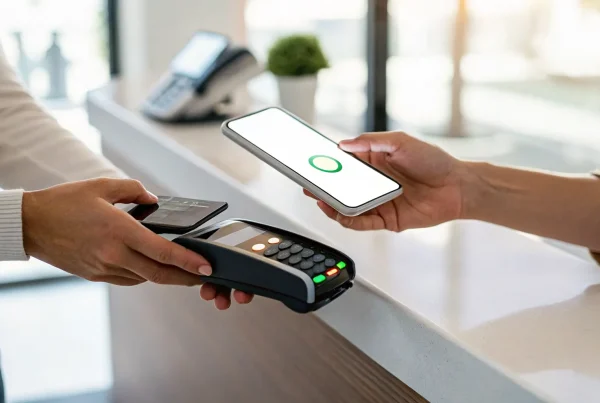
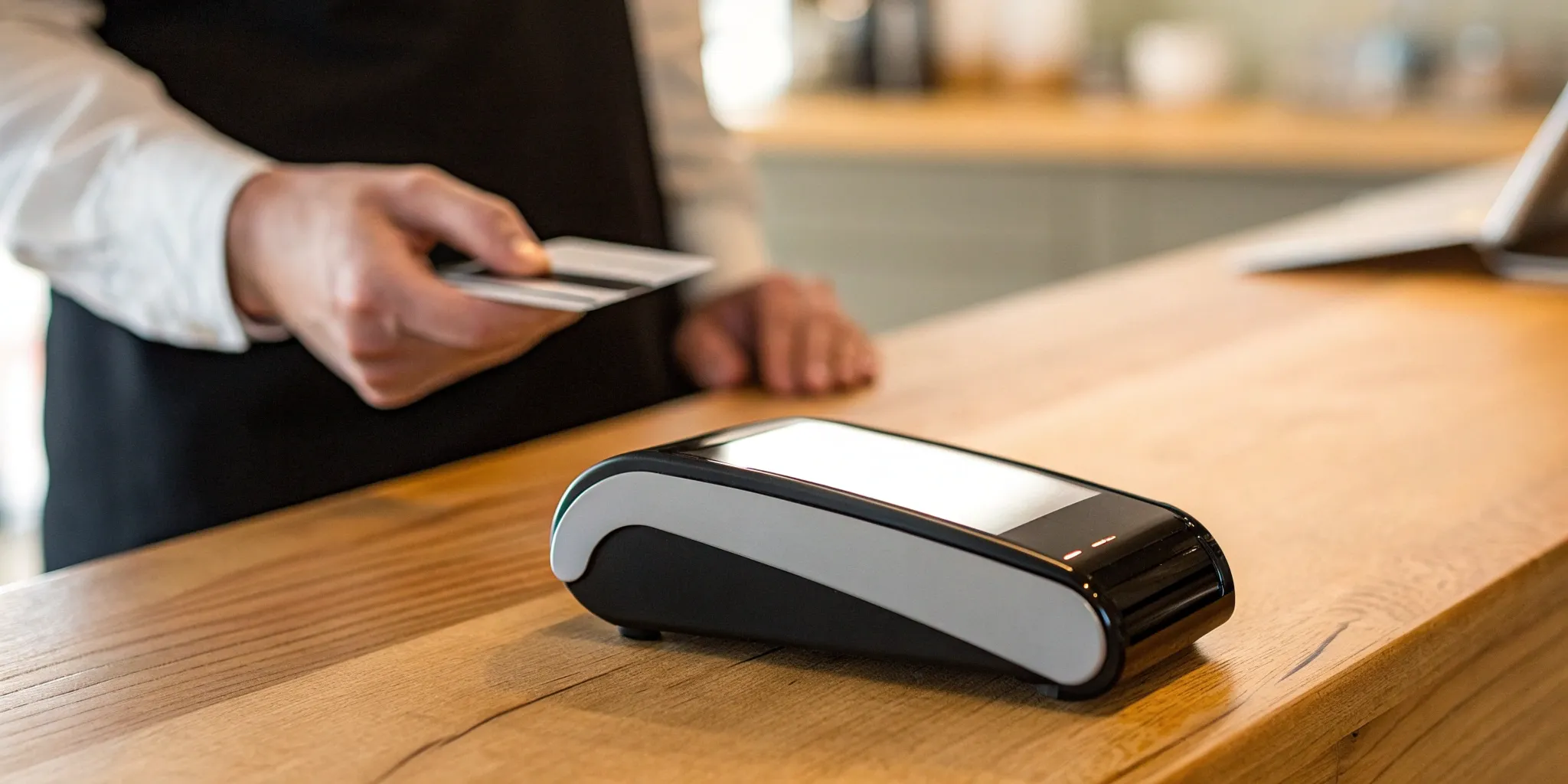
Simply put, a contactless payment terminal is a device that lets your customers pay without swiping or inserting a card. Instead, they can just tap their credit card, smartphone, or even a smartwatch near the terminal to complete a transaction. You’ve probably seen the universal symbol for it: four curved lines that look like a Wi-Fi signal turned on its side.
This “tap to pay” method has become incredibly popular because it’s fast, convenient, and secure. For business owners, offering contactless options means quicker lines, happier customers, and a more modern checkout experience. It shows you’re keeping up with how people prefer to pay. These terminals use a short-range wireless technology to communicate with the payment device, making the entire process seamless. Instead of fumbling with a chip card or signing a receipt, your customer is on their way in seconds. It’s a small change at the counter that makes a big difference in customer satisfaction and efficiency.
How Does “Tap to Pay” Technology Work?
The magic behind tap-to-pay is a technology called Near Field Communication, or NFC. It’s a secure, short-range wireless connection that allows two devices to talk to each other when they’re close. When a customer holds their NFC-enabled card or phone about an inch or two from your terminal, the devices instantly share the payment information needed to process the sale.
The best part is that your customer doesn’t even have to physically touch the machine. The terminal sends out a signal, the payment device responds, and the transaction is approved in a second or two. It’s the same technology that powers services like Apple Pay and Google Pay, making it a familiar and trusted process for a growing number of shoppers.
Is It Secure? A Look at NFC and Encryption
It’s natural to wonder if “tap to pay” is safe, and the short answer is yes—it’s actually more secure than the old-school magnetic stripe. Each time a customer makes a contactless payment, the transaction is protected by multiple layers of security. The card or phone sends a unique, one-time code (or “token”) to the terminal. This code doesn’t contain the actual card number, so even if a fraudster were to intercept it, the information would be useless for making other purchases. This process, known as tokenization, is a core part of what makes NFC payments so secure.
Busting Common Myths About Contactless Payments
Let’s clear up a couple of common misconceptions about going contactless. First is the myth that it’s more expensive for merchants. While some retailers worry about higher fees, accepting contactless payments doesn’t automatically mean your rates will go up. With a transparent provider, these transactions are often processed at the same rate as chip card payments.
Another common myth is that a customer could accidentally get charged twice. Rest assured, payment terminals are designed to prevent this. They are built to close the transaction as soon as a payment is processed, so a second tap won’t lead to a second charge. Your customer would have to intentionally start a new transaction for that to happen.
Comparing the Top Contactless Terminals
Choosing a terminal isn’t just about the hardware; it’s about the entire payment ecosystem behind it. Different providers offer unique strengths, from all-in-one software to simple, reliable hardware. Think about your specific needs—do you need a powerful point-of-sale system for your restaurant, or a simple device for your craft fair booth? Let’s look at some of the most popular options to see how they stack up.
MBNCard Payment Solutions
At MBNCard, we focus on building a payment solution that fits your business perfectly. Instead of a one-size-fits-all device, we pair you with the right terminal for your needs, whether it’s a sleek countertop model or a portable device for payments on the go. Our real strength lies in our service and pricing. We specialize in programs like dual pricing that can help you significantly reduce or even eliminate your processing fees. You get a dedicated representative, transparent statements, and the peace of mind that comes from working with a partner invested in your success.
Square
You’ve likely seen Square’s clean, white terminals at local coffee shops and boutiques. The Square Terminal is a popular all-in-one machine that lets you take payments and print receipts from a single, handheld device. It’s designed to be incredibly user-friendly right out of the box. Square is known for its predictable flat-rate pricing, which is great for new or small businesses that want simplicity. It accepts all payment types, from traditional swipes and chip cards to modern contactless taps from cards and mobile phones, making it a versatile choice for getting started quickly.
Clover
Clover offers a flexible and powerful ecosystem that can grow with your business. Its devices, like the Clover Flex and Clover Station, are more than just payment terminals—they are complete point-of-sale systems. What makes Clover stand out is its extensive App Market, which allows you to customize your POS with tools for inventory management, employee scheduling, customer loyalty programs, and more. This makes it a fantastic option for businesses, especially in the retail and restaurant industries, that need a customized POS solution to manage their complex operations efficiently.
Stripe
If your business has a strong online presence, Stripe is a name you probably know. The Stripe Terminal is designed to bridge the gap between your online and in-person sales. It helps businesses manage both payment channels in one unified system, which simplifies reporting and gives you a complete view of your customer’s buying habits. With options to use pre-certified card readers or even turn a compatible smartphone into a terminal with “Tap to Pay,” Stripe offers a developer-friendly and seamless way to create a cohesive commerce experience for businesses that operate both online and off.
Ingenico and Other Providers
Providers like Ingenico and Verifone are the workhorses of the payment terminal world. These are the durable, reliable machines you often see at major grocery stores and retailers. While they may not always have the flashy software of newer players, they are built for security and high-volume transactions. The key with these terminals is ensuring they are compatible with your payment processor. A major challenge with any system can be compatibility issues between hardware and software. Working with a provider like MBNCard ensures the terminal you choose is perfectly integrated with your processing account, so everything works smoothly.
What to Look For in a Contactless Terminal
Choosing a new piece of hardware for your business can feel overwhelming. With so many contactless terminals on the market, they can all start to look the same. But the right device does more than just take payments—it streamlines your checkout, protects your data, and keeps your customers happy. Think of it as a silent partner in your daily operations. A great terminal works so smoothly that you and your customers barely notice it’s there.
Before you make a decision, it’s important to look past the sleek design and focus on the features that will actually impact your business day-to-day. You need a terminal that’s flexible enough to handle any payment type, reliable enough to work when your internet doesn’t, and smart enough to integrate with the systems you already use. Security and speed are also non-negotiable. Let’s walk through the five key features every business owner should look for in a contactless payment terminal.
Accepts All Payment Types (Not Just Taps)
While “tap to pay” is becoming the new standard, you don’t want to turn away a customer who forgot their phone or prefers using their chip card. The best terminals are versatile, giving you the ability to accept every kind of payment that comes your way. Look for a device that can handle it all: contactless cards and mobile wallets (tap), EMV chip cards (dip), and traditional magnetic stripe cards (swipe). This flexibility ensures a smooth checkout for everyone and shows your customers that you’re ready for business, no matter how they choose to process their payment.
Works Even When Your Wi-Fi Is Down
We’ve all been there: the internet suddenly cuts out right in the middle of a busy day. An unreliable connection shouldn’t bring your sales to a halt. That’s why it’s critical to choose a terminal with an offline mode. This feature allows you to continue accepting card payments even when your Wi-Fi is down. The terminal securely stores the transaction details and processes them as soon as you’re back online. It’s a simple but powerful feature that provides peace of mind and prevents you from ever losing a sale due to a spotty internet connection.
Connects With Your Current POS System
Your payment terminal shouldn’t operate on an island. It needs to communicate seamlessly with your existing Point of Sale (POS) system to keep your sales data, inventory, and reporting all in one place. Before you buy, confirm that the terminal is compatible with the software you already use. A terminal that integrates with your POS saves you from the headache of manually reconciling sales at the end of the day. This connection streamlines your entire operation, reduces the risk of human error, and gives you a clearer picture of your business performance.
Offers Strong Security and Fraud Protection
Protecting your customers’ payment information is one of your most important responsibilities as a business owner. A secure terminal is your first line of defense. Make sure any device you consider is EMV certified and uses end-to-end encryption. EMV chip technology makes card-present fraud much more difficult, while encryption scrambles sensitive data as it travels from the terminal to the payment processor. These security features not only protect your customers but also safeguard your business from the financial and reputational damage of a data breach. Following PCI security standards is essential for building trust and long-term success.
Processes Payments Quickly and Accepts Mobile Wallets
In a fast-paced world, nobody likes to wait in line. A slow checkout process can frustrate customers and even cost you sales. Contactless terminals are designed for speed, allowing customers to pay in seconds with a simple tap of their card or phone. Be sure the terminal you choose also accepts popular mobile wallets like Apple Pay, Google Pay, and Samsung Pay. Offering these quick, convenient, and secure payment options shows that your business is modern and respects your customers’ time, leaving them with a positive final impression.
Understanding the Costs of a Contactless Terminal
Adopting new technology always comes with questions about cost, and contactless terminals are no exception. The good news is that accepting tap-to-pay doesn’t have to break the bank. In fact, for many businesses, the costs are very similar to what they already pay for traditional card processing. The key is to understand how those costs are structured so you can find a solution that fits your budget.
Let’s break down the main expenses you’ll encounter: the initial price of the hardware, the fees you pay on each transaction, and any ongoing monthly charges. Knowing what to expect will help you make a smart investment for your business.
The Upfront Cost of the Device
Your first expense will likely be the terminal itself. The price for an NFC-enabled device can range from under a hundred dollars to several hundred, depending on its features and capabilities. Some payment processors may offer a free terminal or a leasing option when you sign a contract, which can lower your initial investment. However, it’s important to read the fine print. A “free” terminal might come with higher processing rates or a long-term contract with an early termination fee. Always clarify whether you are buying, leasing, or renting the equipment to understand the total cost of ownership over time.
Per-Transaction Fees and Processing Rates
Many business owners worry that accepting contactless payments will lead to higher fees, but that’s usually not the case. Contactless transactions are typically billed at the same rate as any other “card-present” transaction, like when a customer dips their chip card. These rates are a combination of non-negotiable interchange fees set by card brands (like Visa and Mastercard) and the markup from your payment processor. Your goal is to find a processor with a transparent and competitive markup. Programs like dual pricing or cash discounts can also help you offset processing fees entirely, making it a non-issue for your bottom line.
Ongoing Monthly and Service Fees
Beyond the cost of each transaction, most payment processors charge monthly fees for their services. These fees cover essential functions like account maintenance, customer support, software access, and ensuring your business gets paid for every approved transaction. Common charges you might see on your statement include a monthly service fee, a PCI compliance fee to help with data security, and a gateway fee if you also process payments online. Before signing up with any provider, ask for a complete schedule of all potential monthly and annual fees so you have a clear picture of your total recurring costs.
How to Spot and Avoid Hidden Fees
The most frustrating costs are the ones you don’t see coming. Some providers may include hidden charges in the fine print of their agreements, like unexpected rate increases, batch fees, or steep penalties for not meeting a monthly processing minimum. The best way to avoid these is to partner with a provider that prioritizes transparency. Always read your merchant agreement carefully and don’t be afraid to ask questions. A trustworthy partner will be happy to walk you through a sample statement and explain every single line item. This helps you understand your merchant statement and ensures you’re never caught off guard.
The Pros and Cons of Going Contactless
Deciding to switch to contactless payments is a significant step, so it’s smart to look at it from every angle. While “tap to pay” is quickly becoming the new standard for good reason, there are clear benefits and a few potential hurdles to consider before you upgrade your hardware. Understanding both sides of the coin will help you make the best choice for your business, your team, and most importantly, your customers. Let’s break down exactly what you can expect when you introduce a contactless terminal at your checkout counter.
Pro: Speed Up Checkout and Keep Customers Happy
We’ve all been there—stuck in a slow-moving line that sours an otherwise great shopping trip. Contactless payments are one of the simplest ways to fix that bottleneck. Instead of waiting for a customer to insert a chip and enter a PIN, they can simply tap their card or phone and be on their way in a matter of seconds. This efficiency is a game-changer during your busiest hours, letting you serve more people without adding stress on your staff. A faster, smoother checkout process leaves customers with a positive final impression, making them far more likely to come back. It’s a small change that shows you truly value their time.
Pro: Better Security Than Swiping
If you’re still relying on the magnetic stripe, upgrading to a contactless system is a massive leap forward for security. Each tap-to-pay transaction uses the same powerful tokenization and encryption technology found in modern chip cards. In simple terms, this means every purchase generates a unique, one-time-use code that protects the cardholder’s sensitive data. Even if a fraudster managed to intercept the transaction information, the code couldn’t be used again, making it completely useless to them. This strong security helps prevent costly fraud and protects your business from chargebacks, giving both you and your customers greater peace of mind with every single sale.
Pro: Give Customers More Ways to Pay
Modern customers expect flexibility at the checkout counter. They want the freedom to pay with their credit card, debit card, smartphone, or even their smartwatch. By offering contactless payments, you’re meeting that expectation head-on. Terminals equipped with NFC devices seamlessly accept payments from popular digital wallets like Apple Pay, Google Pay, and Samsung Pay. This not only adds a layer of convenience but also signals that your business is current and customer-focused. When you give people more ways to pay, you remove friction from the buying process, which can directly lead to more completed sales and happier, more loyal customers who appreciate the choice.
Con: Setup and Potential Tech Hurdles
While the benefits are compelling, making the switch isn’t without a few challenges. The primary hurdle for many small businesses is the initial investment. You’ll likely need to purchase new hardware that’s equipped for contactless transactions, which can be a significant upfront cost. Beyond the terminal itself, there’s the task of integrating contactless payment solutions with your existing point-of-sale (POS) system. Depending on your current setup, this could be a simple plug-and-play process, or it might require more technical work to ensure all your systems communicate properly. It’s important to factor in both the cost and the time needed for a smooth transition.
How to Choose the Right Terminal for Your Business
Picking the right contactless terminal isn’t about finding the one with the most bells and whistles; it’s about finding the one that fits your business like a glove. The perfect terminal for a bustling coffee shop will be different from the one a freelance photographer uses on the go. Your budget, your industry, and your plans for the future all play a huge role in this decision. Think of it as hiring a new team member—you want someone reliable, efficient, and ready to grow with you.
Before you get swayed by a sleek design or a low sticker price, take a step back and consider what you truly need. Are you a small business just starting out, where every dollar counts? Or are you an established company looking to scale up your operations? Do you need a simple device for quick transactions, or a powerful system that integrates with your inventory and customer loyalty programs? Answering these questions first will help you cut through the noise and focus on the terminals that will actually support your business goals. Let’s walk through the key factors to consider.
For Small Businesses on a Budget
When you’re running a small business, every expense matters. The initial cost of a new payment terminal can feel like a big hurdle, especially when you’re trying to manage cash flow. While some contactless systems come with significant setup costs for new hardware, it’s important to look at the bigger picture. Think of it as an investment in a smoother, faster checkout experience for your customers. The key is to find a solution that balances upfront affordability with fair, transparent processing rates. Don’t let a “free” terminal trick you into a contract with high per-transaction fees that will cost you more in the long run. Look for a payment solutions provider that offers straightforward pricing and can help you find hardware that fits your budget.
For Growing Businesses That Need to Scale
If your business is on a growth trajectory, you need a payment terminal that can keep up. The last thing you want is a system that holds you back as you expand. Look for a terminal that offers flexibility and robust integration options. Can it connect seamlessly with your existing point-of-sale (POS) system, or will you be forced to switch? A scalable solution allows you to connect with hundreds of existing POS systems or even build custom payment flows as your needs evolve. Consider whether you can easily add more terminals as you open new locations or hire more staff. Choosing a forward-thinking system now will save you major headaches down the road.
Does It Work for Your Industry? (e.g., Retail vs. Restaurant)
A retail boutique has very different checkout needs than a full-service restaurant or a mobile dog groomer. That’s why it’s critical to choose a terminal designed for your specific industry. A restaurant, for instance, might need a durable, portable terminal that supports pay-at-the-table service and makes it easy to split bills and add tips. A retail store, on the other hand, may prioritize a fast countertop terminal that integrates with its barcode scanner and inventory management software. Compatibility issues can create major friction, so ensure the terminal and its software integrate with your existing systems to avoid operational slowdowns and frustrated customers.
Checking Tech Specs and Compatibility
Before you commit to a new terminal, it’s time to get into the technical details. Device compatibility is one of the biggest challenges businesses face when adopting new payment technology, so it pays to do your homework. Start by confirming that the terminal will work with your current POS software and Wi-Fi network. If you need a portable option, check the battery life and whether it has cellular backup for when you’re out of Wi-Fi range. Don’t be afraid to ask your potential provider specific questions. A reliable partner will be happy to walk you through the technical requirements and ensure the terminal is a perfect match for your current setup.
Ready to Get Started? Here Are Your Next Steps
Once you’ve chosen the right contactless terminal, it’s time to get it up and running. The transition can be straightforward with a little planning. Focus on a smooth setup, clear communication with your team and customers, and understanding the security measures that keep everyone protected. Here’s a breakdown of what to do next.
Setting Up Your New Terminal
Getting your new hardware online shouldn’t disrupt your business. The key is to plan ahead. Before you unplug your old system, make sure your new terminal is fully compatible with your existing point-of-sale (POS) software. Many business owners find that integrating contactless payment solutions with their current setup is the biggest hurdle. Schedule the installation during off-peak hours to give yourself time to test everything without pressure. Run a few test transactions to confirm that payments go through, receipts print correctly, and sales data syncs with your POS. A little preparation here will save you major headaches later.
Training Your Team and Helping Your Customers
Your new terminal is only as effective as the people using it. Take 15-20 minutes to walk your staff through the new process. Show them how to initiate a tap-to-pay transaction, what the different screen prompts mean, and how to handle a payment that doesn’t go through. Since the initial investment often includes buying brand-new hardware, proper training ensures you get the most out of it. You can also help your customers adjust by placing a small sign at checkout that says, “We now accept tap-to-pay!” This simple cue encourages them to use the new feature and helps speed up your lines.
Staying Compliant and Secure
Protecting your customers’ payment information is non-negotiable. Your new terminal should be PCI compliant right out of the box, but it’s always good to confirm this with your provider. It’s also smart to understand the specifics of the fraud protection for contactless payments that your processor offers. While tap-to-pay is inherently more secure than swiping, knowing who is liable in the rare case of a fraudulent transaction is important. Make a habit of reviewing your daily transaction reports to spot any irregularities quickly. This diligence protects your business and builds trust with your customers.
Solving Common Setup Problems
Even with the best planning, you might hit a snag. The most common issues are often related to connectivity or software. If your terminal can’t connect to the internet, start by checking your Wi-Fi or ethernet connection. Sometimes, a simple reboot of the terminal and your router will fix the problem. You may also run into compatibility issues if the terminal’s software isn’t perfectly synced with your POS system. If you’ve tried the basic troubleshooting steps, don’t hesitate to call your payment processor’s support line. They can walk you through more advanced solutions and get you back to accepting payments quickly.
Related Articles
- 5 Best Credit Card Terminals for Small Business
- Affordable POS Equipment | MBN Card Services
- 5 Ways to Accept Credit Card Payments Without a Machine
Frequently Asked Questions
Is “tap to pay” really more secure than using a chip card? Think of them as equally secure partners. Both contactless and chip payments use the same powerful security technology that creates a unique, one-time code for every single transaction. This process, called tokenization, makes the payment information useless to fraudsters. The only real difference is the convenience of tapping versus dipping your card. Both are significantly safer than the old magnetic stripe.
Do I have to switch my entire POS system to accept contactless payments? Not usually. Many modern terminals are designed to work with the point-of-sale software you already use. The most important step is to confirm compatibility before you commit to any new hardware. A good payment partner can help you verify that the terminal you’re considering will communicate smoothly with your current system, saving you the headache of a complete overhaul.
Will my processing fees go up if I start accepting contactless payments? This is a common worry, but the answer is typically no. Payment processors generally categorize contactless and chip card payments together because they are both secure, in-person transactions. Your processing rate is based on your agreement with your provider, not on how the customer presents their card. With a transparent partner, you shouldn’t see any difference in cost between a tap and a dip.
What happens if a customer’s tap payment doesn’t go through? If a tap doesn’t work on the first try, it’s usually a quick fix. The terminal will simply ask for the payment method again. You can have the customer hold their card or phone closer to the reader for a moment longer. If it still fails, you can always ask them to insert their chip card instead. This is why choosing a terminal that accepts all payment types is so important—you always have a reliable backup.
Can I still take payments if my internet goes down? Absolutely, as long as your terminal has an offline mode. This feature is a must-have for any business because it allows you to continue accepting card payments even without an active internet connection. The terminal securely saves the transaction details and then processes them automatically as soon as you’re back online, ensuring you never lose a sale due to a Wi-Fi issue.