When you’re starting a business, every dollar counts. The idea of spending hundreds on a credit card terminal, on top of monthly fees and a long-term contract, can feel overwhelming. You know you need to accept cards—fewer customers carry cash—but the upfront investment is a major hurdle. What if you could get all the benefits of card processing without the expensive hardware? It’s not only possible, it’s easier than you think. This guide is for the savvy business owner who wants to start lean and stay flexible. We’ll explore how to accept credit card payment without machine, using secure and affordable methods that let you get paid professionally from day one.
Key Takeaways
- Use the tools you already have to accept payments: A virtual terminal turns your computer into a secure processor for phone orders, while payment links and QR codes allow customers to pay you directly from their own devices.
- Make security your top priority for manual payments: Partner with a PCI-compliant provider that uses encryption and tokenization to protect sensitive customer data, which is essential for building trust and preventing fraud.
- Balance convenience with cost and risk: Machine-free payments are incredibly flexible but usually come with higher processing fees and a greater chance of chargebacks. Keep detailed records of every transaction to protect your revenue from disputes.
What Are Machine-Free Credit Card Payments?
Machine-free payments are exactly what they sound like: ways to accept credit cards without a physical terminal. This is a game-changer for businesses that operate on the go, online, or just want to avoid the cost and clutter of extra hardware. Think about service providers who work at a client’s home, vendors at a farmers market, or consultants who invoice remotely. In all these cases, waiting for a check or only accepting cash can mean lost sales and a clunky customer experience. The ability to take a card payment on the spot is crucial.
The core concept is that you can accept credit card payments using tools you likely already have, like your computer or smartphone. This is done either by manually typing in the customer’s card details into a secure online form—often called a virtual terminal—or by using digital methods like payment links and QR codes. It’s all about giving your customers the convenient payment options they expect, without tying you to a physical countertop. This flexibility is key to growth, ensuring you can make a sale anytime, anywhere.
Card Readers vs. Machine-Free: What’s the Difference?
A traditional card reader is the physical device you see at most checkout counters. It’s designed to accept credit and debit cards by having customers tap, insert their chip, or swipe the magnetic stripe. These terminals are generally very secure and convenient for in-person transactions where the card is physically present.
Machine-free payments, on the other hand, let you receive credit card payments using devices you already own, like a laptop or a phone. Instead of a dedicated piece of hardware, you use software—like a virtual terminal or a mobile app—to process the transaction. This means you aren’t tied to a specific location and can easily take payments from anywhere, whether you’re at a trade show or finalizing a project in a client’s office.
Why Businesses Are Going Machine-Free
The simple truth is that customer behavior has changed. Fewer people carry cash, and they expect the convenience of paying with a card or a digital wallet like Apple Pay. For many small businesses, traditional card processing systems can feel complicated and expensive, with hardware costs and long-term contracts.
Machine-free solutions offer a more modern alternative. They often provide a simpler, more affordable, and secure way for businesses to get paid. By using newer payment solutions, you can avoid the upfront investment in a physical terminal and manage everything from your computer or phone. This accessibility makes it easier for new and mobile businesses to offer the professional payment experience customers want, helping you compete with larger companies without the hefty price tag.
How to Accept Credit Cards Without a Card Reader
Ditching the clunky card reader doesn’t mean you have to go back to cash-only. In fact, you have more flexibility than ever to get paid securely and efficiently, no matter where you do business. Whether you’re taking orders over the phone, selling at a local market, or sending invoices from your home office, there’s a machine-free solution that fits your workflow. These methods use tools you already have—like your computer or smartphone—to process payments smoothly. Let’s walk through five popular ways to accept credit cards without any extra hardware.
Use a Virtual Terminal
Think of a virtual terminal as a secure web page that turns your computer or tablet into a credit card terminal. It’s the perfect solution for taking payments over the phone or by mail. You simply log into your account, type in the customer’s card details, and hit submit. The transaction is processed just like it would be with a physical swipe. This method is incredibly useful for service providers, B2B companies, or any business that manually enters card information. A virtual terminal keeps the process secure and organized, giving you a professional way to handle card-not-present payments without needing any special equipment.
Send Payment Links and Invoices
One of the easiest ways to get paid remotely is by sending a custom payment link. You can generate a unique, secure link that directs your customer to a payment page where they can enter their card information themselves. These links can be sent through email, text messages, or even social media DMs, making it incredibly convenient for your clients to pay on their own time. This is a game-changer for businesses that send invoices, as you can embed the link directly into the bill. It streamlines your accounts receivable, reduces the hassle of chasing payments, and provides a smooth, professional customer experience.
Offer QR Code Payments
QR codes have become a go-to for simple, touch-free transactions. You can generate a QR code that, when scanned by a customer’s smartphone, takes them directly to a secure payment page. All they have to do is scan, enter their details, and pay. You can display the QR code on a tablet at your checkout counter, print it on physical invoices, or show it at a pop-up shop. It’s a fast and modern option that eliminates the need for customers to hand over their card, which many people appreciate. This method is especially great for quick-service environments, farmers’ markets, or any scenario where speed and convenience are key.
Use a Mobile POS App
Your smartphone is already a powerful business tool, and with a mobile point-of-sale (mPOS) app, it can also become your payment processor. These apps effectively turn your phone or tablet into a complete POS system, allowing you to not only accept payments but also track inventory, manage customer information, and view sales reports. While some mPOS systems use small, plug-in card readers, many allow for manual card entry or integration with other machine-free methods like payment links. This gives you a powerful, portable command center for your business, perfect for anyone who sells on the go, from craft fair vendors to mobile service technicians.
Turn Your Phone into a Terminal with Tap to Pay
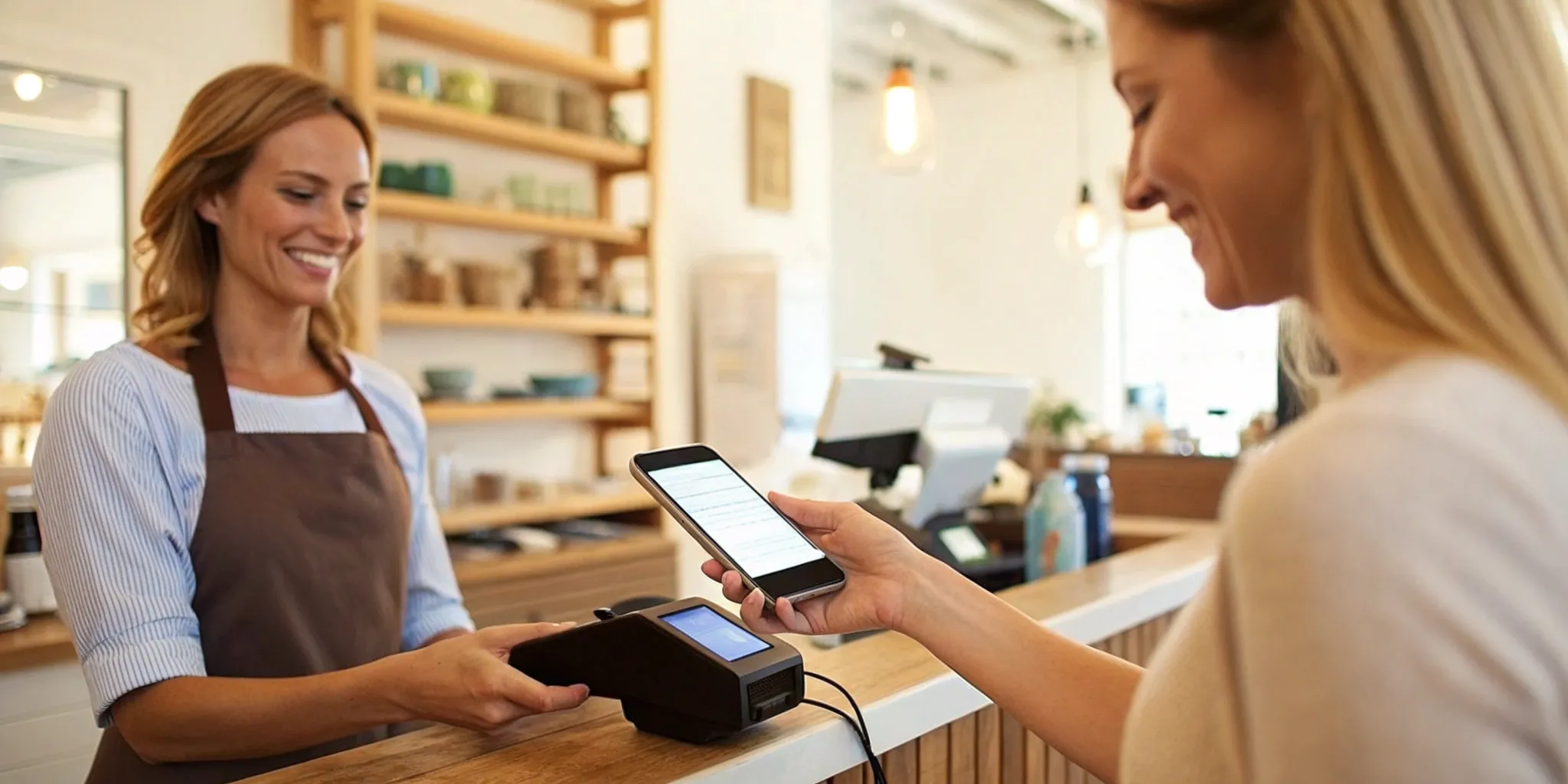
For the ultimate in modern, hardware-free payments, you can now use your smartphone to accept contactless payments directly. Technologies like Tap to Pay on iPhone allow customers to simply tap their contactless credit card, debit card, or mobile wallet (like Apple Pay) to your phone to complete a transaction. The payment is processed securely using NFC technology, and you don’t need any dongles or external readers. This is an incredibly sleek and professional solution for in-person sales, offering the same tap-and-go convenience customers are used to at major retailers, all from the device that’s already in your pocket.
The Best Platforms for Machine-Free Payments
Once you’ve decided to accept card payments without a physical machine, the next step is choosing the right platform. Several providers offer tools like virtual terminals, payment links, and mobile apps to help you process transactions from anywhere. Each has its own strengths, so it’s worth looking at the features and fees to see which one aligns best with your business needs. Here are some of the top contenders for machine-free payments.
MBNCard’s Virtual Terminal
If security and reliability are your top priorities, MBNCard’s virtual terminal is an excellent choice. It turns any computer with an internet connection into a secure payment terminal, allowing you to key in customer card details over the phone or from a mail-in form. What sets it apart is the focus on protecting sensitive data through robust data encryption and tokenization. This means customer information is shielded from fraud from the moment of transaction. It’s a straightforward, secure solution designed for businesses that need to process card-not-present payments efficiently without compromising on safety.
Stripe
Stripe is a popular platform, especially among online businesses, and it offers solid options for machine-free payments. You can manually enter credit card information directly into your Stripe dashboard, making it easy to process payments over the phone. Stripe also allows you to create and send digital invoices and payment links, giving your customers a simple way to pay online without you needing a reader. It’s a flexible system built for businesses that need versatile cardless solutions for both one-off payments and recurring billing, integrating smoothly with websites and apps.
Square
Square is well-known for its mobile card readers, but it also provides a way to manually key in payments through its Point of Sale (POS) app. This feature is useful when a customer’s card isn’t present, like for phone orders or invoiced services. You simply type the card details into the app to complete the sale. Square advises that manually entering card payments should be a fallback option, as card-not-present transactions often come with higher processing fees and increased fraud risk compared to tapped or dipped payments.
PayPal
PayPal is a household name for a reason—it makes sending and receiving money simple. For businesses, it offers several ways to accept payments without a machine. You can generate and send professional invoices or create unique payment links to share with customers via email, text, or social media. Customers can then pay using their PayPal account, a credit card, or a debit card through a secure checkout page. It’s a trusted and widely used platform, which can give your customers peace of mind when making a payment.
Venmo and Zelle for Business
While they started as peer-to-peer payment apps, both Venmo and Zelle now offer business profiles. These platforms allow customers to pay you directly from their own app, creating a fast and often fee-free transaction for both parties. Customers can scan a QR code or find your business by its name, phone number, or email to send a payment. This method is becoming increasingly popular for service providers, freelancers, and small shops at farmers’ markets. It’s a convenient, modern way to handle small business credit card payments without any extra hardware.
How to Keep Your Business and Customers Safe
Accepting payments without a physical machine offers incredible flexibility, but it also means you’re handling sensitive financial data directly. Protecting that information isn’t just good practice—it’s your responsibility. When customers trust you with their payment details, they expect you to keep them secure. Taking a few key security steps protects your customers from fraud and your business from costly fines and a damaged reputation. It’s all about building a secure process from the start.
Understand PCI Compliance
First things first: you need to know about PCI compliance. The Payment Card Industry Data Security Standard (PCI DSS) is a set of security rules for any business that accepts or processes credit card payments. Think of it as the universal checklist for keeping cardholder data safe. Following these standards is mandatory, and failing to do so can result in serious penalties.
Working with a payment provider that prioritizes security makes this much easier. For example, MBNCard’s payment solutions are designed to be fully PCI compliant, which means we handle many of the technical requirements for you. This lets you focus on running your business, knowing your payment environment is secure.
Use Encryption and Secure Gateways
When a customer pays you online or through an app, their card information travels across the internet. To protect it, you need two key technologies: encryption and a secure payment gateway. Encryption scrambles the data into an unreadable code while it’s in transit, making it useless to anyone who might intercept it.
A secure payment gateway acts as the protected bridge between your business and the payment processor. It’s the digital version of a physical card terminal, ensuring the encrypted data is transmitted safely for authorization. At MBNCard, our solutions use robust data encryption and secure gateways to ensure sensitive payment information is protected from the moment a customer hits “pay.”
Prevent Fraud with Verification Tools
For payments where the card isn’t physically present, you need extra layers of verification to confirm the customer is who they say they are. Standard tools like the Address Verification Service (AVS), which checks the billing address against the one on file with the card issuer, and CVV checks are your first line of defense.
Another powerful tool is tokenization. This process replaces sensitive cardholder data with a unique, non-sensitive equivalent called a token. The actual card number is stored securely in a vault by your payment processor. If your system is ever breached, the thieves only get the useless tokens, not your customers’ real card information. This is a core security measure for protecting recurring payments and stored customer profiles.
Protect and Limit Stored Data
The simplest way to protect customer data is to not store it if you don’t have to. Never write down credit card numbers or save them in a spreadsheet or document on your computer. Storing sensitive data creates a significant liability for your business. If you need to save customer payment information for subscriptions or future purchases, rely on your payment processor’s secure solutions.
Using a system with tokenization allows you to charge a customer again without ever storing their actual card number. Your provider handles the secure storage, reducing your risk and PCI compliance scope. By limiting the data you hold, you minimize the potential damage from a security breach and show customers you take their privacy seriously.
The Pros and Cons of Going Machine-Free
Deciding to accept payments without a physical card reader comes with its own set of benefits and drawbacks. While the convenience is a huge plus, it’s important to look at the full picture to see if it’s the right long-term strategy for your business. Understanding these trade-offs helps you make a smart decision that balances flexibility with security and cost. Let’s break down what you can expect when you ditch the hardware.
The Upside: Flexibility and Convenience
The biggest win for machine-free payments is the freedom it gives you. You can take payments from virtually anywhere using the smartphone or computer you already own. This is perfect for businesses on the go, like mobile service providers, market vendors, or consultants who meet clients off-site. Instead of carrying extra hardware, you can use smartphone apps from payment services to process transactions in person or send invoices from your laptop. This flexibility means you never have to miss a sale just because you don’t have your card reader with you.
The Downside: Higher Fees and Fraud Risks
The main drawback to manually entering card information is the cost. These transactions are classified as “card-not-present” (CNP), even if the customer is standing right in front of you. Because the physical card isn’t swiped, dipped, or tapped, payment processors see them as having a higher risk of fraud. To cover that risk, they charge higher processing fees compared to transactions made with a terminal. While convenient, keying in card numbers regularly can add up and impact your bottom line over time.
When Does Machine-Free Make the Most Sense?
Machine-free payments are an excellent tool, especially in specific situations. They work perfectly as a backup plan if your internet goes down or your card reader stops working unexpectedly. For new businesses, using a virtual terminal or mobile app is a low-cost way to start accepting cards without investing in hardware. It’s also ideal for companies that primarily invoice clients or take a low volume of in-person card payments. The key is to weigh the convenience against the higher transaction fees to determine if it fits your business model.
Understanding the Rules for Machine-Free Payments
Accepting payments without a machine offers incredible flexibility, but it also shifts some responsibilities onto you. Because the credit card isn’t physically present, payment networks view these transactions as having a bit more risk. Don’t let that scare you off—it just means you need to be aware of a few key rules to protect your business, your revenue, and your customers. Let’s walk through what you need to know.
Know the Regulations for Card-Not-Present Transactions
Anytime you accept a payment where the card isn’t physically swiped, dipped, or tapped, it’s called a “card-not-present” (CNP) transaction. This includes payments you key in manually, take over the phone, or process through an online invoice. From the perspective of card networks and banks, these transactions carry a greater risk of fraud. Because of this, CNP payments almost always come with slightly higher processing fees. Think of it as the processor’s insurance policy against potential fraud. Understanding this from the start helps you price your products or services accordingly so there are no surprises when you get your monthly statement.
Manage Chargebacks and Disputes
A chargeback happens when a customer disputes a charge with their bank, which then reverses the transaction. While chargebacks can happen with any payment, they are a bigger headache with machine-free transactions. If a customer disputes a charge that you keyed in manually, the burden of proof is on you to show the transaction was legitimate. Without a physical card tap or chip read, it’s much harder to win that dispute. This makes it essential to have clear communication with your customers and to keep detailed records of every sale, which can be your best defense if a dispute ever arises.
Keep Clear Records and Documentation
Your best defense against chargebacks is a solid paper trail. For every machine-free payment, especially for phone orders, you should meticulously document the transaction from start to finish. This means keeping copies of everything that proves the customer authorized the purchase and received their goods or services. Save order confirmations, email conversations with the customer, signed invoices or contracts, and proof of shipping with tracking information. The more evidence you have, the better your chances of successfully fighting a chargeback and protecting your hard-earned revenue. Make it a habit to save these records for every single CNP sale.
Related Articles
Frequently Asked Questions
Why do machine-free payments sometimes cost more than swiping a card? When you manually key in a card number, it’s considered a “card-not-present” transaction. From a bank’s perspective, there’s a slightly higher risk of fraud since the physical card and its security chip aren’t there to be verified. To offset this risk, payment processors typically charge a slightly higher rate for these types of payments compared to a simple tap or dip in person.
Are these payment methods actually safe for my customers? Yes, they are very secure, provided you use a reputable payment processor. Professional platforms use technologies like encryption and tokenization to protect sensitive data. This means your customer’s card information is scrambled into an unreadable code during the transaction and is never stored on your device. The key is to partner with a provider that is fully PCI compliant, as they handle the complex security measures for you.
Which machine-free option is best if my business is always on the go? If you’re a mobile service provider or sell at different locations, using a mobile POS app or a feature like Tap to Pay on your phone is a fantastic choice. These tools turn the smartphone you already carry into a powerful payment device, allowing you to accept cards, send receipts, and track sales from anywhere. Sending a payment link via text message is another incredibly fast and convenient option for taking payment on the spot.
What’s the most important thing I can do to avoid chargebacks with these payments? Documentation is your best friend. Since you can’t prove a card was physically present, you need a clear record of the transaction. Always keep copies of invoices, customer emails, signed contracts, and proof of delivery or service completion. This paper trail serves as your evidence that the charge was legitimate and authorized by the customer, which is crucial if a dispute ever arises.
Can I use my personal phone for this, or do I need a separate business device? You can absolutely use your personal phone. That’s one of the biggest advantages of going machine-free. Professional payment apps are designed to be secure and keep business transactions separate from your personal data. They don’t store sensitive card details directly on your phone, so you can confidently and securely process payments from the device that’s already in your pocket.