If you’re spending more time fighting with your current point-of-sale system than using it, you know something has to change. Slow transactions, inaccurate inventory counts, and system crashes don’t just create headaches for you and your team; they create long lines and unhappy customers. An outdated or inefficient system can actively hold your business back, costing you sales and damaging your reputation. The right retail shop pos system should solve these problems, not cause them. It should make checkout fast, keep your stock levels accurate, and provide the reliability you need. This guide is for any shop owner who is ready to move past the daily frustrations and find a solution that truly supports their business goals.
Key Takeaways
- Think beyond the transaction: A modern POS system is your business’s command center, not just a way to take money. Use its inventory management, sales reporting, and customer data features to get a clear picture of your shop’s health and make informed decisions.
- Match the features to your business: Before choosing a system, list your essential needs, from payment types to software integrations. Select a POS that solves your current challenges and has the flexibility to support your future growth.
- Know when it’s time for an upgrade: Slow checkouts, inaccurate inventory, and a lack of useful sales data are clear signs your POS is costing you money. A reliable system is a crucial investment in your efficiency and your customers’ happiness.
What is a Retail POS System?
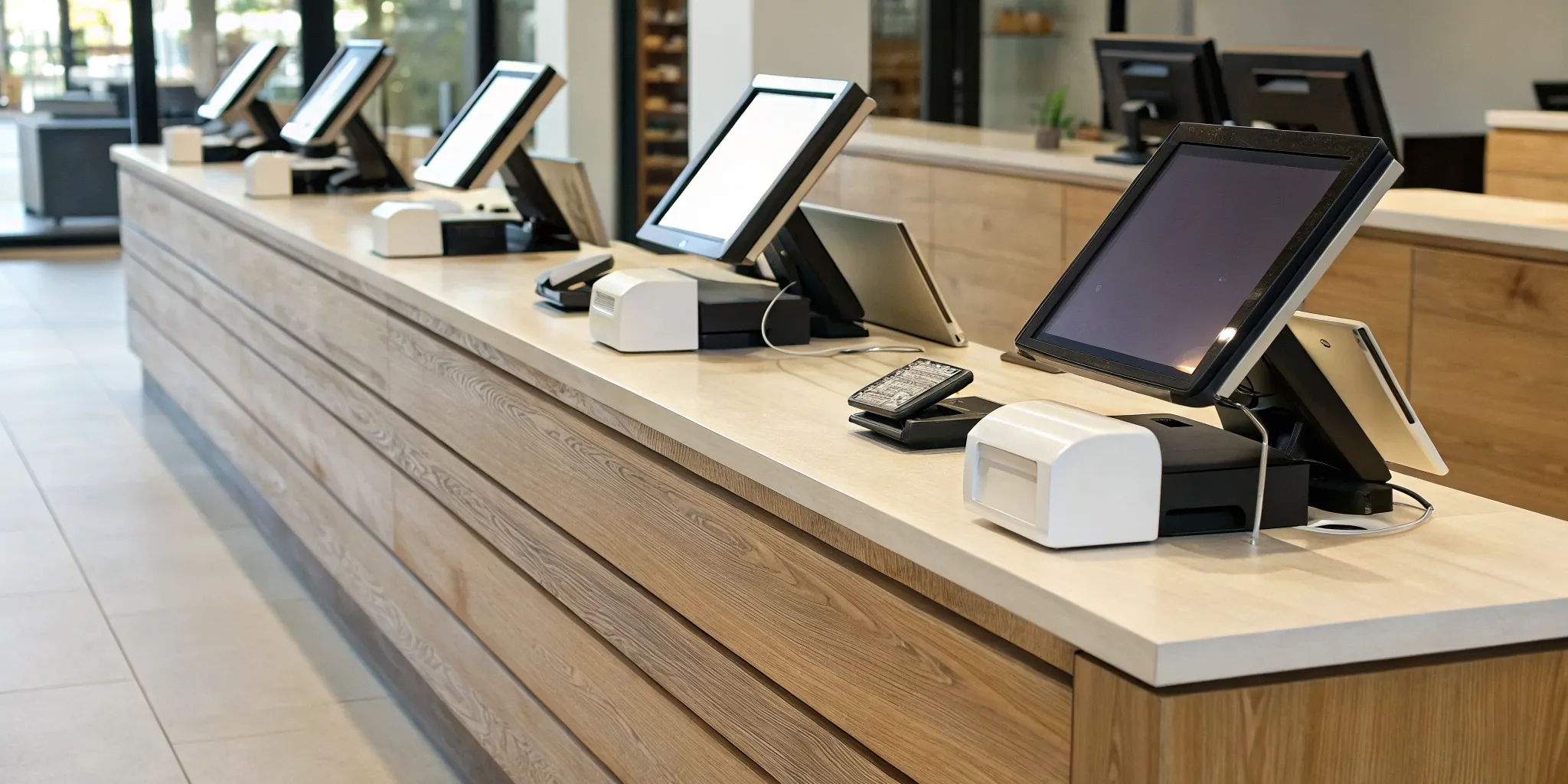
Think of a retail Point of Sale (POS) system as the modern, supercharged version of a cash register. It’s the central hub where everything in your shop comes together: sales, inventory, payments, and customer information. At its core, a POS system is a combination of hardware (like a barcode scanner, card reader, and cash drawer) and software that processes transactions and manages your store’s day-to-day operations.
Instead of just ringing up sales, a great POS system gives you a real-time snapshot of your business’s health. It tracks what’s selling, who’s buying it, and when you need to reorder popular items. This data is incredibly valuable because it helps you make smarter, more informed decisions without spending hours buried in spreadsheets. By streamlining checkout and automating tedious tasks, a reliable POS system frees you up to focus on what you do best: connecting with customers and growing your business. It’s less about just processing payments and more about having a complete retail management system at your fingertips.
Key Components of a Retail POS
A modern retail POS is packed with features designed to make your life easier. While the specifics can vary, most powerful systems include a few key components. First and foremost is sales processing, which allows you to ring up items quickly using a barcode scanner and accept various payment types. Next is inventory management, a game-changer for any shop owner. It automatically tracks your stock levels as items are sold, alerts you when you’re running low, and can even help you generate purchase orders. Many systems also include employee management tools to track hours and sales performance, plus customer relationship management (CRM) features to build a database of your shoppers and create loyalty programs.
How a POS Processes Transactions
So, what actually happens when a customer makes a purchase? When you scan an item, the POS software instantly pulls the product information and price from your inventory database. Your customer can then pay using their preferred method, whether it’s a credit card, a debit card, or a digital wallet like Apple Pay or Google Pay. The system securely processes the payment, and once approved, the transaction is complete. Behind the scenes, the POS immediately updates your sales data and deducts the sold items from your inventory count. If you’re using a cloud-based system, all of this information is synced in real-time, so you can access up-to-the-minute reports from any device, anywhere you are.
Must-Have Features in a Retail POS
Choosing a POS system feels like a huge decision, because it is. This system is the central hub of your retail operation, handling everything from the moment a customer decides to buy to how you track your inventory long after they’ve left. The right features can streamline your daily tasks, give you a clear picture of your business’s health, and help you grow. As you compare options, think beyond just processing sales. Look for a system with a robust set of tools designed to make your life easier and your business more profitable. Here are the core features every retail POS should have.
Payment Processing
At its heart, a POS system needs to make accepting payments simple and secure for you and your customers. Your system should seamlessly handle all major credit and debit cards, but it doesn’t stop there. Modern shoppers expect flexibility, so look for the ability to accept digital wallets like Apple Pay and Google Pay. This allows for quick, contactless transactions that many customers now prefer. A great POS system gives you the power to say “yes” to however your customer wants to pay, which builds trust and improves their overall experience. This is the most fundamental part of the transaction, so make sure your POS handles it flawlessly.
Inventory Management
Gone are the days of manual inventory counts and surprise stockouts. A modern POS system should act as your inventory command center. Look for features that allow you to track your stock levels in near real-time across all your locations, including your online store. The best systems can manage product variations like size and color, let you perform bulk uploads, and send you low-stock alerts so you never miss a sale. This centralized approach shows you what’s selling, what’s not, and when it’s time to reorder. It transforms inventory from a constant headache into a powerful tool for understanding product performance.
Sales Reporting and Analytics
Your POS system collects a goldmine of data with every single transaction. A key feature is the ability to turn that data into easy-to-understand reports. You should be able to quickly see which products are your bestsellers, what your peak sales hours are, and how your revenue breaks down by day, week, or month. These insights are critical for making smart business decisions. You can use this information to optimize your staffing, plan promotions around popular items, and identify slow-moving products that might need to be discounted. This isn’t just about tracking numbers; it’s about getting a clear roadmap for growth.
Customer Management (CRM)
Turning a first-time shopper into a loyal customer is the key to long-term success. Your POS can be a huge help here if it includes customer relationship management (CRM) features. A good system allows you to create customer profiles, view their purchase history, and capture contact information for marketing. Even better, look for built-in loyalty programs, like point systems or “buy five, get one free” clubs. These tools give you a simple way to reward your best customers and give them a reason to keep coming back. It’s a personal touch that makes people feel valued and connected to your brand.
Integrations and Omnichannel Support
In today’s retail world, your business likely exists in more than one place. Whether you sell at a farmers market, in a brick-and-mortar shop, and on your website, your POS needs to connect all the dots. This is where integrations and omnichannel support come in. Your POS should sync your inventory between your physical and online stores to prevent you from selling the same item twice. A truly integrated system avoids the messy, disconnected setup where your sales, inventory, and online orders all live on separate platforms. When your tools work together, you create a smooth experience for your customers and save yourself a ton of work.
A Look at Top Retail POS Systems
Choosing a POS system can feel overwhelming with so many options out there. To make it easier, I’ve broken down some of the top players in the retail space. Each one has its own strengths, so think about which features align best with your shop’s unique needs. From all-in-one solutions to systems built for specific industries, let’s look at what makes each one stand out. This comparison will help you find a system that not only processes payments but also helps you run your business more effectively.
MBNCard POS Solutions
At MBNCard, we believe your POS system should work for you, not the other way around. We focus on creating customized payment solutions that fit your specific business goals. Instead of a one-size-fits-all box, you get a system tailored to your needs, backed by transparent pricing and dedicated support. Whether you run a small boutique or a growing multi-location business, our goal is to provide reliable and affordable POS systems that help you manage transactions securely and efficiently. Let’s talk about a solution that’s built just for your shop.
Square POS
You’ve probably seen those sleek white card readers, and for good reason. Square for Retail is a popular all-in-one system designed to be your command center. It helps you manage everything from inventory and sales reports to customer profiles, all in one place. One of its biggest strengths is how it connects your in-store and online operations, making it easier to run your business smoothly across all your sales channels. If you’re looking for a straightforward and comprehensive system to get you up and running quickly, Square is a solid contender.
Shopify POS
If you already run a successful online store on Shopify, their POS system is a natural fit. The Shopify POS is built to integrate perfectly with your e-commerce site, creating a unified experience for you and your customers. This means your inventory, sales data, and customer information are automatically synced between your physical and online stores. No more manual updates or worrying about selling an out-of-stock item. It’s an excellent choice for any business that wants to bridge the gap between their online presence and a brick-and-mortar location.
Lightspeed Retail
As your business grows, so do your operational needs. Lightspeed Retail is a powerful system designed for businesses on the rise, especially those with complex inventory or multiple locations. It brings all the moving parts of your business, like different storefronts and your online sales, under one roof. This helps simplify your day-to-day management and gives you a clear view of your entire operation. If you’re managing a lot of products or planning to expand, Lightspeed provides the robust tools you need to keep everything organized and running efficiently.
Clover POS
Flexibility is the name of the game with Clover POS. This system is known for its customizable nature, offering a range of hardware options from sleek handheld devices to full-scale countertop stations. You can tailor the software with apps to fit your specific retail niche, whether you run a clothing store or a specialty shop. Clover is designed to streamline your checkout process, manage your staff, and help you build stronger customer relationships. If you want a system that can adapt and grow with your business, Clover’s versatile platform is definitely worth a look.
Toast POS
While most of the systems on this list cater to general retail, Toast POS is built from the ground up specifically for the restaurant industry. If you run a café, bar, or restaurant, this is one you’ll want to check out. It includes specialized tools for managing tables, sending orders to the kitchen, and handling online ordering and delivery integrations. Toast understands the unique workflow of a food service business, offering features that help you turn tables faster and keep customers happy. It’s a comprehensive solution designed to handle the heat of the kitchen.
How Much Does a Retail POS System Cost?
Figuring out the price of a retail POS system can feel a bit like solving a puzzle. There isn’t one single price tag, because the total cost depends entirely on your shop’s unique needs. The final amount you’ll pay is a combination of three main components: the physical hardware you use at your counter, the software that runs the system, and the fees you pay for processing each customer transaction.
Some businesses might only need a simple tablet and card reader, while others require a full setup with multiple terminals, barcode scanners, and cash drawers. Similarly, software plans can range from free, basic versions to premium subscriptions packed with advanced features. Understanding how these three pieces fit together is the first step to creating a budget and finding a system that works for you without any surprise costs down the road. We’ll break down each component so you know exactly what to expect.
Hardware Costs
Your hardware is the physical part of your POS system, the equipment you and your staff will use every day. This is typically a one-time, upfront investment. For a complete hardware suite, which usually includes a touchscreen monitor, barcode scanner, and receipt printer, you can expect to pay between $750 and $1,700. This initial setup is essential for creating an efficient checkout experience for your customers.
Of course, this cost can vary. If you’re just starting out or want to keep initial expenses low, many modern POS systems can run on an iPad or tablet you already own. On the other hand, if you have a larger store with multiple checkout lanes, your hardware investment will be higher. Think of it as building your command center; you need the right tools to run your operations smoothly, and choosing the best POS system starts with getting the right equipment.
Software Fees
While hardware is a one-time purchase, software is usually a recurring cost, paid through a monthly or annual subscription. The good news is that there are options for every budget. Some providers, like Square, offer a free plan that covers all the basics, making it a great choice for new businesses. These free plans let you process sales and manage inventory without an upfront software commitment.
As your business grows, you can upgrade to paid plans that offer more powerful features like advanced sales analytics, customer loyalty programs, and e-commerce integrations. These plans can range from $30 to over $300 per month. Many providers offer free trials and don’t require long-term contracts, giving you the flexibility to find the right fit and make changes as your business evolves.
Payment Processing Fees
Payment processing fees are an ongoing cost that you’ll pay on every card transaction. These fees are how payment processors make money, and they are a critical factor in your POS system’s total cost. Typically, you’ll pay a percentage of the sale plus a small, fixed fee (for example, 2.6% + $0.10 per transaction). While these numbers seem small, they add up quickly, so it’s important to pay close attention to them.
When you choose a retail POS, you’ll find that some systems require you to use their built-in payment processor. Others give you the flexibility to work with a merchant services provider of your choice, like MBNCard. This allows you to shop around for the most competitive rates, potentially saving you a significant amount of money over the long term.
Overcoming Common POS Implementation Hurdles
Switching to a new POS system is a big step, and let’s be honest, the thought of implementation can feel a little daunting. You’re not just plugging in a new machine; you’re changing a core part of your daily operations. The good news is that with a bit of planning, you can sidestep the common roadblocks that trip up other business owners.
The key is to know what to expect. From moving your data over to training your team, every step is manageable when you have a clear plan. Think of it as a small investment of time upfront that will save you countless headaches down the road. A smooth transition means you can start reaping the benefits of your new system faster, without disrupting your sales or frustrating your customers. We’ll walk through the biggest hurdles and give you actionable steps to clear them with confidence.
Data Migration and Compatibility
One of the first challenges is getting all your existing information—customer lists, inventory counts, and sales history—out of your old system and into the new one. You want this process to be as clean as possible to avoid starting from scratch. Before you commit to a new POS, confirm that it integrates seamlessly with the other tools you rely on, like your accounting software or e-commerce platform. A compatible system prevents you from having to manually re-enter data, which saves time and reduces the risk of errors.
Staff Training
A powerful POS system is only as good as the people using it. If your team finds the new system confusing or slow, it can lead to checkout delays and frustrated customers. Set aside dedicated time for training before the system goes live. Many POS providers offer excellent tutorials, guides, and support. It’s also helpful to identify one or two team members who can become your in-house experts. Investing in comprehensive training ensures your staff feels confident and can use the new technology efficiently from day one.
Integrating with Your Current Systems
Your POS system should be the central hub of your retail operation, not an isolated island. When your POS doesn’t communicate with your other business systems, you create data silos that require tedious manual work to bridge. For example, if your POS and online store don’t sync, you risk selling an out-of-stock item. A well-integrated system ensures that your inventory, sales, and customer data are consistent everywhere, giving you a clear and accurate picture of your business performance without the extra effort.
Avoiding Downtime During the Switch
The last thing you want is to close your doors or turn away customers while you get your new POS up and running. Minimizing downtime is all about timing and preparation. Plan your switch for your slowest business day or during off-hours to limit the impact on sales. Have a clear installation plan and test everything thoroughly before you officially go live. Some businesses even run their old system alongside the new one for a day or two to ensure everything is working perfectly before making the final cutover.
Security and Compliance
Protecting your customers’ payment information is non-negotiable. A data breach can be devastating for a small business, both financially and in terms of customer trust. Your POS system plays a huge role in keeping that data safe. When choosing a system, make sure it adheres to modern security standards, including PCI compliance, which governs how credit card data is handled. A reputable provider will ensure their hardware and software are equipped with features like end-to-end encryption to protect every transaction and keep your business and your customers secure.
Signs It’s Time to Replace Your POS System
Your point-of-sale system should be the reliable command center of your retail shop, making your life easier, not harder. But like any technology, a POS can become outdated. If you’re spending more time fighting with your system than using it to grow your business, it’s a clear signal that something needs to change. An inefficient POS doesn’t just cause headaches for you and your staff; it can actively cost you sales and drive customers away.
Recognizing the warning signs is the first step toward finding a solution that truly supports your business. An outdated system can hold you back with slow performance, inaccurate data, and a frustrating customer experience. If any of the following issues sound familiar, it’s probably time to start looking for an upgrade. A modern POS system can streamline your operations, provide valuable insights, and help you create the seamless checkout experience your customers expect.
Slow, Manual Transactions
Is your checkout process a bottleneck? If your staff is manually keying in prices, dealing with a lagging touchscreen, or waiting on a slow credit card reader, your POS is failing at its most basic function. These delays add up, creating friction at the most critical point of the customer journey. Every extra moment a customer has to wait is a moment they might reconsider their purchase or decide not to come back. A modern POS system is built for speed, using barcode scanners, intuitive interfaces, and fast payment processing to make transactions quick and painless for everyone involved.
Inaccurate Inventory Tracking
Few things are more frustrating than telling a customer you have an item, only to find the shelf empty. Or, on the flip side, realizing you’re overstocked on a product that just isn’t selling. If your POS system can’t provide a reliable, real-time view of your stock, you’re likely losing money. Inaccurate data leads to overselling and stock shortages, which can damage customer trust. A capable POS offers automated inventory management, tracking sales as they happen and providing low-stock alerts so you can reorder with confidence and keep your bestsellers available.
No Access to Key Sales Data
Making smart business decisions requires good data. If your current POS system offers limited or confusing reports, you’re essentially flying blind. You need to know which products are your top performers, what your busiest hours are, and who your most loyal customers are. Without easy access to this information, you can’t optimize your staffing, refine your marketing efforts, or make strategic purchasing choices. A quality POS provides clear, customizable sales reporting and analytics that turn your transaction history into actionable insights for growth.
Doesn’t Connect with Your Other Tools
Your POS system shouldn’t be an island. In a modern retail environment, it needs to communicate seamlessly with your other business software, like your accounting program, e-commerce platform, and email marketing service. If your system doesn’t integrate well, you’re stuck with data silos and hours of manual work trying to reconcile information between different platforms. This isn’t just inefficient; it’s a recipe for costly errors. A connected POS acts as the central hub of your operations, ensuring data flows automatically where it needs to go, saving you time and giving you a complete picture of your business.
Creates Long Lines and Unhappy Customers
Ultimately, all the problems of an outdated POS system lead to one major issue: a poor customer experience. Slow performance, payment processing errors, and system crashes create long, frustrating lines at the checkout counter. This is often the last impression a customer has of your store, and a negative one can easily overshadow an otherwise positive shopping trip. When your technology gets in the way of a smooth transaction, it reflects poorly on your brand. A fast, reliable POS system is a crucial investment in customer satisfaction and loyalty.
How to Choose the Right POS for Your Shop
Picking a point-of-sale system can feel like a huge decision, and honestly, it is. Your POS is the central hub of your retail operation, handling everything from sales and inventory to customer relationships. The right system can streamline your daily tasks and give you the data you need to grow, while the wrong one can create constant headaches. But don’t worry, you don’t have to make this choice in the dark.
The key is to find a system that aligns with your specific business needs today and has the flexibility to grow with you tomorrow. Think of it less as buying a piece of hardware and more as choosing a long-term business partner. By focusing on a few core areas, you can confidently select a POS that truly works for you, your team, and your customers. Let’s walk through the most important factors to consider.
Assess Your Business Needs
Before you even start looking at different POS brands, take some time to look inward at your own shop. Every business is unique, so the perfect POS for the boutique down the street might not be the right fit for you. The first step is to create a clear list of your operational requirements.
Start by outlining your daily processes. Do you need to track inventory by size and color? Do you manage employee schedules and permissions? Are you a cash-only business, or do you need to accept every payment type under the sun? Make a list of “must-have” features and a separate one for “nice-to-haves.” This simple exercise will give you a powerful filter to apply when you start comparing your options, ensuring you focus only on systems that meet your core needs.
Check for Essential Integrations
Your POS system doesn’t operate in a vacuum. It needs to communicate with the other tools you rely on to run your business. That’s where integrations come in. A system that connects seamlessly with your existing software saves you countless hours of manual data entry and prevents costly errors. Imagine your sales data flowing directly into your accounting software or your online store’s inventory syncing perfectly with your physical shop.
Before committing to a POS, confirm that it integrates with your essential platforms. This includes your e-commerce site (like Shopify or WooCommerce), your accounting software (like QuickBooks), and any email marketing or loyalty programs you use. A well-connected system creates a smooth, efficient workflow that lets you focus on what you do best: serving your customers.
Plan for Future Growth
The POS system you choose today should be able to support your vision for tomorrow. It’s tempting to pick a solution that only solves your immediate problems, but that can lead to a costly and disruptive switch down the road. Instead, look for a system built with scalability in mind. As your business expands, your POS should be able to handle increased transaction volume, more products, additional staff members, and even new locations without skipping a beat.
Ask potential providers how their systems accommodate growth. Can you easily add new registers or devices? Is there a straightforward path to upgrade your software plan for more advanced features? Choosing a scalable POS means you’re investing in a solution that won’t hold you back as you achieve new levels of success.
Cloud-Based vs. On-Premise: Which is Better?
You’ll often see POS systems described as either “cloud-based” or “on-premise.” An on-premise system stores all your data locally on a server at your shop. This traditionally required a large upfront investment in hardware and IT support. A cloud-based POS, on the other hand, processes transactions over the internet and securely stores your data remotely.
For most small and mid-sized retailers, a cloud-based system is the way to go. The upfront costs are much lower, you can access your sales data from anywhere with an internet connection, and software updates happen automatically. This approach gives you greater flexibility and peace of mind, knowing your critical business information is backed up and secure.
Consider Your Need for Mobile POS
Modern retail happens everywhere, not just behind a cash register. A mobile POS (mPOS) system allows you to process payments from a tablet or smartphone, giving you the freedom to meet your customers wherever they are. This technology is perfect for busting long lines during busy seasons, completing sales on the shop floor, or selling at farmers’ markets, festivals, and pop-up events.
Think about how your business could benefit from this flexibility. Could you improve the customer experience by offering curbside checkout? Would you like to expand your sales channels beyond your brick-and-mortar location? An mPOS can untether you from the counter, creating a more dynamic and convenient shopping experience that modern customers love.
Related Articles
- 7 Best Retail POS Systems for Small Business
- 7 Best Point of Sale Systems for Retail Stores
- 6 Best Retail Point of Sale Systems in 2026
Frequently Asked Questions
Is a POS system just a fancy cash register? Not at all. While a POS system does handle sales like a cash register, its real power is in what happens behind the scenes. Think of it as the central nervous system for your entire shop. It tracks your inventory in real time, builds customer profiles, and gives you clear sales reports. It connects all the dots so you can make smarter decisions about what to stock, when to run promotions, and how to staff your store.
I’m just starting out. Do I really need a system with all the bells and whistles? That’s a great question. You probably don’t need every advanced feature on day one. The key is to focus on a system that masters the fundamentals: fast payment processing and accurate inventory management. Many of the best systems offer tiered plans, so you can start with a basic, affordable option and add more features like loyalty programs or advanced analytics as your business grows.
What’s the difference between a cloud-based and an on-premise POS? The main difference is where your data lives. An on-premise system stores everything on a local server in your shop, which often requires a big upfront investment and IT maintenance. A cloud-based system stores your data securely online. For most retailers, a cloud system is the better choice because it’s more affordable, you can access your business data from anywhere, and software updates are handled for you automatically.
Can I keep my current payment processor if I switch to a new POS? It depends on the POS system. Some systems, like Square or Shopify POS, require you to use their built-in payment processing. Others are more flexible and allow you to integrate with a merchant services provider of your choice. If you have a processor you like or want the freedom to shop for the best rates, this is a critical question to ask before you commit to a new system.
How can I make sure my team actually uses the new system correctly? A smooth transition comes down to training. Don’t just set up the new system and hope for the best. Schedule dedicated time to walk your staff through the new workflow before it goes live. Most POS providers offer great online tutorials and support. It also helps to choose a system with an intuitive, user-friendly interface, as this will naturally reduce the learning curve and help your team feel confident from the start.