Every time a customer asks, “Do you take cards?” it’s a critical moment for your business. Being able to say “yes” confidently can be the difference between making a sale and missing an opportunity. A credit card machine for phone is more than just a piece of hardware; it’s a tool that gives you the flexibility to do business wherever your customers are. Whether you’re at a pop-up event, a farmers market, or a client’s office, it ensures you never have to turn down a payment. This article will guide you through choosing the right system for your business.
Key Takeaways
- Look Beyond the Swipe: A phone card reader should simplify your operations, not just take money. Prioritize essential software features like inventory tracking, sales analytics, and offline payment capabilities to find a tool that genuinely helps you run your business.
- Prioritize Transparent Pricing Over Low Rates: The cheapest advertised rate often hides expensive fees. Choose a provider that clearly explains their fee structure—whether it’s flat-rate or interchange-plus—so you can protect your profits from unexpected charges.
- Choose a Tool Built for How You Sell: Your business environment dictates the best hardware. A portable phone reader is perfect for mobile operations like markets and on-site services, while a sturdy traditional terminal is better suited for a busy, fixed storefront with high transaction volume.
What Is a Phone Credit Card Reader?
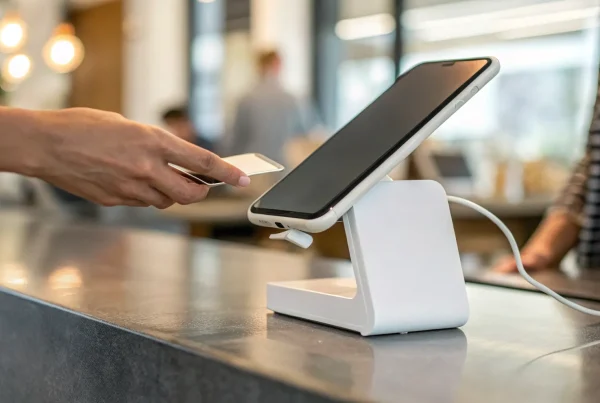
Think of a phone credit card reader as a pocket-sized device that turns your smartphone or tablet into a complete payment terminal. It’s a simple, powerful tool that lets you accept credit and debit card payments without being tied to a traditional, bulky countertop machine. These compact readers typically connect to your phone via Bluetooth and work with a mobile app to process transactions securely from anywhere.
This technology is a game-changer for businesses on the move. If you run a food truck, sell at farmers markets, manage a pop-up shop, or provide services at your clients’ homes, a mobile reader lets you accept payments anywhere. You no longer have to rely on cash-only sales or cumbersome invoicing systems. Instead, you can close the sale and get paid on the spot.
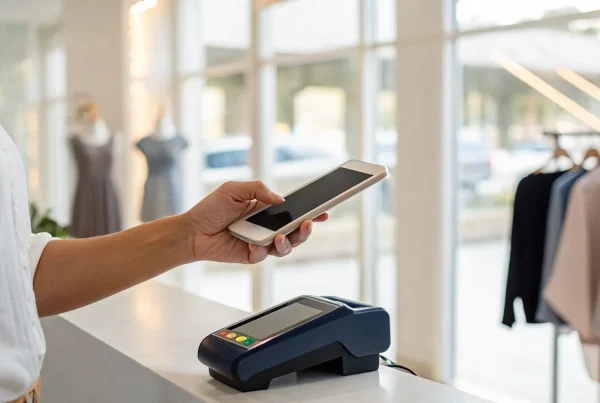
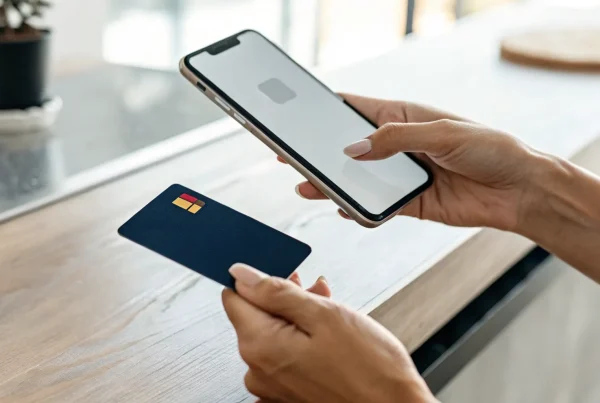
While early models focused on swiping a card’s magnetic stripe, today’s readers are far more advanced. They are equipped to handle secure EMV chip cards and contactless payments (NFC), including popular mobile wallets like Apple Pay and Google Pay. This gives your customers the secure and convenient payment options they’ve come to expect. The real magic happens in the provider’s app, which not only processes the payment but can also help you track sales, manage inventory, and send digital receipts right from your phone.
Comparing the Top Phone Credit Card Readers
Choosing the right phone card reader feels a lot like picking a business partner. You want one that’s reliable, straightforward, and doesn’t come with any unpleasant surprises. Each option has its own personality—some are built for simplicity, while others offer more complex features for growing businesses. Let’s walk through some of the most popular readers on the market so you can find the perfect fit for how you operate.
MBNCard Mobile Payment Solutions
As a dedicated payment solutions provider, we focus on creating the right fit for your specific business rather than offering a one-size-fits-all device. Our mobile solutions are designed to integrate seamlessly with a merchant account that’s tailored to your sales volume and business model. This approach allows us to offer more competitive and transparent pricing, like interchange-plus, which can save you significant money compared to flat-rate models. To find the best mobile reader and rate plan for your business, the best first step is to talk with one of our specialists. We’ll help you find a solution that supports your goals without locking you into unnecessary fees.
Square Reader
You’ve probably seen Square’s little white readers everywhere, and for good reason. They are incredibly easy to get started with. The Square Reader for Magstripe is famous for its simplicity: you plug it into your phone or tablet, download the free Square Point of Sale app, and you’re ready to take payments. Your first magstripe reader is free, with additional ones costing just $10. For every card you swipe, you’ll pay a processing fee of 2.6% plus 15 cents. It’s a straightforward option that’s perfect for new businesses, pop-up shops, or anyone who needs a simple way to start accepting cards immediately.
PayPal Zettle
If you’re already using PayPal for your business, the Zettle reader can feel like a natural extension. To get started, you’ll need a PayPal Business account. The first card reader costs $29, and any additional readers are $79 each. One of its standout features is Tap to Pay, which lets you accept contactless payments directly on your smartphone without any extra hardware. This makes it a super portable option for taking payments on the go. The fee structure is competitive, making it a solid choice for merchants who want to keep their in-person and online payment systems under one familiar roof.
SumUp Air
SumUp is all about clear, simple pricing with no strings attached. There are no monthly fees or hidden costs—you just pay a flat fee of 2.6% + 10¢ for every transaction you process in person. The SumUp Solo card reader is a sleek, standalone device that costs $99. It’s designed to be intuitive and handles all major credit and debit cards, plus contactless payments like Apple Pay and Google Pay. This makes it a great option for business owners who value predictability and don’t want to worry about recurring subscription costs. It’s a reliable workhorse for markets, cafes, and service providers.
Stripe Terminal
Stripe is well-known in the e-commerce world, and its hardware, the Stripe Terminal, brings that same powerful processing to in-person sales. It’s often favored by businesses that need more customization and want to unify their online and offline payment channels. Stripe offers a few different readers that are designed for flexibility. Because Stripe’s ecosystem is so robust, it’s best to check the official Stripe Terminal website for the most current hardware options and pricing. It’s an excellent choice if you have a developer on your team or plan to build a more custom checkout experience for your customers.
Clover Go
The Clover Go is a compact and versatile reader that pairs with your phone or tablet to accept payments anywhere. It’s known for being part of the larger Clover ecosystem, which includes more robust point-of-sale systems. This makes it a great starting point for businesses that plan to scale and may eventually need a more comprehensive setup. Clover devices are typically sold through merchant service providers, which means you can often get more competitive processing rates and personalized support. If you’re interested in the Clover Go, we can help you get set up with a plan that fits your business perfectly.
What Features Actually Matter in a Phone Card Reader?
When you’re looking for a phone card reader, it’s easy to get lost in a sea of tech specs and marketing jargon. But what really makes a difference in your day-to-day operations? It’s not about having the flashiest gadget; it’s about having a reliable tool that makes getting paid simple and secure. The right reader should feel like a natural extension of your business, whether you’re ringing up customers at a farmers market, sending an invoice from a client’s home, or managing a busy cafe. Let’s break down the core features that truly matter, so you can choose a device that works as hard as you do.
Payment Methods It Accepts
The last thing you want is to turn away a customer because you can’t accept their card. A versatile card reader is essential for maximizing sales. Your device should accept all major credit and debit cards, including Visa, Mastercard, American Express, and Discover. More importantly, it needs to handle modern payment types. Look for readers that process EMV chip cards and contactless payments like Apple Pay and Google Pay. The ability to accept multiple payment types means you can say “yes” to more customers, providing a smooth and convenient checkout experience that keeps them coming back.
Transaction Speed
In a busy business environment, every second counts. A slow transaction can frustrate customers and create long lines, potentially costing you sales. The best phone card readers process payments in just a few seconds, especially for tap-to-pay or contactless transactions. This speed is crucial for businesses with high volume, like coffee shops or food trucks, as well as for service professionals who need to close out appointments quickly. A fast, seamless checkout process respects your customer’s time and improves their overall experience with your brand, making your business look efficient and professional.
Security and Data Protection
Protecting your customers’ payment information is non-negotiable. A secure phone card reader is your first line of defense against fraud and data breaches. Your provider should offer technology that is fully encrypted and compliant with the Payment Card Industry Data Security Standard (PCI DSS). This means sensitive card data is protected from the moment it’s swiped, dipped, or tapped. Choosing a PCI compliant provider like MBNCard and using an EMV card reader for small business helps protect every transaction, build customer trust, and safeguard your reputation without sacrificing security for a lower price.
How It Connects With Your Other Tools
A phone card reader shouldn’t operate in a silo, especially when free POS systems for small business can help connect payments, inventory, and sales reporting in one streamlined workflow. It should work seamlessly with the other software you use to run your business. The best systems integrate with your point-of-sale (POS) software, accounting tools like QuickBooks, and inventory management platforms. This connectivity saves you from hours of manual data entry and reduces the risk of human error. When your payment processor automatically syncs sales data with your inventory and financial records, you get a clearer picture of your business’s health and more time to focus on what you do best—serving your customers.
Hardware Design and Durability
Your card reader is a key piece of equipment, so it needs to be built to last. Whether you’re working in a bustling retail store or taking payments on the go, you need a device that can handle a few bumps. Look for a reader that feels sturdy and well-made. The design also matters for user experience. A compact, lightweight reader is great for portability, while a clear, intuitive interface or touchscreen makes checkout smooth for both you and your customers. The hardware should be both functional and professional, reflecting the quality of your brand.
Offline Payment Capabilities
What happens when your Wi-Fi goes down or you’re working at an event with a spotty cell signal? An offline payment mode can be a lifesaver. This feature allows you to accept and queue card payments even without an internet connection. The reader securely stores the transaction data and processes it as soon as you’re back online. For mobile vendors, service professionals, or any business that can’t risk downtime, this capability provides critical peace of mind. It ensures you never miss a sale due to connectivity issues, allowing you to do business anywhere, anytime.
How Do Transaction Fees Really Work?
Let’s be honest: trying to understand credit card processing fees can feel like learning a new language. You’re running a business, and the last thing you need is a confusing statement filled with jargon that eats into your hard-earned revenue. But here’s the good news—once you know what to look for, it’s not as complicated as it seems. Getting a handle on your transaction fees is one of the most direct ways to protect your profit margins.
Every time a customer pays with a card, the total fee you pay is split between a few different players: the customer’s bank (the issuer), the credit card network (like Visa or Mastercard), and your payment processor. Your processor bundles these costs into a pricing structure. The key is to find a structure that’s both transparent and fair for your specific business. We’ll break down the most common models and fees so you can spot a good deal and know exactly where your money is going.
Breaking Down Common Fee Structures
When you get your monthly statement, you’ll likely see a few different types of charges. The most obvious one is the transaction fee, which is the cost you pay on every single sale. This is usually a percentage of the transaction amount plus a small, flat fee (for example, 2.9% + $0.30). Beyond that, you might have a monthly service fee, which covers account maintenance, customer support, and statement access. Finally, if you’re renting or leasing your equipment, you’ll see hardware fees. A trustworthy provider will be upfront about all these costs, so you never have to guess what you’re paying for.
Flat-Rate vs. Interchange-Plus Pricing
You’ll generally encounter two main pricing models: flat-rate and interchange-plus. Flat-rate pricing is the simplest. You pay one consistent rate for every transaction, no matter what kind of card your customer uses. This model offers predictability, which is great for new businesses or those with a lower monthly sales volume.
Interchange-plus pricing, on the other hand, is more transparent. It separates the non-negotiable interchange fees (which go to the card-issuing bank) from your processor’s markup. This way, you can see exactly what the processor is charging. For businesses with higher sales volumes, this model is often more cost-effective because the markup is typically lower than a bundled flat rate. It gives you a clearer picture of the actual costs involved in each transaction.
Hidden Costs to Look Out For
This is where many business owners get tripped up. Some processors advertise a low rate but make up for it with a long list of additional fees that can come as a surprise. Always read the fine print in your merchant agreement and ask about any charges you don’t recognize. Some common ones to watch for include chargeback fees (when a customer disputes a transaction), PCI compliance fees (for data security), and early termination fees (if you want to switch providers before your contract is up). A transparent partner will explain every potential fee before you sign anything, ensuring there are no unwelcome surprises on your monthly statement.
How Fees Affect Your Bottom Line
It might not seem like a big deal, but even a small difference in your processing rate can have a huge impact on your profits over time. Think about it: if you process $15,000 a month, lowering your effective rate by just 0.40% saves you $60 every month—that’s over $700 a year back in your pocket. Choosing the right pricing model for your business is critical. While a flat rate is simple, interchange-plus could save you a lot more if you have a high average ticket size. Programs like cash discounting can also help you offset these costs entirely, putting more money toward growing your business.
Phone Readers vs. Traditional Terminals: Which Is Better?
Deciding between a mobile phone reader and a traditional countertop terminal isn’t about picking a winner—it’s about finding the right fit for how you do business. Phone readers have completely changed the game with their flexibility and low cost, making them perfect for businesses on the move. On the other hand, traditional terminals are workhorses, built to handle high-volume sales in a fixed location with ease. Let’s break down the key differences to help you figure out which setup makes the most sense for you.
The Freedom of Portability
The biggest win for phone readers is that you can take them anywhere. If your business isn’t tied to a single storefront, this is a massive advantage. Think about it: you can easily accept credit card payments at a farmers’ market, a craft fair, a client’s home, or a pop-up shop. This freedom allows you to meet your customers wherever they are and close a sale on the spot, instead of sending an invoice and hoping for a later payment. For any mobile business, from food trucks to freelance photographers, a phone reader isn’t just a convenience—it’s an essential tool for capturing revenue, and many merchants also compare it with a portable credit card machine for small business when they need more flexibility beyond a fixed counter.
Lower Upfront Costs
If you’re just starting out or working with a tight budget, the cost difference is significant. Many companies offer their basic phone card readers for free or for a very small fee, often under $50. You simply pair the device with your existing smartphone or tablet. This keeps your initial startup costs incredibly low and removes a major barrier to accepting credit cards. In contrast, a traditional terminal or a full point-of-sale (POS) system is a much bigger investment, often running from several hundred to over a thousand dollars for the hardware alone. For a new business, that’s a lot of capital that could be used elsewhere.
Simple and Fast Setup
Getting started with a phone card reader is usually a breeze. The process typically involves downloading a free point-of-sale app to your device, creating an account, and connecting the reader via Bluetooth or the headphone jack. You can often be up and running, ready to take your first payment, in just a few minutes. There’s no complicated wiring or technical installation required. This simplicity is perfect for business owners who wear all the hats and don’t have time to become IT experts. You can focus on what you do best—running your business—without getting bogged down in a complicated POS system setup.
When a Traditional System Is Still the Right Call
While phone readers are fantastic, they aren’t the right solution for every business. If you run a busy retail store or a restaurant with a steady stream of customers, a traditional terminal is likely a better choice. These systems are built for high-volume environments and often come as all-in-one devices with a built-in printer, a customer-facing display, and a connection to a cash drawer. They don’t rely on a separate phone or tablet to function and are designed to be a permanent fixture on your counter. While the upfront cost is higher, the durability and integrated features of a traditional POS system are essential for keeping checkout lines moving smoothly.
Clearing Up Common Myths About Phone Readers
When you’re running a business, every decision feels like a big one—especially when it involves technology and your money. It’s easy to get overwhelmed by all the conflicting information out there about phone credit card readers. You might have heard they’re not secure, are a pain to set up, or require expensive new hardware.
Let’s clear the air. A lot of what you hear is based on outdated information or simple misunderstandings. The truth is, modern mobile payment solutions are designed specifically for business owners like you who need flexibility, security, and simplicity. Let’s walk through some of the most common myths and separate the facts from the fiction so you can feel confident about your payment processing choices.
Myth: You Need a Brand-New Phone
One of the biggest hesitations I hear from business owners is the fear of having to buy a brand-new smartphone or tablet just to accept card payments. The good news is that this is almost never the case. Most mobile card readers are designed to be compatible with the devices you already own. Whether you have an iPhone, an Android, or a tablet, you can likely find a reader that connects seamlessly. This approach helps you utilize your current devices and keeps your startup costs incredibly low, which is a huge win for any small business.
Myth: They Aren’t Secure
It’s completely understandable to worry about security when you’re handling customer payments. However, the idea that phone card readers are less secure than traditional terminals is a total myth. Reputable merchant services providers use powerful security measures, like end-to-end encryption and tokenization, to protect every transaction. This technology scrambles sensitive card data the moment it’s captured, making it unreadable to fraudsters. These systems are built to meet strict industry standards, giving you and your customers the peace of mind that every payment is processed securely.
Myth: The Cheapest Rate Is Always Best
When you’re comparing providers, it’s tempting to jump at the one offering the lowest processing rate. But be careful—that rock-bottom number often doesn’t tell the whole story. Some processors advertise a low rate only to add on a bunch of hidden fees in the fine print, like monthly service charges, batch fees, or non-compliance fees. Suddenly, that “cheap” rate is costing you more than you expected. Instead of focusing only on the rate, look for a provider that offers transparent pricing and real value through reliable service and support.
Myth: Setup Is Complicated
If you’re worried about a complicated, tech-heavy setup process, you can relax. Most phone card readers are designed for people who aren’t IT experts. The process is usually as simple as downloading an app from the app store and pairing the reader with your phone or tablet via Bluetooth. Most systems are incredibly user-friendly and intuitive, allowing you to get everything up and running in just a few minutes. You can go from unboxing your reader to accepting your first payment without a steep learning curve or a call to tech support, especially when paired with a free credit card processing app that simplifies onboarding and day-to-day transactions.
Beyond the Swipe: Features That Help Your Business
A great phone card reader does more than just accept payments—it acts like a central hub for your business operations. Think of it less as a simple piece of hardware and more as a smart assistant that helps you manage inventory, understand your sales, and connect with your customers. When you’re comparing options, look past the transaction fees and consider the features that will actually make running your business easier. The right tools can save you hours of administrative work and give you the insights you need to grow. From tracking your best-selling products to building a loyal customer base, these built-in features are what separate a basic reader from a true business partner.
Inventory Management
If you sell physical products, you know how challenging it can be to keep track of what you have in stock. Modern phone card readers often come with excellent tools for managing your products and inventory. You can easily add new items, update prices, and account for different product options, like sizes, colors, or flavors. This means when you sell a medium blue t-shirt, your system automatically updates your stock levels. This real-time tracking helps you avoid selling items you don’t have and gives you a clear picture of what you need to reorder, saving you from last-minute scrambles or missed sales opportunities.
Sales Reports and Analytics
Guesswork has no place in a growing business. That’s why sales analytics are one of the most valuable features of a modern payment system. Look for a solution that provides clear dashboards and reports to track your sales, profits, and big purchases. With just a few taps, you can see your busiest times of day, identify your most popular items, and understand your average transaction value. This data is gold. It helps you make smarter decisions about everything from staff scheduling and marketing promotions to which products you should feature or discontinue. It’s like having a business analyst right in your pocket.
Digital and Paperless Receipts
Moving away from paper receipts isn’t just good for the environment—it’s what modern customers expect. Most phone card readers give you the ability to send digital receipts via email or text message. This offers a clean, convenient experience for your customers and saves you the cost of receipt paper and ink. Plus, it creates a natural opportunity to collect customer contact information (with their permission, of course). You can use these contacts to build your email list for future marketing campaigns, turning a simple transaction into a long-term connection.
Customer Relationship Tools
Turning a first-time buyer into a loyal fan is the key to sustainable growth. Many payment systems now include built-in customer relationship management (CRM) features to help you do just that. These can include tools for creating simple loyalty programs, offering discounts, and sending out coupons. Imagine being able to easily set up a “buy five, get one free” offer for your coffee shop or send a special birthday discount to your best customers. These features make it simple to encourage repeat business and show your customers you appreciate them, all from the same app you use to take payments.
How to Choose the Right Phone Reader for Long-Term Growth
Choosing a credit card machine for your phone is about more than finding the cheapest hardware. The best option should match how your business operates today while giving you room to grow tomorrow. Start by thinking about where you sell most often. If you work at markets, festivals, client locations, or temporary retail events, portability, battery life, and offline payment capability should be high on your list. If you sell in a small storefront, you may also want a solution that can expand into a larger POS setup as your transaction volume increases.
It’s also important to look closely at software compatibility. A strong phone reader should work smoothly with inventory tools, accounting platforms, and reporting dashboards so your payment data supports smarter decisions. Just as importantly, review the fee structure in detail. A low advertised rate may not be the best deal if it comes with monthly charges, support fees, or equipment limitations. Finally, think about customer experience. Fast checkout, tap-to-pay support, digital receipts, and secure chip processing all help build trust and keep lines moving. When you choose a system that supports both daily operations and future scalability, your payment setup becomes a business asset rather than just another device.
Is a Phone Card Reader Right for Your Business?
A phone card reader can be a game-changer, but it’s not a one-size-fits-all solution. Its real strength is its flexibility, making it a perfect fit for businesses that operate beyond a traditional storefront. If you’re constantly on the move or looking for a simple, low-cost way to accept card payments, this technology is likely a great match. Let’s look at a few specific business types that benefit the most from using a credit card reader for their phone.
Small Retail Shops
If you own a small boutique or shop, a phone card reader gives you the freedom to sell anywhere. Think sidewalk sales, local farmers’ markets, or holiday pop-up events. A mobile reader helps you take payments anywhere, turning any location into a point of sale, and comparing the best mobile credit card readers can help retail owners choose the right fit for pop-ups, sidewalk sales, and in-store line busting. This means you never have to miss a sale because a customer doesn’t have cash. It’s also a great tool for “line-busting” inside your store during busy seasons—an employee can walk the floor and check customers out on the spot, keeping lines short and shoppers happy.
Service-Based Professionals
For professionals who work on-site, like plumbers, photographers, personal trainers, or consultants, a phone card reader is essential. It allows you to collect payment the moment a job is finished, which drastically improves your cash flow. No more chasing down invoices or waiting for checks to clear. The right merchant services provider will help you find a solution that keeps your costs low, making it an affordable way to streamline your billing and present a more professional image to your clients.
Mobile Vendors and Pop-Ups
Food trucks, coffee carts, and pop-up shops thrive on speed and convenience. A phone card reader is the perfect partner for this business model because of its low startup cost and simple setup. You can get a complete system running for a fraction of the price of a traditional POS terminal, with some setups costing as little as $49. This affordability makes it easy for new and seasonal businesses to start accepting card payments without a major upfront investment, letting you focus on what you do best—serving your customers.
Event-Based Businesses
Do you sell your products at craft fairs, festivals, or trade shows? If so, you know that reliable internet access can be a huge challenge. This is where a phone card reader with an offline mode becomes invaluable. Many modern readers allow you to take payments even if you don’t have Wi-Fi by securely storing the transaction data until you reconnect. This feature ensures you can keep making sales without interruption, no matter where your business takes you. It prevents lost revenue and keeps the checkout process smooth for every customer.
Getting Started: How to Set Up Your Phone Card Reader
You’ve picked out a reader, and you’re ready to start accepting payments on the go. The good news is that getting set up is usually quick and painless. Most providers have designed their systems to be incredibly user-friendly because they know you’re busy running your business. You can typically go from unboxing your new device to taking your first payment in just a few minutes.
Let’s walk through the four simple steps to get your phone card reader up and running.
Choose Your Provider
Before you even order a card reader, your first and most important step is picking the right payment provider. This decision is about more than just the physical device; it’s about the partner you’ll be trusting with your transactions. When you’re comparing options, look closely at the software features, the cost of the hardware, and the fees for each transaction. A provider with transparent pricing, reliable support, and features that fit your workflow will save you headaches and money down the road. Don’t just grab the first free reader you see—do a little homework to find a partner that truly supports your business goals.
Connect the Hardware
Getting the hardware running is usually the easiest part. Most phone card readers are designed to be plug-and-play. The process typically involves ordering the reader, downloading the provider’s point-of-sale app from your phone’s app store, and then connecting the device. Some readers plug directly into your phone’s charging port, while others connect wirelessly via Bluetooth. For example, providers like PayPal offer devices that are built for a quick and secure setup. Just follow the simple on-screen instructions in the app, and your phone and reader will be paired up in no time.
Run a Test Transaction
Before you process a payment for your first customer, run a test. This is a crucial step that many people skip. A test transaction confirms that your hardware is connected correctly, your app is working, and the funds are flowing into your bank account as expected. Just ring up a small sale—even a dollar will do—and pay with your own credit or debit card. This also gives you a chance to get comfortable with the process. While you’re at it, try testing out special features like offline payments, which let you accept cards even without an internet connection. Knowing how it works now will save you stress later.
Troubleshoot Common Glitches
If your reader isn’t working, don’t panic. Technology can be finicky, but the fix is often simple. Start with the basics: Is the reader fully charged? Is your phone’s Bluetooth turned on? Have you tried closing and reopening the app? These small steps solve most issues. However, if you consistently run into problems or feel like your provider isn’t offering the support you need, it might be a sign of a bigger issue. Don’t be afraid to look for another provider. There are many common myths about mobile payments, but being stuck with a bad partner shouldn’t be your reality. The right provider will make your life easier, not harder.
How to Choose the Right Phone Card Reader for Your Business
Picking the right phone card reader feels like a huge decision, but it doesn’t have to be overwhelming. The secret is to tune out the noise and focus on what your specific business actually needs to thrive. Instead of searching for the single “best” reader on the market, your goal is to find the best reader for you. When you know what you’re looking for, you can confidently choose a solution that not only processes payments but also helps you run your business more smoothly. Breaking the process down into a few simple steps will help you find a partner that fits your goals and your budget, setting you up for success from day one.
Define What Your Business Needs
Before you even start looking at different brands, take a moment to map out your must-haves. Think about your day-to-day operations. Do you sell at markets and need something portable and durable? Do you manage a team and need to track their individual sales? Consider the entire package: the software features, the cost of the hardware itself, and the transaction fees you’ll pay on every sale. Make a list of your non-negotiables and your “nice-to-haves.” This simple exercise will give you a clear checklist to measure every option against, making it much easier to spot the right fit when you see it.
Compare Your Top Options
With your needs list in hand, you can start exploring your options. As you look at different readers, compare them based on the features that will make a real difference in your business. Look for key POS features like inventory management, detailed sales reports, and tools for managing customer information. Pay close attention to the transaction fees. Some providers are known for low rates, but it’s important to understand the full fee structure. Create a simple side-by-side comparison of your top two or three choices. This will help you visualize the pros and cons and see which provider truly aligns with your business goals.
Make the Final Call
Once you’ve compared your top contenders, the final step is to look at the overall value. The cheapest option isn’t always the best one. Some systems offer a ton of valuable features for a low monthly cost, which can save you money on other software down the line. And remember, this decision isn’t set in stone. If you choose a provider and find it’s not meeting your needs, you can always explore other merchant services. The goal is to find a partner who supports your business as it grows. Think about customer support, ease of use, and how the system will scale with you in the future.
Related Articles
- 5 Best Credit Card Terminals for Small Business
- Affordable POS Equipment | MBN Card Services
- 6 Best Small Business Credit Card Machines
Frequently Asked Questions
Do I have to buy a new phone or tablet to use one of these readers? Not at all. The great thing about these readers is that they’re designed to work with the technology you already have. Whether you use an iPhone or an Android device, you can almost certainly find a compatible reader that connects easily. This helps keep your initial investment low so you can start accepting cards without buying a bunch of new hardware.
What happens if I’m at an event and the Wi-Fi or cell service is terrible? This is a huge concern for anyone who sells on the go, and it’s why you should look for a reader with an offline payment mode. This feature allows you to continue accepting card payments even without an internet connection. The device securely stores the transaction information and automatically processes it as soon as you’re back online, ensuring you never have to turn away a sale due to a bad signal.
How much am I really going to pay? Are there hidden fees? Your total cost depends on the provider and the pricing model you choose. Some offer a simple flat rate for every transaction, while others provide a more transparent interchange-plus model that can be more cost-effective for established businesses. The key is to ask direct questions. A trustworthy provider will be upfront about any potential monthly service fees, PCI compliance charges, or chargeback fees so there are no surprises on your statement.
Can a phone reader connect to my other business software, like for inventory or accounting? Yes, and this is where a good system really shines. Many modern payment apps are designed to integrate with other tools you use to run your business. This means your sales data can automatically sync with your inventory management platform or your accounting software. This saves you from hours of manual data entry and gives you a much clearer, real-time view of your business’s performance.
Am I going to be locked into a long-term contract? This varies from one provider to another. Some companies, especially those offering flat-rate pricing, operate on a month-to-month basis with no long-term commitment. Others may require a contract, which could include an early termination fee if you decide to switch. Always make sure you read the merchant agreement carefully and understand the terms before you sign up, so you can choose a partner that offers the flexibility your business needs.