The old-school cash register has officially retired. In its place are powerful, intuitive tools that do far more than just process transactions. Today’s point of sale systems are the heart of a successful business, acting as a complete management solution that runs on a tablet or computer. They give you the power to track inventory in real-time, build customer loyalty programs, manage your team’s schedules, and get detailed analytics on your sales. Making the switch or choosing your first system is a big step, but it’s a foundational move for building a more efficient and profitable operation. Let’s explore how to find the perfect fit for your business.
Key Takeaways
- Treat your POS as your business’s central hub: A great system does more than just process payments—it unifies your sales, inventory, and customer data to give you clear insights for smarter, data-backed decisions.
- Choose a system built for your specific industry: Don’t pay for features you won’t use. A retail shop needs powerful inventory tools, while a restaurant requires table management. Focusing on your unique workflow ensures you get the right tools for the job.
- Plan for the long haul, not just today’s sales: The right POS should integrate with your existing software, scale with your future growth, and feel intuitive to your team. Always request a hands-on demo to make sure it’s a good fit before you commit.
What is a Point of Sale (POS) System?
Think of a Point of Sale (POS) system as the modern-day cash register, supercharged to be the central command center for your business. It’s a combination of hardware and software that works together to manage your sales, inventory, and customer data all in one place. The “point of sale” is simply the moment and place where a customer pays for your products or services—whether that’s at a checkout counter, on a tablet at a local market, or through your online store.
A great POS system does more than just process transactions. It streamlines your daily operations, giving you the data you need to make smarter business decisions. Instead of juggling separate tools for payments, inventory, and reporting, a POS system brings everything together, saving you time and reducing headaches. For business owners, this means less time spent on manual tasks and more time focusing on growth.
The Core Parts of a POS System
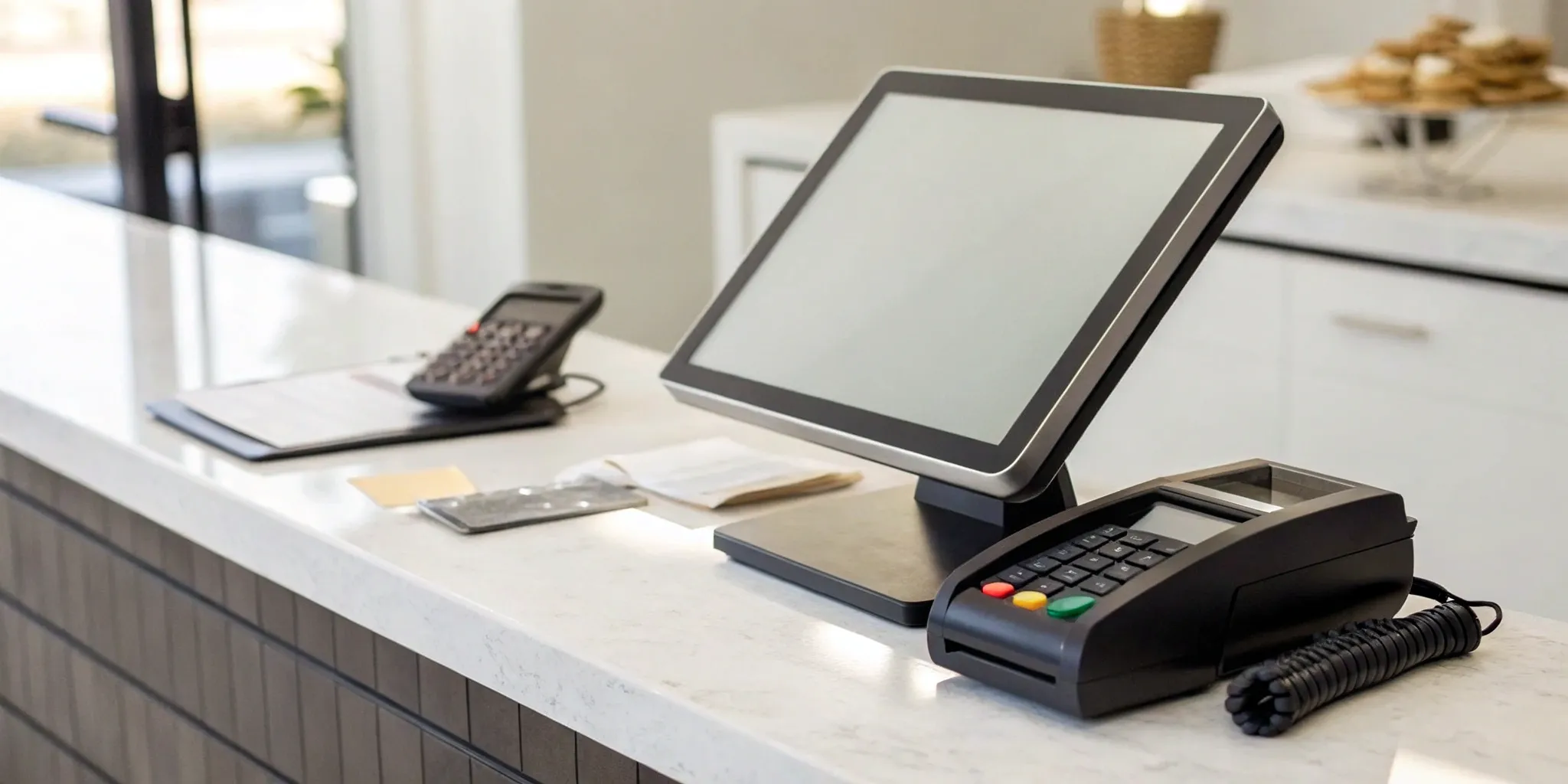
A POS system is made up of two main components: hardware and software. The hardware is the physical equipment you use to ring up sales. This can include a register screen or a connected device like an iPad, a credit card reader for taking payments, a cash drawer, a receipt printer, and a barcode scanner. The exact setup you need depends on your business—a retail boutique will have different hardware needs than a mobile coffee cart.
The software is the brains of the operation. It’s the program or app that runs on your hardware, allowing you to process payments, track sales, and manage your inventory. This is where all your business information is organized, giving you a clear picture of your performance at any time.
How a POS System Works
Let’s walk through a typical transaction. A customer brings an item to your counter to buy it. You scan the barcode, and the POS system automatically calculates the total price, including any sales tax. At the same time, it updates your inventory records to show one less item in stock. The customer then pays with their preferred method—cash, credit card, or a mobile wallet.
Once the payment is made, the system securely communicates with the customer’s bank to get the transaction approved. The sale is finalized, the cash drawer opens or the card payment is confirmed, and a receipt is printed or emailed to the customer. This entire process happens in seconds, creating a smooth customer experience and keeping your records perfectly accurate.
Key Features to Look for in a POS System
Think of a point of sale system as the central command center for your business. It’s so much more than a modern cash register; it’s the hub that connects your sales, inventory, customers, and staff. When you’re shopping for a POS, it’s easy to get overwhelmed by all the bells and whistles. The key is to focus on the core features that will actually make a difference in your day-to-day operations and help you run things more smoothly.
The right system should feel like a partner, simplifying your workload and giving you the insights you need to grow. It should handle the tedious tasks so you can focus on what you do best—running your business and connecting with your customers. As we go through the essential features below, think about your specific needs. A bustling restaurant will have different priorities than a quiet boutique or an online store. The goal is to find a system that not only works for you today but can also scale with you tomorrow. From processing payments to managing your team, these are the non-negotiable features that will form the foundation of an efficient and profitable operation.
Payment Processing
At its heart, a POS system’s primary job is to let you take money from your customers. This means you need a system with robust and flexible payment processing capabilities. Your POS should seamlessly accept all the ways your customers want to pay, including credit and debit cards (both chip and swipe), contactless payments like Apple Pay and Google Pay, and even gift cards.
Look for a provider that offers clear, transparent pricing without a bunch of hidden fees. Fast and reliable funding is also critical—you don’t want to wait days to get your money. Security is another major piece of the puzzle. Ensure the system is PCI compliant to protect your customers’ sensitive card data and safeguard your business from fraud.
Inventory Management
For any business that sells physical products, inventory management is a lifesaver. This feature turns your POS into a powerful tool that tracks your stock in real time. Every time you make a sale, the system automatically updates your inventory counts. This means you can say goodbye to tedious manual stock-takes and the guesswork that comes with reordering.
A good inventory management tool will send you low-stock alerts, helping you avoid running out of your best-selling items. It can also generate reports that show you which products are moving and which are collecting dust. This data is invaluable for making smarter purchasing decisions, planning promotions, and maximizing your profitability.
Sales Reporting & Analytics
Data is one of your most valuable assets, and a great POS system helps you make sense of it all. Instead of just processing transactions, it should provide you with detailed reports and analytics on your business performance. With just a few clicks, you should be able to see your total sales by the hour, day, or month.
These reports help you identify your busiest times, your most popular products, and even your top-performing employees. This information allows you to make strategic decisions with confidence. You can optimize your staffing schedules, fine-tune your marketing efforts, and adjust your product offerings based on real customer behavior. Look for a system with an intuitive dashboard that makes it easy to understand your sales data at a glance.
Customer Management
Building a loyal customer base is the key to long-term success, and your POS can be a huge help. Customer Relationship Management (CRM) features allow you to create profiles for your shoppers, tracking their purchase history and contact information. This lets you understand their preferences and buying habits on a deeper level.
With this information, you can create personalized marketing campaigns, offer targeted discounts, and set up loyalty programs that keep people coming back. Imagine being able to send a special birthday offer to a regular or notify a customer when an item they love is back in stock. These personal touches build strong relationships and turn one-time buyers into lifelong fans.
Employee Management
A POS system can also simplify how you manage your team. Employee management tools let you create unique profiles for each staff member, complete with specific permissions and access levels. This ensures that employees can only perform tasks relevant to their roles, which adds a layer of security to your operations.
Features often include a time clock for tracking hours, performance reports that show sales per employee, and the ability to manage tips and commissions. This not only makes payroll easier but also helps you identify your star performers and areas where additional training might be needed. It streamlines your internal processes, giving you more time to focus on your customers.
E-commerce Integration
In today’s market, your business needs to exist both online and in-person. That’s why seamless e-commerce integration is a must-have feature for any modern POS system. This allows you to sync your inventory, sales, and customer data across all your sales channels.
When your online store and physical shop are connected, you get a unified view of your entire business. An item sold online is automatically removed from your in-store inventory, preventing you from accidentally selling the same product twice. This creates a smoother experience for your customers—they can buy online and pick up in-store, for example—and makes managing a multi-channel business far less complicated for you.
A Look at the Top POS Systems
Choosing a POS system is a huge decision—it’s the central hub of your business operations. The good news is that there are fantastic options out there designed for every type of business, from a tiny boutique to a bustling restaurant. The key is finding the one that fits your specific needs, not just the one with the most buzz. Let’s walk through some of the top players in the game so you can get a clear picture of what each one brings to the table.
MBNCard POS Solutions
Instead of a one-size-fits-all box, we believe in a POS solution that’s built around your business. Our approach is different—we start by understanding your goals, whether that’s saving money on fees, managing inventory better, or simply getting paid faster. We specialize in setting up systems with transparent pricing, including programs like dual pricing that can significantly cut your processing costs. With our dedicated support, you’re not just a number in a queue; you have a partner invested in your success. Our POS systems are designed to be powerful, affordable, and perfectly matched to the way you work.
Square POS
You’ve probably seen Square’s little white card readers everywhere, and for good reason. Square POS is known for being incredibly simple to set up and use, which is a lifesaver when you’re training new staff. It’s also highly flexible when it comes to hardware. You can start small with a reader that plugs into your phone or go all-in with a full register, handheld devices for taking orders on the floor, or even self-service kiosks. This scalability makes it a popular choice for new and growing businesses that need a system that can adapt with them.
Shopify POS
If you sell products both online and in a physical location, Shopify POS is a game-changer. Its biggest strength is how seamlessly it merges your e-commerce and retail operations. You can build an online store, manage all your inventory in one place (no more manual syncing!), and run promotions that work both in-person and online. This integration saves a ton of administrative headaches and gives your customers a smooth shopping experience, no matter where they buy from. It’s a top choice for businesses that want a unified approach to selling.
Lightspeed POS
Lightspeed is a powerhouse for retailers and restaurants focused on building a loyal customer base. It goes beyond just processing transactions and gives you sophisticated tools to understand your customers’ buying habits. You can use this data to create special promotions and personalized marketing campaigns that keep people coming back. Forbes Advisor highlights its strong reporting features, which help you make smarter decisions about your inventory and sales strategy. If your goal is to foster strong customer loyalty, Lightspeed provides the detailed insights you need to do it effectively.
Toast POS
For anyone in the food and beverage industry, Toast POS is a name you’ll hear often. It’s built specifically for the unique demands of restaurants. The hardware is designed to withstand the chaos of a busy kitchen—think spill-proof screens and durable terminals. Key features include handheld devices that let servers take orders and payments right at the table, which can speed up service and reduce errors. It also offers robust tools for menu management, making it easy to update items, prices, and specials across your entire system in real-time.
Clover POS
Clover offers a sleek and versatile system that’s popular with both retail shops and restaurants. It stands out by combining core POS functions with tools for customer engagement and team management. You can run loyalty programs, collect customer feedback, and manage employee schedules and permissions all from one platform. This makes it a great option if you want to handle more of your business operations without juggling a dozen different apps. For restaurants, it provides a solid alternative, especially for those who want to integrate marketing efforts directly into their sales system.
Understanding POS System Costs
Figuring out the cost of a point-of-sale system can feel like trying to solve a puzzle. Prices aren’t always straightforward, and they’re made up of a few different pieces. The total investment depends on your specific needs, the size of your business, and the features you can’t live without. Generally, you can expect to pay for the software, the hardware, and the transaction fees for every sale you make.
Think of it as a three-part equation. First, there’s the software, which usually comes with a monthly subscription fee. This is the brain of the operation. Second, you have the hardware—the physical equipment like card readers and receipt printers that bring your checkout to life. This is typically a one-time cost. Finally, there are the transaction fees, which are small charges you pay on every single sale. Understanding how these three elements work together is the key to finding a system that fits your budget without any hidden surprises down the road. Let’s break down each of these costs.
Monthly Subscription Fees
Think of this as the price of admission. Most modern POS systems operate on a subscription model, where you pay a recurring monthly fee for access to the software. These fees can vary quite a bit, with basic plans for small business POS systems starting around $49 and more advanced tiers reaching $199 or more per month. The price you pay often depends on the number of features, locations, and employees you need to support. Some providers offer free starter plans, which can be a great option if you’re just getting started and only need to cover the basics of payment processing.
Transaction Fees
On top of your monthly subscription, you’ll also pay a small fee for every transaction you process. This is how payment processors make their money. These fees are typically a percentage of the sale plus a fixed amount (e.g., 2.6% + 10 cents). Some POS providers, like Square, offer free software plans but have slightly higher transaction fees to make up for it. It’s so important to read the fine print here. Understanding the fee structure for every payment method you accept—whether it’s a swipe, dip, or tap—is key to protecting your profit margins.
Hardware Costs
This is your one-time, upfront investment to get all the physical gear you need to run your POS. The costs here can range from minimal to significant. A simple card reader might be free or cost up to $100, while a full setup with a tablet, cash drawer, receipt printer, and barcode scanner can run you anywhere from a few hundred to over $2,000. The good news is that you only buy what you need. A mobile dog groomer might just need a tablet and a card reader, while a boutique will need a more robust setup. Plan for these costs so they don’t catch you off guard.
How Pricing Varies by Industry
A POS system for a coffee shop has very different needs than one for a clothing store, and the pricing reflects that. Industry-specific features drive the cost. For example, restaurants and retail stores often require advanced inventory tracking and table management, so their monthly plans typically fall between $59 and $199. In contrast, a service-based business like a hair salon might only need appointment scheduling and customer management, with plans often ranging from $39 to $89 per month. Choosing a system designed for your industry ensures you’re paying for tools you’ll actually use.
The Pros and Cons of Popular POS Systems
Choosing a point-of-sale system is a big decision, and it’s smart to look at the full picture before you commit. While the right system can feel like a superpower for your business, there are also potential hurdles to consider. Knowing both the highlights and the headaches can help you find a solution that truly fits your needs without causing unexpected problems down the road. Let’s break down what makes these systems so great and what you should watch out for.
What to Love About Top Systems
A great POS system does so much more than just process payments. It acts as the central hub for your entire operation, simplifying your day-to-day tasks in a huge way. Think faster checkouts for your customers, inventory counts that are actually correct, and clear sales reports that help you make smarter decisions. Modern systems often run on tablets or phones, giving you the freedom to take payments anywhere—whether you’re at a pop-up market or on your shop floor. The bottom line is that the best POS systems are designed to make your business run more smoothly, which keeps your customers happy and coming back.
Common Drawbacks to Watch For
On the flip side, implementing a new POS system isn’t always a walk in the park. Getting started can feel overwhelming, as some platforms have a steep learning curve for you and your team. Another common challenge is making the new system work with the tools you already use, like your accounting software or online store. If they don’t integrate smoothly, you can end up with frustrating data silos. Finally, security is a major consideration. Because POS systems handle sensitive customer and payment information, they can be targets for malware. It’s crucial to understand the advantages and disadvantages and choose a provider that prioritizes security and compliance.
Find the Right POS for Your Business Type
Not all businesses are created equal, and neither are their point-of-sale needs. The POS system that works wonders for the coffee shop down the street might be a total headache for your retail boutique. The key is to find a system that’s built to handle the specific challenges and workflows of your industry. Think of it as hiring the perfect employee—you want someone with the right skills for the job.
Choosing the right POS can make a huge difference in your day-to-day operations, leading to smoother checkouts, smarter inventory decisions, and happier customers. Let’s break down what different types of businesses should look for in a POS system to find the perfect match for their unique needs.
For Retail Shops & Boutiques
If you run a retail store, your inventory is your biggest asset. You need a POS system that does more than just process sales; you need a command center for your products. The best systems for retail will help you track inventory levels in real time, so you know exactly when to reorder your bestsellers and what items aren’t moving. Look for features like barcode scanning, detailed sales reports that show you top-performing products, and customer management tools to build loyalty. A great retail POS system can streamline your checkout process and give you the data you need to make smart buying decisions and keep your shelves stocked with items your customers love.
For Restaurants & Food Service
The restaurant world moves fast, and your POS system needs to keep up. For cafes, bars, and restaurants, efficiency is everything. Look for a system designed specifically for food service, with features like table management, customizable floor plans, and the ability to easily split checks. Quick ordering and seamless communication between the front of house and the kitchen are must-haves. Many modern restaurant POS systems also allow for managing bar tabs and integrating with online ordering platforms. Your goal is to turn tables faster and give your customers a great experience, and a POS system built for restaurants can help you do just that without a hitch.
For Salons & Spas
For service-based businesses like salons and spas, managing appointments is just as important as processing payments. Your POS system should be a hybrid of a booking calendar and a cash register. Key features to look for include appointment scheduling, client history tracking (so you can remember your client’s favorite services), and staff management to handle commissions and schedules for your stylists or therapists. Since your business is built on relationships, having a system that helps you manage client information and preferences is a huge plus. The right POS will make booking, paying, and rebooking a seamless process for both your team and your clients.
For Service-Based Businesses
If your business is always on the move—think plumbers, landscapers, or event photographers—you need a POS that can travel with you. For service providers, mobility and simplicity are crucial. Look for a cloud-based system that works on a tablet or smartphone, allowing you to create estimates, send invoices, and accept payments from anywhere. The system should be intuitive and easy for you or your team to learn quickly. A mobile POS solution ensures you can get paid on the spot right after a job is completed, which is much better than chasing down payments later. It keeps your cash flow healthy and your business running smoothly, no matter where your work takes you.
For E-commerce Stores
Running an online store comes with its own set of challenges, especially if you also sell in person at markets or pop-up shops. An e-commerce-focused POS system is designed to unify your online and offline sales channels. The most important feature is synchronized inventory management, which prevents you from selling the same item twice. Look for a system that integrates directly with your e-commerce platform, like Shopify or BigCommerce. This creates an omnichannel experience where your sales, customer data, and inventory are all managed in one place, giving you a complete picture of your business performance and making life much simpler.
Common Hurdles When Setting Up a POS System
Switching to a new POS system is a fantastic move for your business, but let’s be real—it’s a big project. Like any major upgrade, it can come with a few bumps in the road. The good news is that these challenges are completely manageable with a bit of foresight. Knowing what to expect can help you plan ahead, ensuring a smooth transition that sets your business up for success without missing a beat. Think of these not as roadblocks, but as checkpoints on your path to a more efficient operation. By anticipating these common hurdles, you can create a clear plan to handle them, making the entire process feel less overwhelming and more like the exciting step forward it is.
Integrating with Your Current Tools
Your business likely already relies on a suite of software to keep things running, from your accounting program to your e-commerce site. Your new POS system needs to be a team player and communicate seamlessly with these existing tools. A clunky integration can lead to manual data entry, frustrating errors, and wasted time. Before you commit to a system, make a list of your must-have software and confirm that the POS can connect with them without a hitch. A smooth integration process is the key to minimizing disruption and getting your new system to work for you, not against you. This step ensures all parts of your business are talking to each other correctly from the start.
Getting Your Team Trained
A shiny new POS system is only as good as the people using it every day. If your team finds it confusing or difficult to use, you won’t see the benefits you were hoping for. A common oversight is underestimating the time and resources needed for proper training. When you’re vetting POS providers, ask about their training and support options. Do they offer live demos, video tutorials, or a responsive help desk? Investing in thorough staff training ensures everyone feels confident from day one, leading to faster checkouts, fewer mistakes, and happier customers. A well-trained team is your best asset for a successful rollout.
Moving Your Data Over
Migrating your business data—like customer profiles, inventory counts, and sales history—from an old system to a new one is a critical step. This process can feel a bit like moving houses; you want to make sure nothing important gets lost or broken along the way. A poorly planned data migration can lead to inaccurate reports and lost customer information. Work closely with your POS provider to create a clear plan for transferring your data. They should be able to guide you through the process to ensure all your valuable information makes the move safely and accurately. Don’t be afraid to ask detailed questions about how they handle this to protect your business history.
Staying Secure and Compliant
In the world of payments, security is everything. Your POS system is the gatekeeper of sensitive customer and business data, making it a target for malware and other cyber threats. It’s absolutely essential that your chosen system is equipped with robust security features to protect against attacks. Furthermore, your system must be compliant with industry standards, most notably the Payment Card Industry (PCI) Data Security Standard. Choosing a provider that prioritizes security and compliance isn’t just a good business practice—it’s fundamental to protecting your customers and your reputation. This is one area where you should never compromise.
What’s New in the World of POS?
The world of payment processing is always changing, and point of sale technology is leading the charge. Gone are the days of the clunky, stationary cash register. Today’s POS systems are smarter, more flexible, and designed to be the central hub of your entire business. Keeping up with these trends isn’t just about having the newest gadget; it’s about running your business more efficiently, understanding your customers better, and creating a smoother experience for everyone. Let’s look at the key innovations shaping the future of POS.
Cloud-Based Systems
If you’ve heard the term “cloud” but aren’t quite sure what it means for your business, here’s the simple version: a cloud-based POS system runs on the internet. Instead of storing all your data on a single computer in your back office, it’s securely stored online. This means you can access your sales data, inventory levels, and reports from anywhere with an internet connection. This flexibility is a game-changer for busy owners. The industry is seeing a significant shift toward these systems because they’re scalable, affordable, and make it easy to manage multiple locations without being tied to a physical spot.
Mobile & Contactless Payments
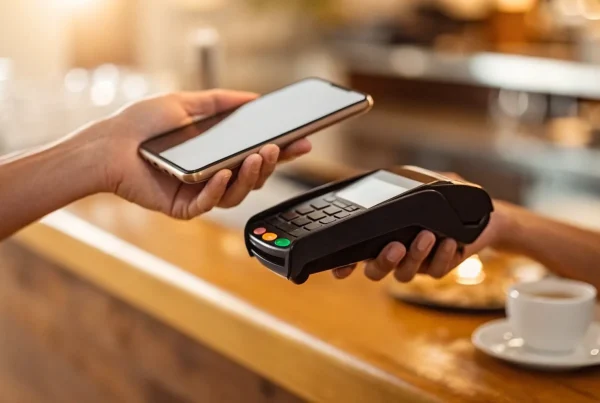
Think about the last time you paid for coffee. Did you tap your card or your phone? Customers now expect quick, seamless payment options, and mobile POS (mPOS) systems deliver just that. These systems allow you to take payments anywhere—tableside in a restaurant, on the floor of your retail shop, or even at a local market. Implementing a mobile point of sale system untethers your team from the counter, which can bust up long lines and create a much better customer experience. This trend also includes the rise of contactless payments, which are not only faster but also more secure for you and your customers.
Smarter Analytics with AI
Artificial intelligence (AI) might sound like something out of a sci-fi movie, but it’s becoming a practical tool for small businesses. In a POS system, AI works behind the scenes to help you make smarter decisions. It can analyze your sales data to predict which products will be popular next month, helping you manage inventory and avoid running out of stock. It can also identify your most loyal customers and suggest personalized promotions to keep them coming back. Retailers are using AI to analyze data in ways that were once only possible for huge corporations, giving them a competitive edge.
Omnichannel Selling
Omnichannel is all about creating a unified experience for your customers, no matter where they shop. Whether they’re browsing your website, scrolling through your social media, or walking into your physical store, the experience should feel connected. A modern POS system is the key to making this happen. It syncs your inventory between your online and brick-and-mortar stores, so you never sell an item you don’t have. It also enables popular features like “buy online, pick up in-store.” The entire Point of Sale market is moving toward solutions that seamlessly blend the digital and physical shopping worlds.
How to Choose the Best POS System
With so many options on the market, finding the right point of sale system can feel overwhelming. The key is to remember that you’re not looking for the “best” system overall—you’re looking for the best system for your specific business. A bustling coffee shop has very different needs than a boutique clothing store or an online-only retailer.
Instead of getting lost in feature comparisons, start with a clear picture of what you need your POS to do. Think of it as the central hub for your operations; it should simplify your daily tasks, not complicate them. By focusing on your unique requirements, you can cut through the noise and find a solution that truly supports your business. The following steps will walk you through how to define those needs and make a confident choice that sets you up for success now and in the future.
Define Your Business Needs
Before you even look at a single POS provider, take a moment to map out your daily operations. What does your sales process look like from start to finish? Consider your sales volume, customer expectations, and the specific features that would make your life easier. Are you a retail store that needs robust inventory tracking with variants for size and color? Or a restaurant that requires table management and the ability to split checks? Make a list of your must-haves versus your nice-to-haves. This initial step is the most important one, as it creates the scorecard you’ll use to evaluate your options and ensures you don’t overpay for features you’ll never use.
Check for Key Integrations
Your POS system doesn’t operate in a vacuum. It needs to communicate with the other tools you rely on, from your accounting software to your e-commerce platform. A POS system should function as the central hub for your business, not an isolated tool. Make a list of the software you currently use, like QuickBooks for accounting, Mailchimp for marketing, or Shopify for online sales. When evaluating POS systems, check if they offer seamless, pre-built integrations for these programs. A smooth POS integration saves you countless hours of manual data entry and prevents costly errors, ensuring all parts of your business work together efficiently.
Plan for Future Growth
The POS system you choose today should be able to grow with you tomorrow. Think about your business goals for the next three to five years. Do you plan on opening a second location, launching an online store, or adding a loyalty program? A scalable POS system will make these transitions much smoother. Look for providers that offer tiered plans or add-on modules that allow you to expand your capabilities as your business expands. Choosing a system that can accommodate your future plans prevents the massive headache and expense of having to switch providers just as your business is gaining momentum.
Test Drive Before You Buy
You wouldn’t buy a car without taking it for a spin, and the same logic applies to your POS system. Once you’ve narrowed your list down to two or three top contenders, schedule a demo for each one. Don’t just watch a sales presentation; ask for a hands-on trial or a guided walkthrough where you can perform common tasks. As the U.S. Chamber of Commerce suggests, you should test drive different POS systems before you buy one. Try processing a sale, issuing a refund, adding a new product to your inventory, and pulling a sales report. If you have employees, get them involved in the demo, too. Their feedback is invaluable, as they’ll be the ones using the system every single day.
Related Articles
- POS Systems for Restaurants: Everything You Need to Know
- What Features Should I Look For In a Restaurant POS System?
- How Modern Restaurant Point of Sale Systems Can Help Save You Money
- POS system Archives – MBNCARD, Inc.
- How Mobile POS Systems Are Transforming Business Operations
Frequently Asked Questions
I’m a very small business. Do I need a full POS system or just a simple credit card reader? That’s a great question, and it really comes down to your goals. A simple card reader is perfect for just accepting payments. But a POS system is designed to be the central hub of your business. It not only processes sales but also tracks your inventory in real-time, gives you valuable reports on what’s selling, and helps you build a customer list. Think of it as the difference between a flip phone and a smartphone—both make calls, but one helps you run your entire life more efficiently.
Can I use my own tablet or computer, or do I have to buy specific hardware? This often depends on the POS provider. Many modern, cloud-based systems are designed to be flexible and can run on devices you already own, like an iPad or another tablet. This can be a great way to keep your initial hardware costs down. However, some systems require proprietary hardware to ensure everything works together perfectly. When you’re exploring options, be sure to ask about hardware compatibility upfront so you know exactly what your investment will look like.
How does a program like dual pricing or a cash discount work with a POS system? A modern POS system makes implementing savings programs like dual pricing incredibly simple. The software is set up to automatically display two prices at checkout: a slightly higher card price and a lower cash price. When a customer pays with a card, the system processes the standard price. When they pay with cash, it applies the discount instantly. This is all handled seamlessly by the software, eliminating any manual calculations for your team and making it clear for the customer.
What’s the biggest mistake business owners make when choosing a POS system? The most common mistake is choosing a system based on price alone or picking a popular name without first defining their own needs. It’s easy to get distracted by a long list of features you may never use or to sign up for a “free” plan with high transaction fees that hurt your profits over time. The best approach is to first make a list of your absolute must-haves—like specific inventory tools or accounting integrations—and use that list to guide your search.
Is it difficult to switch from one POS system to another? Switching systems can feel like a huge project, but it doesn’t have to be a headache. The key is planning. A good POS provider will act as a partner, guiding you through the process of moving your data, like your customer list and product catalog. The most important part is setting aside dedicated time to train your team on the new software. A smooth transition is all about preparation and choosing a provider that offers strong support every step of the way.