If you’re still running your business with a simple cash register and a separate credit card machine, you know the daily frustrations. You spend hours manually reconciling sales, guessing at your inventory levels, and hoping you have enough stock of your best-selling items. A modern point of sale (POS) system is designed to solve these exact problems. It automates the tedious tasks that eat up your time, giving you a clear, real-time picture of your business’s health. Instead of reacting to problems, you can make proactive, data-driven decisions. For a clear point of sale example, think of a busy cafe that uses its system to track which pastries sell out by noon, helping the owner adjust baking schedules and reduce waste. This guide will show you how the right system can bring that same clarity and efficiency to your business.
Key Takeaways
- Automate Your Daily Operations: A modern POS system is your business’s command center, automatically tracking sales, managing inventory in real-time, and generating reports so you can spend less time on manual tasks and more time with customers.
- Choose a System Built for Your Future: Look beyond today’s needs and select a POS that matches your specific industry and can grow with you. Prioritize essential features like inventory management and reporting, and ensure it can integrate with other tools you rely on.
- Understand the True Cost of a System: A POS system’s price is more than just the hardware. To budget accurately, account for the three main costs: the one-time hardware purchase, the monthly software subscription, and the ongoing payment processing fees tied to your sales.
What is a Point of Sale (POS) System?
Think of a Point of Sale (POS) system as the central hub for your business. It’s much more than a modern cash register; it’s a powerful combination of physical equipment and smart software that work together to streamline your operations. In the past, you might have had a simple cash box, a separate credit card terminal, and a paper ledger for inventory. A POS system brings all of those functions—and many more—into one cohesive unit, creating a single source of truth for your sales, inventory, and customer data.
From the moment a customer decides to buy something to the sales reports you review at the end of the month, your POS system is the tool that makes it all happen. It’s designed to help you process transactions securely, manage your daily tasks, and get the insights you need to grow. Whether you run a bustling cafe, a local boutique, or a service-based business, the right POS system acts as your trusted partner. It handles the complex details of payment processing, inventory management, and sales tracking, freeing you up to focus on what you do best: serving your customers and building your brand.
The Hardware: What You Can Touch
Let’s start with the physical components you can see and touch. This is the hardware, and it forms the frontline of your checkout process. A typical setup includes a touchscreen or monitor to ring up sales, a barcode scanner to add items quickly, a credit card reader to accept payments, a cash drawer, and a receipt printer. These are the essential pieces of equipment that make each transaction smooth and professional. Depending on your business type, you might also have other hardware like a scale for weighted items or a customer-facing display.
The Software: What Makes It Smart
If the hardware is the body, the software is the brain. This is the intelligent part of the system that works behind the scenes to manage your business. The software processes every transaction, but its real value comes from what it does with that data. It can track your inventory in real-time, telling you what’s in stock and when it’s time to reorder. It also organizes your sales information into easy-to-read reports, showing you which products are popular and what your busiest hours are. This is the information that helps you make smarter decisions and run your business more effectively.
Breaking Down the Parts of a POS System
Think of a point of sale system as your business’s central command center. It’s a powerful combination of physical hardware—the gear you can see and touch—and smart software that runs behind the scenes. Together, they handle everything from ringing up a sale to tracking your inventory and managing customer information. While every business has unique needs, most POS systems are built from a few core components that work in harmony.
The hardware is the face of your operation. It’s what your team uses to interact with customers and what your customers use to pay. This includes the main terminal, scanners for your products, printers for receipts, and the devices that accept payments. The software is the brain, processing every transaction, updating your stock levels in real-time, and giving you the data you need to make informed decisions. Let’s look at each of these physical parts to see what role they play.
Terminals and Registers
The terminal is the heart of your POS system. In modern setups, this is usually a touchscreen monitor, a tablet like an iPad, or a dedicated computer. It’s where your employees will ring up items, apply discounts, and finalize sales. This isn’t your grandparents’ clunky cash register; it’s a sophisticated device that runs your POS software.
This central hub is where all the action happens. Your team uses it to look up products, manage orders, and process different types of payments. It’s the primary interface for all your daily operations, connecting every other piece of hardware and making sure your sales data is captured accurately. A good terminal is intuitive and fast, keeping lines short and customers happy.
Scanners and Printers
Barcode scanners and receipt printers are the workhorses of any retail or restaurant checkout counter. A barcode scanner makes the checkout process incredibly fast and accurate. Instead of manually typing in product codes or prices, a quick scan instantly pulls up all the item’s information in your system. This simple tool drastically reduces human error and keeps your inventory counts precise.
Once the sale is complete, a receipt printer provides the customer with a record of their transaction. While many modern systems now offer the option to send digital receipts via email or text, physical receipts are still essential for many businesses. Offering both options is a great way to cater to customer preferences and can even help you build your email list for marketing.
Cash Drawers and Card Readers
A secure cash drawer is a must-have for any business that accepts cash. This component connects directly to your POS terminal and is programmed to open only when a cash transaction is processed or when a manager uses a key. It keeps your money organized and safe, helping you easily balance the drawer at the end of the day and reducing the risk of theft.
The credit card reader is arguably one of the most critical pieces of your POS hardware. To meet customer expectations, you need a reader that can handle all modern payment types: traditional magnetic swipes, EMV chip cards, and contactless payments like Apple Pay. A reliable and secure credit card reader protects your customers’ sensitive data and shields your business from fraud liability.
Mobile and Handheld Devices
Modern POS systems are no longer tied to the checkout counter. Mobile and handheld devices, like tablets and smartphones, give you the freedom to do business anywhere. This technology, often called mPOS (mobile point of sale), is perfect for businesses on the go, such as food trucks, pop-up shops, or service providers who visit clients at their homes.
In a restaurant, servers can use tablets to take orders and payments right at the table, which speeds up service and improves order accuracy. Retail associates can use handheld devices to check inventory or process a sale for a customer anywhere on the sales floor. This flexibility helps you create a smoother, more personal customer experience and allows you to take payments wherever your customers are.
How Does a POS System Actually Work?
Think of a Point of Sale (POS) system as the command center for your business. It’s far more than a modern cash register; it’s a powerful combination of hardware (the physical equipment you can touch) and software (the intelligent programs that run on it). Together, they handle the entire transaction process from the moment a customer decides to buy something to the moment the sale is reflected in your bank account and inventory records.
At its core, a POS system is designed to make running your business easier. The hardware—like a touchscreen terminal, barcode scanner, and card reader—gives you the tools to interact with customers and products. The software is the brain behind the operation, processing sales, managing your stock levels, tracking customer information, and generating insightful reports. This seamless integration of tools is what allows you to manage sales, payments, and inventory all in one place, giving you a clear, real-time picture of your business’s health. It simplifies daily tasks so you can focus less on manual data entry and more on growing your company.
A Transaction from Start to Finish
Let’s walk through a typical sale. A customer comes to your counter with an item they want to buy. You use a barcode scanner to quickly add the product to the transaction. The POS software instantly pulls up the item’s price and description from your product database and calculates the subtotal, including any applicable sales tax.
The customer then decides how to pay. Whether they choose to use a credit card, a mobile wallet, or cash, the system is ready. Once the payment is complete, the POS finalizes the sale, updates your inventory count, and generates a receipt. You can offer your customer a traditional printed copy or a more modern, eco-friendly digital receipt sent via email or text. It’s a smooth, fast, and professional experience from start to finish.
How Payments Get Processed
When a customer pays with a credit or debit card, your POS system springs into action behind the scenes. The card reader captures the customer’s payment information and securely sends it through the internet to a payment processor. This processor acts as the middleman, communicating with the customer’s bank to verify that they have sufficient funds for the purchase.
This entire authorization process happens in just a few seconds. Once the transaction is approved, the system confirms the sale, and the funds are scheduled to be deposited into your business bank account. This is why having reliable merchant services is so critical—it ensures every card payment is handled securely, accurately, and quickly, so you get paid without any delays.
How It Tracks Your Inventory Instantly
One of the most powerful features of a modern POS system is its ability to manage your inventory in real time. The moment a product is scanned and sold, the software automatically deducts that item from your stock count. If a customer returns an item, the system adds it right back in. This means you always have an accurate, up-to-the-minute view of what you have on hand.
This instant tracking helps you avoid two major headaches: running out of a popular item or having too much cash tied up in products that aren’t selling. With accurate data, you can set up low-stock alerts, identify your bestsellers, and make smarter purchasing decisions. Effective inventory management is key to a healthy cash flow, and your POS system is the tool that makes it happen automatically.
Who Uses a POS System? Examples by Industry
Point of sale systems are incredibly versatile, but they aren’t a one-size-fits-all solution. The best POS systems are designed with specific industries in mind, offering features that solve the unique challenges of that business type. From a bustling cafe to a quiet doctor’s office, the right system can completely transform daily operations. Let’s look at how different businesses put their POS systems to work.
For Retail Shops and Boutiques
In a retail environment, the checkout counter is the heart of the operation. POS systems for shops and boutiques are built for speed and accuracy, using barcode scanners to ring up items quickly and payment terminals to process transactions smoothly. But their real power lies in inventory management. Every time you sell a sweater or a candle, the system automatically updates your stock levels. This helps you know exactly what you have on hand, what’s selling well, and when it’s time to reorder. It’s the kind of real-time data that helps you make smarter buying decisions and keep your customers happy.
For Restaurants and Cafes
For restaurants and cafes, efficiency is everything. Modern restaurant POS systems often include mobile devices that let servers take orders right at the table. As soon as an order is entered, it’s sent directly to the kitchen or bar, which reduces errors and gets food out faster. These systems are also designed to handle industry-specific needs like splitting checks between guests, managing tips for staff, and tracking table turnover. Plus, by analyzing sales data, you can easily see which menu items are your bestsellers and which ones might need a little rethinking, helping you optimize your menu for profitability.
For Hotels and Hospitality
In the hospitality world, a great guest experience is paramount. Hotels use integrated POS systems to manage transactions across their entire property—from the front desk to the restaurant, spa, or gift shop. A guest can charge a meal or a service directly to their room, creating a seamless billing process. Staff can use handheld devices to take poolside drink orders that are instantly sent to the bar. These systems also handle more complex tasks like managing table reservations at the hotel restaurant, applying special discounts, and splitting bills for large groups, ensuring every interaction is smooth and professional.
For Healthcare Practices
You might not think of a doctor’s office as a typical POS user, but these systems play a vital role in healthcare settings. A medical POS helps automate patient billing for appointments, treatments, and prescriptions, which significantly cuts down on manual entry and potential errors. Beyond payments, these systems are crucial for managing inventory. They track medical supplies, equipment, and pharmaceuticals, ensuring that essential items are always in stock when needed. This helps the practice run more efficiently and ensures that providers have the tools they need to give the best patient care.
For Salons and Service Businesses
Service-based businesses like salons, spas, and auto shops rely on POS systems to manage much more than just payments. These platforms are often built around a robust appointment calendar, allowing you to schedule clients, assign staff, and track service histories. When a client checks out, the system securely processes their payment and can even prompt them to book their next visit. By collecting customer information, you can build detailed client profiles, note their preferences, and send personalized marketing messages. It turns a simple transaction into an opportunity to build lasting customer relationships.
How Today’s POS Systems Take Payments
A modern point of sale system is your command center for every transaction, no matter how your customers want to pay. Gone are the days of clunky, cash-only registers that just held money. Today’s systems are built for flexibility, giving you the power to accept a wide range of payment types securely and efficiently. This not only makes checkout smoother for your customers but also simplifies your end-of-day accounting and gives you valuable sales data.
Think of it as the heart of your sales operation. Whether a customer pulls out a credit card, taps their phone, or hands you cash, your POS system is ready to handle it. This adaptability is crucial for meeting modern customer expectations and keeping your lines moving, especially during peak hours. A system that can seamlessly switch between payment types reduces friction at checkout, which leads to happier customers who are more likely to return. It also ensures you never have to turn away a sale because you can’t accept a customer’s preferred payment method. Let’s look at the specific ways these systems manage the different payment methods you’ll encounter every day.
Accepting Credit and Debit Cards
At its core, a POS system is designed to make card transactions seamless. When you scan an item, the system instantly knows the price, including any taxes or discounts. Your customer can then swipe, dip, or tap their credit or debit card, and the system securely communicates with your payment processor to authorize the transaction. This all happens in a matter of seconds. It eliminates the potential for human error in calculating totals and ensures every sale is recorded accurately, giving you a clear picture of your revenue without the manual reconciliation headaches.
Taking Mobile and Digital Wallet Payments
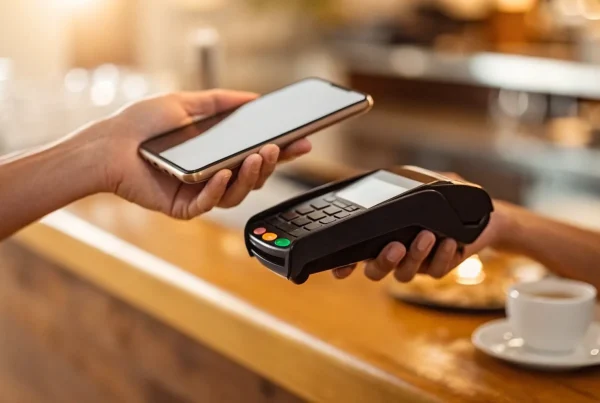
More and more customers are leaving their physical wallets at home and paying with their smartphones. Modern POS systems are equipped to handle these mobile and digital wallet payments, like Apple Pay, Google Pay, and Samsung Pay. Using Near Field Communication (NFC) technology, a customer can simply hold their phone near the card reader to complete the purchase. This method is not only fast and convenient but also incredibly secure, as it uses tokenization to protect card information. Offering this option shows your customers that you’re keeping up with technology and value their convenience.
Handling Cash and Splitting Bills
Even with the rise of digital payments, cash is still a reality for many businesses. A great POS system manages cash transactions just as smoothly as card payments. It calculates the correct change and opens the cash drawer automatically, speeding up the process and reducing the risk of errors. For restaurants or service businesses, the ability to split bills is a game-changer. Your POS software can easily divide a single check among multiple customers, allowing them to pay individually with cash or cards. This feature saves your staff time and makes group outings much more pleasant for your patrons.
Offering Tap-to-Pay and Contactless Options
Contactless payments have quickly become a customer favorite for their speed and security. Modern POS systems come with card readers that support tap-to-pay for both physical cards and mobile wallets. Instead of swiping or inserting a card, customers can just tap it on the reader to pay. This simple action significantly cuts down on transaction time, which is a huge plus during busy periods. It also provides a touch-free option, giving health-conscious customers peace of mind. By offering contactless payments, you create a faster, safer, and more modern checkout experience for everyone.
Why Your Business Needs a POS System
If you think of a point of sale system as just a modern cash register, it’s time to look a little closer. A great POS system is the central hub of your entire business, connecting your sales, inventory, customer data, and reporting in one place. It’s the difference between reacting to your business day by day and proactively making smart decisions that help you grow. Upgrading your system isn’t just about getting new hardware; it’s about giving yourself the tools to run a more efficient, profitable, and customer-friendly business.
Run Your Business More Efficiently
Think of all the small tasks that eat up your day. A POS system automates many of them, freeing you and your team to focus on what really matters: your customers. It streamlines the checkout process, making transactions faster and smoother for everyone. Instead of manually tracking sales at the end of the day, the system does it for you instantly. This level of organization brings a sense of calm and control to your operations. When everything runs like a well-oiled machine, you reduce daily stress and create a more professional environment that both employees and customers appreciate.
Get a Handle on Your Inventory
Few things are more frustrating than running out of a best-selling product or realizing you have cash tied up in items that just aren’t moving. A POS system with strong inventory management features solves this. It tracks your stock in real-time, so every time you make a sale, your inventory counts are automatically updated. You can set up low-stock alerts to know exactly when to reorder, preventing stockouts and lost sales. It also shows you which products are your top performers and which are lagging, so you can make smarter purchasing decisions and optimize your product lineup.
Create a Better Customer Experience
A smooth and speedy checkout is a huge part of a positive customer experience. Long lines and payment issues can sour an otherwise great visit to your store. A modern POS system speeds up transactions with features like barcode scanning and contactless payments. Beyond the checkout counter, many systems allow you to build customer profiles. You can track purchase history to offer personalized recommendations or create a loyalty program that rewards repeat customers. These thoughtful touches make people feel valued and give them a compelling reason to come back again and again.
Understand Your Sales with Better Reporting
Are you making decisions based on gut feelings or hard data? A POS system gives you the data you need to act with confidence. It generates detailed reports that show you sales trends, peak business hours, and your most popular products. You can see which days of the week are busiest, helping you create more effective staff schedules. This insight is invaluable for planning promotions, managing your cash flow, and identifying opportunities for growth. Instead of guessing what works, you’ll have clear, actionable information right at your fingertips.
Save Money and Reduce Costly Errors
Manual processes are prone to human error, whether it’s keying in the wrong price or giving incorrect change. These small mistakes add up over time and eat into your profits. A POS system automates calculations, reducing errors and ensuring every transaction is accurate. The efficiency it brings also saves money on labor costs, as your team can serve more customers in less time. By choosing a system with transparent payment processing, you can also avoid hidden fees and keep more of your hard-earned revenue. It’s an investment that quickly pays for itself.
How to Choose the Right POS System
Picking a point of sale system can feel like a huge decision, and it is! This system will be the command center for your daily operations, so you want to get it right. The good news is that finding the perfect fit isn’t about finding the most expensive or complex option. It’s about understanding your specific needs and finding a system that meets you where you are—and can grow with you. Let’s walk through the four key areas you need to consider to make a smart choice.
Must-Have Features and Functions
Before you get wowed by flashy features, make sure any system you’re considering has the fundamentals down cold. Modern POS systems are designed to be more than just a cash register; they’re your partner in running the business. At a minimum, look for a system that helps you manage sales, keep an accurate count of your inventory, and track employee hours and permissions. Strong reporting is also non-negotiable. You need to be able to easily see your sales data, understand what’s selling, and identify your busiest hours. These core functions are the foundation for a smoother, more organized business.
Will It Grow With Your Business?
The POS system that’s perfect for you today might not be the right one a year from now. Think about your future goals. Are you planning to open a second location, launch an online store, or start a customer loyalty program? The right POS system should be able to support that growth. A system that feels limiting now will only cause bigger headaches down the road. Look for a solution that is scalable, allowing you to add new features, terminals, or locations as your business expands. Choosing a flexible system from the start saves you from having to switch platforms later on.
Does It Connect to Your Other Tools?
Your POS system shouldn’t operate on an island. To run your business efficiently, it needs to communicate with the other software you rely on. Think about your accounting software, email marketing platform, or e-commerce site. A system with strong integration capabilities can save you countless hours of manual data entry and prevent costly errors. For example, connecting your POS to your marketing tools can allow you to create special promotions based on a customer’s purchase history, giving them a personalized experience that encourages them to come back. Make a list of the tools you already use and check for compatibility before you commit.
Key Security and Compliance Checks
Protecting your customers’ payment information is one of your most important responsibilities as a business owner. This is where security and compliance become critical. Your POS system must be equipped with features like end-to-end encryption to keep sensitive data safe from the moment a card is swiped or tapped. It also needs to be PCI compliant, which is the industry standard for securing credit card transactions. Don’t be shy about asking potential providers about their security protocols. A trustworthy partner will be transparent about how they protect you and your customers from fraud.
Cloud-Based vs. Traditional POS Systems
When you’re choosing a POS system, one of the biggest decisions you’ll make is whether to go with a traditional, on-premise system or a modern, cloud-based one. Think of it like the difference between buying a CD and streaming music on Spotify. A traditional system is a one-time purchase that lives in your store, while a cloud-based system is a service you subscribe to that you can access from anywhere. Each has its own set of pros and cons, and the right choice really depends on how you run your business. Let’s break down the key differences so you can figure out which one fits your needs.
On-Site vs. Anywhere Access
The most significant difference between the two is where your data lives. A traditional POS system stores all your information on a local server, right there in your business. This means you have to be physically present to access your sales reports or manage inventory.
On the other hand, a cloud-based POS system stores your data online. This gives you the freedom to run your business from anywhere with an internet connection. You can check in on sales from your phone while on vacation or manage inventory for multiple locations from a single laptop. This flexibility is a game-changer for owners who aren’t always tied to the checkout counter and need remote business management capabilities.
How the Costs Compare
Your budget will play a big role in this decision. Traditional POS systems typically come with a hefty upfront cost. You’re buying all the hardware and a software license, which can run from several hundred to a few thousand dollars. It’s a major capital expense.
Cloud-based systems flip that model. The initial hardware costs are often much lower—sometimes you can even use an iPad. Instead of a large one-time fee, you’ll pay a monthly subscription. This fee can range from around $30 to several hundred dollars per month, depending on the features you need. This turns your POS system into a predictable operating expense, which can be much easier on your cash flow when you’re starting out.
Data Security and Backup Differences
With a traditional system, you are solely responsible for data security and backups. If your server crashes and you haven’t been backing it up, you could lose all your sales history and customer information in an instant. You also have to handle your own security updates to protect against potential threats.
Cloud-based POS providers take this responsibility off your plate. They use advanced security measures and automatically back up your data to secure servers. This means your information is protected from hardware failure or theft. While you do need a reliable internet connection to process payments, top providers have robust data protection protocols in place, giving you one less thing to worry about.
What to Expect for Upkeep and Maintenance
Keeping your system current is another key consideration. With a traditional POS, you’re in charge of installing software updates and security patches. If you want new features, you might have to pay for a full system upgrade, which can be both costly and disruptive.
Cloud-based systems handle all of this for you. Software updates happen automatically in the background, so you always have the latest features and security protections without lifting a finger. This means less downtime and no surprise maintenance costs. You can focus on running your business, knowing your POS is always up-to-date with the latest technology.
How Much Does a POS System Cost?
Figuring out the cost of a POS system can feel a bit like solving a puzzle, but it’s much simpler when you know which pieces to look for. The total price isn’t just one number; it’s a combination of hardware, software, and payment processing fees. Some of these are one-time costs, while others are ongoing monthly expenses. Understanding how these three parts work together will help you find a solution that fits your budget without any surprise expenses down the road. Let’s break down what you can expect to pay for each component so you can make a confident and informed decision for your business.
The Upfront Cost of Hardware
First up is the hardware—the physical equipment you’ll use every day at your counter. This is typically a one-time, upfront cost. For a simple setup, like a tablet and a card reader, you might spend a few hundred dollars. If you need a more complete system for your retail store or restaurant, you’ll be looking at a main terminal, a cash drawer, a receipt printer, and maybe a customer-facing display. A full setup like this can cost around $1,000 or more, depending on the quality and number of devices you need. Think of this as the foundation of your checkout experience; it’s a key investment in how your business operates.
Understanding Software and Subscription Fees
Next is the software, which is the brain of your POS system. This is usually a recurring monthly subscription fee that gives you access to all the features that make your system smart. The cost can range widely, from about $30 a month for a basic plan to several hundred for advanced systems with specialized features. For most small businesses, a solid software package that handles sales, inventory, and customer data will likely fall in the $40 to $100 per month range. This fee ensures your software stays up-to-date and gives you access to the tools that help you run your business smoothly and make smarter decisions.
Breaking Down Payment Processing Costs
This is the part of the cost that can vary the most, as it’s tied directly to your sales volume. Every time you accept a credit or debit card, a small percentage of that transaction goes to the payment processor. A common rate structure is around 2.6% of the sale amount plus a flat 10 cents per transaction. While it might seem small, these fees can add up to be your biggest ongoing POS-related expense. It’s also where programs like a cash discount program can make a huge difference by helping you legally and transparently offset these costs.
Watch Out for These Hidden Fees
Finally, it’s crucial to read the fine print before committing to any POS provider. Some companies try to lock you into long-term contracts that can last for several years and come with hefty early termination fees. Always ask about the contract length and look for partners who offer flexible, month-to-month agreements. The best merchant services providers are transparent about all potential fees, so you know exactly what you’re paying for from day one. A clear, straightforward agreement is a sign you’re working with a company that values your business and wants to build a long-term relationship.
How to Get Started with Your First POS System
Jumping into a new point of sale system can feel like a big step, but it doesn’t have to be overwhelming. Think of it as giving your business a major upgrade that will make your day-to-day operations smoother for you, your team, and your customers. By breaking the process down into a few clear, manageable steps, you can confidently choose and implement a system that fits your business perfectly. It all starts with understanding what you truly need and ends with seeing a real return on your investment. Let’s walk through how to get from point A to point B without the headache.
Figure Out What Your Business Needs
Before you even look at specific brands, take a moment to map out your daily operations. What are your biggest pain points right now? Are you in retail and need robust inventory tracking? Or do you run a restaurant that needs to manage tables and split checks? Different POS systems have special features for different industries. Make a list of your must-haves, like flexible payment options, customer relationship management (CRM) to track loyalty, or detailed sales reporting. Knowing exactly what you need will help you cut through the noise and focus only on the systems that will actually help your business thrive.
Plan Your Setup and Installation
A POS system is made up of two key parts: the hardware (the physical equipment you can touch) and the software (the program that runs everything). The hardware includes components like the main terminal, a cash drawer, a receipt printer, and a card reader. Think about your counter space and workflow. Where will the terminal live? Do you need mobile devices for staff to take orders or payments around your store? Once you have a plan for the physical setup, you can ensure the POS software you choose is compatible and has all the digital tools you identified in the previous step.
Get Your Team Ready to Go
A new system is only as good as the people using it. While most modern POS systems are designed to be intuitive, a little training goes a long way in ensuring a smooth transition. Schedule some time to walk your employees through the new system before it goes live. Focus on the most common tasks they’ll be doing, like processing a sale, handling a return, or looking up inventory. It’s also helpful to create a simple cheat sheet they can reference during busy moments. When your team feels confident, they can provide a faster, better experience for your customers.
How to Measure Your Return on Investment
Choosing the right POS system is an investment that should pay for itself over time. To see if it’s working for you, you’ll want to track your return on investment (ROI). This goes beyond just the initial cost of the hardware. Keep an eye on your total payment processing fees to see if you’re saving money on transactions. A great POS can also save you money by reducing costly inventory errors and saving hours of administrative time. By tracking these savings, you can clearly see the financial impact the new system has on your bottom line.
Related Articles
- POS Systems for Restaurants: Everything You Need to Know
- POS system Archives – MBNCARD, Inc.
- POS systems Archives – MBNCARD, Inc.
- What Features Should I Look For In a Restaurant POS System?
Frequently Asked Questions
Can I just use my own tablet or computer instead of buying special hardware? Yes, in many cases you absolutely can. Many modern, cloud-based POS systems are designed as flexible software that can run on devices you may already own, like an iPad or another tablet. The key is to ensure the software is compatible with your device. You will still need a few essential peripherals, like a secure card reader that connects to your tablet, but using your own hardware can be a great way to lower your initial setup costs.
What happens if my internet connection goes out? Can I still take payments? This is a great question and a valid concern for any business owner. Many top-tier cloud-based POS systems are built with an offline mode for exactly this situation. When your internet drops, the system can securely save transaction information on your device. Once your connection is restored, it automatically syncs all of those saved sales and processes the payments. It’s a crucial feature that provides peace of mind and ensures you can keep your business running, even when your Wi-Fi isn’t cooperating.
All these systems talk about data and reporting. What information should I actually be paying attention to? It’s easy to get lost in the data, but you can get a lot of value by focusing on just a few key reports. Start by looking at your sales trends to identify your busiest days and times, which helps you create smarter staff schedules. Next, pay close attention to your product reports to see what’s selling best and what isn’t moving. This information is gold for managing your inventory and making sure your cash isn’t tied up in slow-moving stock. These two reports alone can help you make more strategic decisions every week.
Is a cloud-based system really secure enough for my customers’ payment information? It’s smart to be cautious about security, and reputable POS providers take it very seriously. In fact, their security measures are often far more advanced than what a small business could manage on its own. These companies invest heavily in things like end-to-end encryption and secure, monitored servers to protect your data. When choosing a provider, just make sure they are PCI compliant, as this is the industry standard for handling card information safely.
How can a POS system help me save money beyond just making checkout faster? While a speedy checkout is a great benefit, the real savings often come from behind the scenes. A strong POS system with real-time inventory tracking helps you avoid running out of popular items, which prevents lost sales. It also shows you what isn’t selling, so you can stop wasting money on products that don’t perform. Furthermore, by automating calculations for sales tax and totals, it drastically reduces the costly human errors that can eat away at your profits over time.