As a business owner, you know that every dollar counts. So, watching your hard-earned revenue get eaten up by credit card processing fees can be frustrating. While accepting cards is a must, the costs can feel overwhelming. A wireless credit card reader is more than just a convenient piece of hardware; it can be part of a smart financial strategy. When paired with programs like dual pricing or cash discounts, it gives you a way to significantly lower your processing expenses. We’ll break down the true costs involved and show you how to choose a solution that protects your bottom line.
Key Takeaways
- Choose a reader that fits how you sell: Your business model is the best guide for selecting the right device, whether you need a portable reader for sales on the move or a wireless terminal to serve customers anywhere in your store.
- Prioritize features that support your workflow: Look for reliable connectivity, long battery life, and easy POS integration to keep operations running smoothly. Essential security, including encryption and PCI compliance, is non-negotiable for protecting customer data.
- Understand the total cost of ownership: Look beyond the hardware price to account for transaction fees and any monthly software costs. You can manage these expenses effectively with programs like cash discounts, which help reduce your overall processing fees.
What Is a Wireless Credit Card Reader?
Think of a wireless credit card reader as your key to payment freedom. It’s a portable device that lets you accept credit and debit card payments from anywhere, whether you’re at a customer’s table, on the floor of your retail shop, or at a weekend market. Instead of being tethered to a traditional countertop register, you can bring the checkout process directly to your customer, making for a smoother, faster, and more personal experience.
These devices, also called portable credit card machines, are designed for modern business. They are often compact, lightweight, and built to handle the hustle and bustle of a busy day. For businesses on the move, like food trucks, craft fair vendors, or in-home service providers, they are an absolute game-changer. But even if you have a brick-and-mortar store, a wireless reader can help you bust lines during peak hours or offer a more convenient tableside payment option. By untethering your payment processing, you open up new opportunities to make sales and improve customer satisfaction wherever your business takes you.
How Do They Work?
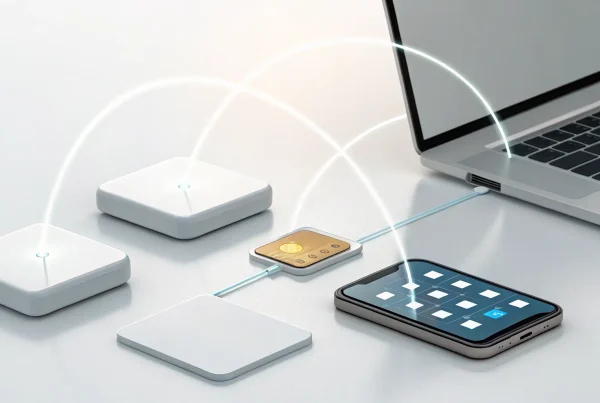
You don’t need to be a tech wizard to understand how these readers operate. Most wireless terminals work by connecting to the internet to securely process a transaction. Many use Bluetooth to pair with a base station or a mobile device like a smartphone or tablet. This connection is surprisingly robust, often allowing you to process payments up to 328 feet away from your router or paired device. This means you can easily move around a large café, a spacious retail floor, or an outdoor patio without losing your connection. The entire process is designed for speed, sending transaction information over the internet and getting an approval back in just a few seconds.
Connectivity Options: Bluetooth, Wi-Fi, and Cellular
Wireless readers offer a few different ways to connect, so you can choose the one that best fits your business operations. The most common options are Bluetooth, Wi-Fi, and cellular. Bluetooth readers are perfect for pairing with a phone or tablet for a mobile setup. Wi-Fi readers connect directly to your store’s wireless network, making them a great choice for businesses like restaurants or salons that need mobility within a fixed location. For ultimate portability, some readers come with built-in cellular connectivity. These devices have their own SIM card and can process payments anywhere you have a mobile data signal, making them ideal for vendors at festivals, trade shows, or farmers markets.
Payments You Can Accept: Chip, Swipe, and Contactless
Today’s wireless readers are incredibly versatile and ready to accept nearly any payment method your customers prefer. You can securely process chip cards (EMV), which are the standard for preventing fraud. Most readers also have a magnetic stripe reader for older cards as a backup. The real star of the show, however, is contactless payment technology. With a simple tap of a card or a smartphone, customers can pay using NFC technology through services like Apple Pay and Google Pay. This flexibility ensures you never miss a sale because you can’t accept a customer’s preferred payment type, from major credit cards like Visa and Mastercard to popular digital wallets.
What Are Your Options for Wireless Readers?
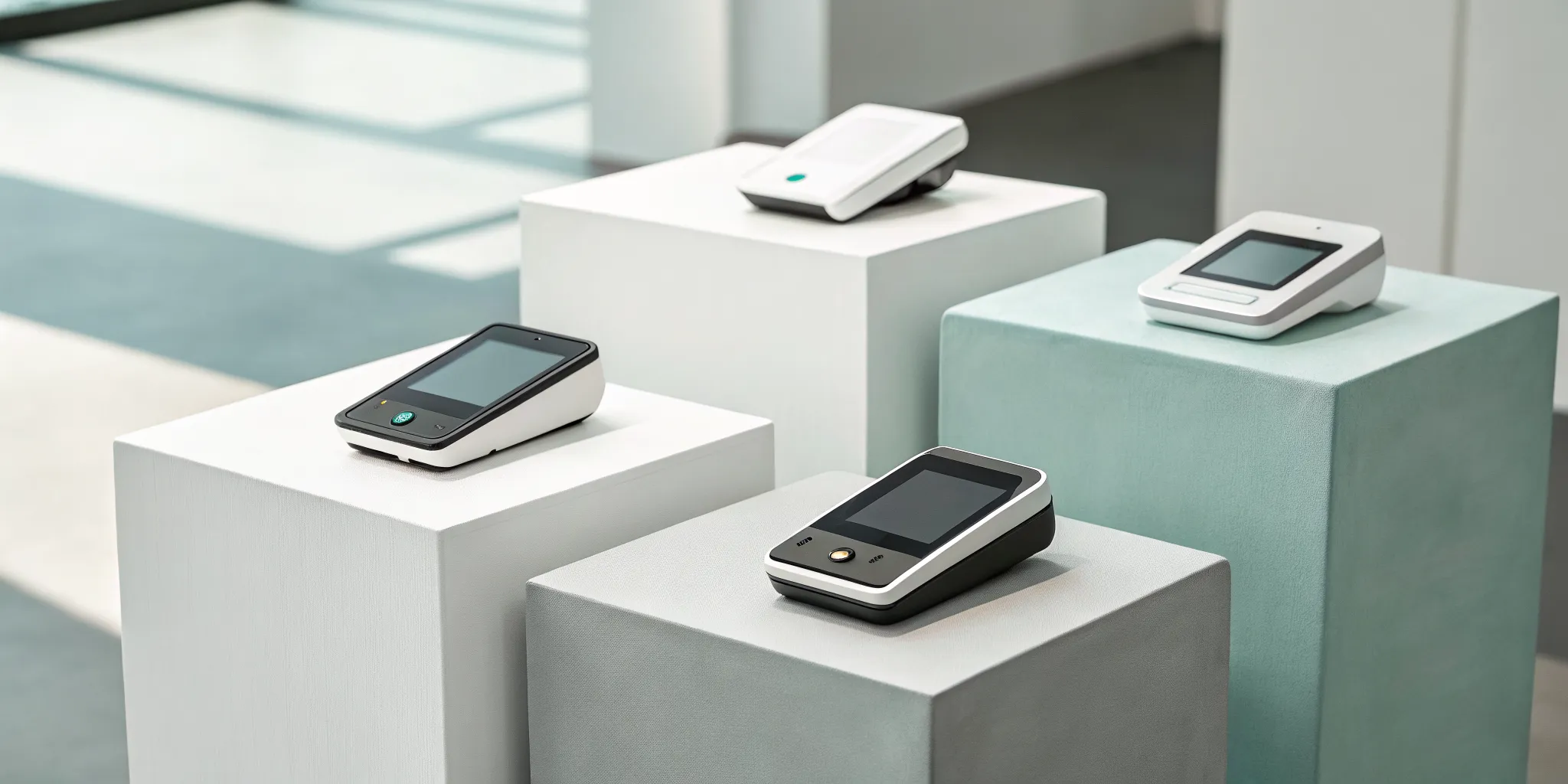
Choosing a wireless reader isn’t a one-size-fits-all decision. The right device for you depends entirely on how you run your business. Do you need to take payments on the go, move around your shop, or do you want a powerful, all-in-one system? Let’s look at the three main types of wireless readers to help you find your perfect match.
Mobile Card Readers for On-the-Go Sales
If your business is always on the move, a mobile card reader is your best friend. Think of food trucks, craft fair vendors, or mobile service providers like plumbers and stylists. These compact devices are designed for ultimate portability. They typically connect via Bluetooth to your smartphone or tablet, turning the device you already own into a complete mobile POS system. This setup lets you accept credit cards anywhere you have a cell signal or Wi-Fi connection. Most modern mobile readers are also equipped to handle contactless payments, making transactions quick and easy for your customers.
Wireless Countertop Terminals
A wireless countertop terminal offers the best of both worlds: the sturdiness of a traditional terminal with the freedom to move around your store. Unlike old-school machines tethered to a phone line, these connect via Wi-Fi or a cellular network. This is a game-changer for restaurants wanting to offer pay-at-the-table service or retailers looking to “line bust” by checking customers out anywhere on the sales floor. You get the reliability and speed of a dedicated credit card terminal without being stuck in one spot, creating a smoother experience for everyone.
All-in-One Wireless POS Systems
For the business owner who wants maximum power in a single device, an all-in-one wireless POS system is the way to go. These smart terminals are completely self-sufficient. They don’t need to be paired with a phone or tablet because the point-of-sale software is built right in. With their own Wi-Fi and cellular connectivity, they are always ready to make a sale. Beyond just taking payments, these devices can help you manage your inventory, track sales data, and run your entire business from the palm of your hand.
Key Features to Look For in a Wireless Reader
Choosing a wireless reader isn’t just about finding one that looks good on your counter. The right device can streamline your checkout, keep your data secure, and make your life easier. As you compare your options, keep an eye out for these five key features to make sure you’re getting a tool that will truly support your business.
Reliable Connectivity
Your wireless reader is only as good as its connection. A dropped signal during a transaction means a frustrated customer and a potential lost sale. Look for a reader with a strong, stable connection, whether it uses Bluetooth, Wi-Fi, or a cellular network. Many portable readers use Bluetooth to connect wirelessly to a base station or your smartphone, giving you the freedom to take payments anywhere in your store, at a table, or at an outdoor market. Before you commit, think about where you’ll be processing payments and choose a device with connectivity that matches your environment.
Fast Transactions and Long Battery Life
In business, speed matters. A slow transaction process can lead to long lines and unhappy customers. Your wireless reader should process chip, swipe, and contactless payments in just a few seconds. Equally important is battery life. You don’t want your reader dying in the middle of a weekend rush or during an off-site event. Check the specs for how many transactions a reader can handle on a single charge. Some modern readers can process over 500 transactions before needing to be plugged in, giving you peace of mind through your busiest days.
Compatibility with Your Devices and Software
Don’t assume a new card reader will automatically work with your existing setup. Before you buy, confirm that the reader is compatible with the devices you already use, whether it’s an iOS or Android smartphone, a tablet, or a specific computer. Some readers plug directly into a device’s charging port, while others connect via Bluetooth. It’s crucial to check the manufacturer’s specifications to ensure the hardware and its required app will function smoothly with your current technology. This simple check can save you from a major headache down the road.
Seamless POS Integration
A great wireless reader does more than just accept payments; it works in harmony with your point-of-sale (POS) system. This integration is what allows every transaction to automatically update your inventory, track sales data, and manage customer information in one central place. Without it, you’re stuck manually entering sales and reconciling data, which costs you time and invites errors. Look for a reader that offers seamless integration with robust POS systems, turning your payment device into a powerful hub for managing your entire business.
Essential Security: Encryption, Tokenization, and PCI Compliance
Protecting your customers’ payment information is non-negotiable. Any wireless reader you consider must come with top-tier security features built-in. This includes end-to-end encryption, which scrambles card data the moment it’s captured, making it unreadable to fraudsters. Another key feature is tokenization, which replaces sensitive card details with a unique, non-sensitive token. Finally, ensure your provider is fully PCI compliant, meaning they adhere to the industry’s strict data security standards. This protects your customers and safeguards your business from liability.
The Pros and Cons of Going Wireless
Deciding to cut the cord on your payment terminal is a big step. While wireless readers offer incredible freedom, they also come with their own set of considerations. Let’s walk through the main advantages and potential drawbacks so you can decide if going wireless is the right move for your business.
The Upsides: More Flexibility and Sales
Going wireless means you’re no longer tied to a checkout counter. You can take payments anywhere your customers are, whether that’s at their table in your restaurant, in the aisle of your retail store, or at a weekend market. This flexibility is a game-changer for improving customer convenience and service. When you make it easy for people to pay, they’re more likely to buy. Plus, accepting modern payments like contactless and mobile wallets shows your business is current, which helps build trust. It’s a simple switch that can make a big difference in your daily operations and your bottom line.
The Downsides: Connectivity and Costs
The biggest potential hiccup with wireless readers is connectivity. Most devices connect via Bluetooth or Wi-Fi, which can have a limited range, sometimes up to about 100 meters from the base or router. If your signal drops, your transaction can fail, which is frustrating for everyone. Cost is another factor. While many readers have low upfront hardware costs and no monthly fees, you’ll always have transaction fees for every sale. These per-transaction costs can add up. The good news is that programs like our cash discount program can help you offset these processing fees entirely, making the switch to wireless much more affordable.
Understanding the Costs: What to Expect
When you’re choosing a wireless reader, the price of the device itself is only the starting point. To truly understand what you’ll be paying, you need to look at the complete picture, which includes the hardware, transaction fees, and any monthly software costs. Getting a clear view of these expenses from the beginning helps you budget accurately and avoid any unwelcome surprises on your monthly statement. Let’s break down what you can expect to pay.
Hardware and Setup Costs
Your initial investment will be for the physical card reader. The cost can range from free to several hundred dollars, depending on the model you choose. Some companies offer a basic mobile reader for free to get you started, which is great for new businesses or those with very low volume. More advanced wireless terminals that can connect to Wi-Fi or cellular networks and print receipts will naturally cost more. Think about what features are essential for your daily operations versus what might be nice to have before you choose your hardware.
Transaction and Processing Fees
This is where payment processors make their money, and it’s a cost you’ll pay on every card transaction. Fees are typically a small percentage of the sale plus a fixed amount, for example, 2.9% + 30¢. While these numbers seem small, they add up quickly, especially for high-volume businesses. It’s important to understand the fee structure of any provider you consider. Some offer flat-rate pricing, which is simple and predictable, while others have more complex interchange-plus pricing that can be more affordable for certain businesses. Always factor these processing fees into your product pricing.
Monthly Software or Service Fees
On top of transaction fees, some providers charge a monthly fee for using their point-of-sale (POS) software, accessing advanced analytics, or simply for keeping your account active. Many modern payment solutions have eliminated monthly fees for their basic plans, which is a huge plus for small businesses trying to keep overhead low. Before you commit, read the fine print carefully. Ask directly if there are any recurring monthly or annual charges, PCI compliance fees, or other hidden costs so you know exactly what to expect on your bill.
How to Save with Dual Pricing and Cash Discounts
One of the most effective ways to lower your payment processing expenses is by implementing a program that encourages customers to pay with cash. With a cash discount program, you offer a small discount to customers who choose not to use a credit card. This directly offsets the transaction fees you would have paid on that sale. At MBNCard, we help businesses set up compliant cash discount programs that can reduce your processing costs significantly, putting more money back into your business every month.
How to Choose the Right Wireless Reader for Your Business
Finding the perfect wireless reader is less about picking the fanciest device and more about matching the technology to your daily operations. A few key considerations will help you pinpoint the right hardware for your needs, ensuring you get a tool that simplifies your work instead of complicating it. Let’s walk through the essential factors to weigh before you make a decision.
Consider Your Business Model
First, think about where you make your sales. Are you a food truck owner who needs to process payments on the go? Or a boutique retailer wanting to bust lines by checking customers out on the sales floor? Portable credit card readers are designed for this kind of flexibility, letting you take payments anywhere you have a connection. If you’re a service provider who visits clients at their homes, a mobile reader that pairs with your phone is a game-changer. Your business model is the best guide for determining whether you need a simple mobile reader, a more robust countertop terminal, or an all-in-one system.
Calculate the Total Cost
The price tag on the reader itself is only part of the story. To understand the true cost, you need to look at the complete picture. This includes the one-time hardware cost, per-transaction processing fees, and any potential monthly software fees. Some providers offer a simple flat-rate fee for every transaction, while others have more complex pricing structures. At MBNCard, we believe in transparency. We can help you explore options like dual pricing programs that can significantly reduce or even eliminate your processing fees, making it easier to predict your expenses and protect your profit margins.
Verify App and Device Compatibility
Imagine buying a new reader only to find it doesn’t work with your tablet. Before you commit, always check the technical requirements. Many wireless readers need to pair with a smartphone or tablet running a specific operating system, like iOS or Android. Check the fine print to ensure your current devices are compatible. Beyond that, consider how the reader’s software will integrate with the other tools you use to run your business, such as your point-of-sale (POS) system or accounting software. A seamless connection between your tools saves you time and prevents headaches down the road.
Look for Reliable Support
When your payment system goes down, your business comes to a halt. That’s why customer support is just as important as the technology itself. When you’re comparing providers, don’t just look at the price; consider the level of service you’ll receive when you need it most. Can you reach a real person for help, or are you stuck with a chatbot? Is support available during your business hours? A provider with a reputation for reliable customer service can be a true partner in your success, giving you peace of mind that help is there when you need it.
Related Articles
Frequently Asked Questions
Will I lose sales if my internet connection drops? That’s a common worry, but most modern wireless readers are built with backups in mind. Many devices that rely on Wi-Fi can also connect to a cellular network, automatically switching over if your primary connection fails. Some readers even have an offline mode that securely stores transaction information and processes it as soon as you’re back online. This ensures you can keep making sales, even if your internet is having a bad day.
Are wireless payments as secure as using a traditional, wired terminal? Absolutely. A device’s security isn’t determined by its cord; it’s all about the software inside. Reputable wireless readers use the same advanced security measures as their wired counterparts, including end-to-end encryption and tokenization. This means sensitive card data is scrambled and protected from the moment of the tap or dip, making it just as secure as any traditional system.
What’s the main difference between a mobile reader and a wireless terminal? Think of it in terms of what you need to get the job done. A mobile reader is a small device that pairs with your smartphone or tablet, using your phone’s connectivity and an app to process payments. It’s perfect for ultimate portability. A wireless terminal, on the other hand, is an all-in-one device with its own built-in connectivity and software, so you don’t need to pair it with another device. It’s ideal for businesses like restaurants that need mobility within a specific location.
How can a cash discount program actually lower my costs? A cash discount program gives your customers a choice and puts you in control of your processing fees. The system works by showing a standard price for card payments and offering a small, clear discount for customers who choose to pay with cash. This incentivizes cash payments, and for every customer who uses it, you avoid paying a transaction fee. Over time, this can significantly reduce or even eliminate your monthly processing bill.
Do I need a brand new POS system to use a wireless reader? Not necessarily. Many wireless readers are designed to integrate smoothly with a wide range of existing point-of-sale systems. The key is to confirm compatibility before you make a purchase. A good payment solutions provider will work with you to find a reader that communicates perfectly with your current software, so you can add payment flexibility without having to overhaul your entire setup.