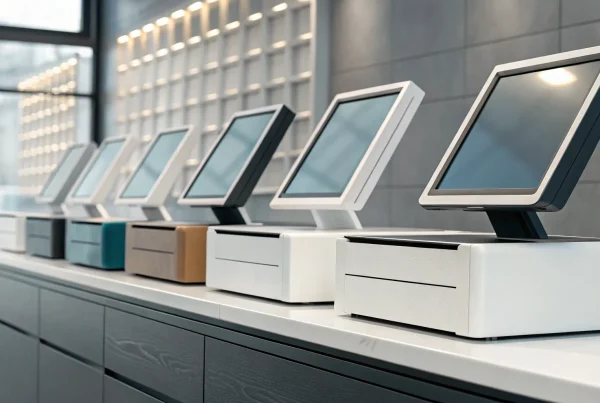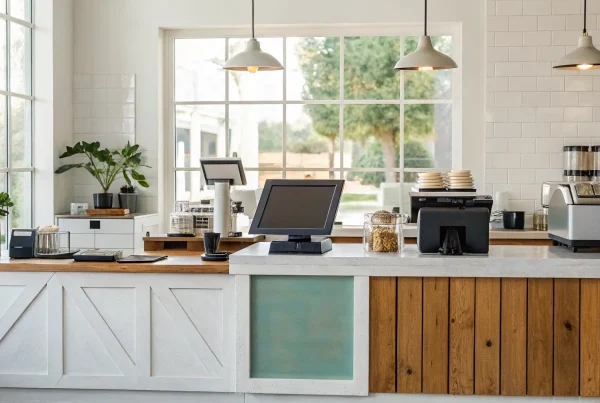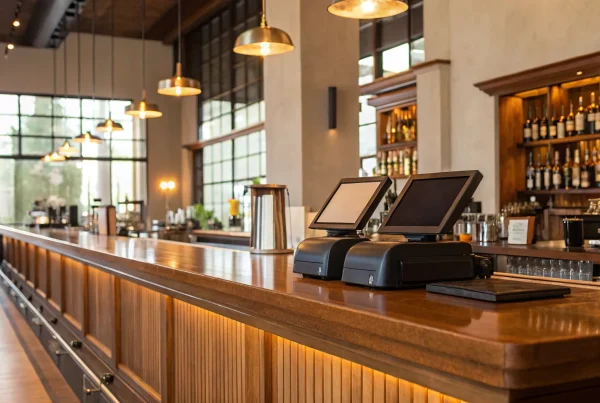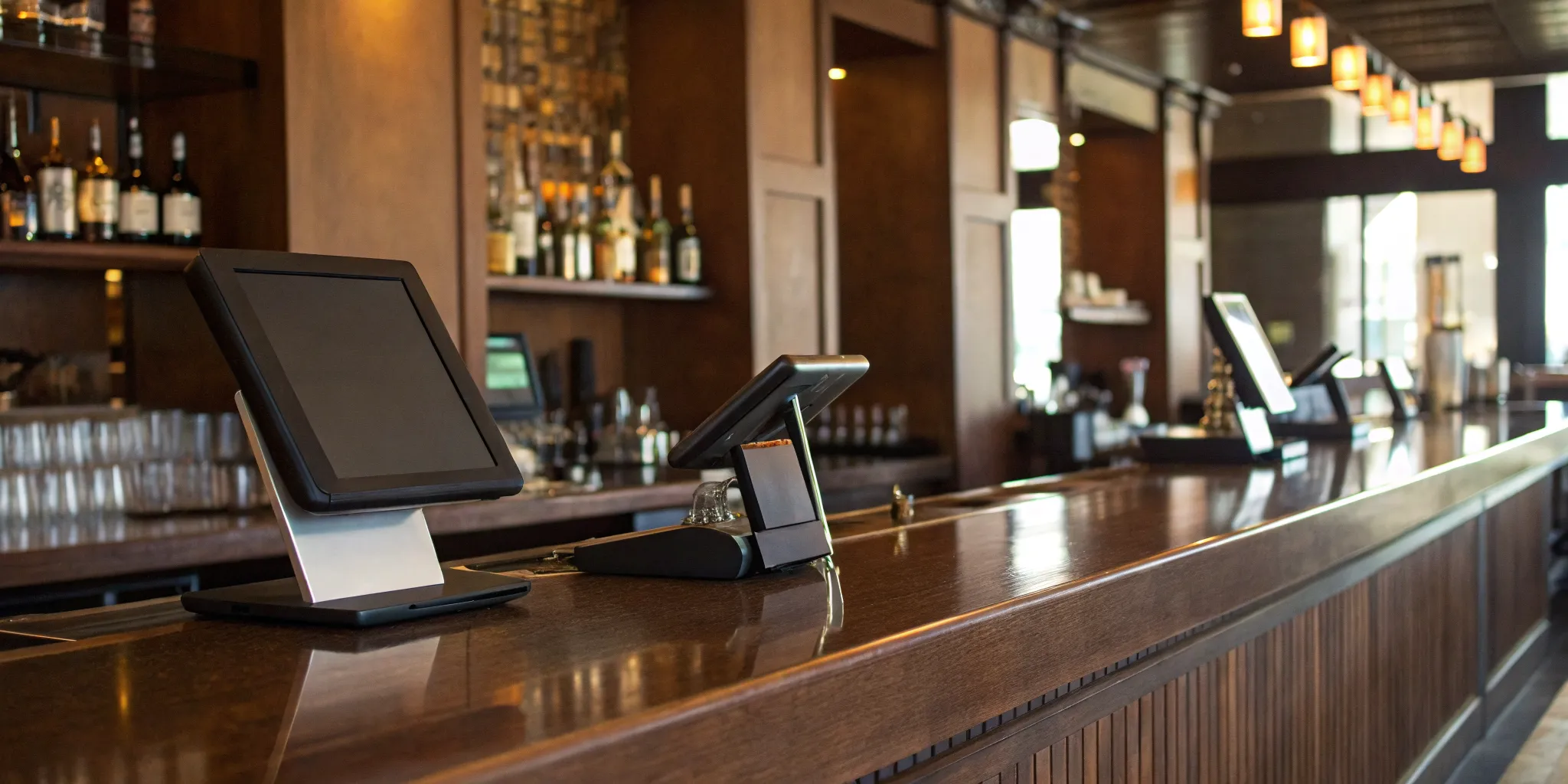
If you still think of a point-of-sale system as just a high-tech cash register, you’re missing out on one of the most powerful business tools you can have. A modern POS is the data hub for your entire operation. It does more than just process payments; it gives you clear insights into what’s really happening in your business. You can see which cocktails are your bestsellers, track your pour costs in real time, and identify your top-performing staff members. This information is crucial for making smarter decisions about your menu, ordering, and staffing. We’ll break down how the best POS systems for bars can transform your business from the inside out, giving you the control you need to grow.
Key Takeaways
- Choose features built for the bar environment: Your system must handle the nightly rush with tools like simple tab management, real-time inventory tracking for pour costs, and a reliable offline mode. These features prevent service bottlenecks and protect your profits.
- Look at the total cost, not just the monthly fee: Your true investment includes hardware, software subscriptions, and credit card processing rates. A system that lets you choose your own payment processor often provides more long-term value than one that locks you into expensive, bundled rates.
- Make 24/7 support a non-negotiable requirement: A system glitch during a weekend rush can be disastrous. Ensure any provider you consider offers round-the-clock customer support and provides thorough staff training, because how a company helps you during a crisis is just as important as its software features.
What Features Should a Bar POS System Have?
Choosing a point-of-sale system for your bar isn’t like buying one for a retail shop or a quiet café. The fast-paced, high-volume nature of a bar demands a specific set of tools designed to handle the nightly rush, manage complex inventory, and keep the drinks flowing. A generic POS will only create bottlenecks and headaches for your team.
Think of your POS as the central nervous system of your operation. It needs to be fast, reliable, and smart enough to keep up with your busiest nights. From tracking every drop of liquor to making sure every tab is settled correctly, the right features can make a huge difference in your efficiency and profitability. Let’s walk through the absolute must-haves for any modern bar POS system.
Manage Tabs and Pre-Authorize Cards with Ease
One of the biggest operational challenges for any bar is managing customer tabs. The old way of holding onto a customer’s credit card behind the bar is not just a security risk, it’s also inefficient. A modern POS system solves this with pre-authorization. This feature lets you securely save a customer’s card information, open a tab, and allow them to order freely throughout the night.
When they’re ready to leave, closing out is as simple as a few taps. This process eliminates the frantic search for the right card during a rush and protects you from unpaid tabs. Systems like Square for Restaurants have perfected this workflow, making it easy for your bartenders to manage multiple open tabs without slowing down service.
Track Inventory and Control Pour Costs in Real Time
In the bar business, your profit margins live and die by your inventory control. Every ounce of liquor counts, and a great POS system will help you track it precisely. Look for features that allow for real-time inventory tracking, so you know exactly what you have on hand at all times. This helps you avoid running out of a popular spirit mid-shift and provides valuable data for reordering.
More advanced systems can even help you manage pour costs by integrating with smart scales or pour spouts. This lets you see if bartenders are over-pouring or giving away free drinks, which can quietly eat away at your profits. A POS designed to be the backbone of your bar gives you the data you need to keep inventory tight and profitable.
Verify Age Instantly with ID Scanning
Serving underage patrons comes with serious legal and financial risks. Manually checking IDs can be slow and prone to human error, especially when you’re dealing with a crowd. A POS system with a built-in ID scanner is a game-changer for compliance and efficiency. Your staff can quickly scan a driver’s license or other government-issued ID to instantly verify a customer’s age.
This feature not only protects your liquor license but also speeds up the entry line and the ordering process at the bar. It removes the guesswork for your team and provides a reliable, documented way to ensure you’re serving responsibly. It’s a simple tool that provides invaluable peace of mind.
Keep Lines Moving During Rush Hour
When your bar is three-deep with thirsty customers, the last thing you need is a slow or complicated POS system. Speed and ease of use are critical. Your bartenders should be able to open a tab, ring in a complex drink order, and take payment in seconds. Look for a system with an intuitive interface that requires minimal training.
The best systems are built to handle an enormous volume of transactions without freezing or lagging. As one bar owner noted, their system easily handles over $15,000 in sales a night across multiple stations. A responsive, reliable POS ensures your team can focus on making drinks and serving customers, not fighting with technology.
Stay Operational, Even When the Internet Isn’t
An internet outage can bring a busy night to a screeching halt, but it doesn’t have to. Many modern, cloud-based POS systems offer an offline mode that allows you to continue operating even if your connection drops. This feature lets you keep swiping credit cards, and the system will securely process the payments once you’re back online.
This is a non-negotiable feature for any bar. You simply can’t afford to turn away customers or switch to cash-only because of a spotty Wi-Fi signal. The ability to accept payments offline ensures you never miss a sale and can keep business running smoothly, no matter what happens with your internet provider.
A Look at the Top POS Systems for Bars
Choosing a POS system can feel overwhelming with so many options on the market. Each one comes with its own set of features, pricing structures, and ideal use cases. To make your decision a little easier, I’ve broken down some of the top contenders built for the fast-paced bar environment. We’ll look at what makes each system stand out, from industry giants to flexible solutions, so you can find the perfect fit for your business.
A great POS is more than a cash register; it’s the central hub of your operation, helping you manage everything from drink orders and inventory to staff schedules and sales reports. The right system can streamline your workflow, reduce errors, and give you valuable insights into your business’s health. The wrong one can cause headaches, slow down service, and eat into your profits. Let’s look at some of the best options available to help you make an informed choice.
MBNCard POS Solutions
Instead of a one-size-fits-all system, we believe in finding the right tool for your specific bar. At MBNCard, we partner with you to understand your workflow, from the front of the house to the back office. We help you select the right hardware and software that includes essential bar features like tab management and inventory tracking. Our main focus is on providing transparent and affordable payment processing that integrates seamlessly with your chosen system. This approach gives you the flexibility to use powerful POS software without getting locked into expensive, bundled processing rates, ultimately helping you keep more of your hard-earned money.
Square for Restaurants
Square is a familiar name, and its restaurant-focused POS is a solid choice for bars and breweries. Its system is designed to simplify your daily operations, from tracking sales to accepting payments. One of its most popular features for bars is the ability to create preauthorized bar tabs. This lets your bartenders swipe a customer’s card to open a tab without having to hold onto the physical card. It’s a simple feature that adds a layer of security and convenience for both your staff and your guests, keeping service moving smoothly even when the bar is packed.
Toast POS
Toast is an incredibly popular, all-in-one system you’ll find in many bars and restaurants. It’s known for being user-friendly and robust, with many owners praising its ability to handle high-volume sales and work offline if the internet goes down. One bar owner mentioned they easily process over $15,000 a night across three stations. However, it’s worth noting that some users feel Toast can become a bottleneck during extreme rushes, so it’s important to consider your bar’s peak capacity. It’s a powerful system, but make sure it can keep up with your busiest nights.
Lightspeed Restaurant
If you value flexibility and detailed control, Lightspeed Restaurant is worth a look. This system is highly adaptable and shines in its inventory management capabilities, which is perfect for bars that need to track liquor costs down to the last drop. A major advantage of Lightspeed is that it allows you to choose your own hardware and payment processor. This freedom can lead to significant savings on transaction fees and lets you build a setup that truly fits your bar’s needs, rather than being forced into a bundled package. It’s a great option for owners who want to maintain control over their tech stack.
SpotOn
For the data-driven bar owner, SpotOn delivers powerful tools to help you manage your business more effectively. The platform is recognized for its excellent reporting features, giving you deep insights into sales trends, top-performing products, and staff productivity. It also offers strong employee management functions and integrated beverage inventory tracking to help you stay on top of your stock levels and reduce waste. If you’re looking for a system that does more than just process payments, SpotOn provides the business management tools you need to make informed decisions and streamline your operations from top to bottom.
SkyTab POS
SkyTab is built specifically for high-energy environments like bars, pubs, and nightclubs. The entire system is designed to keep service flowing and maximize revenue during your busiest hours. It’s a modern, cloud-based solution that equips your team with the tools they need to handle a packed house without missing a beat. From tableside ordering to quick payment processing, SkyTab focuses on efficiency to improve the customer experience and turn tables (or barstools) faster. If your primary goal is to find a bar POS system that can handle the pressure of a weekend rush, SkyTab is engineered for that exact purpose.
What’s the Real Cost of a Bar POS System?
When you’re shopping for a bar POS system, the price tag you see upfront is just the beginning of the story. The total cost is a mix of several moving parts, and understanding them is key to making a smart investment for your business. Think of it less like buying a product off the shelf and more like signing up for a service. You’ll have initial hardware costs, ongoing monthly software fees, and credit card processing rates that change with every sale.
On top of that, some providers have a knack for tucking extra fees into the fine print of their contracts. It’s easy to get drawn in by a low monthly price, only to find out later that you’re paying more than you expected in transaction fees or for essential features. To get a clear picture of your total investment, you need to break down the costs into four main categories: the monthly software subscription, payment processing rates, the initial hardware purchase, and any potential hidden fees. Let’s walk through each one so you can budget accurately and choose a system that truly works for your bottom line.
Understanding Monthly Software Fees
Most modern POS systems run on a subscription model, which means you’ll pay a recurring monthly fee for using the software. This fee can range from under a hundred dollars to several hundred, depending on the provider and the features you need. A basic plan might cover simple order-taking and payments, while more advanced tiers will include tools for inventory management, staff scheduling, and detailed sales analytics.
When comparing options, look for providers with clear, transparent pricing. Some companies, like Square, are known for straightforward plans that don’t lock you into a long-term contract. This gives you the flexibility to change plans or providers if your needs evolve. Before you commit, think about which features are must-haves for your bar right now and which ones are nice-to-haves for the future. Choose a plan that supports your current operations but also offers a clear path to scale your business without a massive price jump.
A Closer Look at Credit Card Processing Rates
Your credit card processing rates will likely be your biggest ongoing POS-related expense. These fees are charged on every single card transaction and are typically made up of a percentage of the sale plus a small, flat fee. For example, a provider might charge 2.6% + $0.15 for every in-person payment. While these numbers seem small, they add up quickly over thousands of transactions.
It’s also important to know that many of the most popular POS systems are “closed,” which means you are required to use their in-house payment processing. This can be convenient, but it also means you can’t shop around for better rates. If their rates are higher than the industry average, you could be overpaying significantly over time. Always compare the processing fees between different POS providers and ask if you have the option to work with an outside merchant services provider.
Calculating Your Hardware Investment
Next, you’ll need to budget for the physical equipment, or hardware, that runs your POS software. This includes touchscreen terminals, cash drawers, receipt printers, and credit card readers. For a bar, you might also want handheld devices that allow your servers to take orders and payments directly from the floor or patio. The total cost can vary widely depending on how many stations you need and the quality of the equipment.
Some companies require you to buy the hardware upfront, which can be a significant initial investment. Others offer leasing options or more affordable bundles to get you started. For instance, providers like SkyTab often include a suite of free software features with their hardware, such as online ordering and marketing tools, which adds a lot of value. Map out your bar’s layout to determine exactly how many terminals and card readers you’ll need to keep service running smoothly.
Watch Out for These Hidden Costs
The most frustrating costs are the ones you don’t see coming. Unfortunately, some POS providers build hidden fees into their contracts that can catch you by surprise. One of the biggest things to watch for is an early termination fee. Some companies, like Toast, may require a multi-year contract and will charge you a hefty penalty if you decide to switch providers before it’s up.
Other hidden costs can include one-time setup and installation fees, extra charges for 24/7 customer support, and fees for integrating with other software you use, like your accounting or marketing platforms. Always read the service agreement carefully before signing. Don’t be afraid to ask direct questions about contract length, cancellation policies, and any other fees that aren’t listed on the main pricing page. A reputable POS provider will be transparent about all potential costs.
Cloud-Based vs. Traditional: Which POS is Better?
When you’re choosing a POS system, one of the first big decisions you’ll face is whether to go with a cloud-based or a traditional, on-premise system. The main difference lies in where your data is stored. Traditional systems keep everything on a local server right there in your bar, while cloud-based systems store your data securely online. This single difference impacts everything from how you access your sales reports to how the system gets updated and what it costs upfront.
Both options have their place, and the right choice really depends on your bar’s specific needs, your location’s internet reliability, and how you like to manage your business. A high-volume nightclub with a rock-solid internet connection might have different priorities than a cozy neighborhood pub in a rural area. Let’s break down the pros and cons of each so you can figure out which setup makes the most sense for you.
Why Most Bars Prefer Cloud-Based Systems
Most modern bars lean toward cloud-based POS systems, and for good reason. The biggest draw is flexibility. With a cloud system, you aren’t tied to your back office computer. You can check in on sales, manage inventory, and even update your menu from your phone or laptop, whether you’re at home or running errands. This kind of remote access is a game-changer for busy owners.
These systems are also packed with features designed for a fast-paced bar environment. Think real-time inventory tracking that tells you when you’re low on your top-selling IPA or customer relationship management (CRM) tools that help you build a loyalty program. Plus, software updates happen automatically, so you always have the latest features and security without any manual work.
When a Traditional System Might Be a Better Fit
While cloud systems are popular, a traditional, on-premise POS can still be the right call in certain situations. Their main advantage is reliability. Because they run on a closed, local network, they don’t depend on an internet connection to function. If your bar is in an area with spotty Wi-Fi or you simply can’t afford even a minute of downtime during a Saturday night rush, a hardwired system offers peace of mind.
Some bar owners also find that these systems can be more straightforward for staff, especially in high-volume settings where speed is everything. There’s no lag time waiting for a signal to process a payment. While they may lack the advanced remote features of their cloud-based counterparts, their rock-solid stability makes them a contender for businesses where connectivity is a constant concern.
How to Plan for Internet Outages
The fear of a Wi-Fi outage is the number one reason bar owners hesitate to choose a cloud-based POS. But here’s the good news: the best modern systems are built for this exact scenario. Look for a POS that offers a robust offline mode. This feature allows your system to keep running smoothly even if your internet connection drops.
Your staff can continue to open tabs, take orders, and swipe credit cards without interruption. The transaction data is stored securely on the terminal itself and then automatically syncs with the cloud as soon as you’re back online. When you’re comparing providers, make sure to ask specifically about their offline capabilities. It’s the key to getting all the benefits of a cloud system without the connectivity risks.
What Kind of Customer Support Do You Actually Need?
When you’re comparing POS systems, it’s easy to focus on features and pricing. But the one thing that will matter most on a chaotic Friday night is the support you get when something goes wrong. A system failure during a rush can cost you hundreds in sales and damage your reputation. That’s why evaluating a provider’s customer support isn’t just a box to check; it’s a critical step in protecting your business. Let’s break down what truly effective support looks like.
Why 24/7 Support is a Must for Bars
Your bar doesn’t operate on a 9-to-5 schedule, so your POS support shouldn’t either. The biggest rushes happen late at night and on weekends, often outside standard business hours. Imagine your system freezing at 11 p.m. on a Saturday. Waiting on hold isn’t an option. You need immediate access to a real person who can solve your problem, which is why 24/7 support is non-negotiable. As one bar owner put it, having quick customer service is far better than waiting on hold when your system breaks during a busy night. Look for providers who offer round-the-clock phone or chat support to ensure you’re never left stranded.
Getting Your Staff Trained and Ready
The most advanced POS system is useless if your team can’t use it efficiently. Your bartenders need to serve drinks quickly, not fumble with a confusing interface. A good POS provider understands this and offers robust training resources to get your staff comfortable from day one. This could include on-site training, a comprehensive online knowledge base, or video tutorials. When evaluating systems, ask about the training process. A smooth onboarding ensures your team can handle high-volume shifts without the POS slowing them down, keeping your service fast and your customers happy. Proper training also reduces user error, which saves you headaches down the line.
How Quickly Can You Expect Help When You Need It?
Let’s be realistic: all technology can have problems. The real test of a POS provider is how they handle issues when they arise. Before you commit, it’s essential to understand a company’s support structure. How quickly can you expect a response? Will you speak to a person right away, or will you have to work through an automated system first? Some providers, like MBNCard, offer dedicated support teams and even local installation, which can be a huge advantage. Don’t be afraid to ask for specifics on their average ticket resolution times. This information will give you a clear picture of the help you can expect when you need it most.
How to Choose the Right POS System for Your Bar
Picking a point-of-sale system can feel overwhelming, but it doesn’t have to be. The secret is to ignore the noise and focus on what truly matters for your specific bar. The “best” POS system is the one that fits your workflow, budget, and growth plans like a glove. Instead of getting swayed by flashy sales pitches, take a step back and think strategically. By breaking down your needs, planning your budget, and seeing past common myths, you can find a partner that helps your bar run smoother and become more profitable.
Match the Features to Your Bar’s Unique Needs
Before you even look at different brands, grab a notebook and map out a typical night at your bar. Are you a high-volume spot where speed is everything? You’ll need a system that can keep up with your bartenders without lagging. As one bar owner put it, the last thing you want is a system that slows down service during a rush. Think about your inventory, too. You need a system with detailed inventory tracking that can monitor every pour and partial keg, not just whole bottles. Make a list of your must-have features, like easy tab management or integrated ID scanning, and a separate list of nice-to-haves. This simple exercise will be your guide when you start comparing options.
Plan Your Budget and Calculate Your Return on Investment
It’s easy to get sticker shock from hardware costs, but the initial price is only one piece of the puzzle. To understand the true cost, you need to look at the complete picture: monthly software fees, hardware bundles, and credit card transaction fees. Some systems might offer a “free” plan but make up for it with higher processing rates. A good POS is an investment, not just an expense. Think about its return. For example, how well does the system work if your internet goes out? A system with a robust offline mode prevents lost sales during an outage, paying for itself in one busy Saturday night. Calculate how much a system could save you in spilled drinks, over-poured shots, and staff time.
Don’t Fall for These Common POS Myths
Let’s clear up a few things. First, the myth that all modern POS systems are basically the same. While many share core features, the details matter. Do you need integrations with third-party delivery apps or online reservation tools? Don’t assume every system has them. The second myth is that you can find a system that never has glitches. The reality is that all technology can have issues. What’s more important is the support behind it. As one industry veteran noted, it’s crucial to check how a company handles problems. Before you commit, ask about their customer support hours and process. A great POS provider acts like a partner, ready to help you solve problems quickly so you can get back to serving customers.
Related Articles
- Restaurant Point of Sale POS System: A Buyer’s Guide
- The Ultimate POS System List: 12 Top Picks
- The Ultimate List: 9 POS Systems for Restaurants
Frequently Asked Questions
How do I know which features are truly essential for my bar? Start by mapping out your busiest night. The best way to prioritize is to identify your biggest bottlenecks. If lines get long, focus on speed, pre-authorized tabs, and handheld ordering devices. If your profit margins feel tight, then real-time inventory tracking and pour cost controls are your non-negotiables. Make a list of your top three operational headaches, and then look for a system that directly solves those specific problems first.
Can I use my own credit card processor, or am I locked into the POS company’s service? This is one of the most important questions to ask, as it directly impacts your long-term costs. Many popular all-in-one systems require you to use their built-in payment processing. This is called a “closed” system. Other systems, like Lightspeed, are “open,” giving you the freedom to shop around for the best processing rates. Always ask a sales representative directly if you can bring your own merchant services provider, as this flexibility can save you a significant amount of money.
What happens if my internet goes down during a busy night? An internet outage doesn’t have to shut you down. The key is to choose a cloud-based system with a reliable offline mode. This feature allows you to continue taking orders and swiping credit cards even without a connection. The system securely stores all the transaction information locally on your device and then processes everything automatically once your internet is back up. Before you sign a contract, ask specifically how a system’s offline mode works to ensure it can handle your sales volume without a hitch.
Besides the monthly fee, what other costs should I be asking about? To get a true sense of the total cost, you need to look beyond the advertised monthly price. Be sure to ask about one-time setup or installation fees, the cost of each piece of hardware (like terminals and printers), and any extra charges for 24/7 customer support or software integrations. Most importantly, ask about contract length and early termination fees. A reputable provider will be transparent about all potential costs from the start.
How much training should I expect for my staff? A great POS provider will offer comprehensive training to get your team up to speed quickly. This might include on-site setup and instruction, a library of video tutorials, or a detailed online knowledge base your staff can reference. The goal is to make your team feel confident using the system before your next big rush. When you’re talking to providers, ask what their standard onboarding process looks like and what resources are available for training new hires down the road.