It’s easy to get caught up in the look and feel of a new card reader, but the device itself is only a small part of the equation. When you choose a payment solution, you’re really choosing a financial partner for your business. The most important factors are often the ones you don’t see, like the structure of your transaction fees, the responsiveness of the support team when something goes wrong, and the security protecting your customers’ data. A cheap device with high fees and poor support can cost you far more in the long run. This article will help you look beyond the hardware and evaluate the complete package, so you can find a portable credit card machine for small business that truly supports your bottom line.
Key Takeaways
- Calculate the Total Cost, Not Just the Device Price: The real expense of a card reader includes the hardware, transaction fees, and any monthly charges. A cheap device with high fees can cost you more in the long run, so run the numbers to protect your profits.
- Choose a Reader That Fits Your Workflow: The best device for your business depends on where and how you sell. Mobile vendors need long battery life and portability, while retail shops need speed and reliability at the counter. Match the features to your daily reality.
- Prioritize Reliable Support for Peace of Mind: When your reader goes down during a rush, you need help fast. Make sure your provider offers accessible, human support so you can solve problems quickly and avoid losing sales.
What to Look for in a Portable Card Reader
Choosing the right portable card reader feels like a big decision, but it doesn’t have to be complicated. Think of it as hiring a new team member—one that handles your money. You want it to be reliable, easy to work with, and secure. Before you get swayed by a sleek design or a low price tag, let’s walk through the four key features that truly matter for your business. Focusing on these areas will help you find a device that not only processes payments but also makes your life easier and keeps your customers happy.
What Kinds of Payments Can It Take?
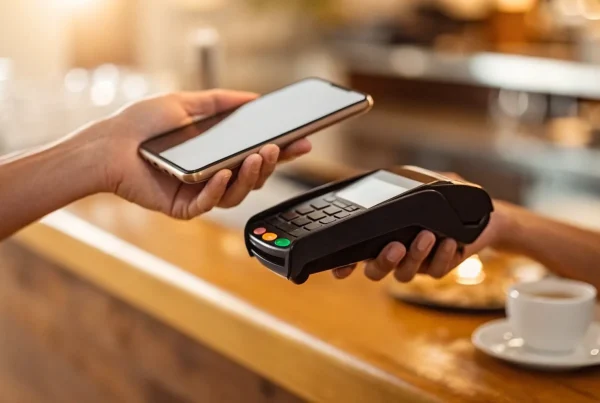
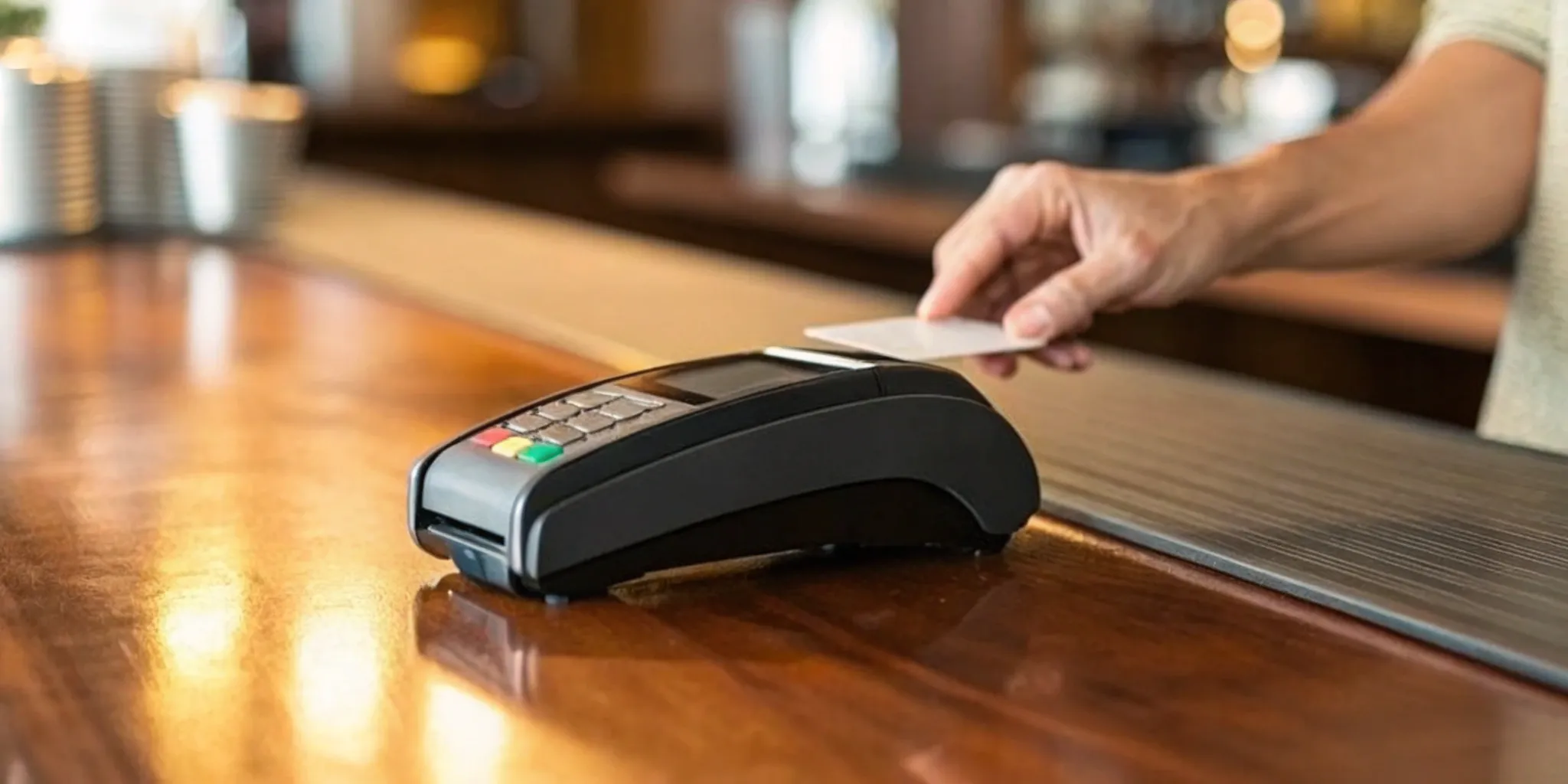
The way people pay is always changing, and your card reader needs to keep up. At a minimum, you’ll want a device that accepts traditional magnetic stripe swipes and EMV chip cards. But to really meet customer expectations, look for one that handles contactless payments. This includes tap-to-pay cards and mobile wallets like Apple Pay and Google Pay. Offering these options isn’t just about convenience; it speeds up your checkout line and shows customers you’re a modern, professional business. The more ways you can accept a payment, the less likely you are to ever miss out on a sale.
Is It Secure and Compliant?
When you handle credit card information, you’re also handling your customers’ trust. That’s why security is non-negotiable. Your card reader must be PCI compliant, which is the industry standard for protecting card data. Look for features like end-to-end encryption and an EMV card reader for small business setup, which helps protect card data the moment a card is swiped, tapped, or dipped while reducing fraud risk at checkout. This makes the data useless to fraudsters. A good payment provider will also offer fraud prevention tools and help you manage any payment disputes that arise. This protection gives both you and your customers peace of mind with every single transaction.
How’s the Battery Life and Connection?
If you’re running a business on the go—whether at a farmers market, a client’s home, or a pop-up event—a dead card reader is a dead end for sales. Pay close attention to the device’s battery life. Some modern readers can process hundreds of transactions or last a full day on a single charge. Also, consider how it connects. Most portable readers use Bluetooth to pair with your smartphone or tablet, relying on your device’s Wi-Fi or cellular data. For ultimate flexibility, some standalone models have their own built-in cellular connection, ensuring you can take payments just about anywhere.
Is It Easy to Set Up and Use?
You have a business to run, so you don’t have time to wrestle with complicated technology. The best portable card readers are designed for a quick and painless setup. Often, it’s as simple as ordering the device, downloading a free app to your phone or tablet, and pairing the two. The accompanying app should be just as user-friendly, with an intuitive interface that makes it easy to enter sales amounts, add tips, and send receipts. A straightforward system lets you train new employees quickly and keeps your focus on what you do best: serving your customers.
The Best Portable Card Readers for Small Businesses
Alright, let’s talk hardware. Choosing the right portable card reader can feel like a huge decision, but it doesn’t have to be complicated. The best device for you really comes down to your business’s unique rhythm—how you sell, where you sell, and what your customers expect. To help you sort through the options, I’ve broken down some of the most popular portable readers on the market. We’ll look at what they do well, who they’re for, and what you can expect to pay.
MBNCard
Instead of offering a single, one-size-fits-all device, we at MBNCard take a different approach. We believe your payment solution should be tailored specifically to your business. We work with you to understand your sales process, transaction volume, and customer base to pair you with the perfect hardware and software. This ensures you’re not paying for features you don’t need and that you get the most competitive processing rates possible. Our goal is to provide a complete payment processing solution that grows with you, backed by real human support whenever you need it. Think of us as your payment partner, not just a hardware provider.
Square Reader
You’ve probably seen the little white square. The Square Reader for Magstripe is one of the most recognizable options out there, and for good reason. It’s incredibly easy to get started—your first reader is free, and it plugs right into your phone or tablet. Square is great for new businesses or those with inconsistent sales, as there are no monthly fees. You just pay a flat rate of 2.6% + 15 cents for every swiped transaction. Funds typically arrive in your bank account by the next business day, making it a simple and predictable choice for sellers who need a straightforward way to accept major credit cards on the go.
Clover Go
If you need a bit more versatility, the Clover Go is a fantastic all-in-one portable reader. It connects to your smartphone or tablet via Bluetooth and is built to handle a wider range of payments right out of the box. It easily accepts traditional swipes, modern chip cards (EMV), and contactless payments like Apple Pay and Google Pay. This makes it a solid choice for businesses that are on the move but still want to offer the secure, convenient payment options customers expect. The Clover Go is designed to be a reliable workhorse for food trucks, market vendors, and service providers who operate outside of a traditional storefront.
SumUp Air
The SumUp Air reader is a sleek and compact device that packs a lot of functionality. It’s designed for businesses that want a modern, professional look without a complicated setup. The device accepts chip cards, contactless payments, and mobile wallets like Apple Pay and Google Pay. One of its standout features is its fast funding—you can get your money in as little as one day, even on weekends. The SumUp Air itself has a one-time cost, and then you pay a simple, flat transaction fee of 2.6% + 10¢ for in-person payments. This makes it a great option for new businesses or pop-up shops that need reliability and speed.
PayPal Here
For businesses already using PayPal for online sales, the PayPal Zettle reader (the successor to PayPal Here) is a natural fit. It seamlessly integrates with your existing PayPal account, keeping all your in-person and online revenue in one place. The reader connects to your phone or tablet and accepts credit cards, debit cards, and contactless payments. Its user-friendly app makes it simple to manage sales, track inventory, and run reports from anywhere. The PayPal Zettle offers competitive transaction rates and is an excellent choice for merchants who want to unify their payment systems and leverage the trusted PayPal brand.
What’s the Real Cost of a Portable Card Machine?
When you’re ready to start accepting card payments on the go, it’s easy to get focused on the price of the card reader itself. But that initial hardware cost is just one piece of the puzzle. The true cost of a portable card machine is a combination of the device price, the fees you pay on every single transaction, and any monthly or hidden charges that might be tucked away in the fine print.
Understanding this complete cost structure is essential for protecting your profit margins. A cheap reader with high transaction fees could end up costing you far more in the long run than a slightly more expensive device with a better rate. Some providers are upfront about their pricing, while others make it difficult to see the full picture. To make the best decision for your business, you need to look at the whole equation—not just the number on the price tag. We’ll break down each component so you know exactly what to look for and what questions to ask.
The Price of the Device Itself
Let’s start with the most straightforward cost: the price of the machine. The initial investment for a portable card reader can vary quite a bit. You can find simple, no-frills devices like the SumUp Solo for around $99. On the higher end, more advanced smart terminals with built-in printers and extensive software can run up to $799 or more.
The right choice depends entirely on your needs. If you just need a reliable way to accept chip and contactless payments, an affordable reader will do the job perfectly. If you manage a large inventory or need more robust reporting features, investing in a more capable device might be worth it. Think about what you truly need to run your business efficiently before deciding how much to spend upfront.
Breaking Down Transaction Fees
After the initial purchase, transaction fees will be your main ongoing cost. Most providers use a flat-rate pricing model for their portable readers, which makes things predictable. For example, you might see a rate like 2.6% + $0.10 for every in-person payment. This means if you make a $100 sale, the processing company takes $2.60 plus an additional 10 cents, for a total fee of $2.70.
While these fees might seem small, they add up quickly. It’s important to compare the different types of processing fees and find a rate that works for your business’s average sale amount. A transparent, competitive rate is one of the most important factors in choosing a payment partner.
Spotting Monthly and Hidden Charges
This is where you need to be a bit of a detective. Beyond the device and transaction fees, some companies add on other charges that can catch you by surprise. Look out for monthly subscription fees, statement fees, PCI compliance fees, and early termination fees. These costs can turn an otherwise good deal into a financial headache.
Thankfully, many modern providers have moved away from this model. Companies that advertise no monthly fees or long-term contracts offer a level of transparency that lets you budget with confidence. Always ask for a complete list of potential fees before you commit to a service. A trustworthy provider will be happy to walk you through all the costs, ensuring there are no surprises on your monthly statement.
A Quick Pros and Cons List for Each Reader
To make your decision a little easier, let’s lay out the good and the not-so-good for each of our top contenders. Every business has different needs, so what works perfectly for a coffee shop might not be the right fit for a freelance plumber. Think of this as the cheat sheet to help you compare these options side-by-side. Here’s a straightforward breakdown of what you can expect from each portable card reader.
MBNCard: The Good and The Bad
Pros: Working with a dedicated merchant services provider like us means you get a solution tailored specifically to your business. We offer a range of top-tier portable readers and can build a custom pricing plan that often saves you significant money compared to flat-rate models, especially as your sales grow. Best of all, you get a real person to call for support when you need it—no waiting on hold for hours or talking to a bot.
Cons: Getting set up takes a bit more than a five-minute online form. Because we create a custom merchant account for you, there’s a brief application and approval process. This initial step is what allows us to give you the best rates and security, but it’s not as instantaneous as some of the plug-and-play solutions.
Square Reader: The Good and The Bad
Pros: Square is famous for its simplicity. You can get your first magstripe reader for free and start accepting payments almost immediately. The flat-rate pricing is easy to understand, there are no long-term contracts, and your money typically shows up in your bank account by the next business day. It’s an incredibly low-barrier way to start taking cards, which is perfect for brand-new businesses.
Cons: That free reader only accepts swiped cards. To take more secure chip and contactless payments (which customers expect), you’ll need to buy a different device. Also, while the flat fee is simple, it can become more expensive than a custom plan if you process a high volume of sales each month.
Clover Go: The Good and The Bad
Pros: The Clover Go is a powerful, pocket-sized reader that accepts swipe, chip, and contactless payments. It connects to a robust mobile app that does more than just take payments—you can manage inventory, view reports, and handle customer information right from your phone. It’s a great mobile extension if you already use or plan to use the broader Clover POS ecosystem in your business.
Cons: You can’t just buy a Clover Go from a big-box store. You need to get it through a merchant account provider (like us at MBNCard). This means the hardware cost, transaction fees, and contract terms can vary significantly depending on who you partner with, so it pays to do your research.
SumUp Air: The Good and The Bad
Pros: SumUp is another fantastic option if you want simplicity and predictability. There are no monthly fees or hidden costs—just a straightforward, flat transaction fee for every payment you take. The SumUp card readers are affordable, easy to use, and accept all modern payment types, including chip cards and Apple Pay. Payouts are also quick, usually arriving within one to two business days.
Cons: The software is more basic than what you’d get with a full POS system like Clover. If you need advanced features like employee management, complex inventory tracking, or in-depth sales analytics, you might find SumUp a bit limiting as your business grows and your needs become more complex.
PayPal Zettle: The Good and The Bad
Pros: Formerly known as PayPal Here, the PayPal Zettle reader is a sleek device that integrates perfectly if you already run your business on PayPal. The pricing is a competitive flat rate, and funds land in your PayPal account quickly, which is convenient for managing cash flow. It’s a solid, user-friendly choice for mobile vendors and businesses that want to keep everything under the PayPal umbrella.
Cons: PayPal is known for its sensitive security algorithm, which can sometimes lead to account freezes or held funds while they review transactions. This can be a major disruption for a small business that relies on consistent cash flow. Reaching a helpful support agent for urgent issues can also be a challenge at times.
Matching the Machine to Your Business
The perfect portable card reader for a coffee shop isn’t the best one for a freelance photographer. Your business model and sales environment are key to finding the right fit. Think about your daily operations: Are you at a fixed counter or taking payments on the go? This will help you zero in on the features that matter most. Let’s break down what different types of businesses should look for to find a machine that truly supports their workflow.
What Retail and Local Shops Need
For brick-and-mortar shops, the checkout experience is everything. You need a machine that’s fast, reliable, and easy for both staff and customers to use. Look for readers that connect wirelessly to your phone or tablet for flexibility. A great feature is a customer-facing screen, which allows customers to see the total, add a tip, and pay privately, streamlining the process. A smooth checkout makes a lasting impression and is a core part of any modern retail POS system. It’s a simple way to keep customers happy and coming back.
Must-Haves for Service Providers
If you’re a service provider—like a consultant or stylist—getting paid on the spot is a game-changer. A portable card reader lets you accept payment immediately, which is great for your cash flow. Prioritize devices that accept contactless payments like Apple Pay, as clients expect this convenience. Most importantly, ensure the machine has robust security features. Protecting your clients’ data is non-negotiable and a core part of maintaining PCI compliance. A secure, simple payment process shows professionalism and builds trust with your clientele.
Essentials for Mobile Vendors and Pop-Ups
For businesses on the move, like food trucks or market stalls, your card reader needs to be as agile as you are. Look for lightweight, handheld devices with long battery life that can keep up with a busy day. Some of the best options are standalone readers with their own data connection, so you’re not dependent on your phone’s Wi-Fi. Features like a simple touchscreen for quick payments and the ability to send digital receipts add a professional touch that customers appreciate. This efficiency is essential when you’re running a mobile business and every sale counts, especially when comparing mobile card readers for small business that prioritize battery life, connectivity, and fast checkout in busy environments.
How Processing Fees Affect Your Profit
Let’s talk about the part of payment processing that directly hits your bank account: the fees. It’s easy to focus on the shiny new card reader, but the processing fees are what you’ll live with every day. These small percentages and cents on each transaction add up quickly, and understanding them is the key to protecting your profit margins. Different providers structure their fees in different ways, so what looks like a good deal on the surface might not be the best fit for your business in the long run. Taking a moment to understand how these fees work will save you headaches and money down the road.
A Simple Guide to Transaction Rates
Every time a customer swipes, dips, or taps their card, a transaction fee is charged. This is usually a percentage of the sale plus a small fixed amount. For example, you might see a rate like 2.6% + $0.10 for each transaction. This means on a $100 sale, you’d pay $2.70 in fees. These rates can vary depending on the card type and whether the transaction is in-person or online. The good news is that with modern readers, you can accept all kinds of contactless payments, and the funds typically land in your bank account within one to two business days.
How Selling More Can Lower Your Fees
Here’s a little-known secret: as your business grows, your processing fees can actually go down. Some payment providers offer pricing models that reward higher sales volume with lower rates. One common model is called interchange-plus pricing. While it sounds complicated, the idea is simple: you pay the base wholesale cost plus a small, fixed markup. This is often more transparent and can be much more affordable for businesses with steady or growing sales. It’s worth asking potential providers if they offer volume-based discounts or pricing that can scale with you.
How to Calculate Your Total Cost
To get a true picture of your expenses, you need to look at more than just the transaction rate. Your total cost includes the upfront price of the card reader, any monthly subscription or software fees, and the processing fees for every sale. Add all of these up to see what you’ll really be paying. Some providers offer a simple flat rate, which is predictable and easy to understand. Others use more complex models that could save you money as you grow. By running the numbers based on your average transaction size and monthly sales volume, you can make a smart decision that truly supports your business’s financial health.
Questions to Ask Before Choosing a Portable Card Reader
Before you commit to a portable credit card machine, it helps to ask a few practical questions that go beyond the advertised price. Start with compatibility: will the reader work with your current phone, tablet, POS software, or accounting tools? A device that fits neatly into your existing workflow can save hours of setup time and reduce frustration for your staff. Next, ask about connectivity. If you sell at trade shows, markets, food truck locations, or client sites, you need to know whether the reader depends on Wi-Fi, Bluetooth, cellular service, or offers an offline mode for backup.
You should also ask how the provider handles support, replacements, and software updates. If the hardware fails during a busy sales period, quick access to a knowledgeable support team matters just as much as the reader itself. Finally, clarify all contract and pricing terms before signing up. Ask whether rates can change, whether there are monthly minimums, and whether additional accessories like receipt printers or docks cost extra. Taking time to ask these questions helps small business owners avoid expensive surprises and choose a payment solution that supports both current operations and future growth.
What Happens When You Need Help?
Imagine it’s your busiest day of the year. The line is out the door, and suddenly, your card reader stops working. This is the moment when the quality of your payment provider’s customer support truly matters. It’s not just about the device in your hand; it’s about the team standing behind it. When you’re comparing options, it’s easy to get caught up in fees and features, but don’t overlook the support system. A great portable card reader is only as good as the help you can get when something goes wrong.
Before you commit to a provider, find out exactly what kind of support is available. Do they offer phone support, live chat, or just email tickets? What are their hours of operation? Some providers offer 24/7 assistance, which can be a lifesaver if you run a business that operates outside of the typical 9-to-5. The best support teams are responsive, knowledgeable, and genuinely invested in helping you solve your problem quickly so you can get back to making sales. After all, every minute your payment system is down is a minute you’re losing money and potentially frustrating customers. Think of it as an insurance policy for your revenue stream—you hope you never need it, but you’ll be incredibly grateful it’s there when you do.
Can You Reach a Real Person?
When you have an urgent issue, the last thing you want is to navigate an endless phone tree or argue with a chatbot. The ability to speak with a real, live human is invaluable. Look for providers that make it easy to connect with a support agent who can understand your specific problem and walk you through a solution. Some companies even offer dedicated account managers who know your business and can provide personalized service. Before signing up, do a little digging. Check their website for a support phone number and find out their hours of availability. This small step can save you a massive headache down the road.
Getting Technical Support That Works
Beyond just reaching someone, you need assurance that the support you receive is effective. Good technical support means talking to someone who can quickly diagnose the problem, whether it’s a connectivity issue, a software glitch, or a question about your account. Many providers also offer proactive support to prevent issues before they happen. For example, robust fraud prevention and dispute management are often included at no extra cost, giving you peace of mind. When evaluating providers, look for ones that have a reputation for efficient and helpful tech support that understands the pressures of running a small business.
Help with Setup and Training
Your experience with customer support starts the moment you open the box. A complicated setup can be a frustrating first impression. The best portable card readers are designed for a quick and easy start, often with a simple setup process that you can complete online in minutes. Look for providers that offer clear, step-by-step instructions, video tutorials, and an accessible knowledge base. If you do get stuck, you should be able to easily contact support for guidance. A smooth onboarding experience ensures you can start accepting payments right away and feel confident using your new device from day one, whether you need a portable terminal for events or an EMV reader for PC as part of a counter-based checkout setup.
How to Get the Best Deal on a Card Reader
Finding the right card reader is one thing, but getting it at the best price is another. The good news is you don’t have to pay full price. Payment providers are competitive and often run promotions or offer packages to win your business. A great deal isn’t just about the upfront cost; it’s also about finding a partner with fair processing rates and terms that help your business grow. By looking in the right places and asking the right questions, you can find a solution that fits your budget.
Keep an Eye Out for Promotions
Timing can be everything when buying hardware. Payment providers frequently offer deep discounts on their devices, especially for new customers. It’s not uncommon to see powerful machines for a fraction of their retail price. For example, some providers have offered Clover Flex models for as low as $29.99, a steep drop from their usual $899 price tag. To catch these deals, check provider websites around major holidays. Signing up for newsletters from companies you’re considering is also a smart move to get notified about the latest credit card machines for small businesses.
Ask About Bundles and Packages
If you need more than just a card reader, look for bundled deals. Many providers offer packages that include a reader along with a receipt printer or cash drawer for a single, reduced price. For instance, you might find a SumUp Solo and printer bundle that’s perfect if you need to give customers physical receipts. Buying a complete setup this way is almost always more affordable than purchasing each piece separately. Don’t hesitate to ask a sales representative what packages are available—sometimes the best deals aren’t advertised on the main page.
Look for Provider-Specific Incentives
The best deal goes beyond the hardware price. Look for providers that offer incentives tied to their processing services. Some companies promise simple pricing with no hidden fees or long-term contracts, which saves you money and stress over time. Another huge factor is how quickly you get your money; top providers ensure funds are in your bank account within one to two business days. Many merchant service providers, like us at MBNCard, may even offer a free or discounted card reader when you sign up for a merchant account, making your initial investment close to zero.
Making Your Final Choice
You’ve seen the top contenders, so how do you pick the one that’s truly right for your business? It’s less about finding a single “best” device and more about matching the features to your specific needs. Thinking through your daily operations, budget, and existing tools will help you narrow down the options and make a choice you feel confident in. By focusing on a few key areas, you can find a portable card reader that not only processes payments but also supports your business as it grows.
Match the Machine to Your Operations
First, think about where you make your sales. If you run a food truck, manage a booth at the local market, or provide services at clients’ homes, a lightweight, battery-powered device is essential. On the other hand, if you’re mostly behind a checkout counter, you might want a sturdier machine that can handle a high volume of transactions without slowing down. Consider your busiest days and ask yourself if the reader can keep up with the rush. The right machine should fit seamlessly into your workflow, whether you’re on the move or in the shop.
Understand the Total Cost, Not Just the Price Tag
The price of the hardware is just one piece of the puzzle. To understand the true cost, you need to look at the ongoing fees. What are the transaction rates for different card types? Are there monthly service charges or other hidden costs? Taking the time to create a small business budget will help you see how these fees affect your bottom line. A slightly more expensive device with lower, more transparent processing fees often ends up being the more affordable choice in the long run, protecting your profits from unexpected charges.
Ensure It Plays Well with Your Other Tools
Your card reader should make your life easier, not more complicated. Before you commit, check if it connects with the other business tools you already rely on. For example, many modern readers can sync directly with accounting software like QuickBooks, which saves you hours of manual data entry and reduces the risk of errors. This kind of business software integration is a huge time-saver that helps keep your financial records accurate and organized with minimal effort on your part.
Don’t Underestimate a Simple Setup
When you’re juggling everything that comes with running a business, the last thing you need is a finicky piece of technology. Look for a machine that’s known for being easy to set up and connect. Reading customer reviews is a great way to get honest feedback on the user experience. A smooth, intuitive setup process means you can start accepting payments almost immediately. Remember, a simple and quick checkout process is also better for your customers, leaving them with a positive impression of your business.
Related Articles
- Affordable POS Equipment | MBN Card Services
- Credit Card Processors for Small Business | MBN Card Services
- How Mobile POS Systems Are Transforming Business Operations
- Small Business – MBNCARD, Inc.
Frequently Asked Questions
How quickly will I get my money after I make a sale? This is one of the most important questions to ask, as it directly affects your cash flow. Most modern providers are quite fast, typically depositing your funds into your bank account within one to two business days. Some, like SumUp or Square, even offer next-day or instant transfers for a small additional fee. When you partner with a merchant services provider, they will clearly outline the funding schedule in your agreement, so you’ll always know exactly when to expect your money.
Do I really need a reader that takes contactless payments like Apple Pay? In short, yes. While it might seem like a small feature, accepting tap-to-pay cards and mobile wallets is now a standard customer expectation. It’s not just about convenience; it’s about speed and security. Contactless transactions are faster than chip card payments, which helps keep your line moving during busy periods. They are also incredibly secure, using encryption to protect customer data. Offering these options shows your customers that you run a professional, up-to-date business.
What’s the main difference between a service like Square and a merchant account provider like MBNCard? Think of it like this: services like Square or PayPal offer a one-size-fits-all solution with simple, flat-rate pricing. This is great for new businesses or those with very low sales volume because it’s predictable and easy to start. A dedicated merchant account provider, like us at MBNCard, creates a custom-fit solution for your specific business. We analyze your sales volume and average transaction size to build a pricing plan that is often much more affordable as your business grows. You also get personalized support from a real person who understands your account.
What happens if my Wi-Fi or cell service is spotty at an event? This is a huge concern for anyone selling on the go. Many modern card readers have an offline mode that allows you to accept and save card payments even without a connection. The transaction data is stored securely on the device and then processed automatically as soon as you reconnect to the internet. It’s a crucial feature for market vendors and mobile service providers, so be sure to confirm that the reader you choose offers this capability.
Can I switch payment providers easily if I’m not happy? It depends on the provider you choose. Many of the plug-and-play options like Square and SumUp operate on a pay-as-you-go basis with no long-term contracts, making it very easy to stop using their service at any time. Some traditional merchant account providers may have contracts with early termination fees. A trustworthy partner will be transparent about their terms from the start. Always ask about contract length and any potential fees for closing your account before you sign up.