For a quick-service cafe, speed is everything. For a fine-dining establishment, detailed table management is critical. And for a food truck, mobility and offline capabilities are non-negotiable. The perfect POS system isn’t a one-size-fits-all solution; it’s a specialized tool designed to meet the unique demands of your service style. Choosing the wrong system can create daily frustrations for your staff and bottlenecks in your service. This article will help you identify the must-have features for your specific type of eatery, ensuring you select a restaurant point of sale (POS) system that feels like it was built just for you.
Key Takeaways
- Your POS Is Your Command Center: The right system does more than just process sales; it unifies your entire operation by connecting orders, inventory, staff, and reporting into one cohesive platform.
- Match Features to Your Service Style: Before you shop, list your must-have features based on your restaurant type. A quick-service cafe needs speed and efficiency, while a full-service restaurant requires robust table and order management.
- Look Beyond the Sticker Price: Calculate the total cost of ownership by factoring in hardware, software fees, and payment processing rates. Always test-drive the system with a demo and confirm that reliable customer support is included.
What Is a Restaurant POS System?
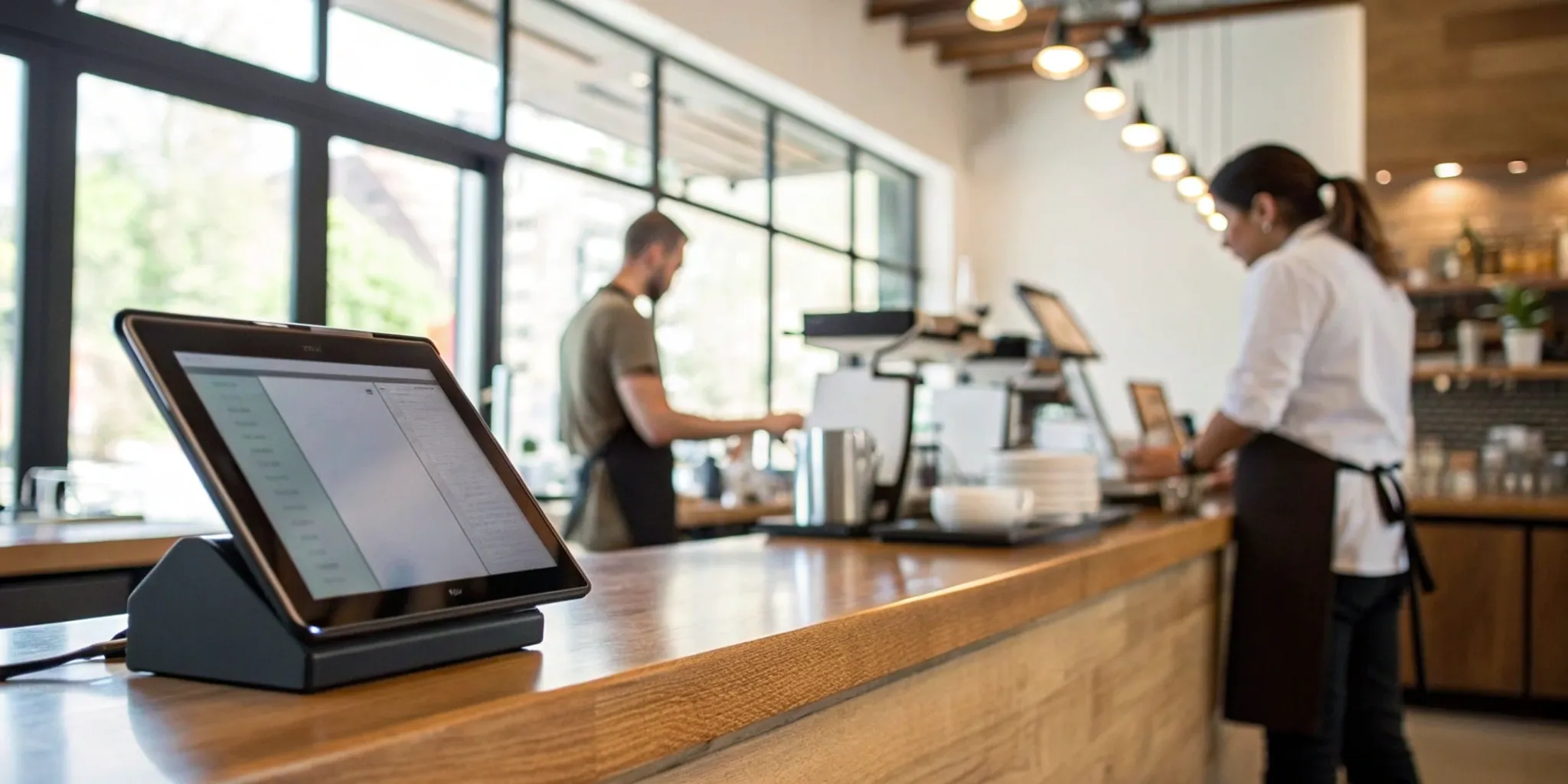
Think of a restaurant POS (point of sale) system as the command center for your entire operation. It’s so much more than a modern cash register; it’s a powerful combination of hardware and software designed to handle everything from the moment a customer walks in to when they pay their bill. The hardware typically includes a touchscreen terminal, a credit card reader, a cash drawer, and receipt printers. The software is where the magic really happens, acting as the central hub for managing customer orders, processing payments, and streamlining your day-to-day tasks.
A great restaurant POS system brings all the moving parts of your restaurant together. It helps your front-of-house staff communicate seamlessly with the kitchen, tracks your sales data so you can make smarter business decisions, and even helps manage your inventory down to the last ingredient. Instead of juggling separate systems for orders, payments, and reports, a modern POS integrates these functions into one cohesive platform. This not only saves time and reduces errors but also gives you a complete picture of your business performance. Essentially, it’s the tool that keeps your restaurant running smoothly and efficiently, freeing you up to focus on what you do best: creating amazing food and a memorable experience for your guests.
The Core Components
At its heart, a restaurant POS system is built around a few key functions that every eatery needs. First and foremost is payment processing—the ability to securely accept credit cards, debit cards, and mobile payments. Next is order management, which allows your staff to input customer orders quickly and accurately. You’ll also want robust reporting features that give you a clear look at your sales, popular menu items, and peak hours. Modern systems also include tools for staff management, like time clocks for clocking in and out. And for many restaurants, tableside service capabilities, using tablets to take orders and payments right at the table, are essential for faster service.
How It Processes an Order
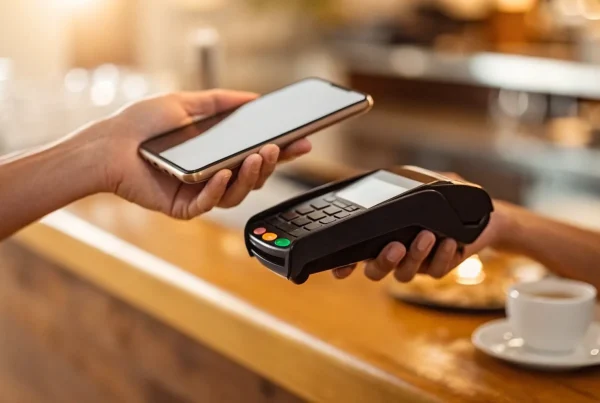
Let’s walk through how a POS system handles a typical order. A server greets a table and takes their order on a tablet or handheld device. With a few taps, the order is sent directly to the kitchen—no more messy handwriting or lost tickets. The system keeps the order open while the guests dine. When they’re ready to pay, the server can pull up the bill, easily split checks between multiple people, and take payment right at the table. The system processes the transaction, whether it’s a credit card swipe, tap, or a mobile payment, and prints a receipt. It’s a smooth, efficient process that reduces wait times and minimizes human error.
Connecting with Your Kitchen
One of the biggest game-changers a POS offers is the direct line of communication to your kitchen. Instead of relying on paper tickets that can get lost or misread, orders are sent instantly to a Kitchen Display System (KDS). A KDS is a screen that displays all incoming orders in a clear, organized way, showing cooks exactly what to prepare and in what order. This speeds up ticket times and dramatically cuts down on mistakes. Many POS systems also link orders directly to your inventory management, automatically deducting ingredients from your stock as dishes are sold. This gives you a real-time view of your inventory levels, helping you control food costs and avoid running out of popular items.
Must-Have Features for Your Restaurant POS
Choosing a POS system can feel overwhelming, but it helps to think of it as the central nervous system of your restaurant. It’s so much more than a digital cash register; it’s the hub that connects your front-of-house, back-of-house, and back-office operations. The right system doesn’t just process transactions—it streamlines your entire workflow, from the moment a customer places an order to when you’re analyzing sales reports at the end of the month.
A modern POS system is designed to handle the unique pressures of the restaurant industry. Think about the daily challenges: managing reservations, communicating complex orders to the kitchen, tracking every last ingredient, and keeping your staff organized during a chaotic dinner rush. The right features can turn these potential headaches into smooth, efficient processes. A good POS system can significantly enhance your restaurant’s efficiency, allowing your team to spend less time fighting with technology and more time creating a fantastic guest experience. As you explore your options, focus on features that solve your specific problems and support your growth.
Manage Orders and Menus with Ease
Your POS should make taking orders foolproof. Look for an intuitive interface that your staff can learn quickly, with features like customizable table layouts that mirror your actual floor plan. This makes it easy to manage tables, split checks, and send orders directly to the kitchen with just a few taps. The ability to update your menu in real-time is also crucial. If you run out of the daily special or need to 86 an ingredient, you should be able to make that change instantly across all devices. Modern cloud POS systems are built to manage these demands, keeping your front-of-house operations running smoothly.
Accept Payments (Including Dual Pricing)
In today’s market, flexibility at checkout is non-negotiable. Your POS must be able to accept all the ways your customers want to pay, including credit and debit cards, NFC mobile payments like Apple Pay, and gift cards. But beyond just accepting payments, your system should help you manage costs. This is where programs like dual pricing come in. A POS with integrated dual pricing gives customers the choice to pay a slightly higher card price or a lower cash price, which helps you offset credit card processing fees. This transparency can build trust while protecting your profit margins on every single sale.
Track Inventory and Control Costs
Food costs can make or break a restaurant, and your POS should be your first line of defense. Robust inventory management features are a must. Look for a system that can track your stock levels in real-time, sending you alerts when key ingredients are running low. Some advanced systems even allow you to input recipes to automatically deduct ingredients as menu items are sold. This level of detail helps you reduce waste, prevent theft, and make smarter purchasing decisions. Solving complex inventory management is one of the most powerful ways a POS can impact your bottom line.
Get Clear Reports and Sales Data
Are you making decisions based on gut feelings or hard data? Your POS system should provide detailed reports that give you a clear picture of your business’s health. You need to be able to easily see your sales trends, top-performing menu items, busiest hours, and server performance. This data is invaluable for everything from crafting a more profitable menu to creating a more efficient staff schedule. With the right restaurant analytics, you can stop guessing and start making strategic choices that lead to real growth and improved profitability.
Simplify Staff Management
Managing your team is one of your biggest jobs, and your POS can be a huge help. Look for built-in staff management tools that let employees clock in and out directly on the terminal. This simplifies payroll and ensures accurate time tracking. Many systems also offer features for managing user permissions, so you can control who has access to sensitive functions like voids and discounts. As your business grows, a POS with scalable staff management tools will become an indispensable part of your operation, helping you keep everything organized and secure.
Offer Mobile and Contactless Options
Customer expectations have changed, and convenience is king. A modern POS should support mobile and contactless technology to meet these demands. Features like tableside ordering with tablets allow your servers to take orders and payments right at the table, which speeds up service and reduces errors. Offering contactless payment options is no longer a nice-to-have; it’s a must for many diners. These features not only improve the customer experience but also increase table turnover, allowing you to serve more guests during peak hours.
Comparing Top Restaurant POS Systems
Choosing a POS system is a big decision, and the right one can feel like your most reliable employee. The market is full of great options, each with its own strengths. To help you find the perfect fit, let’s look at some of the leading names in the industry and see what they bring to the table. We’ll compare key features and pricing structures to give you a clear picture of what to expect from each provider.
MBNCard POS Solutions
At MBNCard, we believe your POS system should be as unique as your restaurant. Instead of offering a rigid, one-size-fits-all package, we focus on creating a tailored solution that aligns perfectly with your operational needs and budget. We partner with you to select the right hardware and software, ensuring you get all the features you need—like dual pricing, online ordering, and inventory management—without paying for those you don’t. Our goal is to provide a flexible, powerful system that supports your growth. To learn how we can build the ideal POS for your business, let’s schedule a consultation to discuss your specific requirements.
Toast POS
Toast is a powerhouse in the restaurant POS world, built specifically for the food and beverage industry. It’s an excellent choice for larger, more established restaurants with complex operations that need robust tools. Toast shines with its in-depth features, including real-time inventory tracking, a profit calculator, and advanced customer loyalty programs. It’s designed to help you manage every detail as you expand. Their plans start with a free option (you just pay transaction fees), but most growing restaurants will opt for paid tiers beginning around $69 per month, plus processing fees. Think of Toast POS as a comprehensive command center for a high-volume establishment.
Square for Restaurants
If you’re looking for a system that’s incredibly user-friendly and easy to set up, Square for Restaurants is a top contender. It’s an all-in-one platform that connects every part of your business, from payments to online ordering and kitchen display systems (KDS). Square is particularly popular with new restaurants, cafes, and food trucks because you can start with a free plan and only pay transaction fees. Its intuitive design makes training staff a breeze, and it scales nicely as your business grows. The Square for Restaurants system is a fantastic starting point for anyone who wants a simple yet powerful solution without a hefty upfront investment.
Clover POS
Clover is well-known for its sleek, modern hardware and versatile software. It offers a highly customizable platform that can be adapted for any restaurant type, from quick-service counters to full-service dining rooms. Key features include easy menu editing, table management, and seamless bill splitting. Clover’s system is a great fit for business owners who appreciate high-quality design and want a fast, reliable interface. Software plans start at a low monthly cost, while bundled hardware and software plans are also available. With its polished look and strong performance, Clover POS is a stylish and effective choice for managing your daily operations.
TouchBistro
Designed by restaurant people for restaurant people, TouchBistro is built to handle the fast-paced, high-pressure environment of a busy establishment. It’s a cloud-based system, which means you can access your data and manage your restaurant from anywhere with an internet connection. TouchBistro excels at features that are critical for service, like tableside ordering, menu management, and staff scheduling. It’s a favorite among full-service restaurants, bars, and breweries that need a system that can keep up with high volume. If you need a POS that’s truly tailored to the on-the-floor demands of a bustling restaurant, TouchBistro is definitely worth exploring.
How Much Does a Restaurant POS System Cost?
Figuring out the cost of a new POS system can feel a bit like reading a menu in a different language. Prices aren’t always straightforward, and they’re made up of a few key ingredients: software, hardware, and payment processing fees. Some providers bundle everything into one monthly payment, while others break it down into separate costs.
The good news is that once you understand the basic pricing structures, you can compare your options with confidence and find a system that fits your budget without any surprise charges. Let’s walk through the main costs you’ll encounter so you know exactly what to expect.
Subscription vs. One-Time Purchase
When it comes to software, you’ll typically see two models: a monthly subscription or a one-time license fee. Most modern, cloud-based POS systems operate on a subscription basis, often called Software-as-a-Service (SaaS). You’ll pay a recurring monthly or annual fee per terminal, which usually includes software updates, data backups, and customer support. This model is great for keeping upfront costs low and ensuring your system always has the latest features.
The alternative is a one-time purchase for a software license, which is more common with traditional, on-premise systems. While this means a larger initial investment, you own the software outright. Just be sure to ask if there are separate fees for ongoing support or future updates.
Understanding Processing Fees
Every time a customer swipes, dips, or taps their card, there’s a small cost to process that transaction. These payment processing fees are a crucial part of your total POS cost. Typically, you’ll pay a percentage of the sale plus a small, flat fee per transaction (for example, 2.6% + $0.10). While that might seem small, it adds up quickly over thousands of transactions.
It’s essential to get a clear picture of these rates. You can also explore programs designed to reduce these expenses. For instance, MBNCard’s dual pricing program allows you to offer customers a choice between a card price and a discounted cash price, effectively offsetting your processing costs.
Factoring in Hardware Expenses
Next up is the physical equipment, or hardware. This includes everything from your main terminal and cash drawer to receipt printers, kitchen display screens (KDS), and handheld devices for tableside ordering. The amount of hardware you need will depend on the size and style of your restaurant. A food truck might only need a tablet and a card reader, while a large, full-service restaurant will require a more extensive setup.
You can often buy hardware upfront, but many POS providers offer leasing options or bundled plans that roll the cost into your monthly subscription. For example, you might see a plan that includes all necessary hardware for a set monthly fee over a few years.
What to Look for in the Fine Print
Before you sign on the dotted line, take a close look at the contract. The advertised monthly price might not tell the whole story. Be sure to ask about any additional costs that could pop up. Look for details on contract length, early termination fees, and the cost of adding more terminals or features as your business grows.
Also, clarify what level of customer support is included. Is it available 24/7? Is it free, or is there an extra charge? Getting a complete breakdown of all fees—software, hardware, and payment processing—is the best way to avoid surprises and ensure the POS system you choose is a true partner in your restaurant’s success.
Cloud vs. Traditional POS: Which Is Right for You?
Choosing between a cloud-based and a traditional, on-premise POS system feels like a huge decision, but it really comes down to how you want to run your business. A traditional system stores all your data on a local server right there in your restaurant. A cloud-based system, on the other hand, stores your data securely online, letting you access it from anywhere with an internet connection. Both have their place, but one is likely a better fit for your restaurant’s specific needs and goals. Let’s break down the key differences to help you decide.
The Pros and Cons of a Cloud-Based System
Cloud-based POS systems are the popular choice for a reason. They offer incredible flexibility, allowing you to check sales reports from your phone or update menu items from a laptop at home. Many restaurant owners worry that cloud systems are complicated, but most are designed to be incredibly user-friendly. Another common concern is what happens if the internet goes down. The good news is that many modern cloud systems have an offline mode that saves transaction data and syncs it back up once you’re reconnected, so you never miss a sale. The main downside is that you’re relying on a subscription model and a stable internet connection for full functionality.
The Pros and Cons of an On-Premise System
An on-premise system, often called a legacy system, involves a one-time purchase of the software and hardware that lives in your restaurant. The biggest advantage is that you own it outright and it can operate without the internet (though you’ll still need a connection for credit card processing). However, this ownership comes with responsibility. You’ll be in charge of all maintenance, security, and software updates, which can require dedicated IT help and lead to higher long-term costs. Plus, your data is stuck on-site, making it difficult to manage your business remotely. While these systems feel secure because they’re local, they may lack the sophisticated, round-the-clock security monitoring that major cloud providers offer.
What to Consider: Security, Reliability, and Internet
When you’re making your final choice, focus on these three areas. For security, don’t assume a local server is safer. Reputable cloud POS providers invest heavily in data encryption and security protocols to protect your business and customer information. Always ask a potential provider how they handle data and ensure they help you maintain PCI compliance. For reliability, ask cloud providers about their uptime record and the specifics of their offline mode. For on-premise systems, consider the reliability of your own hardware and who you’ll call when something breaks. Finally, be realistic about your internet connection. If it’s spotty, a cloud POS with a robust offline mode is essential.
Avoid These Common POS Pitfalls
Choosing a new point-of-sale system is a big decision, and it’s easy to get tripped up by misinformation or overlook a critical detail. A great POS should make your life easier, not create new headaches. By understanding a few common challenges ahead of time, you can select a system that truly supports your restaurant’s growth and helps your team succeed. Let’s walk through some of the most frequent pitfalls and how you can steer clear of them.
Don’t Fall for These POS Myths
One of the biggest myths out there is that POS systems are only for large, high-volume restaurants. The truth is, a modern POS can be a game-changer for businesses of any size, from a single food truck to a small cafe. It streamlines ordering, manages inventory, and gives you sales data that can help you make smarter decisions. Another common misconception is that cloud-based POS systems are less secure. In reality, reputable cloud providers invest heavily in top-tier security and compliance, often providing a more secure environment than a small business could maintain on its own.
The Challenge of Integrating New Tech
Your POS system should be the command center of your restaurant, which means it needs to work well with the other tools you rely on. A common headache for owners is discovering their new POS doesn’t connect with their existing accounting software, loyalty program, or online ordering platform. Before you commit, make a list of the software you already use and love. During demos, ask specifically about integrations. A system that seamlessly connects with your other software will save you countless hours of manual data entry and help you build a more efficient, connected operation from day one.
Getting Your Team Trained and Ready
Introducing any new technology can feel daunting for your staff, and a complicated system can slow down service and create frustration. The best POS systems are designed to be intuitive and user-friendly, with a minimal learning curve. When you’re exploring options, pay close attention to the interface. Does it seem easy to navigate? Can you imagine your team picking it up quickly? A system that’s simple to learn means your staff can spend less time staring at a screen and more time delivering top-notch service to your guests. Always ask what kind of training and ongoing support the provider offers.
Staying Secure and Compliant
In an age of digital payments, protecting your customers’ data is absolutely critical. A security breach can seriously damage your restaurant’s reputation and your bottom line. Your POS system is your first line of defense, so it must be fully PCI compliant and equipped with modern security features like end-to-end encryption. Many owners also worry about what happens to a cloud-based system if the internet goes down. It’s a valid concern, but most modern systems have an offline mode that allows you to keep taking orders and payments, which then sync automatically once you’re back online. This ensures you can continue operations smoothly no matter what.
Finding the Best POS for Your Restaurant Type
The perfect POS system isn’t a one-size-fits-all solution. The fast-paced cafe on the corner has completely different needs than the fine-dining spot downtown. Your restaurant’s service style directly shapes what you need from your technology. Think of your POS as a key team member—you want to hire the right one for the job.
Choosing a system designed for your specific type of restaurant helps you streamline operations, keep customers happy, and make your day-to-day life easier. Let’s look at what different kinds of restaurants should prioritize when shopping for a point-of-sale system.
What Quick-Service Restaurants Need
If you run a quick-service restaurant (QSR) like a fast-food joint, coffee shop, or bakery, your main goal is speed. Every second counts when there’s a line out the door. Your POS system needs to keep up, with an interface that makes taking orders fast and intuitive. Look for features like simple menu layouts and quick modification buttons.
A great QSR system also helps you manage high volume efficiently. Self-service kiosks can free up your staff by allowing customers to place their own orders. You’ll also want a system that can send notifications when an order is ready, either on a screen or via text. This keeps the line moving and ensures a smooth, quick experience for every guest.
What Full-Service Restaurants Need
For a full-service, sit-down restaurant, the dining experience is everything. Your POS system should act as the central nervous system for your entire operation, connecting the front of house with the kitchen. The ability to create custom floor plans is essential for managing tables and tracking seating arrangements. Your servers will need a system that makes it easy to split checks, transfer tabs, and manage complex orders with multiple courses.
One of the most critical features is a seamless integration with a Kitchen Display System (KDS). This sends orders directly to the kitchen, eliminating handwritten tickets and reducing errors. It also allows you to time dishes perfectly, ensuring every plate arrives at the table exactly when it should.
The Right POS for Food Trucks
Running a food truck means your business is always on the move, and your POS needs to be just as mobile and flexible. A tablet-based or handheld system is a must, but don’t stop there. Since you might be serving customers in areas with spotty internet, look for a POS with a reliable offline mode that processes payments once you’re back online.
Modern food truck POS systems can also be a complete business hub. They can help you build an online store for pre-orders, manage your team’s schedules, and even run payroll. To keep customers coming back, find a system that includes marketing tools for sending emails or texts and features for creating loyalty programs and selling gift cards.
Considerations for Multi-Location Chains
When you’re managing more than one restaurant, consistency and centralized control are key. The right POS system will let you oversee all your locations from a single, central platform. This means you can update menus, change prices, and manage staff across every restaurant from one dashboard, ensuring a consistent brand experience for your customers no matter which location they visit.
A robust POS for multi-location chains also provides powerful analytics. You can compare sales data between locations, identify top-performing items across the board, and track inventory from a bird’s-eye view. This level of insight is crucial for making smart, data-driven decisions that help your entire enterprise grow.
What’s Next for Restaurant POS Technology?
The world of restaurant technology moves fast, and your point-of-sale system is at the center of it all. What was considered advanced a few years ago is now standard, and new innovations are constantly changing how restaurants operate. Keeping an eye on these trends isn’t about chasing every new gadget; it’s about understanding where the industry is headed so you can choose a POS system that will grow with your business, not hold it back.
The future of restaurant POS isn’t just about processing payments faster. It’s about creating a smarter, more connected, and more efficient operation. We’re seeing a major shift toward systems that do more than just take orders. They’re becoming intelligent partners that help you manage inventory, understand your customers, and streamline every part of your workflow. From artificial intelligence that predicts your busiest hours to seamless integrations with your favorite apps, the right technology can give you a serious competitive edge. Let’s look at the key trends shaping the next generation of restaurant POS systems.
The Rise of AI and Automation
Artificial intelligence (AI) is quickly becoming a practical tool for restaurant owners. Instead of just being a buzzword, AI is being built into POS systems to automate routine tasks and provide smart suggestions. Imagine your system automatically reordering supplies when inventory runs low or analyzing past sales data to predict how many staff members you’ll need for the weekend rush. This is what modern restaurant automation can do. It helps you make smarter, faster decisions, reducing waste and saving you from the headache of manual forecasting. By handling these repetitive tasks, AI frees you up to focus on what really matters: your food and your guests.
Deeper Analytics and Customer Insights
Your POS system collects a goldmine of data with every single transaction. The next wave of technology is focused on helping you easily understand and use that information. Modern systems are moving beyond basic sales reports to offer much deeper analytics. You can identify your most (and least) profitable menu items, see which servers have the highest check averages, and pinpoint your busiest times with incredible accuracy. These customer insights allow you to make data-driven decisions that improve everything from menu engineering to marketing campaigns, helping you create better experiences that keep customers coming back.
Seamless Third-Party App Integrations
Your POS system shouldn’t operate in a silo. The best systems today act as a central hub that connects to all the other tools you use to run your business. Whether it’s your accounting software, online ordering platform, or email marketing service, seamless third-party integrations are essential. This connectivity eliminates the need for manual data entry, which reduces errors and saves a ton of time. When your POS can communicate directly with your other software, you get a complete and accurate picture of your business performance without having to piece it all together yourself. It creates a smoother workflow for you and your team.
The Evolution of Mobile Payments
How your customers want to pay is changing, and your POS system needs to keep up. The demand for quick, convenient, and secure payment options is higher than ever. This means your system must be able to handle a variety of mobile payments, including contactless cards (tap-to-pay) and digital wallets like Apple Pay and Google Pay. Offering these options not only speeds up the checkout process but also meets modern customer expectations for a frictionless experience. As more people leave their physical wallets at home, having a POS that embraces mobile payment technology is no longer a nice-to-have—it’s a necessity.
How to Choose the Right POS System for Your Business
Picking a point-of-sale system can feel overwhelming, but it doesn’t have to be. By breaking the process down into a few key steps, you can confidently choose a system that fits your restaurant’s unique rhythm. Think of it less as a purchase and more as hiring a critical team member—one that needs to be reliable, efficient, and a great fit for your crew. Let’s walk through how to find the perfect match for your business.
Define Your Restaurant’s Needs
Before you even look at different brands, take a moment to map out exactly what you need a POS to do. Are you a bustling cafe that needs to process orders at lightning speed? Or a fine-dining establishment that requires detailed table management and split-check capabilities? Make a list of your must-haves versus your nice-to-haves. Consider features like inventory tracking, customer loyalty programs, and online ordering integration. A clear buyer’s guide can help you think through all the possibilities. This initial step ensures you’re shopping for what your restaurant actually needs, not just what looks flashy.
Test Drive with Demos and Trials
You wouldn’t buy a car without a test drive, and the same rule applies to your POS. Nearly every provider offers a free trial or a guided demo, and you should absolutely take them up on it. This is your chance to get a feel for the software’s interface. Is it intuitive? Can you easily add menu items or customize a floor plan? Imagine your newest server trying to use it during a busy Friday night rush. For example, you can start using Square for Restaurants for free to see if its workflow clicks with your team. A hands-on trial is the best way to see if a system will simplify your operations or complicate them.
Compare the Total Cost of Ownership
The sticker price is only one part of the equation. To understand the true cost, you need to look at the total cost of ownership. This includes the upfront price for hardware (like terminals and printers), monthly software subscription fees, and payment processing rates. Some companies offer a low monthly fee but charge higher transaction fees, which can add up quickly. Dig into the details of the payment processing fees—are they a flat rate, or do they vary by card type? Calculating the total cost over a year will give you a much more accurate picture of what you’ll actually be spending.
Ask About Support and Training
When your system goes down during peak hours, you need to know that help is just a phone call away. Before you commit, ask detailed questions about customer support. Is it available 24/7? Will you be talking to a real person? Good POS providers see themselves as partners and offer robust support to get you through any issue. For instance, some companies provide one-on-one help during setup and a dedicated account manager. A strong support and training plan is a crucial feature that ensures you get the most out of your investment and keeps your business running smoothly.
Related Articles
- POS Systems for Restaurants: Everything You Need to Know
- Restaurant POS systems Archives – MBNCARD, Inc.
- What Features Should I Look For In a Restaurant POS System?
- How Modern Restaurant Point of Sale Systems Can Help Save You Money
Frequently Asked Questions
I run a small cafe. Do I really need a comprehensive POS system? Absolutely. A modern POS system isn’t just for large, high-volume restaurants. For a small cafe, it can be your most valuable employee. It does so much more than process payments; it helps you track which pastries are selling best, manage your coffee bean inventory so you never run out, and speed up your line during the morning rush. Think of it as the command center that simplifies your daily tasks, giving you more time to focus on your customers and your craft.
What’s the single most important thing to consider when comparing POS systems? The most important factor is how well the system fits your specific workflow. A feature that’s a game-changer for a fine-dining restaurant, like complex table management, might be useless for a quick-service spot. Before you get swayed by flashy features, map out your daily operations from order to payment. Then, look for a system that makes that process smoother, not more complicated. The best POS is the one that feels like it was designed just for you.
I’m worried about switching to a cloud-based system. What happens if my internet connection fails? This is a completely valid concern, and it’s one of the first questions you should ask any provider. The good news is that most modern cloud-based systems are built for this exact scenario. They come with an offline mode that allows you to continue taking orders and processing card payments. Once your internet connection is restored, the system automatically syncs all the saved data. This ensures you never miss a sale or disrupt service, even when your Wi-Fi is acting up.
How can a POS system actually help me save money? A great POS system impacts your bottom line in several ways. First, robust inventory tracking helps you drastically reduce food waste by showing you exactly what you have and what you’re using. Second, detailed sales reports allow you to identify and promote your most profitable menu items. Finally, features like integrated dual pricing can directly offset your credit card processing fees, which can save you thousands of dollars a year. It’s an investment that pays for itself by tightening up your operations and protecting your margins.
Beyond the monthly software fee, what are the other costs I should watch out for? It’s smart to look at the total cost, not just the advertised price. The three main components are software, hardware, and payment processing. Ask for a clear breakdown of payment processing rates, as these per-transaction fees can add up significantly. Also, clarify the cost of hardware—are you buying it upfront or leasing it? Finally, ask about any potential extra charges for things like 24/7 customer support, software updates, or adding more terminals as your business grows.