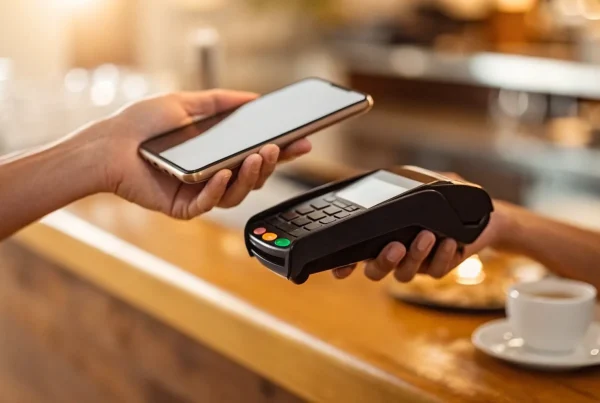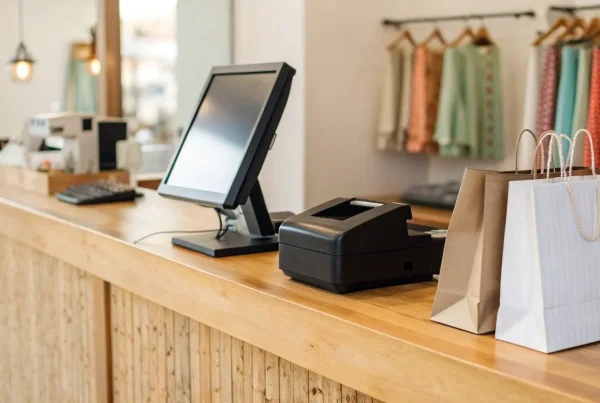
Let’s be direct: what’s the catch with a “free” POS system? You see the ads, you hear the buzz, and it sounds too good to be true. For many new and small businesses, it’s a genuinely great starting point. You get access to powerful software without the upfront cost, which can be a game-changer when you’re managing a tight budget. But the “free” part only applies to the software subscription. You’ll still have costs related to payment processing, hardware, and potentially upgrading to access crucial features as you grow. This article is your guide to navigating the search for a pos system for small business free of charge, so you can find a solution that truly works for you.
Key Takeaways
- Look Beyond the “Free” Label: While you won’t pay a monthly software fee, the real cost lies in payment processing rates. Compare these transaction fees carefully and budget for necessary hardware to understand the full financial picture.
- Focus on the Core Functions: A useful free POS must handle the essentials without compromise. Ensure your choice includes seamless payment acceptance, basic inventory tracking, easy-to-read sales reports, and an offline mode to prevent lost sales.
- Choose a Partner for Growth: The right system should support you today and tomorrow. Select a provider with a clear upgrade path and confirm you can easily export your sales and customer data so you aren’t locked in when it’s time to expand.
Is a “Free” POS System Really Free?
When you’re running a small business, the word “free” is music to your ears. A free Point of Sale (POS) system sounds like a no-brainer—a way to manage sales, track inventory, and accept payments without adding another monthly bill to your expenses. But as most business owners know, “free” often comes with a few strings attached. So, what’s the real story?
The good news is that the core software for these systems is genuinely free to use. You can download the app, set up your product catalog, and start ringing up sales without paying a subscription fee. For new businesses or those with tight budgets, this is a huge advantage, especially when many POS systems hide important features behind expensive plans. A powerful system for free can help you get up and running quickly.
However, “free” doesn’t mean zero cost. The main way these companies make money is through payment processing. While the software doesn’t have a monthly fee, you will always pay transaction processing fees on every card payment you accept. These fees are typically a small percentage of each sale, but they add up and are an essential cost to factor into your pricing and budget.
Beyond transaction fees, you might also run into other costs. Many free plans come with limitations. You might find that advanced features like in-depth sales analytics, employee management tools, or integrations with other software require an upgrade to a paid plan. Similarly, free versions can sometimes limit the number of products you can list or the number of staff accounts you can create. And don’t forget hardware—you’ll still need to purchase or lease equipment like a card reader, tablet, and cash drawer. So while a free POS is a fantastic starting point, it’s important to look at the complete picture to understand the true cost for your business.
The Best Free POS Systems for Small Businesses
Finding the right POS system can feel like a huge task, but plenty of great options won’t cost you a dime in monthly software fees. These systems are designed to get you up and running quickly, handling everything from ringing up sales to tracking your inventory. While the software itself is free, remember that you’ll still pay a small percentage for payment processing on each transaction—that’s standard across the industry. The key is finding a system with the right balance of features, fair processing rates, and the flexibility to grow with you.
We’ve rounded up some of the best free POS systems available for small businesses. Each one has its own strengths, whether you’re running a bustling boutique, a cozy café, or a pop-up shop. Think about what you need most—is it powerful inventory management, seamless online integration, or tools built specifically for your industry? This list will help you compare the top contenders and find the perfect fit for your business. A great POS system does more than just take money; it gives you insights into your sales, helps you manage stock, and frees up your time to focus on what you do best—running your business.
MBNCard POS Solutions
Our own MBNCard POS Solutions are built with the small business owner in mind. We focused on creating a user-friendly interface that doesn’t require a steep learning curve, so you can get started right away. The system comes loaded with the essential features you need to run your business efficiently, including sales tracking, straightforward inventory management, and tools to help you manage customer relationships. Best of all, there are no upfront software costs. It’s a powerful, no-nonsense solution designed to help you process payments securely and manage your daily operations without breaking the bank.
Square POS
You’ve likely seen Square’s little white card readers everywhere, and for good reason. Square offers free point-of-sale (POS) software that’s incredibly easy to set up and use, making it a popular choice for all kinds of businesses, from coffee shops to retail stores. The system allows you to manage sales, track your inventory, and access basic reports without paying a monthly fee. Instead, you simply pay a flat-rate processing fee for each transaction. Its intuitive design and reliable performance make it a strong contender for any business owner looking for a simple and effective POS solution.
Loyverse POS
If you run your business from a smartphone or tablet, Loyverse POS is definitely one to check out. This free mobile app transforms your device into a fully functional cash register. The Loyverse POS system helps you manage sales, inventory, and even your employees right from the palm of your hand. The basic features are completely free, giving you everything you need to get started. For businesses that need more advanced capabilities, like deeper analytics or third-party integrations, Loyverse offers them through paid add-ons, allowing you to scale your system as your business grows.
Toast POS (Starter Plan)
For those in the food and beverage industry, Toast is a name you need to know. While they offer robust paid plans, their free Starter Plan is designed specifically for small restaurants, cafés, and bars. This plan includes their core POS software, payment processing, and access to their 24/7 customer support. Toast’s system is tailored to the unique needs of a restaurant, with features for managing tables, menus, and orders. You can even get the hardware without any upfront costs, making it an accessible all-in-one solution for new restaurateurs.
Shopify POS Lite
If you already have a Shopify store or plan to sell both online and in person, Shopify POS Lite is a fantastic choice. This system is designed to create a seamless experience between your e-commerce site and your physical retail location. It allows you to manage your entire inventory from one place, so you never have to worry about overselling. The Shopify POS Lite features are included with all Shopify e-commerce plans, giving you a powerful, integrated sales solution that covers all your bases without an extra monthly fee for the POS software itself.
PayPal Zettle
Leveraging the trust and familiarity of the PayPal brand, PayPal Zettle offers a free and user-friendly POS system perfect for small businesses. The system is designed for simplicity, enabling you to accept various payment types and manage your sales with ease. It comes equipped with solid features for inventory management, sales tracking, and generating reports to give you valuable customer insights. Because it’s part of the PayPal ecosystem, it integrates smoothly with PayPal’s payment processing, making it a convenient and reliable option for merchants who already use and trust PayPal for their business transactions.
Must-Have Features for Your Free POS System
When you’re looking for a free POS system, it’s easy to focus on the price tag—or lack thereof. But a system that’s free yet can’t handle the fundamentals isn’t a bargain; it’s a roadblock. To truly support your business, a free POS needs a solid set of core features that help you manage sales, understand your performance, and keep customers coming back. Think of these as the non-negotiables. Without them, you’ll quickly outgrow the software and be forced to find a new solution, which can be a major headache. As you compare your options, make sure these essential tools are included right out of the box.
Seamless Payment Processing
At its heart, a POS system’s job is to help you get paid. Your free software should make it simple to accept all the ways your customers want to pay, including credit cards, debit cards, and mobile payments like Apple Pay. While the software itself is free, the payment processing is not. Most free POS providers charge a small, flat-rate fee for each transaction, which is a standard part of accepting non-cash payments. The key is to find a system with transparent and predictable payment processing so you always know what you’re paying. A reliable system ensures your checkout line moves quickly and you never miss a sale.
Simple Inventory Tracking
For any business selling physical goods, from boutiques to cafes, managing inventory is critical. A good free POS system should include basic inventory tools to help you keep track of your stock in real time. Look for features that automatically update your product counts with each sale and send you alerts when items are running low. This simple automation saves you from tedious manual stock counts and, more importantly, prevents you from running out of your best-selling products. Having an accurate picture of what’s on your shelves helps you make smarter purchasing decisions and keep your customers happy.
Clear Sales Reports
How is your business really doing? A great free POS system gives you the data to answer that question. You don’t need overly complex analytics, but you do need clear, accessible sales reports. Your system should make it easy to see key metrics like your total revenue, best-selling items, and average transaction value at a glance. Many systems even let you check these reports from your phone, so you can keep a pulse on your business from anywhere. This information is essential for spotting trends, planning promotions, and making informed decisions that help your business grow.
Tools to Build Customer Loyalty
Attracting a new customer is much more expensive than keeping an existing one. That’s why even a free POS should offer basic tools to help you build customer relationships. Look for the ability to create customer profiles where you can see their purchase history and contact information. Some free systems even let you run simple loyalty programs to reward your regulars for their business. These features allow you to understand who your best customers are and give them reasons to keep coming back, which is one of the most effective ways to build a stable, profitable business.
An Easy-to-Use Interface (Even Offline)
A POS system should make your life easier, not more complicated. The best systems have a clean, intuitive interface that you and your employees can learn in minutes. A complicated system can lead to errors and slow down your checkout process, which is the last thing you want during a busy rush. It’s also incredibly important to find a system that can function offline. If your internet connection drops, an offline mode allows you to continue accepting payments, ensuring you never have to turn a customer away. While some features might be limited without a connection, the ability to process a sale is a must-have.
Watch Out for These Hidden Costs and Limitations
The word “free” is music to any business owner’s ears, but when it comes to POS systems, it’s rarely the full story. A free software plan can be a fantastic starting point, but it’s important to go in with your eyes open. Many providers use a freemium model, offering a basic version for free to get you in the door, with the hope that you’ll eventually upgrade or pay for other services. To make sure you’re making a smart choice for your business, let’s pull back the curtain on the common costs and limitations you might encounter.
Transaction Fees
Here’s the one cost you can’t avoid: payment processing. While the POS software itself might not have a monthly fee, you will always pay transaction processing fees on every card payment you accept. These fees are typically a small percentage of each sale (often between 1.5% and 3.5%) plus a fixed amount per transaction. These rates can vary widely between providers, and even a fraction of a percent can add up to thousands of dollars over a year. Before you sign up, compare the processing rates of any free POS system you’re considering. This is often the biggest long-term cost associated with a “free” system.
Hardware and Equipment Costs
Many free POS systems are designed to run on hardware you already own, like an iPad, smartphone, or computer, which is a huge plus. Some providers will even send you a free basic card reader to get started. However, your needs might go beyond that. Do you need a receipt printer, a barcode scanner, or a cash drawer? This is where costs can start to creep in. Some providers require you to buy their proprietary hardware, which can be expensive and lock you into their ecosystem. Always check what equipment is compatible and budget for any necessary hardware before you commit.
Locked Premium Features
Free POS plans give you the essentials, but they often hold back the most powerful tools for their paid tiers. Think of the free version as the base model of a car—it gets you from A to B, but it might lack the features that make the drive smoother. Important tools like advanced sales analytics, customer loyalty programs, or sophisticated inventory management are frequently reserved for paying customers. Make a list of your absolute must-have features and check if they’re included in the free plan. Otherwise, you might find yourself needing to upgrade sooner than you think.
Limits on Products and Users
Before you get too excited about a free plan, dig into the fine print for any limitations. Free systems often cap the number of products you can list in your inventory, which can be a dealbreaker for retailers with a wide variety of items. You might also find limits on the number of employee accounts you can create or the number of transactions you can process each month. These limitations can feel restrictive as your business grows. Be sure the plan you choose can handle your current business volume and won’t hold you back in the near future.
Limited Customer Support
When your payment system goes down during a weekend rush, who are you going to call? With many free plans, the answer is nobody. Customer support is a common area where providers cut costs. Free users are often directed to online help centers, forums, or email support with slow response times. Access to live phone or chat support is typically a premium feature. If you’re not particularly tech-savvy or you want the peace of mind that comes with knowing help is available when you need it, the level of support offered on a free plan might not be enough for you.
Comparing Usability and Support Across Systems
A point-of-sale system should simplify your daily operations, not complicate them. When you’re comparing free POS options, it’s easy to focus only on features and fees, but usability and support are just as important. How quickly can you train a new employee? What happens if the system goes down during your Saturday rush? The answers to these questions can have a real impact on your sales and customer satisfaction. A system that’s intuitive and backed by reliable help will save you time and headaches down the road. Let’s look at what to expect from different free POS systems.
How Easy Is It to Learn?
You don’t have time for a steep learning curve, and neither does your team. The best POS systems are designed to be intuitive from the moment you log in. For example, Square is well-known for its user-friendly interface that feels as simple as using a smartphone. This makes it incredibly easy for almost anyone to learn the ropes quickly. Similarly, Loyverse POS is built with a clean, straightforward design, making it accessible for small business owners who might not be tech experts. A system that’s easy to learn means less time spent on training and more time focused on your customers.
Performance on Mobile vs. Desktop
Your business isn’t always tied to a countertop, and your POS system shouldn’t be either. Many free POS providers, like Loyverse, let you turn a smartphone or tablet into a fully functional point of sale. This is perfect for selling at markets, managing a food truck, or running a service business where you meet clients on-site. It’s also important to check for offline functionality. Some apps can continue processing sales even if your internet connection drops, though features like processing refunds or adding new customers might be limited until you’re back online. This can be a lifesaver for pop-up shops or businesses with unreliable Wi-Fi.
The Quality of Customer Support
When you run into a technical issue, getting help quickly is critical. With free POS systems, the level of customer support can vary significantly. Some providers offer basic email support, while others provide more robust options. Square, for instance, includes free customer support with its plans. Loyverse goes a step further by offering 24/7 live chat and a comprehensive help center with guides and videos. Having access to immediate assistance, especially during busy hours, provides peace of mind and ensures you can resolve problems without disrupting your business.
How Well It Plays with Other Tools
Your POS system is the heart of your sales operations, but it needs to work well with the other tools you use to run your business. Check whether a free POS can integrate with your existing accounting software, e-commerce platform, or marketing tools. Systems like Loyverse and Square are designed to connect with a variety of third-party apps, which helps automate tasks and keep your data in sync. This ability to integrate saves you from hours of manual data entry and allows you to build a tech stack that supports your business as it grows.
Who Are Free POS Systems Best For?
A free POS system can be a game-changer, but it’s not a one-size-fits-all solution. These systems are typically designed for new or small businesses that need to manage sales and inventory without a hefty upfront investment. If you’re just starting out, operating on a tight budget, or have straightforward transaction needs, a free POS provides the essential tools to get you up and running professionally. It’s the perfect entry point for solopreneurs, side hustlers, and anyone testing a new business idea before going all-in.
Think of it as a solid foundation. You get core features like payment processing, sales tracking, and basic inventory management, which is often more than enough for a new venture. Businesses that are mobile, seasonal, or just dipping their toes into a new market find free POS systems particularly valuable because they offer flexibility without the long-term financial commitment. You can learn the ropes of managing sales data and customer information without feeling overwhelmed by complex features you don’t need yet. As your business grows and your needs become more sophisticated, you can always upgrade to a paid plan or a more advanced system. But for many entrepreneurs, a free POS is the perfect starting point to manage operations and serve customers effectively from day one.
Retail Shops and Boutiques
If you run a small retail shop or boutique, a free POS system is one of the smartest tools you can have. It helps you manage daily sales, keep an eye on your inventory, and even track employee performance without eating into your profits. For new shop owners, this is huge. You can easily see which products are your bestsellers and which ones are gathering dust, allowing you to make smarter purchasing decisions. A simple, intuitive interface means you can ring up customers quickly, accept various payment types, and provide a smooth checkout experience. This builds trust and gives your new shop a polished, professional feel right from the start, encouraging those first-time buyers to become loyal customers.
Restaurants and Food Service
For cafes, food trucks, and small restaurants, a free POS can handle all the essential tasks of taking orders and processing payments. Systems like Toast’s starter plan are designed specifically for food service, offering a streamlined way to manage your menu and sales without the high cost of a traditional restaurant system. You can easily update daily specials, track your most popular dishes, and keep the line moving during a busy lunch rush. While a rapidly growing restaurant might eventually need more advanced features like table management and kitchen display systems, a free version is the perfect way to get started. It lets you serve your customers efficiently while keeping your initial operating costs low, which is critical in the competitive food industry.
Service-Based Businesses
Whether you run a salon, a repair shop, or a small consultancy, a free POS can simplify your operations significantly. These systems aren’t just for selling products; they’re great for managing appointments, creating customer profiles, and processing payments for your services. For example, Square’s free POS is built to support service businesses as they grow, offering integrated tools that help you market to your clients and manage your team. It gives you a central hub to run your business, track your revenue, and store client notes to personalize their next visit. This helps you build lasting relationships with the people you serve, all without an initial software cost.
Seasonal and Pop-up Vendors
Free POS systems are a perfect match for seasonal businesses, market stalls, and pop-up shops. The low-cost entry means you can manage transactions professionally without committing to expensive hardware or a long-term contract for a business that only operates a few months a year. Many of these systems also have an offline mode, which is a lifesaver when you’re at an outdoor festival or a market with unreliable Wi-Fi. You can keep making sales and sync your data later. This flexibility allows you to run your pop-up smoothly and focus on connecting with customers in a fast-paced environment, not on wrestling with technical difficulties.
Will a Free POS Grow with Your Business?
A free POS system is an incredible tool for getting your business off the ground. It lets you accept payments and manage sales without a hefty upfront investment, which is a huge win when every dollar counts. But as your business finds its footing and starts to expand, the system that worked for you on day one might start to feel a bit tight. The features that were once “good enough” can become roadblocks, and the simple fee structure might not be the most cost-effective option anymore. This is a natural part of the business journey, and it’s a good problem to have!
The key is to think ahead and understand the limitations of a free plan from the start. Planning for your future success means knowing what your business will need down the road and recognizing when your current system is holding you back instead of helping you grow. Thinking about scalability now isn’t pessimistic—it’s smart, and it will save you major headaches later on. Let’s look at the common growing pains you might face and how to know when it’s time to make a change.
Knowing When to Upgrade
One of the clearest signs you’re ready for an upgrade is your sales volume. Many free POS providers note that businesses processing over $250,000 a year can often find lower payment processing fees with a traditional merchant services provider. While a simple flat rate is great when you’re starting out, it can eat into your profits as your transaction volume climbs. If you’re planning to open new locations, manage a growing team, or handle more complex inventory, those are also strong indicators that your free system’s features may no longer be enough to support your operations efficiently.
The Challenge of Moving Your Data
Switching your POS system isn’t as simple as downloading a new app. Over the years, you’ll accumulate a treasure trove of valuable information: customer profiles, sales history, and product data. Migrating this data to a new system can be a significant challenge. Some free POS platforms don’t make it easy to export your information, which can make you feel locked in. Before committing to a free system, it’s wise to investigate their data export policies. Ensuring you can easily take your data with you gives you the freedom to choose the right solution for your business at every stage of its growth.
Missing Advanced Features
Free POS systems cover the basics, but they often keep their most powerful tools behind a paywall. As you grow, you’ll likely need more than just simple transaction processing. Features like advanced sales analytics, comprehensive inventory management across multiple channels, and integrated customer loyalty programs become essential for making informed decisions and encouraging repeat business. If you find yourself trying to manage employee permissions with workarounds or struggling to get a clear picture of your business health, it’s a sign you’ve outgrown the basic toolkit and are ready for a more robust solution.
How to Choose the Right Free POS for You
With so many options on the table, picking the right free POS system can feel like a huge task. But it doesn’t have to be. The best choice is the one that fits your business’s unique rhythm—how you sell, how you track inventory, and how you connect with customers. Think of this as finding a business partner. You want a system that’s reliable, easy to work with, and ready to support you as you grow.
To find that perfect fit, you need a clear plan. Instead of getting distracted by flashy features you might never use, focus on what truly matters for your daily operations and long-term goals. By breaking the decision down into a few manageable steps, you can confidently select a POS system that not only meets your needs today but is also prepared to scale with your success tomorrow. Let’s walk through how to make a smart, informed choice.
Define Your Must-Haves
Before you even look at a single POS system, grab a pen and paper and list your non-negotiables. What does your business absolutely need to run smoothly? For most, this includes robust inventory tools that can track your stock in real-time and scan barcodes. You’ll also want to consider customer features, like the ability to build a customer directory or offer a simple loyalty program. Finally, confirm that the system has built-in payment processing that accepts all the ways your customers want to pay, from credit cards to digital wallets. If you run a restaurant or a salon, look for industry-specific features that are designed for your workflow.
Compare the Fee Structures
Here’s the most important thing to remember: “free” POS software is never truly free. While you won’t pay a monthly subscription for the software itself, you will always pay payment processing fees on every transaction. These rates are how free POS providers make their money. As you compare systems, look beyond the marketing and find the fee schedule. Most companies charge a flat-rate transaction fee, typically between 2% and 4% of each sale. Dig into the details to see if rates differ for tapped, dipped, or keyed-in cards, as these small percentages add up quickly and directly impact your bottom line.
Test Drive the Software
You wouldn’t buy a car without taking it for a spin, and the same goes for your POS. Most free systems are app-based, so you can easily turn your smartphone or tablet into a point-of-sale to test the software. Process a few test sales, issue a refund, and add a new customer to see how intuitive the interface feels. Pay close attention to its offline capabilities. Many apps can still process sales without an internet connection, but you might not be able to access other key features. Make sure the system’s offline mode is practical for your business, especially if you sell at markets or events with spotty Wi-Fi.
Plan for Your Future Growth
The free POS system that works for you today might not be the right fit a year from now. As you evaluate your options, think about your business goals. Many free plans are designed to be a starting point, with the provider hoping you’ll upgrade to a paid tier as your business expands. Consider what features are locked behind those more expensive plans. While a free system is a great way to get started, be aware that outgrowing it can be a challenge. Migrating your product data and customer lists to a new system down the road can be a major headache, so choose a provider that offers a clear and scalable upgrade path.
Related Articles
- POS Systems for Restaurants: Everything You Need to Know
- What Features Should I Look For In a Restaurant POS System?
- How Modern Restaurant Point of Sale Systems Can Help Save You Money
- POS system Archives – MBNCARD, Inc.
- Restaurant POS systems Archives – MBNCARD, Inc.
Frequently Asked Questions
What’s the catch with a “free” POS system? The main thing to understand is that while the software itself doesn’t have a monthly subscription fee, you will always pay for payment processing. These companies make their money by taking a small percentage of every credit or debit card transaction you run. This is a standard industry practice, but it’s the most significant ongoing cost you should factor into your budget.
Do I need to buy special hardware for a free POS? Not always. Many free POS systems are designed to run on hardware you likely already own, like a tablet or smartphone, and some providers even send you a basic card reader to get started. However, if you need additional equipment like a cash drawer, barcode scanner, or receipt printer, you will almost certainly have to purchase that separately.
What happens if my internet connection fails? This is a great question, and it’s why you should look for a system with an offline mode. This feature allows you to continue accepting card payments even when your Wi-Fi is down. The transactions are securely stored and then processed once you’re back online. It’s a crucial feature that ensures you never have to turn a customer away due to a spotty connection.
How do I know when it’s time to switch to a paid system? You’ll likely start to feel the limitations of a free plan as your business grows. A big indicator is your sales volume; once you’re processing a high number of transactions, the flat-rate fees of a free system can become more expensive than a traditional merchant account. You might also find yourself needing more advanced tools, like in-depth sales analytics, multi-location inventory management, or robust customer loyalty programs that aren’t included in the free version.
With so many options, how do I pick the right one for my specific business? Start by ignoring the marketing and focusing on your daily needs. Make a simple list of your must-have features, whether that’s inventory tracking for a boutique or menu management for a café. Then, compare the transaction fee structures of your top contenders, as this will be your biggest cost. Finally, download the app and test it out to see if the interface feels intuitive and easy for you and your team to use.