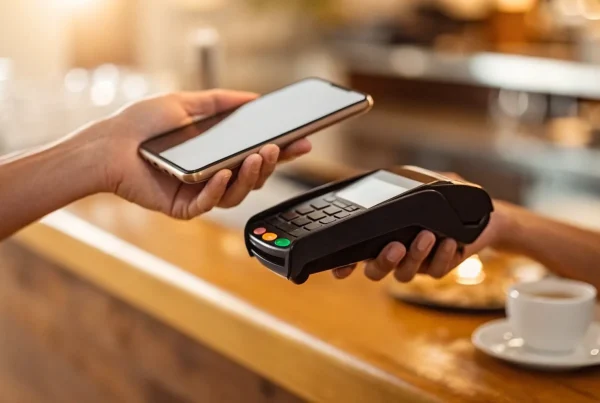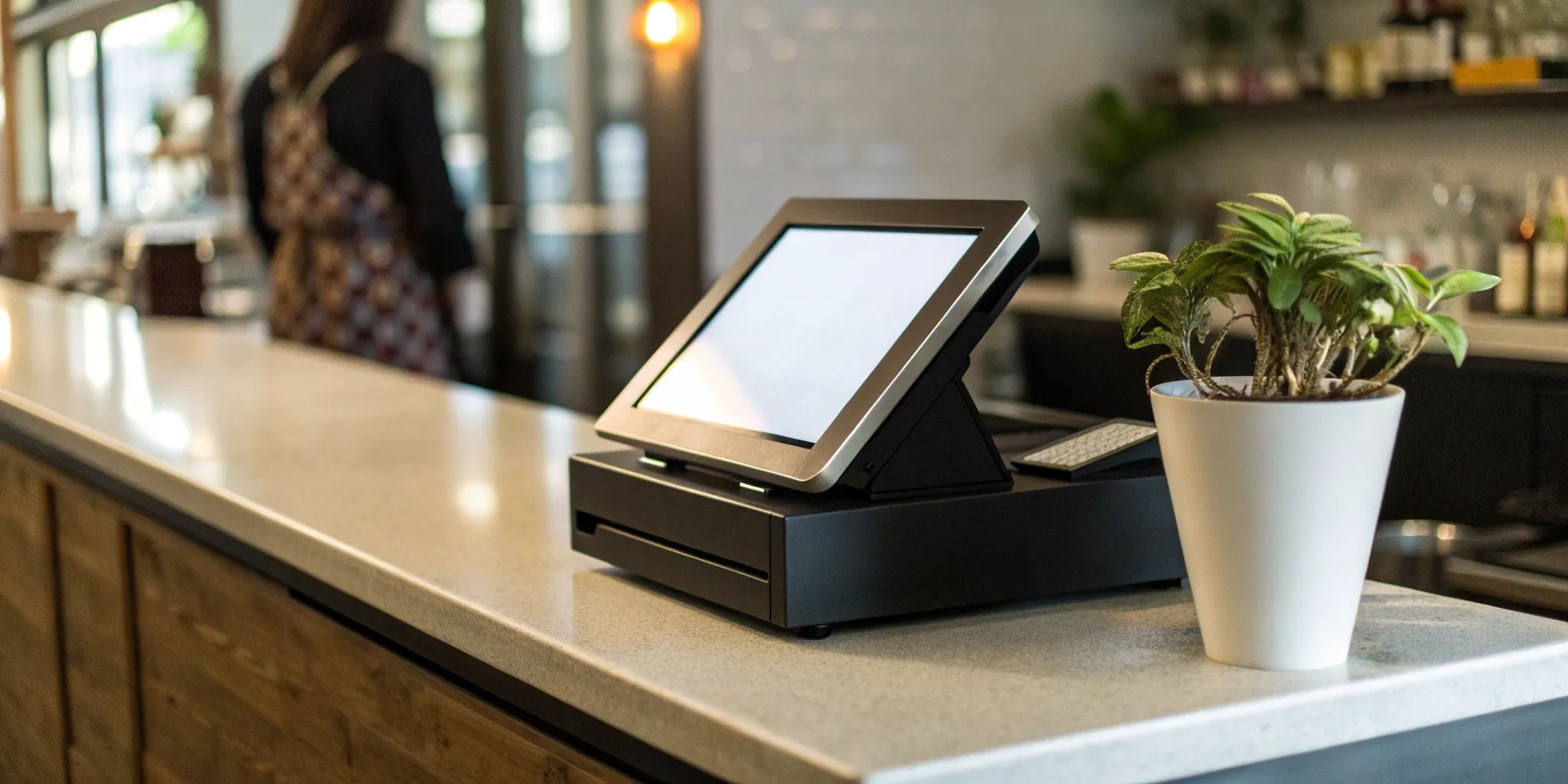
A POS system is not a one-size-fits-all solution. The features a bustling restaurant needs to manage tables and tips are completely different from what a retail boutique requires for complex inventory tracking. Choosing the wrong system can lead to daily frustrations and clunky workarounds that slow you down. The key is to find a solution that understands the unique rhythm of your industry. Instead of getting lost in endless feature comparisons, it’s better to start with your specific business type. We’ll break down the essential tools for retail shops, restaurants, and other small businesses, helping you identify your non-negotiables and compare options from a curated pos system list built for your world.
Key Takeaways
- Prioritize Features That Fit Your Workflow: A retail shop’s success hinges on robust inventory management, while a restaurant needs tools like table mapping and split-check functions. Choose a system designed for your specific day-to-day operations.
- Calculate the True Cost, Not Just the Subscription: Look beyond the monthly price tag. A system’s real cost includes payment processing rates, hardware, and the time saved by integrating with your accounting and e-commerce platforms.
- Select a Partner for Long-Term Growth: Your POS should support your future, not limit it. Confirm that the system is intuitive for your team, has a clear data migration process, and can easily scale to handle new locations or an online store.
What Should You Look for in a POS System?
Choosing a point-of-sale (POS) system can feel overwhelming, but it doesn’t have to be. Think of it less like a cash register and more like the central command center for your entire business. The right system handles payments, yes, but it also connects your sales, inventory, and customer data in one place, giving you a clear picture of your business’s health. Before you start comparing brands, it helps to know which features will actually make a difference in your day-to-day operations.
A good POS system should simplify your workload, not add to it. As you explore your options, focus on these core areas to find a solution that fits your business perfectly.
Core Operations: Payments and Sales Tracking
At its heart, a POS system needs to make getting paid simple and secure. Your system should flawlessly accept all the ways your customers want to pay, including credit and debit cards, contactless payments like Apple Pay, and gift cards. But processing payments is just the beginning. The real value comes from the data. Your POS should provide clear, easy-to-read sales reports. Look for the ability to quickly see your top-selling products, track sales trends by the hour or day, and understand your profit margins without needing a degree in accounting. This information is critical for making smart business decisions.
Inventory and Product Management
For any business selling physical products, managing inventory is a constant challenge. A great POS system takes the guesswork out of it. Look for features like real-time stock tracking that automatically updates your inventory levels with every sale, whether it happens in-store or online. You should be able to set up low-stock alerts so you know when to reorder before you run out. Other key features include barcode scanning for quick checkouts and the ability to manage product variations, like different sizes and colors. This keeps your operations smooth and your customers happy.
Customer Relationship Management (CRM)
Your best customers are your repeat customers. A POS with built-in CRM tools helps you turn one-time buyers into loyal fans. These features allow you to create customer profiles to track purchase history and contact information. Why is this useful? You can identify your VIPs, understand what they love to buy, and even create simple loyalty programs to reward them for coming back. It’s a simple way to add a personal touch and encourage repeat business, which is far more cost-effective than constantly trying to find new customers.
Integrations and Omnichannel Capabilities
Your POS system shouldn’t operate on an island. It needs to connect seamlessly with the other tools you use to run your business. One of the most important connections is between your physical store and your e-commerce site. An omnichannel POS system syncs your sales and inventory across all channels, preventing you from accidentally selling the same item twice. Also, check for integrations with your accounting software (like QuickBooks), email marketing platforms, and employee management tools. The more your systems talk to each other, the less manual work you have to do.
Our Top POS Picks for Retail Shops
Running a retail shop comes with its own unique set of challenges, and your point-of-sale system should be your partner in crime, not another problem to solve. You need a system that can do more than just process payments. It should help you track every item on your shelves, understand your customers’ buying habits, and make the checkout process a breeze for everyone. Whether you run a tiny boutique, a bustling gift shop, or an online store with a physical footprint, the right POS can make all the difference. Here are a few of our favorite systems that are built with retailers in mind.
Why We Recommend MBNCard POS
We designed MBNCard POS specifically for retail businesses because we know you need more than a basic cash register. Its interface is incredibly user-friendly, which means you can train new staff in minutes, not hours. The real star of the show, though, is its robust inventory management. You can easily track stock levels, set up low-stock alerts, and generate reports to see what’s selling and what’s not. Because it’s our own system, it integrates perfectly with our transparent payment processing. You get a powerful, all-in-one solution that streamlines your operations from checkout to closing, helping you save time and focus on what you do best: serving your customers.
Square for Retail
If you’re just starting out or need a flexible setup for markets and pop-up events, Square for Retail is a fantastic choice. Its biggest draw is the low barrier to entry—the basic plan has no monthly software fees, so you only pay a transaction fee when you make a sale. The system is incredibly easy to set up and use on a tablet or smartphone, giving you the freedom to sell anywhere. It comes packed with essential features like inventory tracking, customer profiles, and sales reporting. While the per-transaction fee of 2.6% + 10¢ can add up for high-volume shops, it’s an affordable and powerful starting point for many small businesses.
Clover
For the business owner who loves to customize, Clover is a dream come true. Think of it as the smartphone of POS systems—it comes with core functionality, but its true power lies in the extensive Clover App Market. You can add tools for everything from advanced loyalty programs and online ordering to specialized reporting and employee management. Clover offers a range of sleek hardware options, from the handheld Clover Go to the full-size Clover Station. This flexibility allows you to build a system that perfectly matches your shop’s specific needs and can easily adapt as your business grows.
Our Top POS Picks for Restaurants & Eateries
Running a restaurant, cafe, or bar comes with a unique set of challenges that retail shops just don’t face. You’re not just selling a product; you’re managing an experience. Orders need to fly from the server to the kitchen instantly and accurately. You need to track open tabs, manage table turnover, split checks, and handle tips. The right POS system acts as the central nervous system for your entire operation, connecting your front-of-house staff with your back-of-house team to keep everything running smoothly.
A generic POS can feel clunky and slow you down during a busy dinner rush. That’s why it’s so important to find a system designed specifically for the food and beverage industry. These specialized systems come with features that streamline your workflow, from intuitive menu modifiers to detailed sales reports that show you which dishes are your bestsellers. They can also help you manage reservations, build customer loyalty, and even take online orders. Below, we’ve rounded up some of the best POS systems built to handle the heat of the kitchen.
Resy
For restaurants where reservations are key, Resy is a game-changer. While it’s best known as a reservation management platform, its power lies in how it integrates with your POS system to create a seamless guest experience. ResyOS for Restaurants helps you manage your tables, build detailed guest profiles to remember your regulars’ preferences, and use analytics to optimize your seating and service. By connecting your reservation book to your sales data, you get a complete picture of your front-of-house operations, helping you turn first-time visitors into loyal customers.
A point-of-sale system isn’t a one-size-fits-all tool. The features that a boutique owner can’t live without might be completely useless to a coffee shop owner. Sifting through endless feature lists can feel overwhelming, so let’s cut through the noise. The key is to match the software’s capabilities to what you actually do every day. A system that understands the unique rhythm of your business—whether that’s managing a complex inventory, turning tables during a dinner rush, or simply making a sale on the go—will feel less like a piece of tech and more like a trusted business partner.
To help you find the right fit, we’ve broken down the essential features by business type. Think of this as your cheat sheet for identifying the non-negotiables for your specific industry. We’ll cover what matters most for retail shops, restaurants, and any small business looking for a simple, effective solution.
For Retail: Inventory, Loyalty, and More
If you run a retail shop, your POS system is the brain of your operation. Your top priority should be finding a system with robust inventory management. You need to know what’s in stock, what’s selling fast, and when to reorder—all in real time, across both your physical and online stores. Look for features that let you easily add product variants like size and color. Beyond inventory, your POS should help you build relationships. Features like customer profiles and integrated loyalty programs make it easy to track purchase history and reward your best customers, encouraging them to come back again and again. Strong sales reporting is the final piece, giving you the data you need to make smart decisions about your products and promotions.
For Restaurants: Table Management, Tipping, and Tabs
For restaurants, cafes, and bars, speed and efficiency are everything. Your POS system needs to be built for the unique demands of the food industry. Look for systems with specialized tools for menus and kitchen display screens (KDS) that keep orders flowing smoothly from the front of house to the kitchen. Features like table management, which lets you see which tables are open, and the ability to easily split checks and manage tabs are absolute must-haves. And since spills and messes are part of the job, durable, spill-proof hardware can be a lifesaver. Many modern restaurant POS systems also offer handheld devices for tableside ordering and payment, which can significantly speed up service and improve the customer experience.
For Small Businesses: Simplicity, Affordability, and Growth
If you’re just starting out or run a business that doesn’t fit into a neat retail or restaurant box—like a service provider, a market stall, or a pop-up shop—your needs are different. You need a full POS solution that is straightforward, affordable, and flexible. The best systems for small businesses are easy to set up and intuitive for you and your team to use daily. Look for clear, predictable pricing without a lot of hidden fees. Your system should securely accept all major payment types, from chip cards to mobile wallets. A great mobile device app is also key, allowing you to take payments anywhere. The ideal system is one that can start small but has the features to grow with you as your business expands.
Breaking Down the Cost of a POS System
Figuring out the true cost of a point-of-sale system can feel like trying to solve a puzzle. Prices aren’t always straightforward, and different providers structure their fees in unique ways. But once you understand the main components, it’s much easier to compare your options and find a solution that fits your budget. Generally, POS system costs are broken down into three main categories: the fees you pay per transaction, the monthly subscription for the software, and the one-time costs for hardware and setup.
Some providers bundle these costs, while others list them separately. It’s important to look at the complete picture to avoid surprise charges down the road. For example, a system with a low monthly fee might have higher transaction rates, which could cost you more in the long run if you have a high sales volume. On the other hand, a system with a higher upfront hardware cost might save you money over time with lower processing fees. Think of it as a balancing act. We’ll walk through each of these cost components so you can ask the right questions and confidently choose a system that works for your business’s bottom line.
Pay-As-You-Go vs. Flat-Rate Fees
Your transaction fees are what you pay the provider each time you process a customer’s payment. These often come in two main structures: pay-as-you-go or a flat-rate monthly plan. A pay-as-you-go model is common with providers like Square, where you don’t pay a monthly fee for the basic software but are charged a set percentage plus a few cents on every transaction—for example, 2.6% + 10¢ per swipe. This is a great option for new businesses or those with fluctuating sales, since your costs scale directly with your revenue. You only pay when you make a sale. Other POS systems might offer a monthly subscription that comes with lower, predictable transaction rates.
Understanding Monthly Subscriptions
Beyond transaction fees, most modern POS systems charge a monthly subscription for using their software. This fee gives you access to the core features, customer support, and regular updates. For cloud-based systems, which are the most common choice for small businesses, these fees typically range from $30 to over $100 per month for each terminal or register you operate. This recurring cost covers data hosting and security. The alternative is an on-premise system, which requires a large upfront investment of $1,000 or more for a software license, but you own it outright. For most small businesses, the flexibility and lower initial cost of a monthly subscription make more sense.
One-Time Costs: Hardware and Setup
Finally, you’ll have some initial, one-time costs to get your system up and running. This is primarily for the physical hardware you need to accept payments and manage your operations. A basic setup might just be a simple card reader that connects to your phone or tablet, which can cost as little as $69. A more complete setup for a retail store or restaurant would include a terminal, cash drawer, receipt printer, and barcode scanner. Some providers offer hardware bundles to simplify the process. It’s also smart to ask about any potential setup or installation fees, as some companies charge for professional installation or data migration.
Comparing the Core Differences: Mobility, Integrations, and Support
Once you’ve narrowed down your list of potential POS systems, it’s time to look closer at three factors that can make or break your daily operations: mobility, integrations, and support. These aren’t just bells and whistles; they define how the system fits into your workflow and whether it helps or hinders your growth. A system might have the perfect features on paper, but if it can’t connect to your accounting software or you can’t get a human on the phone when you need help, it’s not the right fit. Let’s break down what you should be looking for in each of these critical areas.
On-the-Go or At the Counter? Mobile vs. Traditional
Think about where you interact with your customers. Are you always behind a counter, or do you run a food truck, sell at markets, or want to bust lines in your shop? A traditional, stationary POS is great for a dedicated checkout area, but a mobile point of sale (mPOS) system can completely streamline your operations by letting you take payments anywhere. Using a tablet or smartphone, you can check out customers on the sales floor, at their table, or on the go. The ultimate test is how well the system improves the customer experience, making transactions faster and more convenient for everyone.
How Well Does It Connect with Other Tools?
Your POS system shouldn’t be an island. It needs to communicate with the other software you rely on to run your business, like your accounting platform, online store, and inventory management tools. A smooth POS integration saves you from hours of manual data entry and reduces errors. When comparing systems, check for pre-built integrations with the tools you already use. If you have more complex needs, look for a POS that offers an API (application programming interface), which allows for custom connections to your existing software without needing a developer to build something from scratch.
Who Has Your Back? Evaluating Customer Support
When your payment system goes down during a lunch rush, you need help—fast. Don’t overlook the quality of customer support. Find out what a provider’s support hours are and how you can reach them (phone, email, chat). The best support teams understand the technical challenges of a POS system and the realities of your business. They can help you with everything from troubleshooting a hardware issue to making sure your setup is compliant with industry regulations. A great support team acts as a true partner, ensuring your system works for you day in and day out.
How Your POS System Can Work with Your Other Tools
Your point-of-sale system shouldn’t operate on an island. Think of it as the central hub for your entire business, connecting all the different spokes of your operation. The best POS systems are designed to communicate with the other software you rely on, from your accounting platform to your email marketing service. When your tools talk to each other, you eliminate hours of tedious manual work, reduce the risk of human error, and get a much clearer picture of your business’s health.
These connections, often called integrations, are what transform a simple cash register into a powerful business management tool. Instead of exporting sales reports and manually typing numbers into a spreadsheet, the data flows automatically where it needs to go. This frees you up to focus on what really matters: serving your customers and growing your business. Before you commit to a POS, make sure it can integrate with the tools you already use or plan to use in the future.
Connecting to Your Accounting Software
Let’s be honest—no one gets into business because they love bookkeeping. Manually entering daily sales, taxes, and refunds into your accounting software is time-consuming and leaves room for costly mistakes. A POS system that connects directly to platforms like QuickBooks or Xero handles this for you. Every time you make a sale, the transaction data is automatically synced, keeping your books accurate and up-to-date.
This simple automation makes everything from tracking cash flow to preparing for tax season significantly less stressful. It also helps you maintain regulatory compliance by ensuring your financial records are consistently precise. When your sales data flows seamlessly into your accounting software, you can pull financial reports with confidence, knowing the numbers are correct without having to double-check everything by hand.
Linking Your Online and In-Person Stores
If you sell products both in a physical location and through an online store, you know the headache of managing inventory across both channels. Selling your last item in-store and forgetting to update your website can lead to a frustrated online customer and a canceled order. A POS system that integrates with your e-commerce platform solves this problem completely.
When your systems are linked, your inventory is unified. A sale made online automatically updates the stock count in your physical store’s POS, and vice versa. This creates a single source of truth for your inventory, preventing overselling and ensuring a smooth experience for your customers no matter how they choose to shop. It also gives you a complete view of your sales data in one place, making it easier to spot trends and manage your business.
Tools for Marketing and Customer Loyalty
Your POS system is one of the most valuable marketing tools you have. It’s your primary point of contact with your customers, giving you the perfect opportunity to build relationships that encourage them to come back. Many modern POS systems include built-in features or integrations for customer relationship management (CRM) and loyalty programs. You can collect customer email addresses at checkout, track purchase history, and identify your most valuable shoppers.
With this information, you can send targeted marketing emails with special offers or launch a customer loyalty program that rewards repeat business. Imagine being able to offer a customer a discount on their favorite product right at the counter or automatically sending them a birthday coupon. These personal touches make customers feel valued and turn one-time visitors into loyal fans.
Your Final Checklist Before Choosing a POS
You’ve compared the features, crunched the numbers, and narrowed down your list. Before you make the final call, it’s time to think about the practical side of switching systems. A POS system becomes the central hub of your business, so you want to be sure it fits seamlessly into your daily operations. Asking these final questions will help you choose a system that not only works on paper but works for your team, your data, and your future growth.
How Easy Is It for Your Team to Learn?
The most feature-rich POS system in the world won’t do you any good if your team finds it confusing. A clunky interface can lead to slower checkout times, frustrated employees, and unhappy customers. When considering a new system, think about the challenges of staff training. Is the layout intuitive? Can you easily add or find products? Ask for a live demo or a free trial period and have a few of your team members test it out. Their feedback is invaluable because they’re the ones who will use it every single day. A smooth transition depends on a system your staff can learn quickly and use confidently.
Moving Your Data Without the Headache
Switching systems often means moving years of important business data, including customer lists, sales history, and inventory records. This process can feel overwhelming, so it’s crucial to ask potential providers how they handle it. Find out exactly what data can be transferred and what the process looks like. Will they help you, or are you on your own? A good partner will have a clear, straightforward plan for migrating your data to ensure the switch is as painless as possible. You want to minimize disruptions, not create new problems.
Will It Grow With Your Business?
The POS system you choose today should be able to support your business tomorrow. Think about your long-term goals. Do you plan to open another location, start selling online, or launch a loyalty program? Your POS should be able to scale with you. Ask about its ability to handle multiple locations or integrate with ecommerce platforms. For more complex needs, look for a system that offers an API (application programming interface), which allows it to connect with other software you already use. Choosing a flexible, scalable system ensures you won’t have to go through this entire process again in a year or two.
Related Articles
- POS Systems for Restaurants: Everything You Need to Know
- What Features Should I Look For In a Restaurant POS System?
- How Modern Restaurant Point of Sale Systems Can Help Save You Money
- POS system Archives – MBNCARD, Inc.
- How Mobile POS Systems Are Transforming Business Operations
Frequently Asked Questions
I’m just starting out. Do I really need a full POS system, or can I just use a simple card reader? A simple card reader is a fantastic way to start accepting payments, especially if you’re selling at markets or have a very straightforward business. However, the moment you find yourself trying to manually track inventory, figure out which products are your bestsellers, or remember a repeat customer’s name, you’ve outgrown it. Think of a full POS system as a tool for growth. It stops being just about taking money and starts giving you the data you need to make smarter business decisions without spending hours buried in spreadsheets.
Besides the monthly fee and transaction rates, are there other hidden costs I should be aware of? This is such an important question to ask. Some providers can be less than transparent, so you’ll want to look for a few specific things. Ask about potential early termination fees if you decide to switch providers, extra charges for integrating with other software like QuickBooks, or different processing rates for certain types of cards. It’s also wise to clarify if the hardware is a one-time purchase or a monthly lease. A trustworthy provider will be happy to give you a complete and clear fee schedule before you sign anything.
How difficult is it to switch from my current POS system to a new one? Switching systems can feel like a huge project, but a good provider will make the process as smooth as possible. The biggest hurdle is usually moving your data—like your customer list and inventory records. Before you commit to a new system, ask their team to walk you through their exact data migration process. A great partner will have a clear plan to help you transfer your information without causing major disruptions to your business, ensuring you don’t have to start from scratch.
My business is a mix of retail and services. How do I choose a system that can handle both? For a hybrid business, flexibility is everything. You need a system that isn’t rigidly designed for just one type of operation. Look for a POS that has strong core features for both sides of your business. This means it should have robust inventory management to track your physical products while also offering tools like appointment scheduling or the ability to create detailed customer profiles for your service clients. Systems with a good app marketplace can also be a great solution, as you can add specific tools to customize the system for your unique needs.
What’s more important: the software features or the quality of customer support? Ideally, you shouldn’t have to choose. But if I had to pick one, I’d lean toward excellent customer support every time. The most advanced features in the world are useless if your system goes down during a holiday rush and you can’t get a real person on the phone to help you. Think of support as an insurance policy for your revenue. A great POS system is more than just software; it’s a partnership, and you want a partner who will be there to help you solve problems quickly so you can get back to business.