The perfect POS system for a bustling food truck is completely different from the one needed for a fine-dining restaurant. A one-size-fits-all approach simply doesn’t work in the food service industry. Your restaurant’s unique workflow, service style, and customer base should dictate the technology you choose. A quick-service spot needs speed and simplicity, while a full-service establishment requires robust tools for table management and reservations. Instead of getting lost in a generic list of pos systems for restaurants, this guide breaks down the top contenders based on the type of restaurant they serve best, helping you find a solution that feels like it was built just for you.
Key Takeaways
- Prioritize features that solve your biggest problems: Before getting distracted by extras, confirm your chosen POS can flawlessly handle secure payments, track inventory in real-time, and provide simple, actionable sales reports. These core functions are the foundation of an efficient restaurant.
- Choose a POS designed for your specific restaurant type: A one-size-fits-all system doesn’t exist. Your ideal POS should match your daily workflow, whether you need lightning-fast transactions for a cafe, detailed table management for fine dining, or rugged mobility for a food truck.
- Look beyond the monthly price to understand the true cost: The subscription fee is just one piece of the puzzle. To budget accurately and avoid surprises, be sure to factor in payment processing rates, hardware expenses, and any potential fees for setup or support.
What Is a Restaurant POS System (And Why You Need One)?
Think of a restaurant Point of Sale (POS) system as the command center for your entire operation. It’s a combination of hardware and software designed specifically to handle the daily demands of the food service industry. At its core, it processes sales, manages orders, and accepts payments like cash and credit cards. But a modern POS is so much more than a digital cash register; it’s the central hub where your transactions, inventory, customer information, and reporting all come together. From the moment a customer places an order to the final payment, your POS system is working to keep things running smoothly.
The real value of a robust POS system is how it simplifies your workload and provides a clear view of your business’s health. Instead of manually tracking sales or guessing at inventory levels, the system automates these tasks, saving you precious time. It gives you access to valuable data, helping you understand which menu items are best-sellers, when your busiest hours are, and who your most loyal customers are. These insights are crucial for making smarter, data-driven decisions that can grow your business. Investing in the right system is essential for improving efficiency and enhancing the customer experience.
Key features to look for include detailed inventory management, flexible payment processing, in-depth analytics, customer relationship management (CRM), and employee management tools. Many modern POS systems also offer seamless integrations with other platforms you might use, like online ordering, delivery services, and reservation software. As the market for this technology continues to grow—it’s projected to reach $70.75 billion by 2029—it’s clear that a quality POS is no longer just a nice-to-have. It’s a fundamental tool for any restaurant looking to thrive in a competitive landscape.
Must-Have Features for Your Restaurant POS
Choosing a Point of Sale (POS) system can feel overwhelming, but it helps to know what you’re looking for. A modern restaurant POS is so much more than a digital cash register; it’s the central nervous system of your entire operation. The right system streamlines everything from the moment a customer places an order to when you run your end-of-day sales reports. It’s the tool that keeps your front-of-house staff in sync with your kitchen, manages your inventory, and gives you the data you need to make smart business decisions. Without it, you’re left juggling separate systems for payments, orders, and inventory, which can lead to costly errors and wasted time.
When you’re comparing options, it’s easy to get lost in a long list of features. To cut through the noise, I’ve broken down the absolute essentials. These are the core functions that will have the biggest impact on your daily workflow, your profitability, and your ability to grow. Think of this as your non-negotiable checklist. Whether you’re running a bustling cafe, a food truck, or a fine-dining establishment, make sure any POS you consider checks these five boxes. Getting this choice right from the start will save you countless headaches down the road and set your restaurant up for long-term success.
Secure payment processing and mobile options
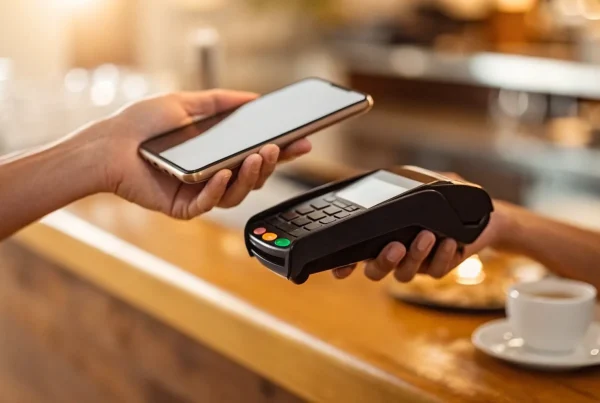
At its core, your POS system needs to handle transactions flawlessly. This means accepting all the ways your customers want to pay, including credit and debit cards, EMV chip cards, and contactless payments like Apple Pay and Google Pay. Security is paramount, so your system must be PCI compliant to protect your customers’ data and your business. Beyond the counter, consider the value of mobile POS options. Handheld devices allow your servers to take orders and payments right at the table, which can speed up service, reduce errors, and improve the guest experience. A great POS combines ordering and payment processing into one smooth workflow.
Smart inventory and menu management
Tired of manually counting inventory? A POS with built-in inventory management is a game-changer. It can track your stock levels in real-time, deducting ingredients as menu items are sold. You can set up low-stock alerts so you know exactly when to reorder, preventing you from running out of a popular dish during a dinner rush. This feature connects directly to your menu management. If you run out of an ingredient, the system can automatically 86 the corresponding item from the menu across all devices. This keeps your staff informed, prevents customer disappointment, and gives you a clear picture of your cost of goods sold.
Clear reporting and analytics
Data is your best friend when it comes to running a profitable restaurant. Your POS system should provide clear, easy-to-understand reports that give you insight into your business performance. Look for a system that tracks key metrics like sales trends by day or hour, top-selling (and worst-selling) menu items, and server performance. This information helps you make informed decisions about everything from menu engineering and staffing schedules to marketing promotions. The right analytics can show you who your best customers are and what they love, helping you grow your business more effectively.
Simple staff management and scheduling
Your POS can also simplify how you manage your team. Look for features that include a built-in time clock, making it easy for employees to clock in and out for their shifts. This streamlines payroll and helps you accurately track labor costs. Some systems even offer basic scheduling tools or integrate with dedicated scheduling software. You should also be able to set different user permissions for various roles. For example, you can give managers access to reporting and voiding transactions while limiting servers to placing orders and processing payments. This adds a layer of security and ensures everyone has the tools they need without being overwhelmed.
Seamless third-party app integrations
Your restaurant likely uses a variety of tools to run, and your POS should work well with them. Strong integration capabilities are key to creating an efficient, connected operation. Check if the POS system can connect with your existing or preferred software for accounting, like QuickBooks, as well as online ordering and delivery platforms like DoorDash or Uber Eats. Many systems also integrate with reservation and waitlist management tools. When your POS acts as a central hub, you eliminate the need for manual data entry, reduce the chance of errors, and get a holistic view of your business from a single platform.
Comparing the Top POS Systems for Restaurants
Choosing a POS system can feel overwhelming with so many options on the market. The truth is, the “best” system is the one that fits your restaurant’s unique workflow, budget, and goals. Are you a bustling food truck that needs speed and mobility, or a fine-dining establishment focused on guest management? Your answer will point you toward the right solution. To help you sort through the noise, we’re breaking down some of the top contenders in the restaurant space.
We’ll look at what makes each system stand out, from hardware durability to software features. Think of this as your guide to finding a partner that not only processes payments but also helps you run your business more smoothly. We’ll cover everything from industry giants known for their robust features to flexible solutions perfect for new businesses. By understanding the core strengths of each platform, you can confidently select a POS that will support your team and help your restaurant grow.
MBNCard POS Solutions
While many companies lock you into their proprietary system, we believe in finding the right fit for you. At MBNCard, we pair industry-leading POS hardware and software with transparent, affordable payment processing. We help you select the perfect system for your needs—whether it’s a sleek terminal for your cafe or a comprehensive setup for your full-service restaurant—and then integrate it with our fair and simple processing. This way, you get the best of both worlds: top-tier technology and a payment partner dedicated to your success. Our goal is to eliminate the hidden fees and confusing statements you get with other providers, giving you a clear path to profitability.
Square for Restaurants
If you’re just starting or running a smaller operation like a food truck or coffee shop, Square is often a go-to choice. It’s known for being incredibly user-friendly and accessible. As one review notes, “Square is great for small businesses needing a full solution. It’s free to use the software, and you just pay processing fees.” This straightforward pricing model is a huge plus for new owners managing a tight budget. The free plan covers all the basics, including menu management and sales reporting, while paid tiers offer more advanced features like table management and course modifiers. Its simple setup allows you to get up and running quickly without a steep learning curve.
Toast POS
Toast is built from the ground up exclusively for restaurants, and it shows. The platform is celebrated for its durable, industry-grade hardware designed to withstand the spills and chaos of a busy kitchen or bar. Its software is equally robust, offering a complete suite of tools for everything from online ordering and delivery management to loyalty programs and payroll. According to one analysis, “Toast is best for restaurants and is known for its tough, spill-proof hardware and restaurant-specific features.” This all-in-one approach means you can manage nearly every aspect of your business from a single, integrated platform, which is a major advantage for owners looking to streamline operations.
Lightspeed Restaurant
Lightspeed offers a powerful and versatile POS that serves both the restaurant and retail industries well. Its biggest strength is its focus on creating a seamless and modern customer experience. The system is designed for efficiency, especially at the point of payment. As noted in a recent comparison, “Lightspeed is excellent for both restaurants and retail, focusing on a smooth checkout experience with features like QR code payments.” This makes it a fantastic option for establishments that need to handle high volumes of transactions quickly, such as fast-casual spots, cafes, and bars. The platform’s advanced inventory and analytics tools also give you deep insights into your sales data.
Clover POS
Clover is a highly adaptable, cloud-based system that can be tailored to fit almost any type of business, including restaurants. Its sleek hardware and extensive app marketplace allow you to build a custom solution that meets your specific needs. Whether you need advanced tools for managing your staff or a simple way to track customer loyalty, Clover has an app for it. It’s described as “a complete cloud-based system suitable for retail, restaurants, and services, with strong team and customer management tools.” This flexibility makes it a strong contender for restaurant owners who want a system that can grow and change with their business over time.
TouchBistro
Designed specifically for restaurants, TouchBistro excels at improving front-of-house efficiency. The iPad-based system is built around tableside ordering, allowing servers to take orders, send them to the kitchen, and process payments directly at the table. This workflow can significantly speed up service and reduce errors. It’s particularly “recommended for improving how your dining room runs, with features like taking orders right at the table.” If your goal is to turn tables faster and give your servers more time to connect with guests, TouchBistro’s intuitive interface and mobile-first design make it an excellent choice for full-service restaurants, cafes, and pubs.
NCR Aloha
NCR Aloha is a long-standing leader in the restaurant POS industry, known for its power and reliability. It’s a premium system often found in large, high-volume restaurants and enterprise chains that require extensive functionality. While it comes with a higher price tag, it’s considered a worthwhile investment for businesses that need to manage complex operations. As one review puts it, “Aloha is best for restaurants willing to pay more to save time, offering many features like cloud menu management and detailed reports.” Its comprehensive feature set, including advanced reporting and enterprise-grade security, makes it a workhorse for established restaurants focused on efficiency and control.
SpotOn Restaurant
SpotOn stands out by offering more than just a POS system; it acts as a comprehensive business partner. The platform combines payment processing and POS software with marketing tools, a website builder, and even business consulting. This integrated approach is designed to help you not only manage your restaurant but also grow it. One source highlights that “SpotOn offers business advice along with a full POS solution for restaurants and retailers.” For owners who want a single provider to handle multiple aspects of their business technology and strategy, SpotOn provides a compelling, all-in-one package with a strong focus on customer support and long-term success.
Resy POS
While widely known as a reservations platform, Resy also offers a complete POS system designed for hospitality-focused, full-service restaurants. Acquired by American Express, Resy POS integrates seamlessly with its renowned guest management and booking software. This creates a powerful combination for restaurants that prioritize the guest experience, allowing you to track customer preferences and dining history from the moment a reservation is made until the bill is paid. If your brand is built on exceptional service and creating loyal regulars, the deep integration between reservations and transactions in Resy’s platform can provide invaluable insights to personalize every visit.
Finding the Best POS for Your Type of Restaurant
The perfect point-of-sale system for a bustling food truck will look very different from the one needed for a quiet, fine-dining establishment. Your restaurant’s unique workflow, sales volume, and service style all play a huge role in determining which features you’ll actually use and which ones will just get in the way. A quick-service restaurant needs to prioritize speed and a simple interface to keep the line moving, while a full-service restaurant requires sophisticated tools for table management and order modifications.
Instead of searching for a one-size-fits-all solution, it’s much more effective to find a system designed for your specific corner of the food industry. Think about your daily operations: Do you manage complex reservations? Do you need to track ingredients for baked goods? Are you running bar tabs all night? Answering these questions will help you narrow down the options and find a POS that feels like it was built just for you. Below, we’ve broken down some of the top contenders based on the type of restaurant they serve best.
For quick service and fast-casual spots
In the world of quick service, speed is everything. Your POS system needs to be intuitive, reliable, and fast enough to handle the lunch rush without a hiccup. Look for systems with simple, customizable interfaces that let your cashiers fly through orders. Features like integrated online ordering are also essential for keeping up with customer demand.
Square is a popular choice for smaller restaurants because it’s incredibly easy to set up and use. For those wanting more advanced features, Toast offers a comprehensive system, though it often requires a contract. SpotOn is another strong option, known for its powerful reporting tools that help you make smarter business decisions.
For full-service and fine dining
Full-service restaurants have a lot of moving parts, and your POS should act as your command center. You’ll need features that go beyond simple payment processing, like table mapping, reservation management, and the ability to easily split checks or transfer tabs. The system must also facilitate clear communication between your servers and the kitchen to ensure orders are accurate and timely.
TouchBistro is a favorite for its iPad-based interface that allows servers to manage their entire section from the floor. For larger operations, NCR Aloha is a powerhouse system that can handle high volume and complex needs. Lightspeed Restaurant is a great all-around choice, offering robust tools for managing inventory, staff, and front-of-house operations seamlessly.
For food trucks and pop-ups
When your business is on wheels, your POS needs to be just as mobile and flexible as you are. For food trucks and pop-ups, the most important features are a compact design, long battery life, and the ability to process payments even with an unreliable internet connection. A cloud-based system that can run on an iPad or tablet is usually the best fit.
Lavu is an excellent choice for businesses that want to run their entire operation from an iPad, offering dedicated restaurant features and reliable 24/7 support. Clover also provides a versatile, cloud-based system with a range of hardware options, from the handheld Clover Flex to the more robust Clover Station, making it a great solution for any mobile setup.
For cafes, bakeries, and coffee shops
Cafes and bakeries thrive on repeat business, so a POS with a built-in loyalty program is a must. You’ll also want a system that can handle rush hours with ease, featuring a simple interface for quick order entry. For bakeries, ingredient-level inventory tracking is a game-changer, helping you manage stock for everything from flour to sprinkles.
Square is again a top contender here, especially for smaller shops, as its software is free to use with flat-rate processing fees. Cake POS is another fantastic cloud-based option with a user-friendly design that’s perfect for managing busy periods. Its features are tailored to cafes, pizzerias, and bakeries, helping you keep track of orders and keep customers coming back.
For bars and nightclubs
The bar environment is fast-paced and demanding, so you need a POS that can keep up. Key features include the ability to pre-authorize credit cards, manage and transfer tabs, and process payments quickly in a dark, noisy setting. Strong inventory management is also crucial for tracking liquor pours and reducing shrinkage.
Upserve is well-regarded for its focus on customer relationship management and advanced data analytics, helping you understand your regulars and sales trends. For bars with more complex needs or multiple locations, POSitouch offers a highly customizable and powerful system designed to handle the unique challenges of bar and nightclub operations, ensuring every drink is accounted for and every tab is closed correctly.
Understanding the True Cost of a Restaurant POS
When you’re shopping for a restaurant POS system, it’s easy to get drawn in by the flashy features and the advertised monthly price. But the true cost of a POS goes far beyond that initial number. To make a smart investment, you need to look at the total cost of ownership, which includes the software subscription, payment processing fees, hardware expenses, and any other potential charges that might not be obvious at first glance.
Thinking about these costs upfront helps you budget accurately and avoid any unwelcome surprises on your monthly statement. A system that seems cheap initially could end up costing you more in the long run through high processing rates or expensive add-ons. The right POS system should be a tool that saves you money and helps you grow, not a financial drain. Let’s break down the four main cost areas you need to consider so you can choose a system that truly fits your budget and your business goals.
Subscription models and monthly fees
Most modern POS systems operate on a subscription model, where you pay a recurring monthly or annual fee for access to the software. This fee can vary widely depending on the provider and the features included. Basic plans might start around $40-$60 per month for a single terminal, but the cost will increase as you add more terminals, locations, or advanced features like online ordering and loyalty programs. When comparing options, be sure to clarify what’s included in each pricing tier. Some companies offer free trials or basic versions, which are a great way to test the software before you commit financially.
Payment processing rates
Every time a customer pays with a credit or debit card, a small percentage of that sale goes toward payment processing fees. These rates are a crucial part of your ongoing POS costs and can significantly impact your bottom line. Some POS providers, like Square, bundle payment processing with their software and offer a simple flat rate. Others allow you to choose your own merchant services provider. At MBNCard, we help restaurants find transparent and affordable processing solutions. Programs like dual pricing can even help you offset these transaction costs, putting more money back into your business where it belongs.
Hardware and equipment costs
Your POS software needs physical hardware to run on, and these costs are typically separate from your monthly subscription. Essential equipment includes a terminal or tablet, a credit card reader, a receipt printer, and a cash drawer. You might also need specialized hardware like kitchen display systems (KDS), barcode scanners, or self-ordering kiosks. Some providers require you to buy their proprietary hardware, while others let you use compatible devices like iPads. Be sure to get a detailed quote that lists all necessary POS hardware so you can budget for this significant one-time investment.
Hidden fees to look out for
Beyond the main costs, it’s important to ask about any additional fees that might not be advertised upfront. Read the contract carefully and look for things like one-time setup or installation fees, charges for 24/7 customer support, costs for integrating third-party applications, or early termination penalties if you decide to switch providers before your contract is up. Asking direct questions about all potential charges will help you get a clear and complete picture of the total cost. A reputable provider will be transparent about their pricing and help you understand all the fees involved.
Cloud-Based vs. On-Premise: Which POS Is Right for You?
When you start looking at POS systems, you’ll quickly notice they fall into two main camps: cloud-based and on-premise. The biggest difference between them is where your restaurant’s data lives. A cloud-based system stores your information online, while an on-premise, or traditional, system keeps it on a local server right there in your restaurant. This single difference impacts everything from your upfront costs and accessibility to how you handle software updates.
Choosing between the two isn’t about which one is universally “better,” but which one is the right fit for your specific restaurant. Do you have rock-solid internet, or does it sometimes cut out during a dinner rush? Do you want the flexibility to check sales reports from your phone while you’re at the farmers market, or do you prefer having all your hardware contained within your four walls? Understanding the fundamental pros and cons of each type will help you make a confident decision that supports your daily operations and long-term goals. Let’s break down what each option brings to the table.
The pros and cons of a cloud-based POS
Most modern POS systems are cloud-based, and for good reason. Your data is stored securely online, meaning you can access your sales reports, manage inventory, and adjust your menu from any device with an internet connection. These systems are typically more user-friendly and receive automatic software updates, so you always have the latest features and security patches without having to do a thing.
The main drawback is their reliance on the internet. If your Wi-Fi goes down, it can disrupt your ability to process payments, although many systems now have an offline mode to handle this. You’re also placing your data in the hands of a third-party provider, so it’s crucial to choose a reputable company with strong data security protocols.
The pros and cons of a traditional POS
A traditional, on-premise POS system operates on a closed internal network in your restaurant. All your data is stored on a local server, which means you aren’t dependent on an internet connection to run your business. If the internet goes out, it’s business as usual—you can still take orders and process payments. This can provide incredible peace of mind.
However, these legacy systems often come with a hefty upfront cost for hardware and software licenses. They can also be more complex to use, and updates usually have to be installed manually, which can lead to downtime. Plus, if that local server ever crashes and you don’t have a recent backup, you could lose critical sales data.
How to decide what fits your operations
The best way to choose is to start with your restaurant’s reality. First, map out your absolute must-have features. Do you need robust inventory tracking, a customer loyalty program, or integrations with online ordering platforms? Next, consider your physical space and internet reliability. Then, it’s time to research. Look at different providers, compare their features and pricing, and read reviews from other restaurant owners.
Finally, never commit without a test run. Most companies offer a free trial or a personalized product demo to walk you through the system. This is your chance to see if the interface feels intuitive and if it truly streamlines your workflow. Trying it out yourself is the surest way to know if a POS will work for you and your team.
Common POS Challenges and How to Solve Them
Switching to a new POS system is a big step, and while it’s exciting, it’s not always seamless. Like any major operational change, it can come with a few bumps in the road. But don’t worry—most of these challenges are completely manageable with a bit of planning. Knowing what to expect can help you create a smooth transition for your team and your customers. Let’s walk through some of the most common hurdles restaurant owners face and, more importantly, how to clear them with confidence.
Getting your team trained and on board
A new POS system is only as good as the team using it. If your staff finds the new tech confusing or frustrating, it can slow down service and impact morale. The key is to make the transition as smooth as possible. Start by choosing a system with an intuitive interface—many providers offer free demos, so you can test the user experience before you commit.
Once you’ve made your choice, lean on the provider’s training resources. Schedule dedicated training sessions before you go live, and consider appointing a tech-savvy team member as the go-to person for questions. Most importantly, look for a POS partner with excellent customer support. Knowing you have a reliable expert to call during a busy dinner rush makes all the difference.
Migrating data without the headache
The thought of moving all your menu items, sales history, and customer information from one system to another can be daunting. The last thing you want is to lose valuable data or spend weeks on manual entry. To avoid this, look for a POS system that integrates well with the other software you already use, like your accounting or inventory management tools.
Before you make the switch, work with your new POS provider to map out a clear migration plan. Ask them what the process involves and what data can be transferred automatically. This is also a perfect opportunity to do some spring cleaning. Tidy up your existing data by removing old menu items or duplicate customer profiles. Starting fresh with clean, organized information will make your new system much more powerful from day one.
Handling technical issues and downtime
Your POS is the heart of your restaurant. If it goes down, it can bring your entire operation to a standstill. While no technology is 100% foolproof, you can protect your business by choosing a system built for reliability. A crucial feature to look for is an offline mode, which allows you to keep taking orders and payments even if your internet connection fails. The system simply syncs everything back up once you’re online again.
Beyond features, prioritize a provider known for its robust customer support. You need a team that’s available 24/7 to help you troubleshoot any issues. Finally, have a simple backup plan in place for a worst-case scenario. Having a few paper order pads and a manual credit card imprinter on hand can save the day during an unexpected outage.
A Simple Checklist for Choosing Your Restaurant POS
Feeling overwhelmed by all the POS options out there? It’s completely understandable. Choosing the right system is a huge decision that impacts everything from your daily operations to your bottom line. To help you cut through the noise and find the perfect fit, we’ve put together a simple, four-step checklist. Think of this as your roadmap to making a confident, informed choice that will serve your restaurant for years to come. Let’s walk through it together.
Define your restaurant’s specific needs
Before you even look at a single POS provider, take some time to look inward at your own operations. What works? What’s causing headaches? Grab a notebook and create two columns: “Must-Haves” and “Nice-to-Haves.” Your must-haves are the non-negotiables. For a bustling cafe, this might be lightning-fast checkout and a built-in loyalty program. For a full-service restaurant, it could be advanced table management and reservation integrations. When choosing a POS, look beyond just the flashy features. You also need to consider the total cost of ownership, including monthly fees, hardware, and any add-ons you’ll need down the line. This initial step will give you a clear filter to apply when you start comparing systems.
Compare features, pricing, and support
With your needs list in hand, you can start evaluating potential POS systems. It’s important to pick a POS system that fits your budget and has the features your staff—both front-of-house and back-of-house—actually need. Compare your top contenders across three key areas:
- Features: Does the system check off all your “must-have” boxes? Does it offer solutions for your biggest operational challenges?
- Pricing: Look for transparency. A low monthly fee can be tempting, but you need to understand the full picture, including payment processing rates and hardware costs. Find a partner who is upfront about their pricing structure.
- Support: When your system goes down during a dinner rush, you need help—fast. Check reviews and ask about their customer support. Is it available 24/7? Is it handled by real people who understand the restaurant industry?
Schedule demos and request free trials
You wouldn’t buy a car without a test drive, and the same goes for your POS. This is your chance to see the software in action. Use free trials or demos to get a feel for how the system works for your specific business. During a demo, come prepared with a list of questions and scenarios unique to your restaurant. For example, “How would a server split a check for a table of six?” or “Show me how to update a menu item on the fly.” Pay close attention to the user interface. Is it intuitive and easy to use? A clunky system can slow down your team and frustrate customers. This is also a great time to evaluate their customer support and training options to ensure they’ll be there for you after the sale.
Create your implementation plan
Once you’ve settled on a system, the final step is to plan the transition. A smooth rollout doesn’t happen by accident; it requires a bit of foresight. Start by mapping out your timeline. When will you install the new hardware? When will you schedule staff training? Talk to your new POS provider about their onboarding process and what resources they offer to help you get set up. You’ll also need to take inventory of what hardware you might need to buy, like new card readers, receipt printers, iPads, or kitchen display systems. A clear implementation plan minimizes downtime and ensures your team feels confident and ready to go on launch day.
Related Articles
- POS Systems for Restaurants: Everything You Need to Know
- What Features Should I Look For In a Restaurant POS System?
- Restaurant POS systems Archives – MBNCARD, Inc.
- How Modern Restaurant Point of Sale Systems Can Help Save You Money
- Affordable POS Equipment | MBN Card Services
Frequently Asked Questions
How do I decide which POS features are most important for my restaurant? The best way to prioritize is to map out your daily workflow and pinpoint your biggest headaches. Before you look at any software, think about what slows your team down. Is it manually splitting checks for large parties? Is it running out of a key ingredient during a rush? Your “must-have” features are the ones that solve these real-world problems. A feature is only valuable if it makes your day-to-day operations smoother, so start with your own needs, not a long list of tech specs.
What are the ongoing costs of a POS system besides the monthly subscription? Your monthly software fee is just one piece of the puzzle. The most significant ongoing cost is almost always payment processing. Every time a customer uses a card, a small percentage is taken as a fee. It’s crucial to understand these rates and find a transparent provider. You should also consider potential costs for software add-ons, like advanced reporting or loyalty programs, which may not be included in a basic plan.
What happens if my internet goes down with a cloud-based POS? This is a common concern, but most modern cloud-based systems are built to handle it. They have an “offline mode” that allows you to continue taking orders and accepting card payments. The system securely stores the transaction data on your device and then processes everything once your internet connection is restored. It’s a good idea to confirm this feature is included and to have a simple manual backup, like a few paper order pads, just in case.
Is it difficult to switch from an old POS system to a new one? Switching systems does require some planning, but it doesn’t have to be a major headache. A good provider will guide you through the process, helping you migrate important data like your menu and sales history. The most critical steps are scheduling dedicated training time for your staff before the new system goes live and creating a clear implementation plan. A smooth transition is all about preparation.
I’m a new restaurant owner. Where should I even start when choosing a POS? Start by defining your restaurant’s concept and service style, not by comparing software. Are you a fast-casual spot where speed is key, or a full-service restaurant that needs detailed table management? Once you know who you are, you can create a simple checklist of your essential needs. Use that list to research systems built for your type of restaurant and schedule a few demos to see the software in action. This approach ensures you find a tool that truly fits your business.