We’ve all been there—sending a friend money for coffee with a quick tap in Venmo or Cash App. These personal payment apps have made our lives easier, but that convenience can be misleading when you’re running a business. Using a personal app for sales can lead to frozen funds and major accounting headaches, as they aren’t built for commercial use. What you really need is a dedicated credit card payment app for iPhone designed to handle business transactions securely and professionally. In this article, we’ll explore the top contenders for business use, breaking down how they protect your data, what they really cost, and how to avoid common frustrations.
Key Takeaways
- Choose the Right Tool for the Job: Personal payment apps like Venmo are great for splitting a dinner bill, but using them for business can lead to frozen funds and accounting headaches. A dedicated merchant app is built to handle sales, protect customer data, and keep your transactions professional.
- Look Beyond the Transaction Fee: The true cost of an app includes more than just the processing rate. Prioritize solutions with transparent pricing, essential security features like PCI compliance, and integrations that save you time by connecting with your other business tools.
- Demand Reliable Access to Your Money: Unexpected account holds and delayed payouts can seriously disrupt your cash flow. Partner with a provider that offers clear funding schedules and accessible customer support so you can get your money and your questions answered without a hassle.
The Best iPhone Payment Apps for Business vs. Personal Use
When you’re looking for a payment app, the first question to ask is: what do you need it for? The app you use to accept payments at your farmers market stall is going to be very different from the one you use to split a dinner bill with friends. Business apps are built to handle things like sales tracking, inventory, and customer management, while personal apps are designed for quick, simple money transfers between individuals.
Choosing the right tool for the job is key. Using a personal app for business transactions can lead to frozen funds, accounting headaches, and even account suspension, as it often violates the app’s terms of service. On the other hand, a business app is overkill if you just need to send your roommate your half of the rent. Let’s look at the top contenders in each category so you can find the perfect fit for your needs.
Top Picks for Business Use
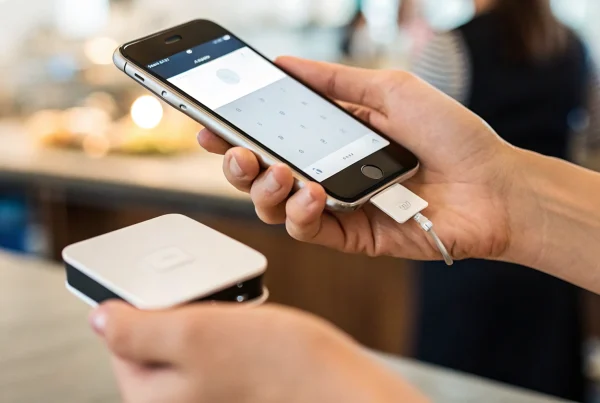
For business owners, an iPhone payment app needs to be more than just a way to move money—it needs to work alongside the best mobile credit card reader for small business so your checkout process stays reliable, flexible, and built for daily operations. The Square Point of Sale app is a comprehensive solution that turns your phone into a full-fledged POS system, helping you manage inventory and track sales data. If you want something even simpler, SumUp is designed to accept contactless payments directly on your iPhone without extra hardware. And for ultimate convenience, Apple’s native Tap to Pay on iPhone feature allows you to accept payments with just a tap, making it perfect for entrepreneurs on the go.
Top Picks for Personal Use
On the personal side, convenience and security are the name of the game. The Apple Wallet is the most integrated option for iPhone users, securely storing your credit and debit cards for easy use with Apple Pay. It’s perfect for making secure payments in stores, in apps, and online without having to pull out your physical card. Other popular apps like Venmo and Cash App are designed for peer-to-peer payments—think paying back a friend for coffee or splitting utilities. These apps are built for managing your own money and personal transfers, not for processing customer sales in a business setting.
Top iPhone Apps for Accepting Business Payments
When you’re running a business, you need a payment app that’s reliable, easy to use, and doesn’t eat into your profits with confusing fees. Your iPhone can be a powerful tool for accepting payments, whether you’re at a pop-up market, visiting a client, or running a brick-and-mortar shop. The right app can transform your phone into a complete point-of-sale system. Let’s look at some of the top contenders that help businesses get paid quickly and securely.
MBNCard Mobile Payment Solutions
Instead of a one-size-fits-all app, we focus on finding the perfect mobile solution for your specific business needs. At MBNCard, we partner with you to set up a system that integrates seamlessly with your existing operations. Whether you need a simple way to accept cards on the go or a robust mobile POS system that tracks inventory and customer data, we’ve got you covered. Our approach ensures you get transparent pricing, next-day funding, and dedicated support. We help you choose a mobile processing solution that saves you money and lets you focus on what you do best—running your business.
Square Point of Sale
Square is a household name for a reason. Its free Square Point of Sale (POS) app is an all-in-one command center for many small businesses. You can accept a huge range of payments, from traditional credit cards and cash to digital wallets like Apple Pay and even QR codes. The app is incredibly user-friendly and serves as a complete system for managing sales, inventory, and customer information right from your iPhone. With a stellar 4.8-star rating from over half a million users on the App Store, it’s a trusted and powerful tool for businesses just starting or looking to streamline their checkout process.
Tap to Pay on iPhone
This isn’t a standalone app, but rather a game-changing feature built into your iPhone. With Tap to Pay, you can accept contactless payments directly on your device—no extra card reader needed. Apps like Square Point of Sale have integrated this technology, allowing customers to simply tap their contactless card or phone to yours. It’s a secure and professional way to take payments anywhere. Square charges a standard fee of 2.6% + 15¢ for each transaction made using Tap to Pay on iPhone, with no hidden costs or long-term commitments, making it a flexible option for any business.
PayPal Zettle
If you’ve been looking for PayPal Here, you’ll find it has evolved into PayPal Zettle. This app is PayPal’s answer to a modern, all-in-one POS system for small businesses. It allows you to accept credit cards, contactless payments, and PayPal or Venmo QR codes. Beyond just taking payments, the PayPal Zettle app helps you manage inventory, track sales, and generate reports. It integrates smoothly with the broader PayPal ecosystem, making it a convenient choice for businesses that already use PayPal for online sales or invoicing. The app is free to download, with clear, competitive transaction rates.
Stripe Terminal
For businesses that want more control and customization, Stripe Terminal is a powerful option. While Stripe is known for its online payment processing, Terminal extends its capabilities to in-person transactions. It’s not a simple plug-and-play app like Square, but rather a platform that lets you build a custom checkout experience. Using the Stripe Terminal SDK, developers can integrate Stripe’s payment processing into their own mobile apps. This makes it ideal for businesses with unique workflows or those that want a completely branded payment experience, including support for Tap to Pay on iPhone and a range of pre-certified card readers.
Top iPhone Apps for Personal Payments
While your business needs a robust system for accepting customer payments, your personal life probably runs on a different set of tools. Peer-to-peer (P2P) payment apps have made it incredibly simple to split a dinner bill, pay a friend back for concert tickets, or send a cash gift for a birthday. These apps link to your bank account or debit card, allowing you to send and receive money with just a few taps on your iPhone.
Understanding these platforms is useful not just for your own transactions, but also for staying current with the payment habits of your customers. The ease and speed they expect from personal apps often shape their expectations for business transactions. Let’s look at some of the most popular and useful iPhone apps for personal payments, each offering a slightly different experience.
Apple Wallet and Apple Pay
Chances are, you already have this powerhouse pre-installed on your iPhone. The Apple Wallet is designed to be a digital replacement for your physical wallet, securely storing your credit cards, debit cards, transit passes, and even event tickets. When you’re ready to pay, Apple Pay provides a simple and highly secure way to complete transactions in stores, within apps, and online.
The best part is the security. When you use Apple Pay, your actual card number is never shared with the merchant or stored on Apple’s servers. Instead, a unique transaction code is used for each purchase, protecting your sensitive information. It’s the go-to choice for quick, contactless payments wherever you see the Apple Pay or tap-to-pay symbol.
PayPal Mobile App
PayPal is one of the original players in the digital payment space, and its mobile app remains a trusted and versatile tool. It allows you to do more than just send and receive money between friends. You can also use it to pay for purchases at millions of online retailers, making it a central hub for your digital spending.
One of its standout features is its buyer protection policy, which can give you peace of mind when shopping from unfamiliar websites. The app makes it easy to manage your account, track your transaction history, and handle payments on the go. For anyone looking for a widely accepted and reliable payment app, PayPal is a solid choice that has stood the test of time.
Venmo
If you’ve ever heard someone say, “I’ll Venmo you,” you know how popular this app is for casual, person-to-person payments. Owned by PayPal, Venmo shines with its social-centric approach. It allows users to add notes and emojis to payments, which then appear in a social feed visible to friends. This feature has made it the default app for a younger generation looking to split bills, share costs, and exchange money in a more interactive way.
While it also offers a debit card and some business features, its core strength lies in its simplicity for personal transfers. It’s perfect for paying your roommate for your share of the rent or splitting the cost of a group gift.
Cash App
Cash App has grown from a simple money transfer service into a multifaceted financial tool. At its core, it lets you send and receive money instantly from friends and family. But it also offers several features that set it apart. You can get a free, customizable debit card—the Cash Card—to spend your balance in stores or online, often with access to exclusive discounts or “Boosts.”
Beyond that, Cash App allows you to set up direct deposits, so you can receive your paycheck right in the app. It has also become a popular and accessible entry point for those interested in investing in stocks or buying Bitcoin, all from the same interface.
CRED (Bill Payment Focus)
While most apps on this list focus on P2P transfers, CRED takes a different approach by zeroing in on credit card bill management. This app is designed to help you pay all your credit card bills from a single, streamlined platform. It simplifies the process by sending you payment reminders and consolidating your due dates, helping you avoid late fees and manage your credit health more effectively.
The unique hook is its rewards system. Every time you pay a bill through the app, you earn “CRED coins.” These coins can be redeemed for discounts and special offers from a wide range of partner brands. It’s a smart way to get a little something back for being responsible with your credit card payments.
How Do These iPhone Payment Apps Actually Work?
Ever wondered what actually happens when a customer taps their iPhone to pay? It might seem like magic, but it’s a smart and secure process designed to be fast and simple for both you and your customers. Understanding the basics can help you feel more confident about using these tools for your business. It all comes down to a clever bit of wireless technology, a straightforward setup, and a transaction lifecycle that prioritizes security every step of the way. Let’s break it down.
Understanding Contactless and NFC Technology
At the heart of every tap-to-pay transaction is a technology called Near Field Communication, or NFC. Think of it as a secure, short-range wireless handshake between two devices. When a customer holds their iPhone or contactless card near your device, the NFC chips in both connect and exchange information. This contactless payment technology makes the transaction possible without any physical swiping or inserting. Because NFC only works over a very short distance—just a few centimeters—it’s an incredibly secure way to transmit payment data. It ensures that only the intended devices are communicating, preventing accidental payments or data interception.
What to Expect During Account Setup
Getting started with a payment app on your iPhone is usually a quick and painless process. First, you’ll download your chosen provider’s app from the App Store. From there, you’ll create an account for your business, which typically involves providing some basic company information. The final key step is linking your bank account or debit card so you have a place to receive your funds. For example, with apps that offer Tap to Pay on iPhone, you can enable the feature directly within the app’s settings. Once you’re set up, you can start accepting payments immediately.
The Lifecycle of a Single Transaction
When a customer taps their phone to pay, a lot happens in just a few seconds. The NFC connection initiates the payment, but the app doesn’t just send the raw credit card number. Instead, it uses a process called tokenization to create a unique, one-time-use code for that specific transaction. This encrypted code is sent to the payment processor for approval, but the customer’s actual card details are never shared with you or stored on your iPhone. Services like Apple Pay add another layer of security by ensuring the original card number is never even stored on the customer’s device. This entire cycle protects sensitive data and reduces your liability.
What Are the Real Costs of Using These Payment Apps?
Choosing a payment app isn’t just about features; it’s about understanding the true cost to your business. While many apps are free to download, the processing fees can eat into your profits if you’re not careful. The key is to look for transparency. You want a clear picture of what you’ll be charged for every transaction, without hunting for hidden costs in the fine print. From per-swipe fees to monthly subscriptions, these costs vary dramatically. Let’s break down the main fees you’ll encounter so you can make a smart financial decision.
A Breakdown of Transaction Fees
The most common cost is the transaction fee, charged every time you accept a payment. This is typically a percentage of the sale plus a small, fixed amount. For example, Square is known for its straightforward pricing, charging 2.6% + 15¢ for each tap payment. This model is predictable—on a $100 sale, you know exactly what you’ll pay. When comparing apps, pay close attention to this rate, as even a fraction of a percent adds up significantly over time.
How Business and Personal Fees Differ
Apps for business often have different fee structures than those for personal use. Some cater to freelancers or micro-businesses with attractive rates. For instance, you can find services that let you accept credit and debit card payments with rates starting as low as 1.65% per transaction. While a lower rate is appealing, make sure the app still provides the business tools you need, like detailed reporting. Sometimes, a slightly higher fee is worth it for more robust features that help you run your operations, especially when comparing so-called free credit card processing apps for iPhone that may save on upfront costs but differ widely in software, support, and funding speed.
Looking Out for Hidden Monthly Charges
Transaction fees are just one piece of the puzzle. Some payment apps have monthly subscription costs, especially for premium features. Always check if there’s a monthly fee and what it covers. The good news is many apps are moving away from this model. You can find a ‘Pay As You Go’ service with no long-term contracts, which is ideal for businesses with fluctuating sales. Before committing, read the terms carefully to avoid surprises like charges for chargebacks, bank transfers, or inactivity.
Just How Secure Are iPhone Payment Apps?
It’s completely normal to feel a little cautious when it comes to money and technology. As a business owner, you’re not just protecting your own finances—you’re responsible for your customers’ sensitive data, too. Thankfully, the developers behind today’s payment apps take security just as seriously as you do. They use a multi-layered approach that combines industry-wide rules, your iPhone’s built-in hardware, and sophisticated data protection methods. Let’s break down the key security features that work behind the scenes to keep every transaction safe.
What PCI Compliance Means for Your Data
You may have heard the term “PCI compliance” before. Think of it as the essential security checklist for the entire payment card industry. The Payment Card Industry Data Security Standard (PCI DSS) is a set of rules that ensures any business handling credit card information does so in a secure environment. This applies even if you don’t store card numbers after a sale; simply processing the information means you need to be compliant. Using a reputable iPhone payment app means the provider has already done the heavy lifting to meet these rigorous standards. This protects your business from potential data breaches and helps you build a foundation of trust with your customers from day one.
Using Biometrics for Stronger Security
One of the best security features is already in your hand. Your iPhone’s Face ID and Touch ID are more than just a convenient way to unlock your screen—they’re powerful biometric tools that verify your identity. When you use an app that integrates with Apple Pay or has its own biometric prompts, you’re adding a personal layer of security that is incredibly difficult for anyone else to replicate. This ensures that only you can authorize payments from your device. For business owners, this means the terminal in your pocket is secure, protecting both your business funds and your customers’ payment integrity.
How Encryption and Tokenization Protect You
Beyond the physical security of your phone, two critical technologies protect data as it travels digitally: encryption and tokenization. Encryption scrambles cardholder data into an unreadable code the moment a transaction begins. Even if a fraudster were to intercept it, the information would be completely useless. Tokenization adds another powerful layer of protection by replacing the customer’s actual credit card number with a unique, single-use code—or “token”—for each transaction. This means the real card number is never exposed, stored on your device, or transmitted to your system. Together, these processes make mobile payment security exceptionally strong.
Which Apps Offer the Best Rewards and Perks?
Beyond simply moving money from point A to point B, many payment apps offer compelling rewards and perks to win your loyalty. For a business owner, these benefits can range from straight cash back on transactions to powerful software features that streamline your operations. The key is to distinguish between perks designed for personal spending and those that deliver real value to your business.
Some apps focus on consumer-facing rewards, like points for paying your bills or referral bonuses for signing up friends. Others, particularly those built for merchants, offer perks in the form of integrated business tools, like inventory management or sales analytics, which can save you both time and money. Understanding which type of reward matters most to you will help you choose an app that not only processes payments but also supports your financial goals.
Finding the Best Cash Back and Loyalty Programs
Let’s be honest—who doesn’t love getting a little something back? Many credit card bill payment apps are built around this very idea, offering rewards like cash back or bonus points every time you pay a bill. These loyalty programs are designed to keep you engaged and make routine financial tasks feel more rewarding.
While the concept is simple, the value can vary wildly between apps. Some offer a straightforward percentage back, while others use a points system where you accumulate rewards to redeem for gift cards, products, or travel discounts. When you’re comparing options, look past the flashy headline offers and check how easy it is to actually earn and use the rewards. The best programs are simple, transparent, and offer perks you’ll genuinely use.
Rewards Designed for Business Owners
For merchants, the most valuable “rewards” often aren’t points or cash back—they’re features that make your life easier. Think of these as operational perks. For example, the Square Point of Sale (POS) app is free to download and includes tools to track inventory and run sales reports, saving you the cost of separate software.
Other apps, like SimplyPayMe, go even further by letting you manage your team, schedule jobs, and maintain customer records right from your phone. These integrated features are a huge advantage for small businesses, as they centralize your operations and cut down on administrative work. When you’re choosing a payment app for your business, look for these kinds of built-in tools that help you run things more efficiently. That’s a reward that pays dividends long after the transaction is complete.
Perks and Referral Bonuses for Personal Use
Many popular payment apps are geared toward individual users, offering perks that are great for managing personal finances. Apps like CRED, for instance, let you pay all your credit card bills from one place and earn “CRED coins” for each payment. You can then use these coins to get discounts on products or access exclusive deals. It’s a clever way to gamify bill payments and reward you for staying on top of your finances.
Another common feature is the referral bonus, where you get a small cash reward for inviting friends to use the app. While these one-time bonuses are nice, they don’t provide long-term value. Some apps, like Paytm, also run limited-time cash back campaigns that can change frequently. These personal apps are great for what they are, but their reward structures are typically less consistent and impactful than the operational benefits offered by business-focused solutions.
What Features Actually Matter in a Payment App?
When you’re comparing payment apps, the long lists of features can feel overwhelming. It’s easy to get distracted by flashy add-ons that you’ll never actually use. The truth is, only a handful of features truly make a difference in your day-to-day operations. Instead of getting lost in the details, focus on three core areas: rock-solid security, seamless integration with your existing tools, and a design so simple that anyone can use it without a second thought. These are the elements that will save you time, protect your business, and keep your customers happy.
Non-Negotiable Security Features
First and foremost, security isn’t just a feature—it’s the foundation of trust between you and your customers. Your payment app must be PCI DSS compliant. This is the industry standard for protecting cardholder data from fraud and theft. Think of it as the digital equivalent of having high-quality locks on your doors. Beyond compliance, look for apps that use multiple layers of protection. Features like tokenization, which replaces sensitive card data with a unique code, and two-factor authentication add crucial safeguards. These measures protect your customers’ information and safeguard your business’s reputation.
How the App Connects with Your Business Tools
A great payment app doesn’t work in isolation; it should act as the central hub for your sales activity. The best apps connect smoothly with the other tools you rely on to run your business. Imagine an app that automatically syncs sales data with your accounting software, updates your inventory, and adds customer information to your marketing list. Some apps even let you send quotes and invoices, manage job schedules, and store customer records all in one place. This level of integration saves you from hours of manual data entry and helps you see the big picture of your business’s health, especially if you want to accept credit card payments without a machine while still keeping invoicing, customer records, and reporting connected.
Why a Simple, Clean Interface is Key
The most powerful features are useless if the app is clunky and confusing. A simple, intuitive interface is essential for a smooth checkout process. When you or your staff are with a customer, you need to process a payment quickly and without errors. The app should be designed to be simple and straightforward for everyone involved. A clean layout with clear buttons reduces the chance of mistakes and minimizes training time for new employees. Ultimately, a user-friendly design creates a better experience for your customers and lets you get back to business faster.
How to Choose the Right iPhone Payment App for Long-Term Growth
Choosing a credit card payment app for iPhone should go beyond finding the lowest transaction fee or the most familiar brand name. The better question is whether the app can support the way your business operates today and the way it may grow over time. A good solution should match your sales environment, whether you sell at pop-ups, client locations, events, or a permanent storefront. It should also support the payment methods your customers actually use, including tap-to-pay, digital wallets, chip cards, and invoices when needed.
You should also consider how well the app fits into the rest of your workflow. If it syncs with inventory, accounting, reporting, or customer management tools, it can save hours of manual work every month. Funding speed matters too. A platform with delayed deposits or unclear hold policies can create cash flow stress even if the app looks affordable on paper. Finally, pay close attention to support quality and scalability. As your volume grows, you may need more advanced reporting, better fraud controls, or stronger hardware options. Choosing an iPhone payment app that can grow with your business helps you avoid switching systems later and gives you a more stable foundation for long-term success.
What Are the Common Headaches with iPhone Payment Apps?
While iPhone payment apps offer incredible convenience, they aren’t always a perfect solution, especially when you’re running a business. What starts as a simple way to take payments can quickly become a source of major frustration. From unexpected delays in getting your money to sudden account freezes, these apps can introduce a level of uncertainty that no business owner needs. When your cash flow and customer relationships are on the line, these headaches can feel more like migraines.
Before you commit to using a payment app as your primary processing tool, it’s important to understand the common issues other merchants have faced. Knowing the potential pitfalls can help you make a more informed decision and have a backup plan in place. Let’s walk through some of the most frequent complaints so you know what to watch out for.
Getting Access to Your Funds
One of the biggest complaints from business owners is the delay in accessing their money. You make a sale, the customer walks away happy, but your funds are stuck in limbo. Many apps offer an “instant transfer” option, but this usually comes with an extra fee, cutting into your profits. Even then, “instant” doesn’t always mean right away. These delays can seriously disrupt your cash flow, making it difficult to pay suppliers, manage inventory, or cover other daily expenses. Many merchants share their frustration over these payout schedules in app store reviews, highlighting how unpredictable timing can impact their operations.
Dealing with Account Holds and Support Issues
Imagine waking up to find your payment account has been frozen or deactivated with no warning. This is a real and stressful scenario for many app users. Funds can be held for weeks or even months—sometimes up to 90 days—while the provider investigates a transaction. To make matters worse, getting a clear answer from customer support can feel impossible. When you’re left in the dark without access to your earnings and struggling to reach a real person for help, it can put your entire business at risk. This lack of transparent communication and support is a significant concern for anyone relying on these apps for their livelihood, which is why some merchants also compare an EMV reader for PC or other dedicated setups when they need more control and stability.
Solving Compatibility and Technical Glitches
Technical issues can stop a sale right in its tracks. Some payment solutions, like Tap to Pay on iPhone, have specific hardware and software requirements, demanding a newer iPhone model and the latest iOS version. If your device isn’t up to date, you could be left with an app that’s buggy or simply won’t work. Beyond your own device, you might find that not all customers are ready to use mobile wallets, or that their preferred payment method isn’t accepted everywhere online. In some cases, traditional credit cards still offer more flexibility and security features, such as virtual account numbers, which can provide an extra layer of protection that some apps lack.
Related Articles
- 7 Best Mobile Credit Card Readers for Small Business
- 5 Ways to Accept Credit Card Payments Without a Machine
- Best Way to Accept Credit Cards Online: A Guide
Frequently Asked Questions
Can I just use a personal app like Venmo for my business transactions? It’s a tempting shortcut, but I strongly advise against it. Using personal peer-to-peer apps for business sales often violates their terms of service, which can lead to your account being suddenly frozen and your funds held. Beyond that, these apps lack the essential tools you need for professional record-keeping, sales tracking, and managing customer information, which can create major accounting headaches down the road.
Do I need to buy a special card reader to accept payments on my iPhone? Not necessarily. With Apple’s Tap to Pay on iPhone feature, which is integrated into apps like Square, you can accept contactless cards and mobile wallets directly on your phone with no extra hardware. However, if you want to accept payments from customers who still use traditional magnetic stripe or chip cards, you will need a small, simple card reader that connects to your iPhone.
What happens if a customer disputes a charge made through one of these apps? This is an important question every business owner should ask. When a customer initiates a chargeback, the process is handled by the app provider. They will typically notify you of the dispute and temporarily hold the funds from that transaction while they investigate. This is where business-focused apps are critical, as they provide the sales records and transaction details you’ll need to respond to the claim effectively, especially if you are also evaluating the best way to accept credit cards online alongside in-person iPhone payments.
How quickly can I expect to see the money in my bank account? This really depends on the service you choose. The standard transfer time for most payment apps is between one and three business days. While many platforms offer an “instant transfer” option that moves your money within minutes, this service almost always comes with an additional fee, which can be around 1.5% to 1.75% of the transfer amount.
Why would I work with a payment provider instead of just using a free app? Think of it as the difference between buying a tool off the shelf and hiring an expert to help you build your business. A free app is a great starting point, but a dedicated payment provider acts as your partner. We help you find the right combination of tools for your specific needs, secure transparent pricing that saves you money as you grow, and give you a direct line to a real person when you need support with things like chargebacks or technical issues.