Your point-of-sale system should be your most reliable employee, but for many business owners, it’s a source of constant frustration. Outdated systems lead to slow checkouts, inaccurate inventory counts, and a lack of clear data to make smart decisions. A modern POS system solves these problems. It automates tedious tasks, gives you real-time insights into your sales, and creates a smoother experience for your customers. If you’re ready to stop wrestling with technology and start focusing on growth, you’re in the right place. We’ll explore what makes the best retail pos system for small business and guide you toward a solution that works for you, not against you.
Key Takeaways
- Focus on Your Core Operations First: The best POS system solves your biggest daily challenges. Before comparing options, list your must-have features—like robust inventory management for a boutique or appointment booking for a salon—to avoid paying for extras you don’t need.
- Understand the Full Cost, Not Just the Monthly Fee: A system’s true price includes software subscriptions, payment processing rates, and hardware costs. Always ask for a complete fee schedule to uncover any hidden charges and ensure the solution fits your budget long-term.
- Choose a System That Can Grow With You: Your POS should support your future plans, not hold you back. Consider whether a system can handle multiple locations, integrate with an e-commerce store, and connect with other essential software you rely on.
What to Look for in a Retail POS System
Choosing a point-of-sale (POS) system is one of the most important decisions you’ll make for your retail business. Think of it as the central hub for your entire operation—it’s so much more than just a cash register. The right system doesn’t just process transactions; it helps you run your business more efficiently, make smarter decisions, and create a better experience for your customers. A great POS system brings together your sales, inventory, customer data, and employee management into one streamlined platform.
As you compare your options, it’s easy to get overwhelmed by features and technical jargon. To cut through the noise, focus on the core functions that will have the biggest impact on your daily operations and long-term growth. From accepting every payment type your customers prefer to tracking your best-selling products, each feature should solve a problem and save you time. We’ll walk through the essential capabilities every modern retail POS system should have, so you can find the perfect fit for your business.
Seamless Payment Processing
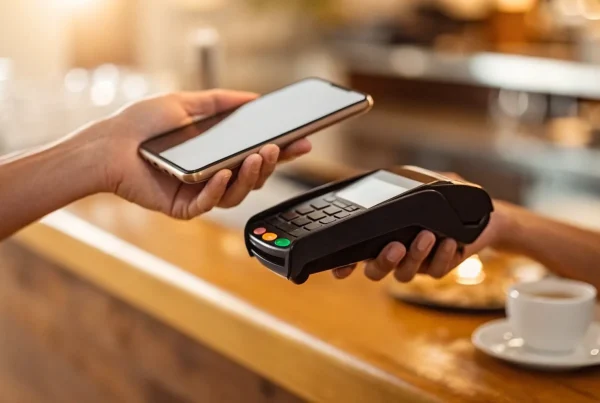
At its core, your POS system needs to make it easy for customers to pay you. This means reliably accepting all major credit and debit cards, EMV chip cards, and contactless payments like Apple Pay and Google Pay. The checkout process should be fast and smooth, because long lines or technical glitches can cost you a sale. Look for a system with a straightforward interface that minimizes errors. A strong payment processing integration ensures transactions are secure and that you get your money deposited quickly, helping you maintain healthy cash flow.
Smart Inventory Management
Manually counting your stock is time-consuming and prone to error. A modern POS system should offer smart inventory management that tracks your products in real time. As soon as an item is sold, the system updates your stock levels automatically. This helps you know exactly what you have on hand at all times. You can set up low-stock alerts to know when it’s time to reorder, preventing stockouts of popular items. This feature also gives you valuable insights into which products are your best-sellers and which ones aren’t moving, so you can make better purchasing decisions.
Clear Sales Reports and Analytics
You don’t need to be a data expert to understand how your business is performing. A good POS system translates your sales data into clear, easy-to-read reports and dashboards. With just a few clicks, you should be able to see your daily, weekly, and monthly sales figures, identify your busiest hours, and track revenue trends over time. This information is critical for making strategic decisions about everything from staffing schedules to marketing promotions. Access to real-time analytics empowers you to react quickly to changes and spot opportunities for growth.
Tools to Manage Customer Relationships
Turning a first-time shopper into a loyal customer is key to long-term success. Many POS systems include customer relationship management (CRM) tools to help you do just that. These features allow you to build a customer database, track purchase histories, and see who your most frequent shoppers are. With this information, you can create targeted marketing campaigns, offer personalized promotions, and set up a loyalty program to reward repeat business. It’s a powerful way to build stronger connections with the people who support your store.
Simple Employee Management
Your POS can also be a huge help in managing your team. Look for features that simplify employee administration, like a built-in time clock for tracking hours and tools for managing staff schedules. You can also set unique user permissions for each employee, controlling their access to sensitive functions like processing refunds or viewing sales reports. Some systems even allow you to track sales by employee, which is great for identifying your top performers and managing sales commissions. These tools reduce your administrative workload and help you run a more organized and efficient team.
E-commerce and Online Store Integrations
If you sell products both in-store and online, your POS system must be able to connect the two. An omnichannel retail strategy requires a POS that integrates seamlessly with your e-commerce platform. This ensures that your inventory levels are synced across all channels in real time. When an item sells online, your in-store inventory is updated automatically, and vice versa. This prevents you from accidentally selling the same item twice and creates a smooth, consistent experience for customers, no matter how they choose to shop with you.
A Breakdown of the Top Retail POS Systems
Choosing a point-of-sale system can feel like a huge commitment, but it doesn’t have to be overwhelming. Think of it as picking a central hub for your business—one that handles payments, tracks inventory, and helps you understand your sales. To make it easier, I’ve broken down some of the most popular retail POS systems out there. Each one has its own strengths, so the best fit really depends on your specific business needs. Let’s walk through the top contenders so you can see how they stack up.
MBNCard POS Solutions
Instead of offering a one-size-fits-all box, we provide custom POS solutions tailored to your business. We know that a local boutique has different needs than a busy cafe, so we start by understanding your goals. Our focus is on creating a seamless payment experience for your customers with reliable, easy-to-use hardware and software. We pair this with transparent pricing and programs like cash discounting to help you save on processing fees. With MBNCard, you get more than just a system; you get a dedicated partner committed to helping your business grow and keep more of its hard-earned money.
Clover POS
Clover is a highly versatile and scalable option that can adapt as your business grows. It offers a wide range of sleek hardware, from the handheld Clover Go to the robust Clover Station, so you can find the perfect fit for your counter. What makes Clover stand out is its app market, which allows you to customize your system with tools for everything from employee scheduling to loyalty programs. This flexibility makes it a great all-around choice for many small to medium-sized retail businesses that want a system that can evolve with their changing needs.
Breaking Down the Cost of a POS System
Figuring out the true cost of a point-of-sale system can feel like trying to solve a puzzle. You see an advertised price, but you know there’s more to the story. The total investment isn’t just about the software subscription or the shiny new card reader; it’s a combination of software fees, payment processing rates, hardware costs, and sometimes, a few unexpected charges.
A great POS system does more than just take payments. It helps you track sales, manage inventory, and build customer relationships. But to get those benefits, you need a system that fits your budget without any surprises down the road. Understanding the different cost components is the first step to finding a solution that truly supports your business’s financial health. Let’s walk through the four main areas you’ll want to examine when comparing POS systems.
Pricing Models: Subscription vs. Per-Transaction
When it comes to the POS software itself, you’ll generally find two main pricing structures. The most common is a monthly or annual subscription fee. You pay a flat rate to access the software, which usually includes customer support and regular updates. This model is great for creating a predictable budget. The other model is per-transaction, where the provider doesn’t charge a monthly fee but instead takes a slightly higher percentage from each sale. This can be a fantastic option if your sales are seasonal or if you’re just starting out and want to keep fixed costs low. Some providers even offer a hybrid of the two.
What to Know About Processing Rates
Every time a customer pays with a credit or debit card, there’s a small fee to securely process that transaction. These payment processing fees are a critical part of your POS system’s total cost. For small businesses, a flat-rate structure is often the simplest to understand. You’ll pay a fixed percentage and a small flat fee for every transaction, like 2.6% + $0.10 for in-person payments. This makes your costs easy to predict. Other models exist, but the key is to find a provider with transparent, competitive rates that don’t eat away at your profits with every swipe, dip, or tap.
Factoring in Hardware and Setup
Next, consider the physical equipment you’ll need to run your business. POS hardware can range from a simple card reader that connects to your smartphone to a complete setup with a touchscreen terminal, cash drawer, receipt printer, and barcode scanner. The good news is that you have options. Many modern POS apps allow you to start taking payments with just your phone using a feature like “Tap to Pay.” As you grow, you can add more robust hardware. Be sure to ask about the upfront cost of the equipment and if there are any one-time setup or installation fees involved.
Hidden Fees to Watch For
This is where you need to be a detective. A great POS provider will be upfront about all potential costs, but some sneak in extra charges that can catch you off guard. Keep an eye out for things like chargeback fees (when a customer disputes a charge), monthly minimums (a penalty if you don’t process a certain amount), and PCI compliance fees. PCI compliance is a set of security standards to protect cardholder data, and while it’s essential, some providers charge extra for it. Always ask for a complete fee schedule and read your contract carefully to ensure you know exactly what you’re paying for.
Pros and Cons of Each Top POS System
Alright, let’s get into the details. Every POS system has its strengths and weaknesses, and what works for a boutique down the street might not work for your cafe. The best choice always comes down to your specific needs, sales volume, and growth plans. A system that feels perfect today might feel restrictive in a year, so it’s smart to weigh your options carefully. Here’s a straightforward look at the pros and cons of the most popular options to help you see which one aligns with your business goals.
MBNCard POS systems
Instead of a rigid, one-size-fits-all system, we focus on building a solution that fits your business. We offer many equipment options for POS systems including Clover, Dejavoo Payment Software Solutions, ChargeAnywhere, and SwipeSimple. This means you get transparent pricing with programs like our dual pricing model to help you save on fees, dedicated support from a real person, and the flexibility to integrate the right hardware and software for your specific needs. We partner with you to create the perfect setup, ensuring you only pay for what you actually use.
The main difference is that we don’t offer a single, out-of-the-box product. Our customized approach requires a more collaborative setup process to get everything just right. We believe your business deserves more than a generic package, and that means taking the time to build a solution that truly supports your operations.
Square POS: Pros and Cons
Square is a popular starting point for many small businesses, especially those focused on in-person sales. It’s known for its simplicity—you can get started for free and they even provide a free card reader. It’s a solid choice if you need a basic, no-fuss system to start accepting payments quickly and want a clean, intuitive interface that your team can learn in minutes.
However, that simplicity comes with limitations. Its inventory management isn’t as robust as other systems, and its e-commerce features can feel basic. It’s also not ideal for full-service restaurants. The biggest drawback for many is that you’re required to use Square’s payment processing, which can limit your ability to shop around for better rates as your business grows.
Shopify POS: Pros and Cons
If you sell both online and in a physical store, Shopify POS is hard to beat. It was built for e-commerce first, so its greatest strength is seamlessly syncing your online and in-store sales, inventory, and customer data. This creates a smooth, unified experience for both you and your customers, making it easy to manage your entire business from one platform.
The convenience comes at a cost. You’ll generally face higher fees for in-person transactions compared to some competitors. To avoid extra transaction fees, you must use Shopify Payments as your processor. Additionally, all hardware, like card readers and receipt printers, must be purchased separately, which adds to the initial setup cost.
Matching a POS System to Your Business Type
The truth is, there’s no single “best” POS system for everyone. The right choice depends entirely on what you sell and how you sell it. A bustling restaurant has completely different needs than a boutique clothing store or an online-only brand dipping its toes into physical pop-ups. The features that are non-negotiable for one business might be useless for another. That’s why it’s so important to look past the flashy marketing and match the system’s core strengths to your daily operations.
Think about your biggest operational headaches. Is it managing a massive, ever-changing inventory? Juggling online orders with in-person sales? Or maybe it’s coordinating appointments and managing client information. The goal is to find a system that solves your specific problems, not create new ones. A POS system should feel like a natural extension of your business, simplifying your workflow so you can focus on what you do best—serving your customers.
Key Security Features Your POS System Needs
When you’re running a business, the last thing you want to worry about is a data breach. Your point-of-sale system is the gatekeeper for your customers’ most sensitive information, so security isn’t just a feature—it’s the foundation of trust. A secure POS system protects your customers from fraud and shields your business from devastating fines and reputational damage. You’ve worked too hard to build your customer base to risk losing their confidence over a preventable security issue. The reality is, small businesses are often seen as easier targets for cybercriminals, making your choice of POS system one of the most important decisions you’ll make.
Think of security features as your business’s digital insurance policy. They work in the background to verify transactions, protect data, and flag suspicious activity, letting you focus on what you do best: serving your customers. Choosing a POS system with robust, built-in security measures means you’re not just processing payments; you’re building a safe and reliable experience that keeps people coming back. It’s about creating peace of mind for both you and everyone who shops with you. Let’s walk through the essential security features every POS system should have.
PCI Compliance
If you accept card payments, you need to know about PCI compliance. It’s a set of security standards designed to ensure that all companies that accept, process, store, or transmit credit card information maintain a secure environment. Adhering to PCI (Payment Card Industry) standards is non-negotiable; it’s essential for safeguarding customer payment information and protecting your business from hefty penalties. The good news is that most modern POS providers handle the heavy lifting for you, building their systems to meet these strict requirements from the get-go. When vetting a POS system, always confirm that it’s fully PCI compliant. This isn’t just a box to check—it’s a core component of responsible business ownership.
Protecting Your Data with Encryption
Encryption is a must-have feature that scrambles sensitive payment data as it travels from your customer’s card to the payment processor. Essentially, it turns confidential information into an unreadable code, making it useless to anyone who might try to intercept it. Your POS system must keep payment info safe and prevent fraud, and encryption is the first line of defense. It’s a critical tool that protects sensitive customer data during every single transaction, ensuring you maintain customer trust while meeting your legal obligations to keep their information secure. Without it, you’re leaving the digital door wide open for trouble.
Tools to Prevent Fraud
Beyond encryption, a great POS system should come with built-in tools to actively monitor and prevent fraudulent activities. These features can identify suspicious transaction patterns, flag potentially stolen cards, and give you real-time alerts to stop fraud before it happens. This adds another critical layer of security for both you and your customers. Look for a provider that offers comprehensive fraud protection as part of their service. This proactive approach not only saves you from the financial headache of chargebacks but also reinforces your reputation as a secure and trustworthy place to do business. It’s about stopping problems before they start.
How to Choose the Right POS System for Your Business
Picking a point-of-sale system can feel like a huge commitment, but it doesn’t have to be overwhelming. The key is to break the process down into manageable steps. Instead of getting distracted by flashy features you might never use, focus on what your business truly needs to operate smoothly and grow successfully. Think of this as building a foundation for your daily operations. A great POS system should feel like a reliable partner, simplifying your work, not complicating it.
By asking the right questions upfront, you can narrow down your options and find a system that fits your budget, workflow, and future goals. We’ll walk through the four essential steps to help you make a confident choice. From defining your daily needs to planning for your five-year vision, this framework will guide you to the perfect POS solution for your unique business.
Define Your Business Needs
Before you even look at different POS providers, take a moment to look at your own business. The best system for you depends entirely on what you sell and how you sell it. A coffee shop has very different needs than a clothing boutique or an auto repair shop. Start by making a list of your “must-have” features. Do you need advanced inventory tracking across multiple locations? Is appointment booking a core part of your business? How important are detailed sales analytics to your strategy?
Think about your daily workflow. What are the biggest time-sinks or points of friction for you and your staff? A good POS should solve those problems. Once you have your list of essentials, you can create a second list of “nice-to-have” features. This simple exercise will give you a clear checklist to evaluate potential systems and prevent you from overpaying for features you don’t need.
Plan for Future Growth
The POS system you choose today should be able to support you tomorrow. Where do you see your business in one, three, or five years? If you plan on opening a second location, you’ll need a system that can easily manage multiple storefronts and sync inventory in real time. If you’re thinking about launching an ecommerce site, you’ll want a POS that offers seamless online and in-store integration.
Don’t get locked into a system that can’t scale with your ambition. Ask providers how their platform supports business growth. What does it cost to add another register, location, or employee? A scalable POS system is an investment in your future, ensuring you won’t have to go through this entire selection process again in a year or two. Planning for growth now saves you major headaches later.
Check for Essential Integrations
Your POS system doesn’t operate in a vacuum; it’s the central hub of your business technology. That’s why it’s critical to ensure it integrates smoothly with the other tools you rely on. For example, does it connect with your accounting software, like QuickBooks, to make bookkeeping easier? Can it sync with your email marketing platform to help you build customer lists and send targeted promotions?
The right integrations automate tasks and give you a more complete view of your business. For retailers, this might mean connecting to an inventory management app. For restaurants, it could be an integration with online ordering platforms. Before you commit, make a list of the software you currently use and verify that the POS system can connect with them. This step ensures all parts of your business work together efficiently.
Test Drive Before You Buy
Reading reviews and watching demo videos is helpful, but nothing beats getting your hands on the system yourself. Most POS providers offer a free trial or a personalized demo, and you should absolutely take advantage of it. This is your chance to see how intuitive the interface is, how quickly you can process a transaction, and how easy it is to run a sales report.
Involve your team in the trial period, too. They’re the ones who will be using it every day, so their feedback is invaluable. Remember, it’s rare to find a single system that does everything perfectly. You might need to find creative ways to adapt a feature to your workflow. The goal is to find the system that checks the most important boxes and feels like the best overall fit for your team. When you’re ready, you can request a demo to see how a system works in a real-world setting.
Related Articles
- The Hidden Powers of Next-Gen Retail POS Systems Revealed
- next gen retail POS systems Archives – MBNCARD, Inc.
Frequently Asked Questions
I’m on a tight budget. Can I get a good POS system without a huge upfront cost? Absolutely. Many modern POS systems are designed with new businesses in mind. You can often start with a simple setup, like a card reader that connects to your phone or tablet, which keeps initial hardware costs very low. Some providers also offer software with a pay-as-you-go model, where you pay a slightly higher transaction fee instead of a fixed monthly subscription. This is a great way to manage costs when your sales volume is still growing.
Do I really need a special POS for my type of business, like a restaurant or salon? In many cases, yes. While a general retail POS can handle basic sales, specialized systems are built to solve the unique challenges of your industry. A restaurant POS, for example, will have features for managing tables and sending orders to the kitchen, while a salon system will include tools for booking appointments. Using a system designed for your workflow will save you a lot of time and prevent major operational headaches.
How can I be sure my customers’ payment information is safe with my POS system? This is a huge responsibility, but a reputable POS provider does most of the heavy lifting for you. Look for a system that is fully PCI compliant, which is the industry standard for security. It should also use encryption to scramble card data during every transaction. These features work together to protect sensitive information from fraud, giving both you and your customers peace of mind.
What happens if my business grows and my current POS system can’t keep up? This is a great problem to have, and it’s why planning for the future is so important. A scalable POS system should make it easy to add new employees, registers, or even new locations without having to switch providers. Before you commit, ask how the system handles growth. Choosing a flexible platform from the start ensures your technology can grow right alongside your ambition.
With so many options, what’s the single most important thing to look for? The most important thing is finding a system that solves your specific, day-to-day problems. It’s easy to get distracted by a long list of features, but the best POS is the one that simplifies your most critical tasks. Whether that’s managing a complex inventory, syncing online and in-store sales, or booking appointments, focus on the core functions that will make your business run more smoothly.