Running a restaurant means juggling a dozen tasks at once. You’re dealing with handwritten orders that get lost in translation, struggling to split checks for a large party, and guessing when to reorder key ingredients. These small daily frustrations can add up, costing you time, money, and even customers. The solution lies in a single, powerful tool. While the formal restaurant point of sale system definition is the place where a customer executes a payment, a modern system is the hub for your entire operation. It streamlines communication between your front-of-house and kitchen, simplifies payments, and automates inventory tracking, turning daily chaos into a smooth, efficient workflow that helps your business thrive.
Key Takeaways
- A POS Is Your Restaurant’s Central Hub: View your point-of-sale system as more than a payment processor; it’s a management tool that connects your dining room, kitchen, and back office to improve order accuracy and keep operations running smoothly.
- Prioritize Features That Drive Efficiency: The most impactful features are those that solve daily challenges. Look for a system with flawless order management, flexible payment processing, and real-time inventory tracking to reduce errors and control costs.
- Evaluate Systems on Long-Term Value: Make your decision based on how a system will support your future growth. Consider its ability to scale, integrate with other software, and offer transparent pricing to avoid hidden costs down the line.
What Is a Restaurant POS System?
Think of a restaurant POS (Point of Sale) system as the command center for your entire operation. It’s far more than a modern cash register; it’s a powerful combination of hardware and software designed specifically to handle the fast-paced, complex environment of a restaurant. At its core, a restaurant POS system is where your sales happen. It’s the tool your team uses to take customer orders, accept payments, and manage every transaction that flows through your business.
But a good system does so much more than just process sales. It connects your front-of-house staff with your kitchen crew, ensuring orders are accurate and sent instantly. It also works behind the scenes to track inventory, manage employee schedules and permissions, and gather valuable data on your sales trends. Whether you run a bustling cafe, a fine dining establishment, or a quick-service spot, the right POS system brings all the moving parts of your business together into one cohesive, manageable hub. It simplifies daily tasks so you can focus less on logistics and more on creating a great experience for your guests.
The Hardware and Software Behind It
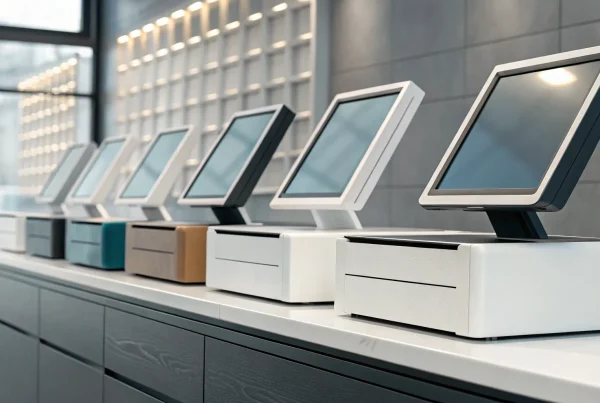
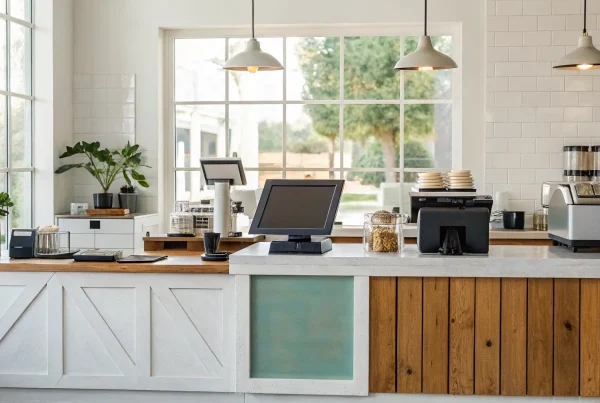
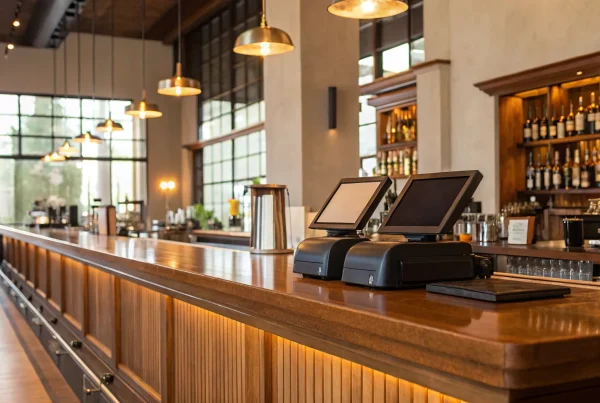
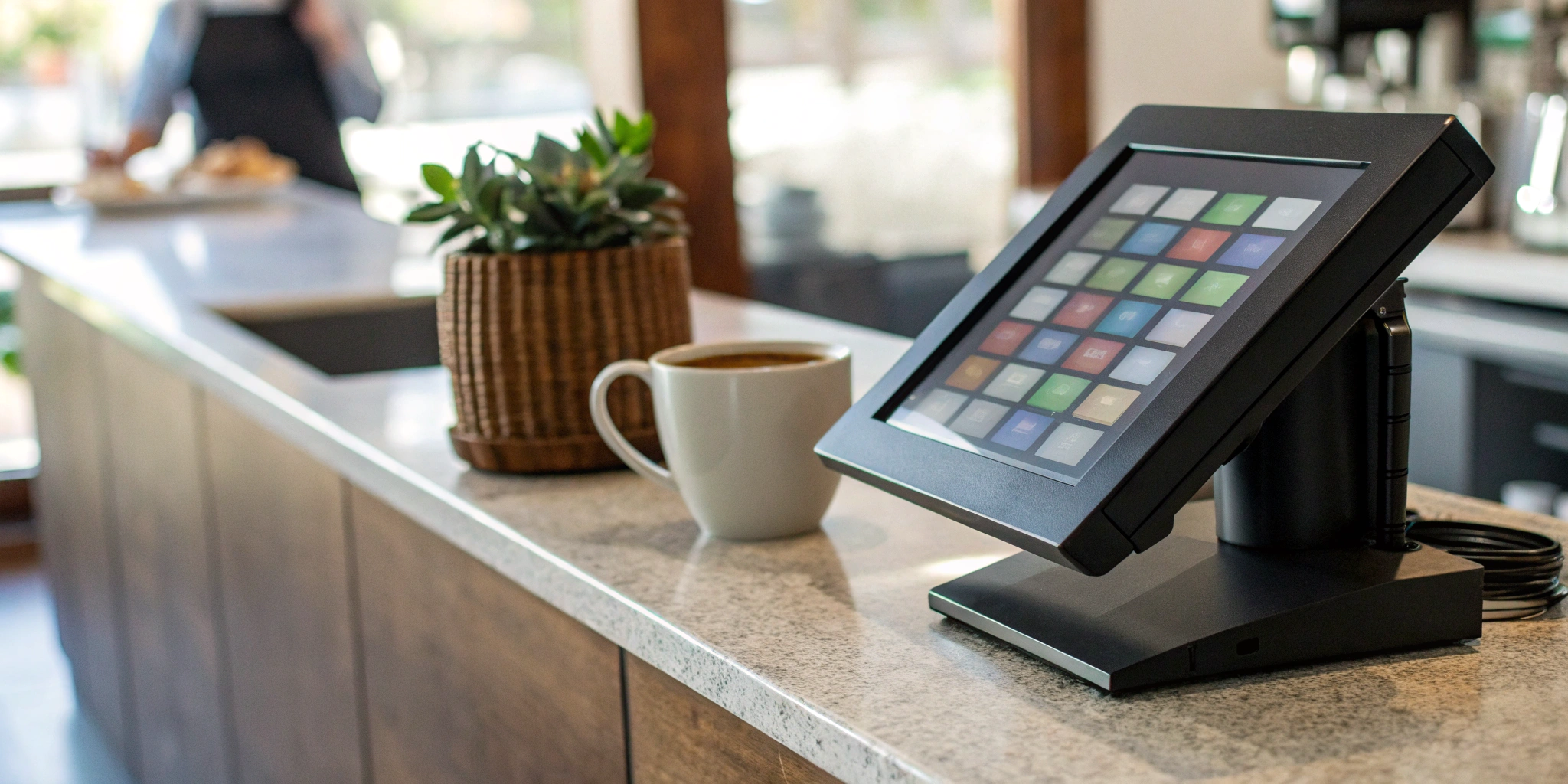
Let’s break down the two key components of any POS system. First, you have the hardware—the physical equipment you and your staff interact with every day. This typically includes a touchscreen terminal or tablet, a credit card reader, a receipt printer, and a cash drawer. Depending on your setup, you might also have kitchen display screens (KDS) or handheld devices for tableside ordering.
The second part is the software, which is the brains of the operation. This is the program that runs on your hardware, allowing you to build your menu, process orders, and track sales. Modern POS systems are often cloud-based, meaning your data is stored securely online. This gives you the flexibility to access reports and manage your business from anywhere, not just from the back office.
Its Role in Your Day-to-Day Operations
On any given day, your POS system is working hard to keep your restaurant running smoothly. When a server takes an order, the system instantly fires it off to the kitchen, reducing the chance of human error. During the dinner rush, it helps manage table turnover and split checks without causing a headache for your staff or your customers. It’s a tool that helps you streamline operations and improve efficiency when it matters most.
Beyond processing orders, your POS system is a powerful management tool. It tracks every ingredient you use, helping you reduce waste and know exactly when to reorder supplies. It can also generate detailed reports on your best-selling dishes, peak hours, and server performance, giving you the data-driven insights needed to make smarter business decisions and grow your bottom line.
How Does a Restaurant POS System Work?
Think of a restaurant POS system as the central nervous system of your entire operation. It’s so much more than a modern cash register; it’s a powerful combination of hardware and software that connects your front of house, back of house, and back office. From the moment a customer walks in until they pay their bill, the POS system is working behind the scenes to make every step smoother, faster, and more accurate.
At its core, the system is designed to streamline your most critical tasks. When a server punches in an order, it doesn’t just disappear into the ether—it’s instantly routed to the right place. When a customer is ready to pay, the system securely handles the transaction. And while all of this is happening, it’s also tracking sales data, updating inventory counts, and even monitoring employee performance. This seamless flow of information is what transforms a chaotic dinner rush into a well-oiled machine. It allows your team to focus on what they do best: creating amazing food and providing an unforgettable guest experience. Let’s break down exactly how it manages each part of the process.
From Taking an Order to the Kitchen
The journey begins the moment your server takes an order. Instead of scribbling on a notepad, they can input the order directly into a stationary terminal or a handheld tablet. The instant they hit “send,” the magic happens. The order is fired directly to the kitchen, appearing on a Kitchen Display System (KDS) or printing on a kitchen ticket. This digital handoff eliminates messy handwriting, reduces the chance of human error, and gets cooks started on the meal immediately. The system also handles special requests, modifiers, and allergy notes with clarity, ensuring every dish comes out exactly as the customer ordered.
The Payment Process from Start to Finish
When it’s time to settle the bill, the POS system makes paying simple and secure for everyone. It’s built to handle all the ways your customers want to pay, whether that’s with a credit card, a debit card, or a mobile wallet like Apple Pay. The system manages everything from splitting checks between large groups to applying discounts and processing gift cards. Behind the scenes, it securely communicates with your payment processor to authorize the transaction and finalize the sale. This not only speeds up table turnover but also gives your customers a smooth and professional checkout experience.
Keeping All Your Data in Sync
Perhaps the most powerful feature of a modern POS is its ability to keep all your business data perfectly synchronized. Every time a server rings up a burger, the system automatically deducts the bun, patty, and cheese from your inventory count. This gives you a real-time view of what you have in stock, helping you avoid running out of a key ingredient mid-shift. Beyond inventory, it tracks every sale, giving you detailed reports on your most popular dishes, peak business hours, and server performance. This unified data reduces waste, tightens up operations, and gives you the insights you need to make smarter decisions for your restaurant.
Key Features Every Restaurant POS Needs
When you’re looking for a POS system, it’s easy to get lost in a sea of features. But at its core, a great restaurant POS is designed to make your life easier and your business more profitable. It acts as the central nervous system for your entire operation, connecting your front-of-house, kitchen, and back-office tasks. Think beyond just processing payments; the right system helps you manage orders flawlessly, track inventory down to the last olive, and understand what your customers love. Let’s break down the essential features that will have the biggest impact on your day-to-day.
Order Management and Kitchen Displays
A modern POS system streamlines the entire ordering process, from the moment a customer decides what they want to when the food hits their table. It should effortlessly handle orders for dine-in, takeout, and delivery, sending them directly to the kitchen with any special requests or modifications. This eliminates messy handwriting and verbal mistakes. Many systems integrate with a kitchen display system (KDS), which shows cooks a clear, organized queue of tickets. This keeps the kitchen running smoothly, reduces ticket times, and ensures every dish comes out exactly as the customer ordered.
Flexible Payment Processing
Your customers expect payment to be fast, easy, and secure. A top-tier POS system delivers on that by accepting a wide range of payment types, including credit and debit cards, contactless options like Apple Pay and Google Pay, and even QR code payments. It should also make common restaurant scenarios simple, like splitting bills between multiple guests or applying discounts and comps without a headache. The goal is to make the end of the meal as pleasant as the beginning. This flexibility not only improves the customer experience but also ensures you never miss a sale because you can’t accept a specific payment method.
Inventory and Team Management
A powerful POS does more than just track sales; it tracks what you’re selling. Strong inventory management features monitor your ingredient levels in real time, so you know exactly when to reorder supplies and can avoid running out of a best-selling dish mid-service. This helps you reduce waste and control food costs. On the staffing side, your POS can become an essential tool for team management. Look for features that help with scheduling, tracking employee hours for payroll, and even monitoring individual performance. It brings all your key operational data into one place, giving you a clearer view of your business.
Reporting and Customer Loyalty Tools
The best business decisions are based on data, not guesswork. Your POS system is a goldmine of information, and a good one will have robust reporting and analytics tools to help you make sense of it all. You can generate detailed reports on sales trends, popular menu items, labor costs, and customer habits. This insight helps you optimize your menu and make smarter financial choices. Many systems also include customer relationship management (CRM) features that allow you to build a customer database, run loyalty programs, and send targeted promotions to encourage repeat business.
The Benefits of a Modern Restaurant POS
Upgrading your restaurant’s point of sale system is more than just getting a new piece of tech—it’s about transforming how your business runs. A modern POS is the central hub for your entire operation, connecting your front-of-house team with the kitchen, your inventory with your sales, and your customer data with your marketing efforts. It moves you from simply processing transactions to actively managing and growing your restaurant with precision. Let’s look at the specific ways a modern POS can make a real difference.
Improve Efficiency and Reduce Errors
During a busy dinner rush, the last thing you need is a system that slows you down. A modern POS streamlines the entire ordering process. When a server enters an order on a tablet, it’s sent directly to the kitchen display system, eliminating messy handwriting and verbal mistakes. This ensures the accurate handling of menu items, which saves time, minimizes food waste from incorrect orders, and keeps your customers happy. Beyond the kitchen, these systems help you manage your cash, track employee performance, and analyze product costs, giving you the tools to reduce shrinkage and theft.
Create a Better Customer Experience
Happy customers are repeat customers, and a great POS system plays a huge role in their experience. It starts with faster, more accurate ordering and extends to flexible payment options like splitting checks or paying at the table. Many systems also include built-in loyalty programs, allowing you to reward your regulars without any extra hassle. Plus, a modern POS can help you manage online and delivery orders seamlessly, integrating them directly into your workflow. This creates a smooth experience for customers whether they’re dining in or ordering from home, helping you build a stronger connection with your community.
Gain Control Over Your Finances
A POS system is one of the most powerful tools you have for managing your restaurant’s financial health. By tracking every sale and ingredient, it gives you a clear picture of your costs and revenue streams. You can instantly see which menu items are most profitable and which are underperforming. This data allows you to make smart adjustments to your menu and pricing to improve profit margins. For example, one restaurant was able to reduce its food waste by 40% within just a few months of implementing a new POS. That kind of insight goes straight to your bottom line.
Make Smarter Decisions with Real Data
Guesswork has no place in a successful business. Your POS system collects valuable data every single day, and the best systems make it easy to understand and use. You can pull reports on sales trends, peak business hours, and server performance with just a few clicks. This information helps you make smarter, data-driven decisions about everything from staff scheduling to marketing promotions. Instead of wondering when to run a happy hour special, you can look at the data and know for sure. Using these actionable analytics helps you run your restaurant more smoothly and strategically plan for growth.
Types of Restaurant POS Systems
Not all POS systems are created equal, and the best one for you really depends on your restaurant’s unique setup. A bustling food truck has different needs than a sit-down bistro, and your POS should match your workflow, not the other way around. Choosing the right type of system is a foundational decision that impacts everything from your daily operations and staff efficiency to your long-term growth potential. Before you start comparing specific features or pricing plans, it’s helpful to understand the main categories of POS systems available. Think about how your team operates. Do you need a central, stationary hub for orders, or would your servers benefit from the freedom of taking payments right at the table? Are you constantly on the move at farmers’ markets, or do you have a fixed location that needs a reliable, hardwired setup? Answering these questions is the first step. Understanding the main categories will help you narrow down the options and find a system that feels like it was made just for your business. Let’s look at the three main types you’ll come across.
Traditional Countertop Systems
You can think of these as the classic, old-school POS systems. They typically involve a bulky terminal and server hardware that’s physically installed at your restaurant. All your data is stored locally on-site. One of the main advantages is that they can often function without an internet connection, which can be a lifesaver during an outage. However, they are becoming less common because they require manual software updates, can be expensive to maintain, and lack the remote access and flexibility that modern restaurants need to stay competitive.
Cloud-Based POS Systems
This is the most popular option for restaurants today, and for good reason. With a cloud-based system, all your data—from sales reports to inventory levels—is stored securely online. This means you can log in and manage your restaurant from anywhere, whether you’re on a laptop at home or checking in from your phone while on vacation. This remote access gives you incredible flexibility. Plus, software updates happen automatically, so you always have the latest features and security without any extra work. The benefits of cloud technology allow for seamless integration with other online tools, like accounting software and marketing platforms.
Mobile and Tablet POS Options
For the ultimate in flexibility, mobile and tablet systems are the way to go. These setups turn everyday devices like iPads, Android tablets, or even smartphones into powerful POS terminals. You can use them as a stationary checkout counter or equip your servers with handheld devices for tableside ordering and payments. This approach can dramatically speed up service and reduce errors, as orders are sent directly to the kitchen. They’re a perfect fit for businesses on the move, like food trucks and pop-ups, but they’re also great for full-service restaurants looking to improve table turnover and create a smoother customer experience.
How Your POS System Can Handle Payments
At its heart, a point-of-sale system is your command center for transactions. But a modern restaurant POS does more than just process payments; it gives you the flexibility to meet customers where they are and the tools to manage your finances smartly. From splitting a complicated dinner check to implementing cost-saving payment programs, your POS is key to a smooth and profitable operation.
Accepting Credit and Debit Cards
The most fundamental job of your POS is to handle card payments securely and efficiently. Today’s customers expect to pay however they want, so your system needs to be ready. This means accepting traditional magnetic stripe swipes, more secure EMV chip cards, and quick tap-to-pay transactions. A flexible system also handles payments when the card isn’t physically present, which is essential for taking phone orders for pickup or delivery. Reliable credit card processing integrated with your POS ensures every sale is captured quickly, whether the customer is standing at your counter or ordering from their couch.
Integrating Mobile and Contactless Payments
In a world of smartphones, offering mobile and contactless payment options is no longer a bonus—it’s an expectation. A modern POS system should seamlessly accept mobile wallets like Apple Pay, Google Pay, and Samsung Pay. These methods are not only fast and convenient for your customers, but they’re also incredibly secure. They use tokenization to protect sensitive card information, which builds trust and protects your business from fraud. By enabling these options, you speed up your checkout lines, reduce physical contact, and show your customers that you’re keeping up with the technology they use every day.
Splitting Checks and Managing Group Tabs
Few things slow down a server and frustrate a large party more than a complicated check. A great restaurant POS takes the headache out of this daily task. Instead of manually calculating who owes what, your servers can use the system to split checks effortlessly. Whether the table wants to divide the bill evenly, split by seat, or assign specific items to each person, the POS can handle it in seconds. This feature is a game-changer for your team’s efficiency, allowing them to turn tables faster and spend more time providing great service. It also creates a much smoother and more professional experience for your guests.
Saving on Fees with Dual Pricing and Cash Discounts
Credit card processing fees are an unavoidable cost of doing business, but your POS can help you manage them effectively. With the right payment partner, your system can support programs designed to lower your processing expenses. For example, dual pricing displays both a card price and a discounted cash price for every item, encouraging customers to pay with cash. Similarly, a cash discount program applies a small service fee to all sales but gives an immediate discount to customers who pay with cash. Your POS system handles all the calculations automatically, ensuring you remain compliant while putting more money back into your business.
How to Choose the Right POS System
Picking a point of sale system is a major decision for your restaurant. It’s the command center for your entire operation, handling everything from orders and payments to inventory and customer data. The right system streamlines your workflow and helps you grow, while the wrong one can create daily frustrations for you and your team. To make the best choice, you need to look beyond the flashy features and focus on what truly matters for your business: scalability, integrations, usability, and transparent pricing. Let’s walk through how to evaluate each of these areas so you can find a POS that feels like a true partner in your success.
Find a System That Grows with You
Your restaurant today might not be the same restaurant it will be in five years. Maybe you plan to open a second location, launch a food truck, or add a catering service. Your POS system should be able to support those ambitions, not hold you back. Choose a system that fits your current needs but has the flexibility to scale with your business. A basic setup might be enough for now, but look for a provider that offers advanced features you can add later. This saves you from the massive headache and expense of migrating to a whole new system down the road when you’re busier than ever.
Check for Key Integrations
A modern POS should be the hub that connects all your other tools. Before you commit, make sure it can integrate with the software you already use or plan to use in the future. Look for essential connections like online ordering platforms, loyalty programs, and kitchen display systems (KDS) to keep orders accurate and efficient. The ability to sync with your accounting software, payroll systems, or third-party delivery apps can save you hours of manual data entry. A good customer relationship management (CRM) integration is also key for collecting guest information and personalizing your marketing efforts. Think of your POS as the foundation and its integrations as the tools that build a stronger business.
Prioritize Ease of Use and Security
The most powerful POS system is useless if your team can’t figure out how to use it during a busy dinner rush. The interface should be intuitive and simple for your staff to learn quickly. A complicated system leads to slower service, more errors, and frustrated employees. At the same time, your POS must be incredibly secure. It handles sensitive customer payment data, and a breach can be devastating to your reputation. Ensure any system you consider is PCI compliant and has strong security features to protect both your business and your customers from fraud.
Understand the Full Cost and Pricing
POS pricing can be complex, so it’s important to get a clear picture of the total investment. Don’t just look at the monthly subscription fee. Ask about upfront hardware costs, which can range from a few hundred to several thousand dollars. Most importantly, understand the payment processing fees associated with each transaction. Some providers lock you into their own processing with high rates. Look for a partner that offers transparent and affordable payment processing options. Choosing the cheapest system isn’t always the smartest move; focus on the overall value and a pricing structure that helps you keep more of your hard-earned money.
Common Myths About Restaurant POS Systems
When you’re running a restaurant, the last thing you need is more confusion. Point-of-sale technology has come a long way, but so have the myths surrounding it. Let’s clear up a few common misconceptions that might be holding you back from finding a system that truly works for your business. These myths often prevent owners from adopting tools that could save them time and money, so it’s important to separate fact from fiction before making a decision.
Myth: They’re Just Fancy Cash Registers
It’s easy to see why this myth sticks around. At its most basic level, a POS system does what a cash register does: it processes payments. But that’s where the comparison ends. A modern restaurant POS is a powerful combination of hardware and software that acts as the central nervous system for your entire operation. Beyond just ringing up sales, it can track inventory in real-time, manage employee schedules and permissions, and build detailed sales reports. It’s a tool that helps you run your business more efficiently, not just a machine that holds your cash.
Myth: All POS Systems Are Basically the Same
Thinking all POS systems are created equal is like saying all restaurants are the same. The reality is that there’s a wide variety of systems designed to fit different needs. You have traditional, on-premise systems, flexible cloud-based POS systems that let you manage your restaurant from anywhere, and mobile options that allow for tableside ordering and payments. A food truck has very different requirements than a fine-dining establishment with a large staff. The key is finding a system with features that match your specific workflow, service style, and business goals, rather than trying to fit your restaurant into a one-size-fits-all box.
Myth: Setup Is Too Expensive and Complicated
The thought of a huge upfront cost and a complicated installation process is enough to make any owner hesitate. While it’s true that some legacy systems were expensive and clunky, the market has changed dramatically. Many modern POS providers offer flexible, subscription-based pricing that turns a large capital expense into a manageable monthly operating cost. As for complexity, today’s systems are built with user-friendliness in mind, often featuring intuitive touchscreen interfaces that your team can learn quickly. A good payment solutions provider will also guide you through the setup and training process, ensuring you get up and running smoothly.
Getting Started with Your New POS System
Switching to a new POS system is a big step, but a little preparation goes a long way. A smooth transition sets your team up for success and ensures you get the most out of your investment from day one. Think of it as a process with three key phases: planning the setup, training your staff, and fine-tuning the system once it’s live. By focusing on these areas, you can make the switch feel less like a headache and more like the upgrade it’s meant to be.
Plan Your Implementation and Setup
A successful POS implementation starts long before you unbox any hardware. First, create a clear timeline with realistic goals for each stage, from data migration to going live. Decide who your main point of contact will be for your team and for your POS provider—having designated “point people” keeps communication clear and organized. Next, focus on the data. You’ll need to transfer your menu, inventory lists, and customer information into the new system. A clean data transfer prevents major headaches later on, so take the time to get it right. Finally, plan the physical setup to ensure your new terminals and payment devices fit seamlessly into your workflow.
Train Your Team for Success
Your new POS system is only as powerful as the people using it, so comprehensive training is non-negotiable. Start by training your managers first, making them the experts who can support the rest of the team. During the first week of operation, have your management team “shadow” employees, offering on-the-spot help and troubleshooting any issues that pop up. This hands-on support builds confidence and helps everyone adapt quickly. Remember to create a positive learning environment where staff feel comfortable asking questions. Providing cheat sheets or quick-reference guides for common tasks can also make the initial learning curve much smoother for everyone.
Optimize Your System for Best Results
Once your system is up and running, the final step is to make it work harder for you. Explore integrations that connect your POS with other essential tools, like your accounting software or online ordering platforms. When your systems communicate, you eliminate redundant data entry and get a more accurate picture of your business. You can also use your POS data to make smarter decisions. For example, detailed sales reports can help you identify your most popular dishes, while inventory tracking can reduce food waste by highlighting what you’re over-ordering. Regularly review your system’s features to ensure you’re using it to its full potential.
Related Articles
- Restaurant Point of Sale POS System: A Buyer’s Guide
- What Features Should I Look For In a Restaurant POS System?
Frequently Asked Questions
What happens if my internet connection fails? This is a huge and very valid concern, especially since so many modern systems are cloud-based. Many top-tier POS systems are designed with an offline mode for exactly this reason. When your internet goes down, the system can continue to take orders and process card payments securely. Once your connection is restored, it automatically syncs all the transaction data, so you don’t lose any important information or sales. It’s a critical feature to ask about when you’re comparing your options.
How much should I expect to pay for a POS system? The cost can vary quite a bit, so it’s important to look at the complete picture. You’ll have the initial hardware costs, which could be anything from a single tablet and card reader to a full setup with multiple terminals and kitchen displays. Then there’s the monthly software fee, which is often a subscription. The most important piece to understand is the payment processing fees, which are charged on every card transaction. Look for a provider that is transparent about all these costs so you can find a solution that fits your budget without any surprises.
Can I use my own hardware, like an iPad, or do I have to buy specific equipment? This really depends on the POS provider. Many modern, cloud-based systems are designed to run on common devices like iPads or Android tablets, which can save you a lot on upfront hardware costs. However, some providers require you to use their proprietary hardware to ensure everything works together perfectly. If you’re hoping to use equipment you already own, make sure you confirm compatibility before you sign any contracts.
Is a cloud-based system really secure enough for my customer’s payment data? Absolutely, as long as you choose a reputable provider. Modern cloud-based POS systems are built with multiple layers of security to protect sensitive information. They use data encryption and tokenization to ensure that actual credit card numbers are never stored on your local device or network. Always confirm that any system you consider is PCI compliant, as this is the industry standard for maintaining a secure environment for payment data.
My restaurant is small. Do I really need a full POS system? Even for a small operation, a good POS system does so much more than a simple cash register. It streamlines your ordering process to reduce errors, tracks your inventory to help you control food costs, and gives you valuable data on your sales. Think of it as a tool that helps you work smarter, not harder. It frees you up from manual tasks so you can focus on your food and your customers, which is essential for growth at any size.