It’s easy to think that holding onto your paid-off POS system is the smart financial move. After all, why fix what isn’t completely broken? But this mindset often overlooks the hidden costs that are slowly draining your profits. The true expense of old restaurant pos systems isn’t the initial price tag; it’s the daily toll of lost sales from slow service, the high cost of repairing outdated hardware, and the wasted hours your staff spends wrestling with a clunky interface. This article breaks down the real financial impact of sticking with legacy technology. We’ll uncover the hidden expenses and missed opportunities, helping you calculate whether your current system is a genuine asset or a costly liability in disguise.
Key Takeaways
- Calculate the true cost of your old POS: It’s more than just the hardware. Factor in the expenses from slow service, frequent repairs, security risks, and the time your team wastes on a clunky system. An outdated POS often costs more in lost revenue than a modern upgrade.
- Run your business from anywhere, not just the back office: Cloud-based systems free you from a physical terminal. You can check real-time sales, manage inventory, and update menus from your phone or laptop, giving you the control to make smarter decisions on the fly.
- Meet modern customer expectations with the right tools: Today’s customers expect seamless experiences like online ordering, tableside payments, and loyalty programs. A modern POS integrates these features, helping you provide better service and keep up with industry trends without juggling multiple systems.
The Evolution of Restaurant POS: From Cash Registers to Cloud
To understand why your old point-of-sale system might be holding you back, it helps to look at how we got here. The journey from a simple cash box to a cloud-based command center didn’t happen overnight. Each step forward was driven by a restaurant owner trying to solve a real problem—like preventing theft, speeding up orders, or making sense of sales data.
This evolution shows a clear pattern: businesses have always needed tools that provide more control, efficiency, and insight. The cash register was a huge leap from a drawer full of cash, and the first computerized systems were revolutionary for their time. But technology keeps moving, and customer expectations move with it. What was once cutting-edge can quickly become a bottleneck. Looking back at these milestones makes it clear why modern, cloud-based systems aren’t just a new trend; they’re the next logical step in helping you run a smarter, more profitable restaurant.
Meet the “Incorruptible Cashier” (1879)
It all started with a saloon owner named James Ritty who had a familiar problem: he suspected his employees were stealing from him. His solution was the first cash register, which he cleverly named “Ritty’s Incorruptible Cashier.” Patented in 1879, this mechanical device simply logged sales and had a bell that rang every time the drawer opened, alerting the manager to a transaction. It was a simple invention, but it introduced the foundational concepts of transaction tracking and accountability that are still at the core of every POS system today. It was the first real tool business owners had to protect their revenue and get a handle on their daily sales.
The Rise of Electronic Cash Registers (ECRs)
The next big step came with the introduction of Electronic Cash Registers (ECRs). Companies like IBM brought basic computing power to the checkout counter, moving beyond simple mechanics. For restaurants, this was a game-changer. Specialized ECRs could now do more than just hold cash; they could manage orders, track different menu items, and improve communication between the front of house and the kitchen. This meant fewer mistakes from handwritten tickets and a more streamlined ordering process. While still limited, ECRs were the first technology that helped restaurants manage their complex operations, not just their cash.
IBM Introduces the First Computerized POS (1973)
The true ancestor of the modern POS system arrived in 1973 when IBM created the first computer-powered cash register. This wasn’t just an electronic machine; it was a networked system. For the first time, a restaurant could connect multiple registers—up to 128 of them—to a single, central computer. All sales data was recorded in one place, giving owners a complete picture of their business. This innovation opened the door to real-time inventory management and detailed sales analysis. It marked the shift from simply recording transactions to actively using data to make smarter business decisions, laying the groundwork for the legacy POS systems that would dominate the industry for decades.
How Legacy Restaurant POS Systems Worked
If you’ve ever worked in a restaurant with a clunky, beige computer terminal that seemed to run on software from another decade, you’ve met a legacy POS system. These systems were groundbreaking when they first appeared, moving restaurants from pen-and-paper ledgers to a more digitized world. They were built around a local server—a dedicated computer right there in your back office—that stored all your restaurant’s data.
Everything was hard-wired. The terminals at the front of the house, the printers in the kitchen, and the main computer were all physically connected. This meant your data was confined to the four walls of your restaurant. You couldn’t check sales from home or manage inventory on the go. While a huge improvement over a simple cash box, these on-premise systems created their own set of challenges, especially when it came to getting a clear, real-time picture of your business operations.
Tracking Sales and Printing Receipts
At their core, legacy POS systems were designed to do two things: ring up orders and print receipts. They were great at tracking your total daily sales, giving you a lump sum at the end of the night. But if you wanted to dig deeper, you were mostly out of luck. These systems couldn’t easily tell you which menu items were your bestsellers, what your peak hours were on a Tuesday, or how many tables each server turned over. Getting those kinds of sales analytics required hours of manual work, exporting raw data and wrestling with spreadsheets to find the answers.
Managing Early Inventory
For restaurants using older POS systems, inventory was a constant headache. The system could track that you sold 20 orders of fries, but it didn’t automatically subtract the corresponding amount of potatoes and cooking oil from your stock levels. This meant that true restaurant inventory management was still a manual process. Owners and managers had to spend hours with clipboards and pens, physically counting everything in the storeroom and walk-in cooler. This often led to inaccurate ordering, resulting in wasted food from over-ordering or lost sales from running out of a popular dish.
Handling Reports and Storing Data
With a legacy system, all your business data lived on a single, on-site server. This created a few big problems. First, if that server crashed, you could lose everything—years of sales data, customer information, and reports. Backups were a manual process that was easy to forget. Second, getting a comprehensive view of your business was tough. The POS system was often a data island, disconnected from your accounting software or payroll systems. You had to manually transfer numbers from one program to another, which was time-consuming and opened the door for human error.
The Challenge of Manual Payments
Processing payments on a legacy POS was often a slow, multi-step process. It usually involved a separate, bulky credit card terminal connected to a phone line. This meant slower transaction times for customers and more room for error when staff had to key in the total amount manually. On top of that, the pricing structures were frequently confusing. Many providers bundled hardware, software, and processing into opaque contracts with long-term commitments. Understanding your true credit card processing fees was nearly impossible, making it difficult to control costs or shop for a better rate.
Who Were the Big Names in Legacy POS?
If you’ve been in the restaurant industry for a while, some of these names will definitely ring a bell. For decades, a few key players dominated the point-of-sale market. They were the workhorses of their time, processing orders and payments in countless restaurants, bars, and hotels. While they laid the groundwork for the technology we use today, they also came with a set of limitations that feel especially restrictive now. Understanding these legacy systems helps clarify why modern, cloud-based solutions have become so essential for running a competitive business.
MICROS: The Reporting Powerhouse
MICROS was a giant in the industry, especially known for its powerful reporting capabilities. Restaurant managers could pull detailed data on sales, inventory, and employee performance. The catch? This power was chained to a back-office computer. MICROS systems were notoriously stationary; you wouldn’t find a server taking an order on a handheld device. As many in the industry remember, these older restaurant POS systems kept staff tethered to a terminal. This created bottlenecks at the ordering station and prevented managers from accessing critical data unless they were physically in the office, a major hurdle for modern, on-the-go operations.
Aloha POS: The Choice for Big Chains
NCR Aloha was, and still is, the go-to system for massive, global restaurant chains. Think of places like Starbucks or Chipotle. Its strength lies in its sheer number of features and deep customization options, making it a robust tool for managing complex, multi-location operations. However, this complexity is also its biggest weakness for smaller businesses. For an independent restaurant, navigating Aloha’s extensive features can be overwhelming and time-consuming. A comprehensive guide to legacy POS systems often highlights that without a dedicated IT team, small businesses can end up paying for powerful features they never use, all while struggling with a steep learning curve.
Digital Dining & Squirrel POS: The Flexible Options
Squirrel Systems carved out a niche in the hospitality world, particularly in hotels and resorts. Its main selling point was flexibility. Unlike more rigid systems, Squirrel allowed businesses to use a wider variety of hardware, sometimes even their own devices. On the surface, this sounds like a great way to save money and customize your setup. In practice, it could be a double-edged sword. Mixing and matching hardware often led to integration problems, inconsistent performance, and a support nightmare when things went wrong. While having options is good, the lack of a streamlined, fully integrated hardware and software package created reliability issues that modern restaurants can’t afford.
POSitouch: Focusing on User-Friendly Design
POSitouch is another name that frequently comes up when people discuss the POS systems they grew up with in the industry. It earned a reputation for being relatively user-friendly for its time, which made it a popular choice. However, its age is its biggest liability today. While many users recalled its presence, the system lacks the essential features that define modern POS technology. Things like cloud-based access, seamless third-party integrations for online ordering and delivery, and advanced customer relationship management tools simply weren’t part of its design. Sticking with a system like POSitouch means missing out on the efficiencies and insights that help a restaurant thrive.
How Touchscreens Changed Everything for Restaurants
The move from clunky, keyboard-based systems to sleek, intuitive touchscreens wasn’t just a cosmetic upgrade—it was a revolution for the restaurant industry. Before touchscreens, using a POS system often meant memorizing complex key commands and navigating text-heavy menus. It was functional, but far from friendly. The introduction of touch technology transformed the POS from a simple transaction tool into the central hub of restaurant operations, making everything faster, simpler, and more accurate for everyone from the newest server to the seasoned manager. This shift paved the way for the modern, user-friendly systems that successful restaurants rely on today.
The First Touch: Gene Mosher’s ViewTouch (1986)
The journey to the modern POS began back in 1986 with Gene Mosher’s ViewTouch, the very first POS software designed for a color touchscreen. While it was ahead of its time, the industry was already hungry for a faster way to take orders. Think about McDonald’s, which used specialized cash registers with a dedicated button for every single menu item just to speed up the line. Mosher’s invention showed what was possible when you replaced physical buttons with a dynamic, graphical interface. It was the first step toward the intuitive, tap-and-go systems we now see everywhere.
Moving from Keyboards to Intuitive Screens
The real game-changer was the shift from typing to tapping. Legacy systems required staff to navigate with keyboards, which was often slow and prone to error. Touchscreens introduced a visual, graphical interface where menu items could be represented by buttons, pictures, and logical categories. Instead of typing in codes, servers could simply tap an image of a burger and then select the toppings. This made the entire process more intuitive, reducing the mental load on employees and making the point of sale system feel like a natural extension of their workflow rather than a hurdle to overcome.
Increasing Speed and Simplifying Training
For restaurant owners, the two biggest benefits of touchscreens were immediate: speed and simplicity. An intuitive interface means servers can punch in complex orders in seconds, reducing wait times and improving table turnover. Fewer mistakes are made, which means less food waste and happier customers. Plus, training new hires becomes incredibly straightforward. Instead of spending hours teaching complicated software, you can get a new employee comfortable with the POS in minutes. This automation of tasks allows your staff to spend less time staring at a screen and more time focused on providing great customer service.
The Biggest Problems with Old POS Systems
If you’re still running your restaurant on a legacy POS system, you probably feel its limitations every single day. What was once a reliable workhorse might now feel like it’s holding your business back, and you’re not just imagining it. These older systems simply weren’t designed for the fast-paced, digitally connected world of modern hospitality. As one industry report notes, old POS systems can’t keep up with today’s needs, leading to slower service, more mistakes, and missed chances to connect with customers. From frustrating delays during the dinner rush to the inability to integrate with the latest apps, the cracks are starting to show.
The reality is, these systems create significant bottlenecks that affect your service, your staff, and your bottom line. You might be dealing with constant workarounds just to accept mobile payments or manage online orders. Or maybe you’re spending too much time manually reconciling reports that a modern system could generate in seconds. These aren’t just minor inconveniences; they are operational hurdles that cost you time and money. Let’s break down some of the biggest problems that come with sticking to an old POS and see how they directly impact your business.
Slow Service and More Mistakes
During a busy Friday night rush, every second counts. Unfortunately, legacy POS systems are notorious for slowing things down. With delayed screen responses and multi-step processes for simple tasks, your staff is forced to work at the speed of the machine, not the speed of your customers. This lag time adds up, leading to longer lines at the counter and slower table turnover. It also opens the door for more mistakes. When servers have to manually punch in complex orders on a confusing interface, the risk of errors skyrockets, resulting in comped meals and unhappy guests. A modern POS, on the other hand, is designed to make restaurant operations faster and more accurate.
Falling Behind Modern Demands
Today’s customers expect convenience, whether it’s ordering online, paying with their phone, or earning loyalty points. Legacy POS systems were built before these restaurant technology trends existed, and they struggle to keep up. They typically don’t integrate smoothly with third-party delivery apps, online ordering platforms, or modern payment methods. While some older systems have tried to add cloud features, these are often clumsy patches rather than seamless solutions. This forces you to manage multiple disconnected systems, creating administrative headaches and a disjointed experience for your customers. You end up missing out on valuable revenue streams simply because your technology can’t support them.
Clunky Hardware and Outdated Tech
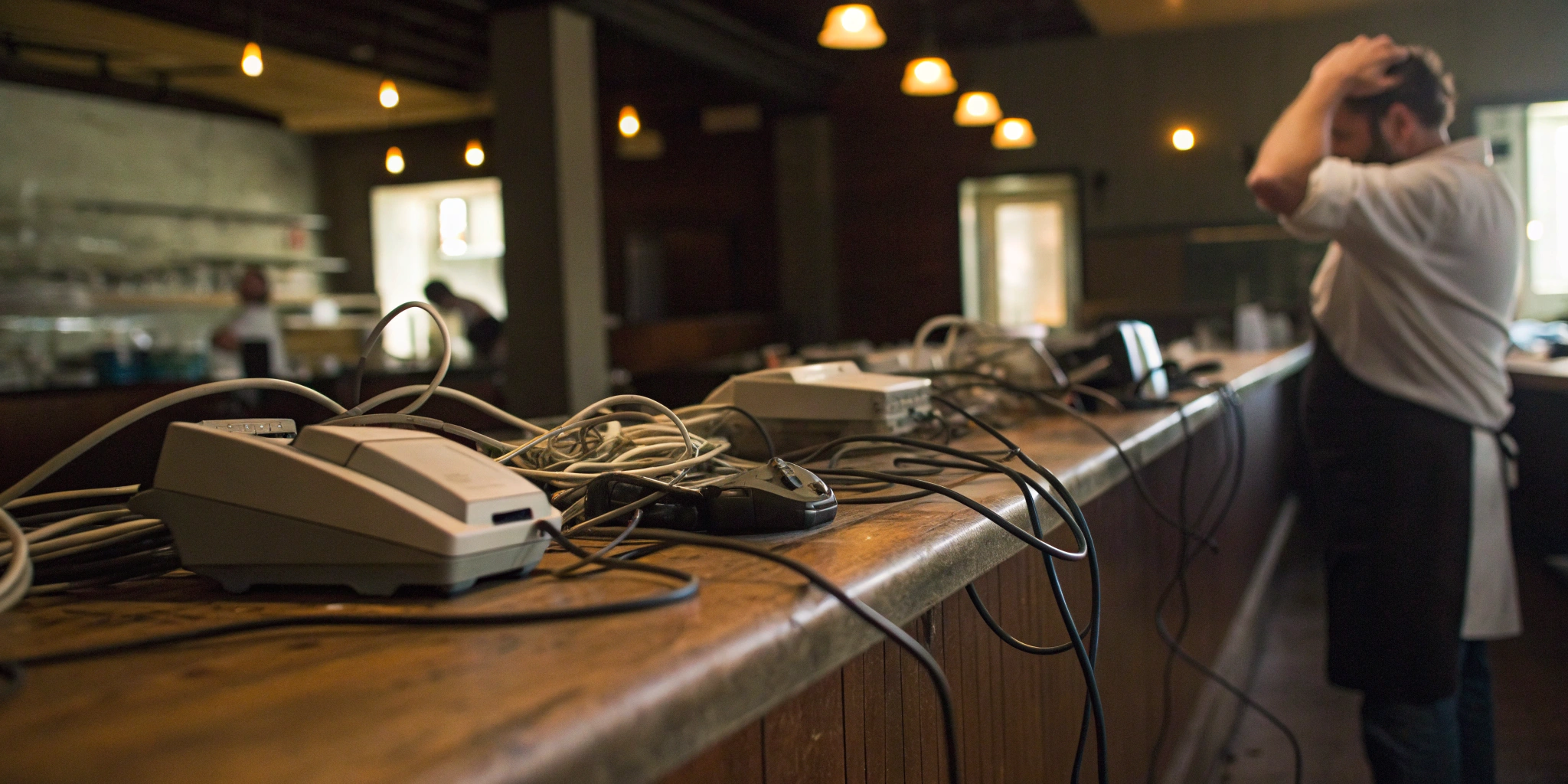
Let’s be honest: the hardware for most legacy POS systems is an eyesore. We’re talking bulky terminals, a tangled mess of cables, and a loud server humming away in the back office. This outdated setup takes up valuable counter space and is prone to failure. If that local server goes down, your entire operation grinds to a halt. Furthermore, many of these systems use older technology and lack their own integrated payment processing. This means swiping a credit card involves a separate, slower terminal, increasing the chance of errors and slowing down your checkout line. It all just feels clunky and inefficient.
Difficult Interfaces and Long Training Hours
If your POS interface looks like it’s from the dial-up era, you know this struggle well. Legacy systems often feature cluttered, text-heavy screens that are anything but intuitive. For new hires, learning to use the system can be a major hurdle, requiring hours of dedicated restaurant staff training. In the restaurant industry, where staff turnover is high, you end up repeating this time-consuming training process over and over again. The system can feel old-fashioned and frustrating for a younger workforce accustomed to sleek, user-friendly apps. This steep learning curve not only wastes valuable management time but can also lead to more mistakes on the floor as new employees try to find their way around a confusing system.
The Hidden Costs of Sticking with an Old POS
It’s easy to think that holding onto your old POS system is saving you money. After all, it’s paid for, and it mostly works, right? This “if it ain’t broke, don’t fix it” mindset feels practical, but it often overlooks the slow leak of cash and opportunity that an outdated system creates. The true cost of a legacy system isn’t what you paid for it years ago—it’s what it costs you every single day in hidden expenses, lost sales, and mounting frustration. These systems can quietly drain your resources through frequent breakdowns that halt service, security vulnerabilities that put your reputation on the line, and operational slowdowns that directly impact your bottom line. Think about the time your staff spends troubleshooting a frozen screen during the dinner rush, the sales you lose when a card reader fails, or the customer data that isn’t being protected by the latest security standards. When your team is fighting with the technology instead of serving guests, you’re losing money. Before you know it, the cumulative cost of keeping that old machine running far outweighs the investment in a modern solution that actually helps your business grow.
Expensive Repairs and Replacements
When a piece of your legacy hardware breaks down, it’s not just an inconvenience; it’s a financial scramble. Finding replacement parts for outdated technology can be difficult and incredibly expensive. You’re often at the mercy of a limited supply market, paying premium prices for refurbished components that might not last. Beyond the hardware, many legacy POS systems rely on older technology and lack their own integrated payment processing. This forces you to patch together solutions, leading to slower transaction times, a higher chance of errors, and more potential points of failure. Each breakdown means lost sales and a hit to your customer experience.
Lack of Support and Security Risks
One of the biggest risks of using an old POS is the disappearing support. When the manufacturer stops supporting your model, you’re left on your own to troubleshoot glitches and crashes, often during a busy dinner rush. Even more alarming are the security vulnerabilities. While some older systems have tried to add cloud features to keep up, they often lack the robust, modern security protocols needed to protect your business and your customers. This leaves you exposed to data breaches, which can destroy your reputation and result in hefty fines. In a world where payment security is paramount, relying on outdated software is a gamble you can’t afford to take.
Lost Productivity and Constant Retraining
An old, clunky POS system is a drag on your entire operation. It slows down your staff, leading to longer wait times for customers and fewer tables turned per shift. These systems are often unintuitive, which means every new hire requires extensive, time-consuming training. This constant retraining cycle eats into valuable management time and increases the likelihood of costly mistakes, like incorrect orders or miscalculated bills. As one analysis points out, old POS systems simply can’t keep up with today’s demands, causing you to miss out on opportunities to connect with customers and operate efficiently. That lost productivity is a direct hit to your revenue.
Confusing and Unpredictable Pricing
If you’ve ever tried to get a straight answer on pricing for a legacy system, you know how frustrating it can be. The costs are rarely public, forcing you into a lengthy sales call just to get a quote. These systems are known for being expensive upfront, but the costs don’t stop there. You’ll often face a barrage of hidden fees for essential services like maintenance, software updates, and customer support. This unpredictable pricing model makes it impossible to budget effectively. You’re left paying for a system that not only underperforms but also comes with a confusing and ever-growing price tag, a stark contrast to the transparent subscription models of modern POS solutions.
Legacy vs. Cloud: What’s the Difference?
At first glance, a legacy POS and a cloud-based POS might seem to do the same thing: take orders and process payments. But how they do it is worlds apart. The core difference comes down to where your information lives. A legacy system is an on-premise solution, meaning all your software and data are stored on a local server—that bulky computer likely tucked away in your back office. It’s a closed-loop system that requires you to be physically present to access anything.
Cloud-based POS systems, on the other hand, store your data securely online. This simple change completely transforms how you run your restaurant. Instead of being tied to a single location, you can access your business information from any device with an internet connection. This shift has made powerful, once-exclusive features accessible and affordable for restaurants of all sizes. It’s not just about new bells and whistles; it’s about gaining the flexibility, security, and insight you need to run a smarter, more efficient business. Let’s break down what that really means for your day-to-day operations.
Access Your Business from Anywhere
With a legacy system, checking your daily sales report meant driving to the restaurant and printing it out. If you wanted to update a menu item, you had to be at the terminal. Cloud-based systems free you from those constraints. You can log into your dashboard from your laptop at home, your phone while at the bank, or a tablet on vacation to see real-time sales data, manage inventory, and adjust your menu on the fly.
This remote access also extends to your staff. Modern mobile POS solutions allow servers to take orders and payments directly at the table using tablets. This speeds up service, reduces order errors, and gives you the flexibility to manage your business from wherever you are.
Affordable and Transparent Pricing
One of the biggest headaches with old POS systems was the cost. You often had to pay a massive upfront fee for bulky hardware and software licenses, sometimes locking you into a long, confusing contract. Many legacy providers weren’t transparent about their pricing, making it nearly impossible to compare costs without getting on a sales call.
Cloud-based systems flipped this model on its head. Most operate on a subscription basis, similar to Netflix or Spotify. You pay a predictable monthly fee, which makes budgeting much simpler and eliminates the huge initial investment. This model also encourages providers to be transparent with their pricing, as they have to compete for your business every month. You can typically find clear pricing tiers online, helping you choose a plan that fits your needs and budget.
Automatic Updates and Better Security
If you’ve ever used a legacy system, you know the pain of software updates. They were manual, infrequent, and often required a technician to come on-site, disrupting your service and costing you money. This meant you could be running on outdated software for years, leaving you vulnerable to bugs and security risks.
Because cloud-based POS systems are hosted online, updates happen automatically and regularly in the background. You always have the latest features and security patches without lifting a finger. Your data is also more secure. Instead of being stored on a local server that could crash, get damaged, or be stolen, your information is protected on secure, remote servers with professional-grade backups and monitoring.
Real-Time Data and Seamless Integrations
Legacy systems were often isolated islands of information. They tracked sales, but getting that data to talk to your accounting software or inventory tool was a manual, time-consuming process. Modern cloud systems are designed to be the central hub of your restaurant’s operations. They provide real-time analytics on everything from your best-selling dishes to your peak hours, all presented in easy-to-read dashboards.
Even better, they integrate seamlessly with other tools you use. Your POS can automatically sync sales data with your accounting software, connect to online ordering and delivery platforms, and manage your employee schedules. These all-in-one systems create a connected ecosystem that saves you hours of administrative work, reduces human error, and gives you a complete picture of your business’s health.
How the Cloud Transformed the Restaurant Industry
The shift from on-premise legacy systems to cloud-based POS was more than just a tech upgrade—it completely changed how restaurants operate. By moving data storage and processing online, cloud technology made powerful tools accessible, affordable, and flexible for businesses of all sizes. Suddenly, owners weren’t tied to a clunky terminal in the back office. They could manage their restaurant from anywhere with an internet connection, opening up a new world of efficiency and growth. This transformation touched every part of the business, from the front of the house to the back.
Streamlining Operations and Improving Accuracy
Modern cloud POS systems are designed to make restaurant service faster and more precise. They automate many of the tedious tasks that used to slow your team down, like manually sending orders to the kitchen or splitting checks. With features like tableside ordering on tablets, servers can fire off orders instantly, reducing the chance of errors from handwritten notes. This automation allows you to use your staff more efficiently, freeing them from operational hurdles so they can spend more time creating a great experience for your guests. The result is a smoother workflow, quicker table turnover, and a happier, more productive team.
Creating a Better Customer Experience
Today’s customers expect convenience, and a cloud POS helps you deliver it. These all-in-one systems combine everything from order management to payment processing into a single, seamless platform. You can offer modern conveniences like QR code ordering for guests who prefer self-service, or accept mobile payments like Apple Pay right at the table. Many systems also include built-in tools for loyalty programs, online ordering, and reservation management. By integrating these features, you create a cohesive and professional experience that keeps customers coming back and makes your restaurant easier to run.
Making Smarter Decisions with Data
One of the biggest advantages of a cloud POS is access to real-time data. Unlike legacy systems that stored information locally, cloud platforms let you see what’s happening in your business from any device, anywhere. You can track sales as they happen, see which menu items are most popular, and monitor inventory levels without being on-site. This immediate access to key performance indicators empowers you to make smarter, data-driven decisions. You can adjust staffing based on real-time demand, run promotions on slow-moving items, and forecast future sales with much greater accuracy.
Keeping Up with Trends and Delivery
The restaurant industry is always changing, and a cloud POS gives you the flexibility to adapt. As new trends emerge, from ghost kitchens to the continued rise of online ordering, your POS can evolve with you. Cloud systems easily integrate with third-party delivery apps, manage online menus, and support various payment options. The software updates automatically, so you always have the latest features and security without needing to buy new hardware. This scalability ensures your business can keep up with consumer demands and stay competitive, whether you’re adding a new location or launching a new online menu.
Is a Legacy POS Ever the Right Choice?
After learning about all the drawbacks of outdated technology, you might wonder if there’s ever a good reason to stick with a legacy POS. It’s a fair question. While modern cloud-based systems are the standard for a reason, a few specific situations might make you pause before making the switch. For some business owners, the old saying, “if it ain’t broke, don’t fix it,” feels like a safe bet, especially when facing the cost and learning curve of a new system.
Change can be intimidating, and the idea of overhauling the central nervous system of your restaurant is a big deal. Maybe you inherited an old system with your building, or perhaps you’re running a very straightforward operation and can’t see the need for all the bells and whistles of a modern setup. Let’s walk through the few scenarios where a legacy system might seem like the right call—and how to determine if it’s truly serving your business or just holding it back.
When Your Budget is Tight and Needs are Simple
If you’re just starting out or running a small, simple operation like a food truck or a coffee cart, the upfront cost of a new POS can feel like a major hurdle. A legacy system, especially a second-hand one, might seem like the most budget-friendly option. These systems are installed directly in your store, and since the data is stored locally on a server in your back office, they can function without a constant internet connection—a potential plus if your Wi-Fi is unreliable. For a business with a handful of menu items and a focus on simple transactions, the advanced features of a cloud POS might feel like overkill. The key is to remember that the initial price tag isn’t the whole story.
The Appeal of a Proven, Reliable System
There’s something to be said for familiarity. If you and your staff have been using the same POS for years, you know its quirks, its shortcuts, and its limitations. It’s a known quantity. The thought of retraining everyone on a brand-new interface can be daunting. Some owners feel that their old system is a workhorse that has proven its reliability over time. In an effort to keep up, many older legacy POS systems have even added some cloud-like features, blurring the lines and making the need to upgrade feel less urgent. This comfort and perceived stability can make sticking with the old way feel like the path of least resistance, even if it’s not the path to growth.
Calculating When an Old System Still Pays Off
This is where you need to get honest with your numbers. The true cost of a POS system goes far beyond the price of the hardware. While you might be saving money upfront, an old system can cost you dearly in the long run. Think about the time lost to slow service, the money wasted on inventory mistakes, and the missed opportunities to connect with customers through loyalty programs or online ordering. The history of restaurant POS systems shows a clear move toward data and efficiency for a reason. Plus, many legacy providers have confusing pricing structures with hidden fees for support or repairs, making it difficult to budget effectively. When you calculate the cost of lost sales and operational headaches, the “cheap” old system often ends up being the most expensive one.
Related Articles
- POS Systems for Restaurants: Everything You Need to Know
- Restaurant Point of Sale POS System: A Buyer’s Guide
Frequently Asked Questions
My old POS system still rings up sales. Why should I spend money on a new one? That’s the million-dollar question, isn’t it? It’s easy to see your old system as a paid-off asset, but it’s more helpful to think about the hidden costs. Consider the time your staff loses on slow software, the sales you miss because you can’t easily integrate with online ordering apps, and the money wasted on incorrect orders from a clunky interface. A modern system isn’t just an expense; it’s an investment to plug those leaks and run a more efficient, profitable business.
What’s the real difference between a legacy and a cloud POS? They seem to do the same basic job. You’re right, they both process transactions, but how they do it is what matters. Think of a legacy system like a desktop computer from 20 years ago—all your data is stuck on that one machine in your back office. A cloud POS is like having your data in a secure online drive. You can access real-time sales reports, update your menu, and manage inventory from your phone or laptop, whether you’re at home or on vacation. It gives you the freedom to run your business from anywhere.
I’m worried about security. Is it really safe to have all my restaurant’s data online? It’s a valid concern, but storing your data on the cloud is actually far more secure than keeping it on a local server in your restaurant. That single server is vulnerable to everything from a power surge or a spilled drink to a physical theft. Reputable cloud POS providers use professional-grade encryption, automatic backups, and constant monitoring in secure data centers—a level of protection that’s nearly impossible to replicate on your own.
My restaurant’s internet connection can be unreliable. Will a cloud-based system even work for me? This is a common worry, but most modern cloud POS systems are built for the real world. They come with an offline mode that allows you to continue taking orders and processing card payments even if your internet goes down. Once your connection is restored, the system automatically syncs all the transaction data, so you never miss a sale or lose important information.
Honestly, switching to a new system sounds like a huge headache. How much time will it take to get my staff trained? The thought of overhauling your central system is definitely intimidating. But unlike the steep learning curve of older, text-heavy systems, modern POS interfaces are designed to be as intuitive as a smartphone app. Most staff members, especially younger ones, pick it up in minutes, not days. Good providers also offer guided setup and support to make the transition as smooth as possible, saving you countless hours in retraining down the road.