Your iPhone is already a command center for your business, handling everything from emails to social media. So why not make it your point-of-sale system, too? An EMV reader for iPhone does more than just accept credit cards; it transforms your phone into a powerful tool for running your entire operation. Paired with the right app, it can help you track sales, manage inventory, and view detailed reports from anywhere. This integration streamlines your daily tasks, keeping all your important business data in one place and giving you more time to focus on what you do best.
Key Takeaways
- Prioritize EMV to Protect Your Business: Using an EMV-compliant reader is your best defense against fraud. It secures customer data and, crucially, shields you from financial liability for fraudulent chargebacks.
- Accept Every Payment to Maximize Sales: Choose a reader that handles all major payment types—including EMV chip cards, contactless methods like Apple Pay, and traditional swipes—to ensure a smooth checkout for every customer.
- Understand the Total Cost Before You Buy: The best deal isn’t just the cheapest reader. Factor in transaction rates and potential monthly fees to find a solution that supports your business without any surprise costs.
What Is an EMV Reader for iPhone?
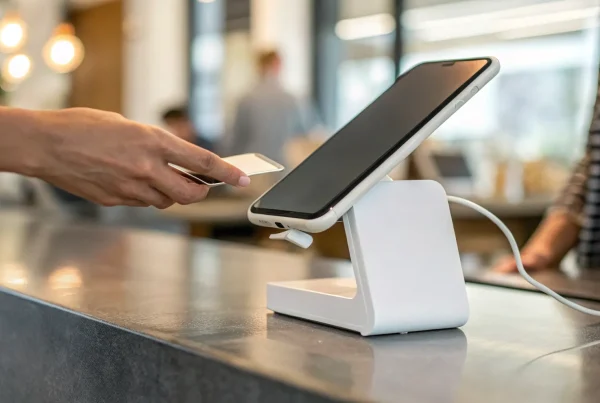
So, what exactly is an EMV reader for your iPhone? Think of it as a small, powerful sidekick for your business that turns the phone you already own into a secure credit card terminal. This handy device lets you accept all the modern ways your customers want to pay: dipping a chip card, tapping a contactless card, or using a mobile wallet like Apple Pay or Google Pay. It’s a complete game-changer for anyone who runs a business on the go—from food truck owners and craft market vendors to freelance contractors visiting clients at their homes. Instead of being tied to a traditional countertop machine, you can process payments securely from anywhere you have a cell signal.
This flexibility doesn’t just add convenience; it adds a layer of professionalism to your operations. When you can accept a card payment on the spot, it streamlines the entire sales process, eliminating the need to send invoices later and wait to get paid. Customers appreciate the speed and security, and you get your money faster. These readers are designed to be lightweight, portable, and easy to use, making it simple to accept credit card payments wherever your business takes you. It’s one of the most straightforward ways to modernize your payment system and meet your customers where they are.
How Chip Card Technology Works
You’ve probably noticed that little metallic square on your credit and debit cards—that’s the EMV chip. EMV stands for Europay, MasterCard, and Visa, the companies that created this global security standard. Here’s the magic: every time a customer dips their chip card, the chip creates a unique, one-time-use code for that specific transaction. This code is encrypted and sent for approval. Unlike old-school magnetic stripes that store static, easily stolen data, this dynamic code makes it nearly impossible for fraudsters to create counterfeit cards. This advanced chip card technology is the reason in-person card fraud has dropped so significantly, giving both you and your customers peace of mind with every sale.
Connecting a Reader to Your iPhone
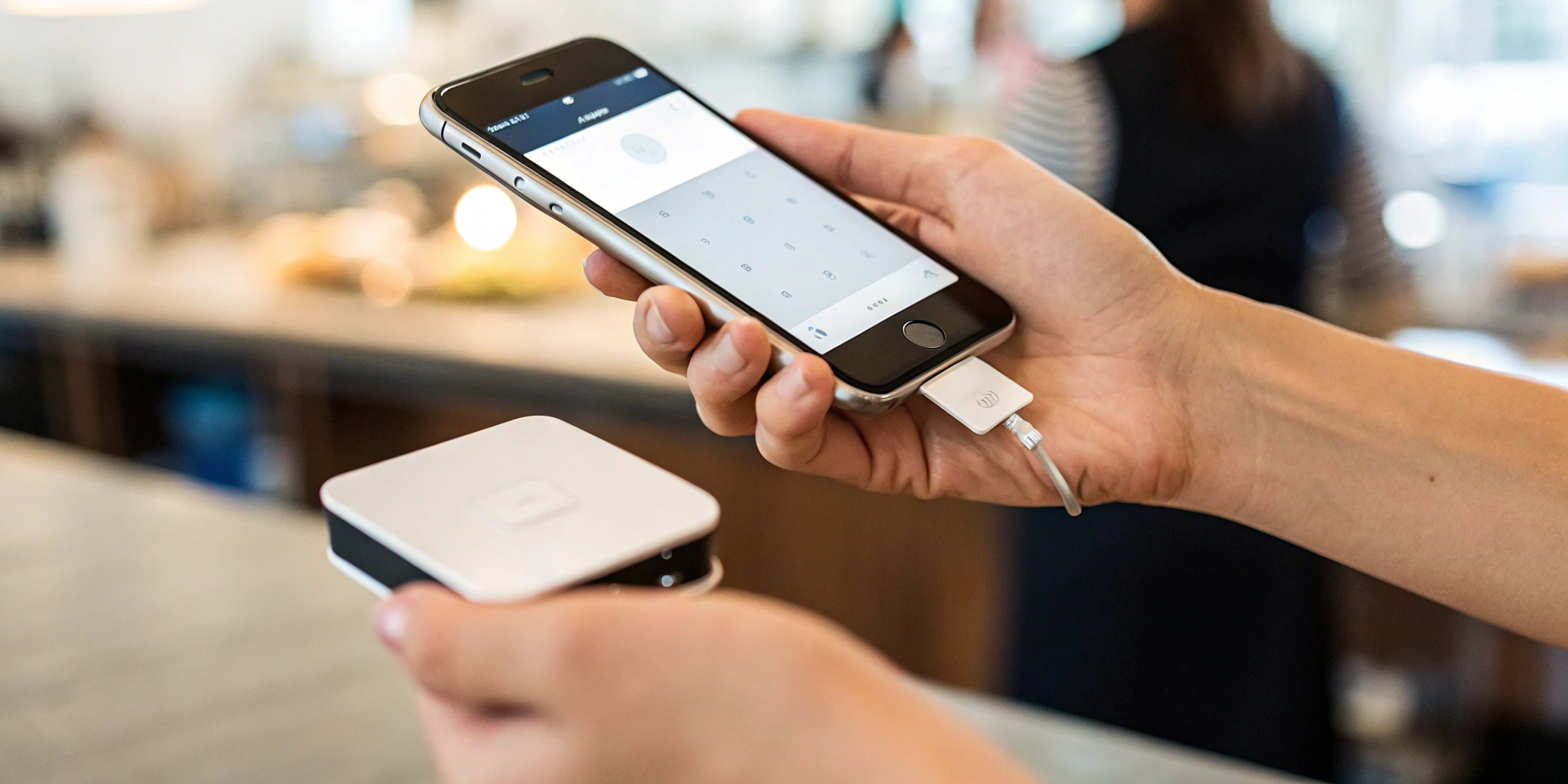
Getting your EMV reader up and running with your iPhone is surprisingly simple. Most readers connect wirelessly using Bluetooth, so you just need to pair it with your phone like you would a speaker or headphones. To process payments, you’ll also need a mobile point-of-sale (POS) app from your payment provider. This app is your command center—it communicates with the reader, securely sends the transaction details for approval, and helps you manage your business. You can track sales, send digital receipts, and even manage basic inventory right from your phone. Once you’ve downloaded the app and paired your device, which usually takes just a few minutes, you’re ready to start accepting payments from anywhere.
Why Your Business Needs an iPhone EMV Reader
If you’re running a business, you know that making it easy for customers to pay you is a top priority. An iPhone EMV reader does more than just process a sale; it modernizes your entire checkout experience, protects your business, and gives you the freedom to operate from anywhere. Think of it as a small tool that makes a huge impact on your daily operations and your bottom line.
Accepting chip cards is the new standard for in-person transactions, and customers expect it. By equipping your business with an iPhone EMV reader, you’re not just keeping up with technology—you’re actively safeguarding your revenue, building customer trust, and creating a more flexible business model. Let’s look at the three biggest reasons why this simple device is a must-have.
The Security Benefits of Chip Cards
The single most important reason to use an EMV reader is security. EMV chip cards are significantly safer than old magnetic stripe cards, which store static, unencrypted data. That made them easy targets for fraudsters to copy. Chip cards, on the other hand, create a unique, one-time transaction code for every purchase. This process, called tokenization, makes it nearly impossible for thieves to steal card information and create counterfeit cards. By using an EMV reader, you’re adding a powerful layer of protection that secures your customers’ sensitive data and shows them you take their privacy seriously.
Flexibility to Take Payments Anywhere
An iPhone EMV reader untethers you from the traditional countertop register. Whether you’re a plumber finishing a job at a client’s home, a vendor at a weekend market, or a consultant meeting a client for coffee, you can accept secure payments on the spot. These readers are designed for mobility, allowing you to serve customers wherever they are. Modern devices help businesses accept many types of payments, including EMV chip cards, contactless methods like Apple Pay, and even traditional magnetic stripe cards. This versatility ensures you never miss a sale because you can’t accommodate a customer’s preferred payment method.
How It Protects You from Liability
Years ago, a major shift happened in the payment industry. The liability for in-person fraudulent transactions shifted from the card-issuing banks to the merchants if they weren’t equipped to accept chip cards. This means if you swipe a chip card instead of using an EMV reader and the transaction turns out to be fraudulent, you could be responsible for the full amount of the chargeback. Using an EMV reader for every chip card transaction protects your business from this financial risk. It’s a simple step that shields your hard-earned money from the significant costs associated with credit card fraud liability.
What to Look For in an iPhone EMV Reader
Choosing the right EMV reader for your iPhone can feel like a big decision, but it doesn’t have to be complicated. When you start comparing options, you’ll notice they aren’t all built the same. Some are simple, no-frills devices designed just to take a payment, while others come packed with features that can help you run your entire business right from your phone. The best reader for you depends entirely on your specific needs and how you operate day-to-day.
Think about where you do business. Are you always on the move, selling at farmers’ markets or visiting clients at their homes? Or do you have a brick-and-mortar shop where you need a reliable countertop solution that also gives you the freedom to walk around the floor? Your work environment will dictate what features matter most. As you look at different models, focus on a few key areas: the types of payments it can take, its security features, how portable it is, and how well it works with the other tools you already use. Getting clear on these points will help you find a device that not only processes payments securely but also makes your workday a little easier.
Payment Acceptance Capabilities
The last thing you want is to turn away a customer because you can’t accept their preferred payment method. A versatile EMV reader is essential for creating a smooth checkout experience. Your device should be able to handle everything from EMV chip cards and traditional magnetic stripe swipes to modern contactless payments. This includes popular mobile wallets like Apple Pay and Google Pay, which more and more customers are using for their speed and convenience. Before committing, double-check that the reader accepts all major credit cards, including Visa, Mastercard, American Express, and Discover. The more payment options you offer, the more prepared you’ll be for any customer who walks through your door.
Essential Security and Encryption Standards
When you’re handling customer payments, security is non-negotiable. EMV chip cards provide enhanced security features that make it incredibly difficult for fraudsters to clone card information, which is a major leap forward from older magnetic stripe technology. This protects your customers’ sensitive data and, in turn, protects your business from the financial headache of fraudulent chargebacks. Make sure any reader you choose meets current security and encryption standards. A compliant device encrypts card data the moment it’s dipped, tapped, or swiped, safeguarding that information as it travels to the payment processor. This gives both you and your customers peace of mind with every single transaction.
Battery Life and Portability
If you run a business that keeps you on the go, your equipment needs to keep up. A portable iPhone EMV reader should be lightweight, compact, and easy to carry, but its battery life is what truly matters. Look for a device with a long-lasting, built-in rechargeable battery so you can accept payments all day at a festival, trade show, or client appointment without hunting for a power outlet. Think about your busiest days—you need a reader that won’t quit before you do. True portability isn’t just about size; it’s about having the freedom and reliability to do business wherever your customers are, without being tethered to a charger.
Integration with Your Business Tools
A great EMV reader does more than just take payments; it should work smoothly with your existing business operations. Many modern readers come with a companion app that transforms your iPhone into a powerful point-of-sale (POS) system. With the right app, you can do much more than just process a credit card transaction. Look for features that let you manage sales, track your product inventory in real-time, and even log cash payments. This kind of integration helps streamline your daily tasks by keeping all your important business data in one place. When your payment device communicates with your other tools, you spend less time on administrative work and more time focusing on what you do best.
The Best EMV Readers for iPhone
Choosing the right EMV reader for your iPhone can feel overwhelming with so many options on the market. The best choice really comes down to your specific business needs. Are you running a pop-up shop, a food truck, or a service-based business where you take payments on-site? Factors like your transaction volume, budget, and the other business tools you use will all play a role in your decision.
To make it easier, I’ve broken down some of the top contenders. This list covers a range of solutions, from those that offer deep customization and support to simple, plug-and-play devices. We’ll look at what makes each one stand out, so you can find a reader that not only works seamlessly with your iPhone but also supports your business goals. Think about what’s most important for you—is it low transaction fees, integration with your accounting software, or the ability to handle a high volume of sales? Let’s find the perfect fit for you.
MBNCard Payment Solutions
Instead of offering a single, one-size-fits-all device, we at MBNCard focus on finding the right payment solution for your unique business. We partner with you to understand your sales volume, pricing structure, and operational needs. This allows us to recommend the ideal hardware and software combination that saves you money and simplifies your workflow. Our goal is to help you discover the best mobile credit card readers by comparing fees, features, and top options, ensuring you get a system that feels tailor-made for your business. We believe in transparent pricing and personalized support, so you’re never left guessing.
Square Reader for Magstripe and Chip
You’ve likely seen the little white Square reader at farmers’ markets and coffee shops, and for good reason. It’s known for its simplicity and straightforward setup, making it a favorite among new and small businesses. The Square Reader is incredibly versatile, as it accepts all major payment methods, including traditional magnetic stripe swipes, secure EMV chip cards, and contactless payments like Apple Pay. Its compact design makes it easy to slip into your pocket, allowing you to take secure payments wherever your business takes you. The user-friendly app pairs directly with your iPhone, turning it into a powerful point-of-sale system almost instantly.
SumUp Air Card Reader
The SumUp Air Card Reader is another excellent choice for businesses that need flexibility and mobility. It’s a sleek, handheld device that connects to your iPhone via Bluetooth and is designed for fast, on-the-go transactions. The SumUp Card Reader helps businesses accept a wide variety of payments, working with EMV chip cards, magnetic stripe cards, and contactless methods. With no monthly contract and a simple, flat-rate transaction fee, it’s an attractive option for businesses with fluctuating sales volumes or those just starting. Its long battery life ensures you can get through a busy market day without needing to recharge.
PayPal Zettle Reader
If your business already uses PayPal for online payments, the PayPal Zettle Reader is a natural extension for in-person sales. This reader integrates smoothly with your existing PayPal Business account, keeping all your online and offline revenue in one place. The PayPal Zettle offers a mobile card reader that accepts EMV chip cards and contactless payments, making it a versatile option for businesses. The hardware is stylish and ergonomic, and the accompanying app provides useful tools for managing inventory and tracking sales data. For merchants who value a unified payment ecosystem, Zettle is a strong and reliable contender.
Clover Go Mobile Reader
For businesses looking for a bit more power and scalability, the Clover Go is a fantastic mobile reader. It’s part of the larger Clover ecosystem, which offers a full suite of point-of-sale and business management tools. Clover Go is designed for mobile payments, allowing businesses to accept EMV chip cards and contactless payments seamlessly from an iPhone. While it’s compact and portable, it doesn’t skimp on features. The app allows you to manage inventory, track employees, and run detailed sales reports. This makes it a great starting point for a growing business that may eventually want to upgrade to a more comprehensive Clover POS system.
Breaking Down the Cost of an iPhone EMV Reader
When you’re looking at an iPhone EMV reader, the price of the device itself is only one piece of the puzzle. To understand the true cost, you need to look at the complete picture, which includes the initial hardware purchase, the ongoing transaction fees, and any other potential costs that might not be obvious at first glance. A super-cheap reader might seem like a great deal, but it could come with high processing rates or monthly fees that eat into your profits over time.
Thinking about the total cost of ownership will help you make a much smarter decision for your business. It’s about finding a balance between an affordable upfront investment and fair, transparent processing rates that support your growth. A reliable payment partner will be upfront about all the costs involved, so you know exactly what you’re paying for and can avoid any surprises on your monthly statement. Let’s break down the three main areas of cost you should consider.
The Initial Hardware Investment
The first cost you’ll encounter is for the physical card reader. Prices for iPhone EMV readers can vary quite a bit, from under $50 to over $100, and some payment processors even offer a free reader when you sign up for a new merchant account. The final price can be influenced by factors like brand, features, and even global supply chains, as higher import costs for secure encryption modules can affect the retail price. Think of this as a one-time investment in your business’s security and flexibility. A quality reader is built to last and protects you from fraud-related chargebacks, making it a valuable asset from day one.
Understanding Transaction Fees and Rates
After you buy the hardware, your main ongoing cost will be transaction fees. Every time a customer pays with a card, a small percentage of the sale (and sometimes a small fixed fee) goes to the payment processor. These rates are a critical part of the equation. While payment processing fees are a standard cost of doing business, using a mobile reader helps you save on other expenses, like the need for a bulky, traditional POS system. Look for a provider with a clear and simple rate structure. Whether it’s a flat rate for all transactions or a more detailed interchange-plus model, you should be able to easily understand what you’ll be paying.
Watching Out for Hidden Costs
This is where it pays to do your homework. Some providers attract you with cheap hardware, only to add on other charges later. Be on the lookout for monthly account fees, statement fees, or annual PCI compliance fees. Beyond that, consider the indirect costs of an unreliable device. A slow EMV reader can create long lines and frustrate customers, potentially leading to lost sales. And if your reader frequently fails, you might have to fall back on manually keying in cards, which often comes with higher transaction rates and increased fraud risk. The cheapest reader isn’t always the most cost-effective if it’s slow or unreliable.
What Payment Types Can You Accept?
Choosing an EMV reader for your iPhone isn’t just about security—it’s about giving your customers the flexibility to pay how they want. The last thing you want is to turn away a sale because you can’t accept a certain type of card or payment method. A great mobile reader is a versatile tool that keeps your checkout line moving and your customers happy. It should handle everything from the latest in payment tech to the traditional cards people still carry. By covering all your bases, you ensure a smooth, professional transaction every time, whether you’re at a pop-up market, in your shop, or on a house call. Let’s break down the key payment types your reader should accept.
EMV Chip Card Transactions
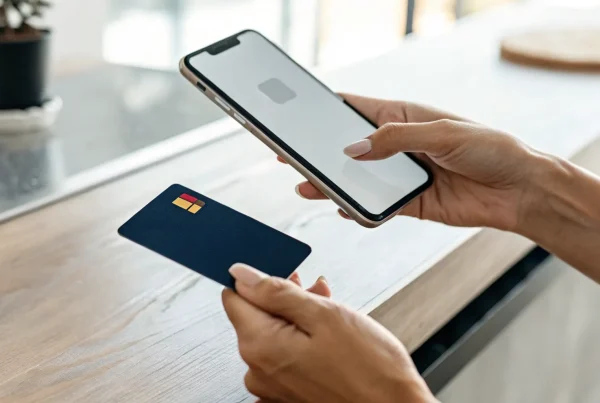
EMV chip cards are the gold standard for in-person payment security. When a customer “dips” their card, the embedded microchip creates a unique, one-time transaction code. This process makes it incredibly difficult for fraudsters to counterfeit cards or steal data. Any modern reader you consider must be able to process these transactions. Quality readers are built to accept EMV chip cards, using advanced encryption to protect customer information from the moment the card is dipped. This isn’t just a feature; it’s a fundamental requirement for protecting your business and building trust with your customers.
Contactless Payments (Like Apple Pay)
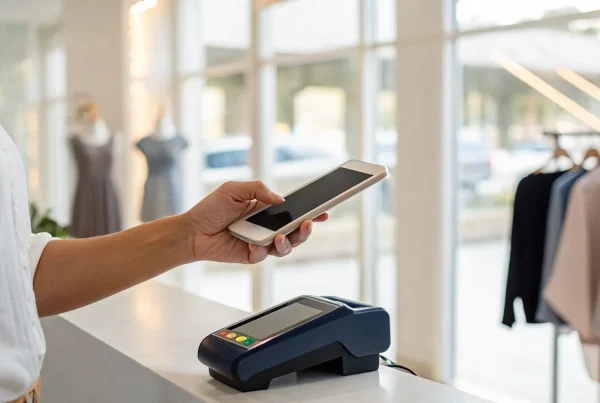
Tap-to-pay is no longer a novelty—it’s an expectation. Contactless payments, which include mobile wallets like Apple Pay and Google Pay, allow customers to complete a purchase by simply holding their phone or card near the reader. These transactions are not only fast and convenient but also just as secure as chip card payments. A reader that supports contactless payments shows your business is modern and customer-focused. It speeds up checkout, which is a huge plus during busy periods, and offers a touch-free option that many people now prefer. Make sure any reader you choose is equipped to handle these quick and secure taps.
Traditional Magnetic Stripe Cards
While chip and contactless payments are becoming dominant, the magnetic stripe isn’t gone just yet. Many cards are still in circulation that rely on a quick swipe, and you’ll inevitably encounter customers who need to pay this way. A versatile reader ensures you’re prepared for every scenario. The best EMV readers also include a slot for swiping traditional magnetic stripe cards, so you can accept all major credit cards like Visa, Mastercard, American Express, and Discover without hesitation. Having this backward compatibility means you never have to say “no” to a customer, ensuring you capture every possible sale.
How to Set Up Your iPhone EMV Reader
You’ve got your new EMV reader—great! Getting it connected to your iPhone is usually a quick process, and taking a few minutes to set it up correctly will save you headaches down the road. Let’s walk through the simple steps to get you ready to accept payments.
A Simple Guide to Pairing Your Device
First things first, let’s get your reader and iPhone talking to each other. Start by making sure Bluetooth is turned on in your iPhone’s settings. Next, you’ll need to put your card reader into pairing mode. Every device is a little different, so it’s best to follow the manufacturer’s instructions for the exact steps. Once it’s discoverable, open your iPhone’s Bluetooth menu, find the reader in the list of available devices, and tap to connect. This one-time setup creates the secure link you need for every transaction.
Running Your First Test Transaction
Once your reader is paired, it’s smart to run a quick test transaction before you use it with a customer. This gives you peace of mind that everything is working smoothly. Open your payment processing app, type in a small amount like $1.00, and follow the on-screen prompts to process the payment with your card reader. You can use your own credit or debit card for this. When you see the confirmation screen, you’ll know your setup is complete and you’re officially ready to start accepting chip card payments.
Solving Common Setup Issues
If you hit a snag, don’t panic. It’s usually a simple fix. First, check that your reader is fully charged, as a low battery is a common culprit for connection problems. Next, confirm that it’s properly paired. Some readers have indicator lights; for example, a black connect button might mean it isn’t paired, while a red one could signal that Bluetooth is off. Double-check that Bluetooth is enabled on your iPhone and that both your phone’s software and your payment app are up to date. Walking through these common setup issues can get you back on track in no time.
Common Challenges with iPhone Readers (and How to Fix Them)
iPhone EMV readers are designed to be simple, but like any piece of tech, you might run into a few bumps along the way. The good news is that most common issues are easy to fix with a little know-how. Whether it’s a slow connection or a software glitch, knowing what to expect can help you keep your checkout line moving smoothly and your customers happy.
Think of these challenges not as roadblocks, but as part of the learning curve. Once you understand why they happen, you’ll be prepared to handle them without missing a beat. We’ll walk through the most frequent issues business owners face with mobile readers and give you straightforward, actionable steps to solve them. From connectivity quirks to team training, here’s how you can stay ahead of potential problems and make sure your payment processing is always reliable.
Dealing with Connectivity and Speed
Nothing slows down a sale faster than a lagging card reader. If you notice your transactions are taking too long to process, it’s often due to a connectivity issue. Because EMV systems have to work with so many different devices and payment processors, a weak Wi-Fi or cellular signal can create a bottleneck. A slow EMV system creates a poor customer experience and can make your business look unprofessional.
To fix this, first check your internet connection. If you’re on Wi-Fi, try moving closer to your router or switching to your phone’s cellular data. It’s also a great idea to keep your reader’s software and your payment app updated, as developers are always releasing patches to improve performance. Choosing a payment processor that prioritizes speed and provides optimized hardware can also make a huge difference in your day-to-day transaction times.
Keeping Up with iOS Compatibility
Apple is constantly rolling out new iOS updates to improve security and add features, which is great for your iPhone but can sometimes create hiccups for connected hardware. A new update can occasionally cause a temporary compatibility issue with your EMV reader or its corresponding app. These challenges of mobile EMV solutions are common, but they are manageable with a little planning.
The best way to avoid service disruptions is to be proactive. Before you hit “Install” on a major iOS update, check your payment processor’s website or support page for any announcements about compatibility. Many providers test their hardware with new software before it’s released to the public. You should also set your payment processing app to update automatically. This ensures you always have the latest version, which is most likely to be compatible with your phone’s current operating system.
Training Your Team to Use It
Your iPhone EMV reader is a powerful tool, but it’s only effective if your team knows how to use it correctly. Improper use can lead to transaction errors, customer frustration, and even leave you vulnerable to fraud. Since the risk of credit card fraud liability can fall on the merchant if EMV cards aren’t processed correctly, proper training is essential for protecting your business.
Set aside a little time to walk your staff through the process. Show them how to pair the reader with the iPhone, process a chip card, accept a contactless payment, and troubleshoot simple issues like a low battery. Creating a one-page cheat sheet to keep near the register can also be a huge help. When you partner with a provider like MBNCard, you get access to support specialists who can help you train your team and ensure everyone feels confident accepting payments.
Ready to Buy? Where to Find an iPhone EMV Reader
Once you’ve decided on the features you need, it’s time to find the right device for your business. You have a few great options for purchasing an iPhone EMV reader, each with its own benefits. The key is to find a reliable source that offers a device compatible with your payment processing service and business software. Let’s walk through the most common places to look and what you should double-check before you click “buy.”
Buying Directly from a Payment Processor
Your first and often best stop is your payment processor. Buying directly from your provider ensures the hardware is perfectly compatible with their software and your merchant account. This route simplifies setup and makes troubleshooting much easier since you have a single point of contact for support. For example, some processors offer devices like the SumUp Card Reader, which is designed to seamlessly accept EMV chip cards, contactless payments, and traditional magnetic stripe cards. Going direct guarantees you’re getting a device that’s ready to work with your system right out of the box.
Comparing Online Retailers and Promotions
While your payment processor is a great starting point, it’s always smart to see what’s available from major online retailers. Websites like Amazon or office supply stores sometimes offer competitive pricing or special promotions on EMV readers. Just be sure to confirm that the model you’re looking at is unlocked and compatible with your payment processor. When comparing your options, think about your customers. A versatile reader that accepts all major credit cards—like Visa, Mastercard, American Express, and Discover—ensures you never have to turn away a sale.
What to Check Before You Purchase
Before you finalize your purchase, take a moment to review the reader’s full feature set and any associated software. Think beyond just accepting cards. Does the device work with an app that helps you run your business? The Procharge EMV App, for instance, lets you manage cash sales and inventory from your phone, turning your device into a mini-POS system. Also, consider the long-term costs. Some readers, like the PayTrace EMV 2.0, are designed to help you secure lower processing fees by qualifying for special rates on commercial cards, which can save you significant money over time.
Related Articles
Frequently Asked Questions
Is an EMV reader really necessary if I already have a way to swipe cards? Yes, it absolutely is. The biggest reason is to protect your business from financial liability. Years ago, the responsibility for fraudulent in-person transactions shifted to merchants who weren’t equipped to accept chip cards. This means if you swipe a chip card that turns out to be fraudulent, you could be on the hook for the entire chargeback. Using an EMV reader for every chip card transaction is the single best way to shield your business from that risk and show your customers you take their security seriously.
How do I choose the right reader when they all seem to do the same thing? While most readers accept the same basic payments, the best choice for you depends on how your business operates. Think about your daily workflow. Do you need a long battery life for all-day markets? Do you want an app that also helps you track inventory or manage customer information? Some readers are part of a larger system that can grow with your business, while others are designed for pure simplicity. The right device isn’t just about taking a payment; it’s about finding a tool that makes your entire day run more smoothly.
Will the money from my sales go directly into my business bank account? Yes, that’s exactly how it works. When you set up your account with a payment processor, you’ll link it to your business bank account. After you process a sale with your iPhone EMV reader, the funds are batched and deposited directly into that account. Most providers offer fast funding, meaning you’ll typically see the money from your day’s sales in your account within one to two business days, which is a huge improvement over waiting for checks to clear or dealing with invoicing.
What’s the real cost? Is it just the price of the reader? The price of the reader is just the initial, one-time investment. The main ongoing cost is the transaction fee, which is a small percentage of each sale that goes to the payment processor. It’s important to partner with a provider who is transparent about their rates and any other potential charges, like monthly account fees. A good partner will walk you through all the costs so there are no surprises, helping you find a solution with fair, predictable pricing that fits your budget.
What happens if my reader loses its connection during a sale? Connectivity issues can happen, but they’re usually a quick fix. If a transaction fails, the first step is to check your iPhone’s connection to Wi-Fi or cellular data. Most payment apps are designed to prevent a charge from going through if the connection drops, so you won’t have to worry about accidentally charging a customer twice. You can simply try the transaction again once your signal is stable. Keeping your reader charged and your payment app updated also helps prevent these kinds of hiccups.